How we rank
HR and Workforce · Researched comparison

Best Timesheet Software for General Contractors in 2026

TaskReports may earn a fee from some links on this page, and some placements are paid and labelled. Neither one decides the order. See our disclosure.

The short answer

Clockify is the first pick for general contractors who want a free or low-cost way to track crew hours by job and client. QuickBooks Time suits contractors who need payroll and job costing tied to time entry. Buildertrend fits builders who want timesheets inside a full construction management system. Each option below is a standalone product with its own pricing, and prices should be confirmed on the vendor site.

On this page

Key takeaways

  • Clockify offers a free plan for unlimited users, which suits small crews tracking hours by project and client.
  • QuickBooks Time connects time tracking to payroll and job costing, and it is built for field crews with mobile entry.
  • Buildertrend and Procore pair timesheets with construction management, so hours flow into schedules, budgets and billing.
  • Entry prices vary by billing cycle and user count, so confirm current rates on each vendor's pricing page.

Quick comparison

ToolBest fitStarting price
ClockifySmall crews tracking hours by job and clientSee vendor pricing page
QuickBooks TimeContractors linking crew hours to payroll and job costingSee vendor pricing page

BuildertrendBuilders wanting timesheets inside construction managementSee vendor pricing page
ProcoreCommercial contractors needing field and project time dataSee vendor pricing page
HubstaffContractors tracking remote and field staff hoursSee vendor pricing page
Toggl TrackSimple time tracking for small contractor teamsSee vendor pricing page
HarvestContractors billing client hours by projectSee vendor pricing page

How we chose

We selected products that support time tracking for general contractors, including crew time entry, job costing and payroll connections. Criteria were fit for the use case, published entry pricing, free access and main limits. Sources are vendor websites and public documentation. Prices change, so confirm current rates on each vendor's pricing page before buying.

Best overall

Clockify

Small crews tracking hours by job and client

  • Free plan for unlimited users
  • tracks time by project, client and task
PriceSee vendor pricing page
See Clockify pricing
clockify.meHomepage, Nov 2026
Clockify homepage

Clockify is a general time tracking tool that works for contractors who need to log hours by project, client and task. The free plan supports unlimited users, which helps small crews. Paid tiers add features such as invoicing, scheduling and more detailed reporting. For general contractors, the main use is separating billable job hours from overhead and admin time. Clockify does not include construction-specific tools such as daily logs or change orders. It is a time tracking product first. Contractors who need payroll integration or job costing tied to accounting should look at QuickBooks Time or a construction platform. Confirm current plan limits and prices on the vendor site.

Price: See vendor pricing page

Free plan: Yes

Website: clockify.me

Watch out for

  • Advanced job costing needs paid tiers
  • limited construction-specific features
2

QuickBooks Time

Contractors linking crew hours to payroll and job costing
See vendor pricing page
quickbooks.intuit.comHomepage, Nov 2026
QuickBooks Time homepage

QuickBooks Time is a time tracking product from Intuit. It supports mobile clock-in, GPS tracking and job or project codes, which suits general contractors with crews in the field. Hours can flow into QuickBooks payroll and job costing, which reduces manual entry for contractors already using QuickBooks. The product is sold in tiers, and some features such as scheduling and geofencing depend on the plan. Contractors who do not use QuickBooks may find the integration value lower. Confirm plan details and current pricing on the vendor site.

Free plan: Free trial (30 days)

Website: quickbooks.intuit.com/time-tracking

Strengths

  • Mobile time entry for field crews
  • connects to QuickBooks payroll and job costing

Watch out for

  • Best value requires QuickBooks
  • pricing varies by plan and users
3

Buildertrend

Builders wanting timesheets inside construction management
See vendor pricing page
BuildertrendHomepage image unavailable

Buildertrend is a construction management platform for residential builders and remodelers. Its time tracking features connect crew hours to schedules, budgets and job costing. Contractors can log time against projects and use the data in estimating and billing workflows. Because Buildertrend is a full platform, the cost is higher than a standalone timesheet tool. It suits contractors who want one system for scheduling, client communication, change orders and time tracking. Small crews that only need hour tracking may not need the full platform. Confirm pricing on the vendor site.

Free plan: No

Website: buildertrend.com

Strengths

  • Timesheets connect to schedules and budgets
  • built for residential construction

Watch out for

  • Higher cost than standalone time trackers
  • no free plan
4

Procore

Commercial contractors needing field and project time data
See vendor pricing page
procore.comHomepage, Nov 2026
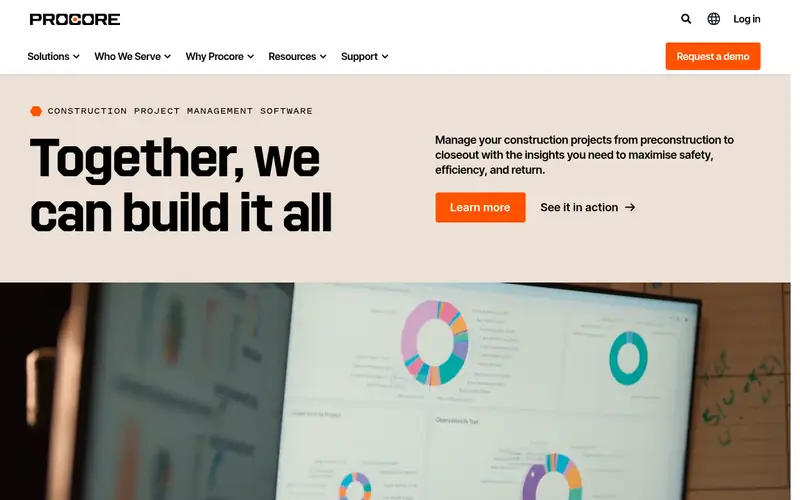
Procore homepage

Procore is a construction management platform used on commercial and large projects. Its time and attendance tools let crews log hours in the field, and the data connects to project management, budgets and reporting. General contractors who manage multiple trades and need documented field time may find this useful. Procore pricing is quote-based, so there is no published entry price. The platform is built for larger operations and may be more than a small contractor needs. Contractors who want a simple timesheet should compare standalone tools first. Confirm details with the vendor.

Free plan: No

Website: procore.com

Strengths

  • Time and attendance tied to project management
  • strong field data tools

Watch out for

  • Pricing is quote-based
  • setup is heavier for small crews
5

Hubstaff

Contractors tracking remote and field staff hours
See vendor pricing page
hubstaff.comHomepage, Nov 2026
Hubstaff homepage

Hubstaff is a time tracking and workforce management tool. It supports time entry, location tracking and payroll exports. General contractors with field supervisors, estimators or remote admin staff can use it to track hours by project and client. Hubstaff is priced per user, so cost grows with the crew. It is not built specifically for construction, so job costing and change order features are limited. It suits contractors who need detailed time records and payroll exports more than construction workflows. Confirm plan limits and pricing on the vendor site.

Free plan: Free trial (14 days)

Website: hubstaff.com

Strengths

  • Time tracking with activity and location options
  • supports payroll exports

Watch out for

  • Per-user pricing adds up
  • some features cost extra
6

Toggl Track

Simple time tracking for small contractor teams
See vendor pricing page
toggl.comHomepage, Nov 2026
Toggl Track homepage

Toggl Track is a time tracking tool with a simple interface. Contractors can log hours by project and client, which helps with billing and estimating. The free plan covers a small number of users, and paid plans add reporting and admin features. Toggl Track does not include payroll, job costing or construction management. It fits contractors who want a lightweight way to record hours and export them. Crews that need field clock-in with GPS or payroll integration should look at QuickBooks Time. Confirm free plan limits and pricing on the vendor site.

Free plan: Yes

Website: toggl.com/track

Strengths

  • Simple interface for project and client time
  • free plan for small teams

Watch out for

  • Limited construction features
  • advanced reporting needs paid plans
7

Harvest

Contractors billing client hours by project
See vendor pricing page
getharvest.comHomepage, Nov 2026
Harvest homepage

Harvest is a time tracking and invoicing tool. Contractors who bill clients by the hour can track time by project and turn it into invoices. Reports show hours by client and project, which helps with billing and estimating. Harvest is not built for construction crews or payroll. It fits service-oriented contractors and small teams that bill for labor. Contractors who need field clock-in or job costing should compare QuickBooks Time or Buildertrend. Confirm current pricing on the vendor site.

Free plan: Free trial (30 days)

Website: getharvest.com

Strengths

  • Time tracking tied to invoicing
  • clear project and client reports

Watch out for

  • No construction-specific tools
  • per-user pricing

Pre-purchase checklist

  • Confirm the tool tracks hours by job, phase and client, not just by employee.
  • Check whether mobile clock-in and GPS are included or cost extra.
  • Verify payroll and accounting integrations match the software you already use.
  • Review free plan limits on users, projects and report history.
  • Ask how exported data feeds job costing and client billing.

FAQ

What is the best timesheet software for general contractors?

Clockify is a strong starting point because it has a free plan for unlimited users and tracks time by project and client. QuickBooks Time suits contractors who need payroll and job costing. Buildertrend fits builders who want timesheets inside a construction management platform.

Do general contractors need construction-specific timesheet software?

Not always. A standalone time tracker works if you only need hours by job and client. Construction-specific platforms add scheduling, budgets and change orders. The choice depends on whether time data must connect to project management and billing.

Can timesheet software handle crew time in the field?

Many tools offer mobile time entry. QuickBooks Time and Procore support field clock-in, and some plans include GPS or geofencing. Check which features are included in each plan before you buy.

Is there free timesheet software for contractors?

Clockify and Toggl Track offer free plans with limits on users and features. Free plans usually lack advanced reporting and payroll integration. Confirm current limits on the vendor site.

How much does timesheet software cost for contractors?

Prices vary by user count and plan. Many vendors publish entry prices, while Procore is quote-based. Confirm current pricing on each vendor's site because rates change.