How we rank
HR and Workforce · Researched comparison

Best Timesheet Software for Glass and Glazing Contractors in 2026

TaskReports may earn a fee from some links on this page, and some placements are paid and labelled. Neither one decides the order. See our disclosure.

The short answer

ClockShark is the first pick for glass and glazing contractors who need crew hours tied to job sites and cost codes from a phone. Knowify suits shops that want timesheets linked to installation jobs, change orders and invoicing. QuickBooks Time is a strong alternative for companies already running QuickBooks payroll and accounting.

On this page

Key takeaways

  • ClockShark and QuickBooks Time lead for field crews that log hours by job site from a phone.
  • Knowify and Buildertrend tie hours to installation jobs and change orders for glass and glazing work.
  • Homebase offers a free plan for small shops with limited employees and one location.
  • Entry prices below are the published starting rates; confirm current pricing on each vendor page.

Quick comparison

ToolBest fitStarting price
ClockSharkField crews logging hours by job site and taskSee vendor pricing page
KnowifyGlazing shops linking timesheets to jobs and invoicingSee vendor pricing page
QuickBooks TimeCrews already using QuickBooks for payroll and accountingSee vendor pricing page
BuildertrendGlazing contractors running full installation projectsSee vendor pricing page
HomebaseSmall glazing shops needing free scheduling and time clockSee vendor pricing page
HubstaffCrews needing GPS tracking and detailed activity reportsSee vendor pricing page
ClockifySmall shops wanting a free time tracker with job codesSee vendor pricing page

How we chose

We selected tools that support field crew time tracking, job-based hours and payroll or invoicing for glass and glazing work. Criteria were fit for the use case, published entry pricing, free access, and main limits such as user caps and missing construction features. Sources are vendor websites and public documentation. Prices change, so confirm current rates on each vendor's pricing page before you buy.

★ Best overall

ClockShark

Field crews logging hours by job site and task

  • GPS and geofence job-site clock-ins
  • job costing and payroll exports
PriceSee vendor pricing page
See ClockShark pricing
ClockSharkHomepage image unavailable

ClockShark is built for construction and field service crews, which fits glass and glazing installers who move between job sites. Employees clock in from a phone with GPS and geofence checks, and hours can be assigned to a job, task or cost code. That structure helps a shop see labor cost per installation rather than one lump of hours. The product includes scheduling, mobile time clock, job costing and payroll exports. It integrates with QuickBooks and other accounting tools. Pricing is per user per month, so a growing crew raises the monthly bill. Small shops with two or three installers may find the cost hard to justify against a simpler time clock app. Skip ClockShark if you only need salaried office staff time tracking or if you want a full project management suite with estimating built in.

Price: See vendor pricing page

Free plan: Free trial (14 days)

Website: clockshark.com

Watch out for

  • Per-user pricing adds up for large crews
  • scheduling is basic on lower tiers
2

Knowify

Glazing shops linking timesheets to jobs and invoicing
See vendor pricing page
knowify.comHomepage, Nov 2026
Knowify homepage

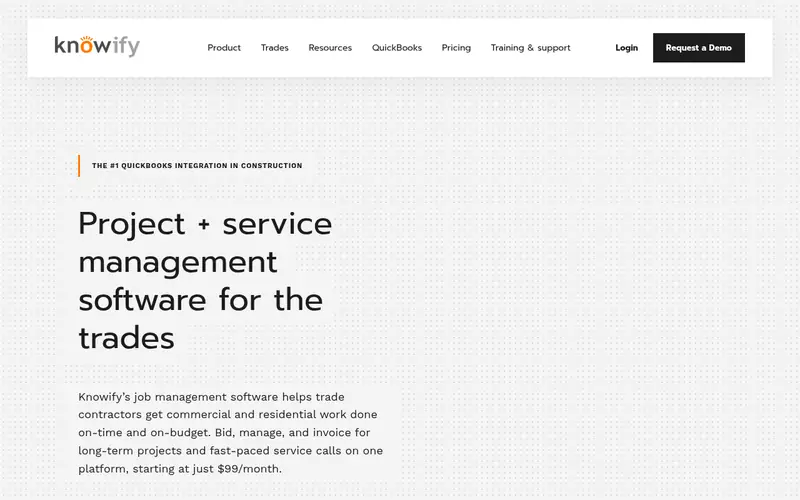
Knowify is construction management software with time tracking inside it. For glass and glazing contractors, the value is that crew hours attach to a specific job or service ticket, then flow into job costing and invoices. Change orders and subcontractor tracking are part of the same system, which suits shops that install and service glass. The platform covers estimating, scheduling, time tracking, invoicing and progress billing. It is aimed at specialty trade contractors, so the workflow matches installation work better than a generic time clock. There is no free plan, and the learning curve is steeper than a standalone time clock. Skip Knowify if you only need hours for payroll and already have separate accounting and project tools that you do not want to replace.

Free plan: No

Website: knowify.com

Strengths

  • Timesheets tied to jobs, change orders and invoices
  • construction-specific workflow

Watch out for

  • No free plan
  • setup takes time for new users
3

QuickBooks Time

Crews already using QuickBooks for payroll and accounting
See vendor pricing page
quickbooks.intuit.comHomepage, Nov 2026
QuickBooks Time homepage

QuickBooks Time, formerly TSheets, is a time tracking tool that connects directly to QuickBooks payroll and accounting. Glass and glazing crews can clock in from a phone, assign hours to customers or jobs, and send approved timesheets to payroll. GPS tracking and geofencing help confirm where a crew member clocked in. The product supports scheduling, PTO tracking and job costing reports. It works as a standalone tool, but the main benefit appears when payroll and invoicing already run in QuickBooks. Pricing is per user per month with a base fee, so small crews should check the total. Skip it if your accounting runs on a different platform and you do not want a second subscription just for time tracking.

Free plan: Free trial (30 days)

Website: quickbooks.intuit.com/time-tracking

Strengths

  • Strong QuickBooks payroll sync
  • mobile GPS clock-in with job codes

Watch out for

  • Best value only inside the QuickBooks ecosystem
  • advanced features cost extra
4

Buildertrend

Glazing contractors running full installation projects
See vendor pricing page
BuildertrendHomepage image unavailable

Buildertrend is project management software for construction, with time tracking as one module. A glass and glazing contractor can track crew hours against a project, connect them to schedules and daily logs, and keep client communication in one place. That suits companies handling larger installation jobs with multiple trades and phases. The platform covers estimating, scheduling, change orders, selections and billing. Time clock entries can be reviewed and approved before they reach payroll. The trade-off is cost and complexity. Buildertrend is priced for established builders, not one-truck shops. Skip Buildertrend if you mainly need simple hours by job and do not want to manage a full construction management system.

Free plan: No

Website: buildertrend.com

Strengths

  • Timesheets inside a full project management suite
  • daily logs and scheduling

Watch out for

  • Higher cost than standalone time clocks
  • more features than small shops need
5

Homebase

Small glazing shops needing free scheduling and time clock
See vendor pricing page
joinhomebase.comHomepage, Nov 2026
Homebase homepage

Homebase offers a free plan with time clock, scheduling and basic messaging for a single location. That can fit a small glass and glazing shop that needs installers to clock in and out and a manager to build a weekly schedule. The mobile app handles clock-ins with location checks on paid tiers. Paid plans add payroll, hiring and more advanced controls. The free plan has limits on features and team size, so a growing crew will likely move to a paid tier. Homebase is not built for construction job costing, so it suits simple hourly tracking more than project-level labor analysis. Skip Homebase if you need job cost codes, change orders or certified payroll reporting.

Free plan: Yes

Website: joinhomebase.com

Strengths

  • Free plan for one location
  • simple mobile clock-in and scheduling

Watch out for

  • Free plan limits features and users
  • payroll and HR cost extra
6

Hubstaff

Crews needing GPS tracking and detailed activity reports
See vendor pricing page
hubstaff.comHomepage, Nov 2026
Hubstaff homepage

Hubstaff is time tracking software with GPS, screenshots and activity monitoring on some plans. For glass and glazing contractors, the useful parts are GPS-verified clock-ins, job and task assignment, and timesheets that export to payroll and invoicing tools. It can work for service vans and installation crews that move between sites. The product is more oriented to tracking work in detail than to construction job costing. Screenshot and activity features may not suit field installers, and some crews will see them as intrusive. Pricing is per user per month, with limits on features by tier. Skip Hubstaff if you want a simple field time clock without activity monitoring or if you need deep construction accounting integration.

Free plan: Free trial (14 days)

Website: hubstaff.com

Strengths

  • GPS tracking with location history
  • detailed timesheets and reports

Watch out for

  • No free plan
  • activity monitoring may feel heavy for field crews
7

Clockify

Small shops wanting a free time tracker with job codes
See vendor pricing page
clockify.meHomepage, Nov 2026
Clockify homepage

Clockify offers a free plan with unlimited users and unlimited tracking, which makes it a low-cost entry point for a small glazing shop. Crews can log hours against projects and tasks that represent jobs or installation phases, and managers can review timesheets and export reports. The free plan covers basic time tracking but limits some admin controls and advanced reporting. Paid tiers add scheduling, approvals, invoicing and more. Clockify is not construction-specific, so job costing and change order handling are weaker than in Knowify or Buildertrend. Skip Clockify if you need GPS job-site verification, certified payroll or deep construction accounting.

Free plan: Yes

Website: clockify.me

Strengths

  • Free plan for unlimited users
  • projects and tasks for job tracking

Watch out for

  • Free plan lacks advanced controls
  • payroll and invoicing are limited

Pre-purchase checklist

  • Confirm the tool tracks hours by job, cost code or customer, not just by employee.
  • Check mobile clock-in with GPS or geofencing if crews work across multiple sites.
  • Verify payroll export or integration with your current accounting software.
  • Review per-user pricing against your crew size, including seasonal workers.
  • Test whether the free plan or trial covers your real workflow before you commit.

FAQ

What is the best timesheet software for glass and glazing contractors?

ClockShark is a strong fit for field crews that need GPS job-site clock-ins and payroll exports. Knowify suits shops that want timesheets tied to installation jobs and invoicing. QuickBooks Time works well for companies already using QuickBooks.

Do these tools support job costing for glazing projects?

ClockShark, Knowify and Buildertrend support job-based labor tracking and reporting. Clockify and Homebase are simpler and focus on hours and scheduling. Check each vendor's plan details because job costing features may require a higher tier.

Is there a free option for small glazing shops?

Homebase offers a free plan for one location with time clock and scheduling. Clockify offers a free plan with unlimited users for basic time tracking. Both have limits on advanced features, so review the plan details before relying on them.

Can crews clock in from a phone on a job site?

Yes. ClockShark, QuickBooks Time, Hubstaff and Homebase offer mobile clock-in. Several include GPS or geofence checks so managers can confirm the location. Feature availability depends on the plan you choose.

Do these tools handle payroll?

QuickBooks Time connects directly to QuickBooks payroll. ClockShark, Homebase and Hubstaff offer payroll integrations or exports. Knowify and Buildertrend focus on job costing and invoicing, with payroll handled through integrations or exports.



