How we rank
HR and Workforce · Researched comparison

Best Timesheet Software for Low Voltage Contractors in 2026

TaskReports may earn a fee from some links on this page, and some placements are paid and labelled. Neither one decides the order. See our disclosure.

The short answer

ClockShark is the first pick for most low voltage contractors because it ties mobile time entry to jobs, tasks and cost codes, which supports job costing on cabling and security installs. QuickBooks Time is the better fit if you already invoice and run payroll in QuickBooks. Hubstaff is a lighter option for owners who mainly want location and activity tracking for small crews.

On this page

Key takeaways

  • ClockShark fits low voltage crews that need GPS-stamped mobile time entry tied to jobs and cost codes.
  • QuickBooks Time is the simplest pick for contractors already running QuickBooks for invoicing and payroll.
  • Hubstaff and Timeero suit owners who want location tracking without a full construction suite.
  • Entry prices below come from public vendor pricing pages and should be confirmed before purchase.

Quick comparison

ToolBest fitStarting price
ClockSharkField crews needing job and cost-code time trackingSee vendor pricing page
QuickBooks TimeContractors already using QuickBooks for books and payrollSee vendor pricing page
HubstaffSmall crews needing location and activity trackingSee vendor pricing page
TimeeroOwners who want GPS mileage and route historySee vendor pricing page
ConnecteamCrews needing scheduling, time clock and communication in one appSee vendor pricing page
ClockifyBudget-conscious contractors tracking time by projectSee vendor pricing page
HarvestSmall shops billing clients by project hoursSee vendor pricing page

How we chose

Tools were selected for job-based time tracking, mobile field use, reporting that supports billing, and published entry pricing. Sources are vendor homepages and public pricing pages. No hands-on testing was performed. Prices and free-plan limits change, so confirm current terms on each vendor site before buying.

Best overall

ClockShark

Field crews needing job and cost-code time tracking

  • Mobile time clock tied to jobs and tasks
  • GPS stamps on clock-ins
PriceSee vendor pricing page
See ClockShark pricing
ClockSharkHomepage image unavailable

ClockShark is built for construction and field service crews, which matches low voltage work spread across multiple job sites. Employees clock in from a phone, and each entry attaches to a job, task and service item. That structure lets an owner separate rough-in hours from trim-out hours on the same project. Schedules, geofence reminders and job costing reports are part of the platform. Time can be exported to payroll and accounting tools. The vendor does not publish a flat entry price on its homepage, so check the pricing page for current per-user rates and the free trial length. Skip ClockShark if you only need a simple internal timesheet and do not bill by job. The per-user model costs more than basic time trackers for a small crew.

Price: See vendor pricing page

Free plan: Free trial (14 days)

Website: clockshark.com

Watch out for

  • Per-user pricing adds up on larger crews
  • Payroll and invoicing sit outside the app
2

QuickBooks Time

Contractors already using QuickBooks for books and payroll

See vendor pricing page
quickbooks.intuit.comHomepage, Nov 2026
QuickBooks Time homepage

QuickBooks Time, formerly TSheets, is a strong fit for low voltage contractors who already run their books in QuickBooks. Crews clock in from a mobile app, and hours flow into payroll and job costing without re-entry. Timesheets can carry service items and classes, which helps split labor across install and service work. The app supports GPS tracking, scheduling and approvals. Because it is an Intuit product, setup is fastest for existing QuickBooks users. Pricing is published per user with a base fee, so confirm the current tiers on the vendor page. Skip it if you use another accounting system and do not plan to switch. The product works standalone, but much of its value comes from the QuickBooks connection.

Free plan: Free trial (30 days)

Website: quickbooks.intuit.com/time-tracking

Strengths

  • Direct sync with QuickBooks payroll and invoicing
  • Job and service item coding on timesheets

Watch out for

  • Best value only inside the QuickBooks ecosystem
  • Advanced features cost extra per user
3

Hubstaff

Small crews needing location and activity tracking
See vendor pricing page
hubstaff.comHomepage, Nov 2026
Hubstaff homepage

Hubstaff is a general time tracking tool with GPS and activity monitoring. For a low voltage contractor with a few techs, it can log time against projects and clients and show where clock-ins happened. Reports break hours down by project, which supports simple client billing. It is not construction-specific. There are no cost codes or service items built for electrical and low voltage work, so job costing is lighter than in ClockShark or QuickBooks Time. The vendor sells per-user plans with feature tiers, and some monitoring features sit on higher plans. Choose Hubstaff if you want straightforward project time tracking with location data and do not need a field service suite. Skip it if your billing depends on detailed cost-code reporting.

Free plan: Free trial (14 days)

Website: hubstaff.com

Strengths

  • GPS and activity tracking with screenshots on higher tiers
  • Simple project and task time tracking

Watch out for

  • Activity monitoring can feel heavy for field techs
  • Per-user pricing with feature tiers
4

Timeero

Owners who want GPS mileage and route history
See vendor pricing page
timeero.comHomepage, Nov 2026
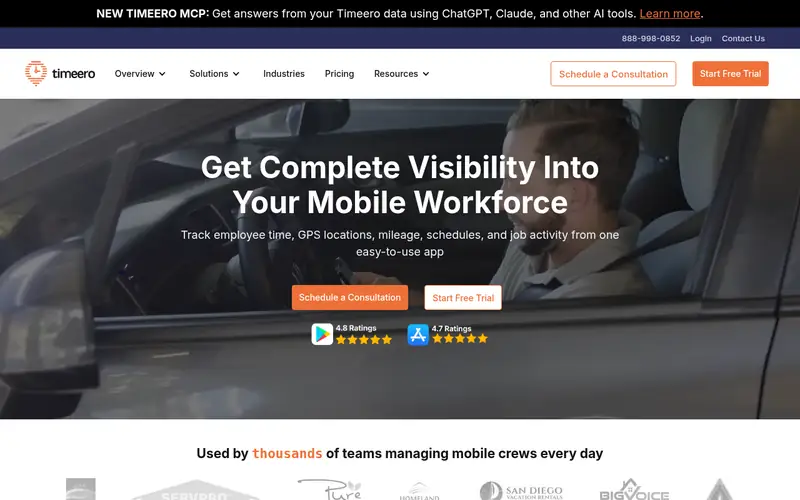
Timeero homepage

Timeero focuses on GPS time tracking and mileage, which suits low voltage techs who drive between sites. Clock-ins can be tied to jobs, and the route history shows travel between locations. Mileage logs help with reimbursement and vehicle records. The product covers scheduling, geofences and payroll exports. It is a narrower tool than a full construction platform, so cost-code job costing is limited. Pricing is per user, and the vendor lists plan details on its pricing page. Pick Timeero if travel time and mileage matter more than deep job costing. Skip it if you need service items, estimates or invoicing in the same system.

Free plan: Free trial (14 days)

Website: timeero.com

Strengths

  • GPS tracking with mileage logs
  • Geofenced clock-in reminders

Watch out for

  • Smaller integration list than larger platforms
  • Per-user pricing on paid tiers
5

Connecteam

Crews needing scheduling, time clock and communication in one app
See vendor pricing page
connecteam.comHomepage, Nov 2026
Connecteam homepage

Connecteam bundles a mobile time clock with scheduling, task management and team communication. For a low voltage contractor, that means techs can clock in, see the day's jobs and message the office from one app. Timesheets can be approved and exported. The vendor offers a free plan for small teams, with paid tiers for advanced time tracking, payroll and compliance features. Confirm the current free-plan user limit and feature caps on the pricing page before relying on it for a growing crew. Choose Connecteam if communication and scheduling matter as much as time capture. Skip it if you need deep job costing tied to cost codes, which it does not specialize in.

Free plan: Yes

Website: connecteam.com

Strengths

  • Free plan for small teams
  • Combines scheduling, time clock and team messaging

Watch out for

  • Advanced time and payroll features need paid plans
  • Setup takes time to configure
6

Clockify

Budget-conscious contractors tracking time by project
See vendor pricing page
clockify.meHomepage, Nov 2026
Clockify homepage

Clockify is a general time tracker with a free plan that supports unlimited users, which makes it a low-cost starting point for a small low voltage shop. Time entries can be tagged to projects and clients, and reports summarize hours for billing. It lacks construction features such as cost codes, geofenced clock-ins and service items. Field use depends on the mobile app, and controls like approvals and timesheet locking sit on paid plans. The vendor publishes plan details on its pricing page. Use Clockify if budget is the top priority and your reporting needs are simple. Skip it if you need GPS tracking or job costing built for field crews.

Free plan: Yes

Website: clockify.me

Strengths

  • Free plan with unlimited users
  • Simple project and client time tracking

Watch out for

  • Limited construction-specific features
  • Advanced controls need paid tiers
7

Harvest

Small shops billing clients by project hours
See vendor pricing page
getharvest.comHomepage, Nov 2026
Harvest homepage

Harvest tracks time by client, project and task and turns hours into invoices. For a low voltage contractor who bills clients hourly, that flow is direct: techs log time, the office reviews it, and invoices pull the billable hours. It is an office-oriented tool. There is no GPS, geofencing or crew dispatch, so it suits owners and project managers more than field techs. Pricing is per seat, and the vendor lists current rates on its pricing page. Pick Harvest if invoicing from tracked hours is the main goal. Skip it if you need field time capture with location data.

Free plan: Free trial (30 days)

Website: getharvest.com

Strengths

  • Clean project time tracking with invoicing
  • Client and task breakdowns on reports

Watch out for

  • No GPS or field crew tracking
  • Per-seat pricing

Which timesheet software for low voltage contractors should I use if my techs work across several job sites each day?

ClockShark is the best fit for crews moving between multiple sites because clock-ins attach to jobs and carry GPS stamps. If your techs drive between sites and you reimburse mileage, look at Timeero. If the office already runs QuickBooks, QuickBooks Time keeps hours and payroll in one place. If scheduling and team messaging matter as much as time capture, Connecteam bundles all three in one app.

Is ClockShark better than QuickBooks Time for timesheet software for low voltage contractors?

ClockShark is the better fit when job and cost-code tracking in the field is the priority. QuickBooks Time is better when your books and payroll already run in QuickBooks. ClockShark ties entries to jobs, tasks and service items with GPS stamps. QuickBooks Time syncs hours directly to Intuit payroll and invoicing, and it works best inside that ecosystem.

Pre-purchase checklist

  • Confirm the app supports job, task and cost-code tracking, not just clock in and out.
  • Check whether GPS stamps and geofences are included on the entry plan or cost extra.
  • Verify the free-plan user limit or trial length before you commit a crew.
  • Confirm payroll and accounting exports match the software you already use.
  • Test mobile offline behavior for job sites with weak signal.

FAQ

What should low voltage contractors look for in timesheet software?

Look for mobile time entry tied to jobs and cost codes, GPS or geofence options, and reports that split hours by project or client. Payroll and invoicing exports matter if you bill hourly. Confirm the entry price and any per-user fees before you commit a crew.

Does ClockShark have a free plan?

ClockShark does not list a free plan. It offers a free trial, currently listed as 14 days. After the trial, pricing is per user, and the vendor publishes the current rates on its pricing page. Confirm the trial length and plan terms before signing up.

Can QuickBooks Time track time by job for billing?

Yes. QuickBooks Time lets crews assign time to jobs and service items, and hours flow into QuickBooks payroll and invoicing. That supports job costing and client billing for install and service work. Check the current plan tiers, since some features sit on higher-priced options.

Is a free time tracker enough for a small low voltage crew?

It can be, if you only need hours by project and simple reports. Clockify offers a free plan with unlimited users, and Connecteam offers a free plan for small teams. Free plans usually limit GPS, approvals or payroll features, so check the caps before relying on one.

Do these tools work offline on job sites?

Several of these apps, including ClockShark and QuickBooks Time, are built for mobile field use and are designed to handle spotty signal. Confirm offline behavior for your specific plan and device before rolling out to a crew, since features can differ by tier.



