
How we rank
HR and Workforce · Researched comparison

Best Timesheet Software for Machine Shops in 2026

TaskReports may earn a fee from some links on this page, and some placements are paid and labelled. Neither one decides the order. See our disclosure.

The short answer

Clockify is the first pick for machine shops that want a free start with unlimited users and simple job-based time tracking. QuickBooks Time fits shops already using QuickBooks that need mobile time clocks and job costing. Harvest suits small shops that bill machine time and labor to clients by the hour.

On this page

Key takeaways

  • Clockify has a free plan for unlimited users and works for small shops that need basic time capture.
  • QuickBooks Time and ClockShark focus on field and shop crews with mobile time clocks and job codes.
  • Harvest and Toggl Track suit small shops that bill hours by client or job.
  • Most tools charge per user, so cost scales with the number of machinists and office staff who log time.

Quick comparison

ToolBest fitStarting price
ClockifySmall shops that want free time tracking for many users$3.99 per user per month
QuickBooks TimeShops already running QuickBooks payroll and accountingSee vendor pricing page

HarvestSmall shops that bill labor and machine time by the hour$12 per user per month
Toggl TrackSimple per-job time tracking with low admin overhead$9 per user per month
ClockSharkShops with field crews and job-site time trackingSee vendor pricing page
HubstaffShops that want time tracking with activity and location data$7 per user per month
TimeCampShops that want automatic time capture alongside manual entrySee vendor pricing page
ClickTimeShops that need timesheet approvals and job cost reportsSee vendor pricing page

How we chose

We picked tools that support time capture by job, client, or project and that report hours in a way a machine shop can use for payroll or job costing. Criteria were fit for the use case, published entry price, free access, and main limits such as user caps or missing payroll features. Sources are vendor websites and public pricing pages. Prices change, so confirm the current rate on the vendor site before buying.

Best overall

Clockify

Small shops that want free time tracking for many users

    Price$3.99 per user per month
    See Clockify pricing
    clockify.meHomepage, Nov 2026
    Clockify homepage

    Clockify records time against projects, tasks, and clients, which maps to machine shop jobs and customer work orders. A shop can create a project per job number and track setup, run, and inspection time separately. The free plan covers unlimited users and basic time tracking, with paid tiers adding timesheet approvals, invoicing, and scheduling. The entry paid plan starts at $3.99 per user per month, billed annually. Shops that need approvals and payroll exports will need a paid tier. It is a general time tracker, not a manufacturing system, so it does not handle machine monitoring or shop floor terminals. Small shops that log time manually or on a shared computer should look at it first.

    Price: $3.99 per user per month

    Free plan: Yes

    Website: clockify.me

    Watch out for

    • Check current limits on the vendor page

    2

    QuickBooks Time

    Shops already running QuickBooks payroll and accounting
    See vendor pricing page
    quickbooks.intuit.comHomepage, Nov 2026
    QuickBooks Time homepage

    QuickBooks Time provides mobile and kiosk time clocks, job codes, and geofencing for crews. For a machine shop, the kiosk mode works as a shared shop floor clock where machinists clock in and out against a job. Timesheets flow into QuickBooks payroll, which reduces double entry for shops already on QuickBooks. Pricing is published by Intuit but varies by plan and promotions, so confirm the current rate on the vendor page. The tool is built around time and attendance, not detailed job costing, so shops that need cost per operation may pair it with accounting reports. It fits shops that value payroll integration over deep manufacturing features.

    Free plan: Free trial (30 days)

    Website: quickbooks.intuit.com/time-tracking

    Strengths

      Watch out for

      • Check current limits on the vendor page

      3

      Harvest

      Small shops that bill labor and machine time by the hour
      $12 per user per month
      getharvest.comHomepage, Nov 2026
      Harvest homepage

      Harvest tracks time by client and project and turns hours into invoices. A machine shop that quotes jobs by the hour can log setup, run, and finishing time per job and send an invoice from the same record. Budget alerts show when a job is running over the quoted hours. The entry price is $12 per user per month, billed annually, with a free plan for one user and two projects. There is no free tier for a full shop. Harvest does not include scheduling or shop floor terminals. It suits small shops where billing accuracy matters more than attendance tracking.

      Free plan: Free trial (30 days)

      Website: getharvest.com

      Strengths

        Watch out for

        • Check current limits on the vendor page

        4

        Toggl Track

        Simple per-job time tracking with low admin overhead
        $9 per user per month
        toggl.comHomepage, Nov 2026
        Toggl Track homepage

        Toggl Track is a straightforward timer with projects, clients, and tags. A shop can tag time by machine, job number, or operation and pull reports by tag. The free plan supports up to five users with basic tracking and limited reports, which fits a very small shop. Paid plans start at $9 per user per month and add billable rates, estimates, and scheduled reports. It is not built for payroll or attendance, so shops that need clock-in enforcement should look elsewhere. It works best for owners and estimators who track their own time and want clean client reports.

        Free plan: Yes

        Website: toggl.com/track

        Strengths

          Watch out for

          • Check current limits on the vendor page

          5

          ClockShark

          Shops with field crews and job-site time tracking
          See vendor pricing page
          ClockSharkHomepage image unavailable

          ClockShark is built for construction and field service crews, with GPS tracking, job codes, and mobile clock-in. A machine shop with install or service crews can track shop time and field time in one place and assign hours to jobs. Scheduling and job costing reports are included. Pricing is quoted per plan and user count, so check the vendor page. The tool is heavier on field features than shop floor needs, and it does not connect to machine controls. It fits shops that send machinists or installers to customer sites and need to prove where hours were spent.

          Free plan: Free trial (14 days)

          Website: clockshark.com

          Strengths

            Watch out for

            • Check current limits on the vendor page
            6

            Hubstaff

            Shops that want time tracking with activity and location data
            $7 per user per month
            hubstaff.comHomepage, Nov 2026
            Hubstaff homepage

            Hubstaff combines time tracking with screenshots, activity levels, and GPS. For a machine shop, it is most useful for office, estimating, and remote staff rather than machinists at a machine. Timesheets, schedules, and payroll integrations are included. The entry plan starts at $7 per user per month, billed annually, and higher tiers add more monitoring features. Activity monitoring can be a poor fit on a shop floor, so many shops limit it to office roles. It suits shops with remote estimators or a mix of office and field staff.

            Free plan: Free trial (14 days)

            Website: hubstaff.com

            Strengths

              Watch out for

              • Check current limits on the vendor page
              7

              TimeCamp

              Shops that want automatic time capture alongside manual entry
              See vendor pricing page
              timecamp.comHomepage, Nov 2026
              TimeCamp homepage

              TimeCamp offers manual timers plus automatic time capture on computers, which helps office and programming staff. Projects, tasks, and budgets map to jobs, and reports can be exported for payroll or invoicing. A free plan covers a single user with basic tracking. Paid tiers add integrations and invoicing, with pricing by user count on the vendor page. Automatic capture is less useful at a machine, so the tool fits the front office more than the shop floor. Shops that want one system for office and floor time should check whether the floor workflow is workable.

              Free plan: Yes

              Website: timecamp.com

              Strengths

                Watch out for

                • Check current limits on the vendor page
                8

                ClickTime

                Shops that need timesheet approvals and job cost reports
                See vendor pricing page
                clicktime.comHomepage, Nov 2026
                ClickTime homepage

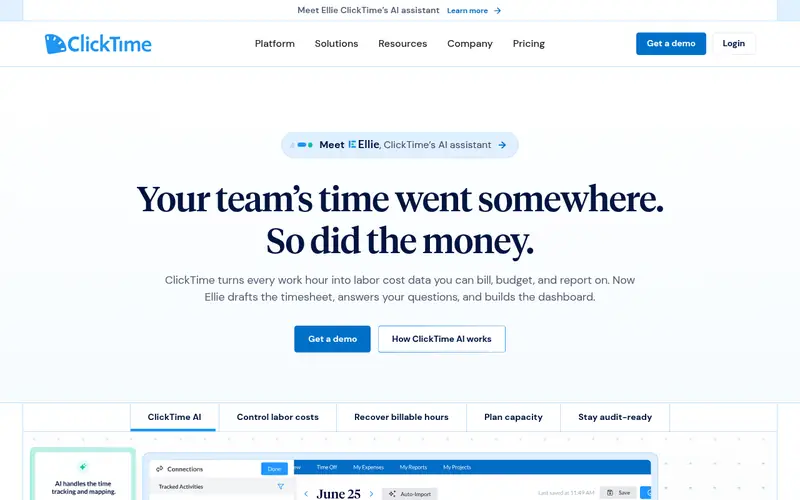
                ClickTime focuses on timesheets, approvals, and project cost reporting. A machine shop can require daily or weekly timesheet submission, route approvals to a supervisor, and report hours by job and client. Expense tracking and utilization reports are included. Pricing is quoted by plan and user count, so confirm on the vendor page. The tool is aimed at professional services and project teams, so manufacturing-specific features are limited. It fits shops that need a formal approval trail for payroll and job costing rather than a shop floor clock.

                Free plan: Free trial (14 days)

                Website: clicktime.com

                Strengths

                  Watch out for

                  • Check current limits on the vendor page

                  Which timesheet software for Machine shops should I use if I already run QuickBooks?

                  QuickBooks Time is the natural fit because timesheets flow into QuickBooks payroll. If you do not use QuickBooks, Clockify is the low-cost start for job-based tracking. Harvest suits shops that bill clients by the hour. ClockShark fits shops with field or install crews. ClickTime fits shops that need formal timesheet approvals.

                  Is Clockify better than QuickBooks Time for timesheet software for Machine shops?

                  Clockify is better for a shop that wants a free start with unlimited users and simple job tracking. QuickBooks Time is better when payroll already runs in QuickBooks and you want kiosk clocks and job codes feeding payroll directly. Clockify's paid plan starts at $3.99 per user per month; QuickBooks Time pricing is on the vendor page.

                  Pre-purchase checklist

                  • Confirm how machinists will clock in: shared kiosk, personal phone, or desktop.
                  • Check whether time can be tagged to job numbers, operations, and clients.
                  • Confirm the per-user price and whether office staff count as users.
                  • Check payroll export formats and whether they match your payroll provider.
                  • Ask whether timesheet approvals and job cost reports are included or a higher tier.

                  FAQ

                  What is the best timesheet software for a small machine shop?

                  Clockify is a common starting point because its free plan covers unlimited users and basic project tracking. Toggl Track's free plan covers up to five users. Harvest starts at $12 per user per month for shops that bill by the hour. Match the tool to whether you need payroll, billing, or both.

                  Can machine shops track time by job number?

                  Yes. Clockify, Harvest, Toggl Track, and ClickTime all let you create a project or job per work order and report hours against it. Tags or tasks can separate setup, run, and inspection time. Check that reports can be exported for job costing.

                  Do these tools work on a shared shop floor computer?

                  QuickBooks Time offers a kiosk mode for shared clocks. Clockify and Toggl Track run in a browser, so a shared computer works if workers sign in and out. Confirm the sign-in method before relying on a shared terminal.

                  Is there free timesheet software for machine shops?

                  Clockify has a free plan with unlimited users and basic tracking. Toggl Track has a free plan for up to five users. TimeCamp has a free single-user plan. Free plans usually lack approvals, payroll exports, and advanced reports.

                  Do I need manufacturing software instead of a timesheet tool?

                  A timesheet tool records labor hours by job. It does not monitor machines or track production output. Shops that need machine monitoring or scheduling should pair a timesheet tool with a manufacturing system or choose one that integrates.