
How we rank
HR and Workforce · Researched comparison

Best Timesheet Software for Market Research Firms in 2026

TaskReports may earn a fee from some links on this page, and some placements are paid and labelled. Neither one decides the order. See our disclosure.

The short answer

Harvest is the first pick for most market research firms because it ties tracked hours to client projects, budgets and invoices. Clockify suits firms that want a free start with unlimited users. Wrike fits larger research operations that need timesheets inside a full project management platform.

On this page

Key takeaways

  • Harvest fits market research firms that bill client projects by the hour, with a free plan for two users and paid seats from $12.
  • Clockify has a free plan with unlimited users and time tracking, and paid plans start at $3.99 per user per month.
  • Toggl Track, Hubstaff and ClickTime add project budgets, utilization or client billing controls that research teams often need.
  • Wrike combines timesheets with project and program management for larger research operations.

Quick comparison

ToolBest fitStarting price
HarvestClient-billed research projects with budgets and invoices$12 per user per month
ClockifyFirms that want a free start with unlimited users$3.99 per user per month

Toggl TrackSimple time capture with client and project reporting$9 per user per month
HubstaffDistributed fieldwork teams that need activity context$7.50 per seat per month
ClickTimeFirms that need utilization and client billing controlsSee vendor pricing page
WrikeLarger research operations that need project management tooSee vendor pricing page

How we chose

We picked tools that support time tracking against client projects, which is the core need for market research firms. Criteria were fit for the use case, published entry price, free access, and main limits such as user caps or missing invoicing. Sources are vendor websites and public pricing pages. Prices change, so confirm current numbers on the vendor site before buying.

Best overall

Harvest

Client-billed research projects with budgets and invoices

    Price$12 per user per month
    See Harvest pricing
    getharvest.comHomepage, Nov 2026
    Harvest homepage

    Harvest tracks time against clients, projects and tasks, then turns those hours into invoices. For market research firms, that maps well to studies, focus groups and fieldwork billed by the hour. Project budgets and budget alerts help keep a study from running over its estimate. The free plan covers two users with one active project and one client. Paid plans add unlimited projects and clients, plus invoicing and reporting. Firms that need resource scheduling or utilization forecasting should look at a tool built for that.

    Price: $12 per user per month

    Free plan: Yes

    Website: getharvest.com

    Watch out for

    • Check current limits on the vendor page

    2

    Clockify

    Firms that want a free start with unlimited users
    $3.99 per user per month
    clockify.meHomepage, Nov 2026
    Clockify homepage

    Clockify offers time tracking with unlimited users on the free plan. Market research teams can log hours by client and project, then run reports on billable time. That makes it a low-cost way to start tracking study hours across a larger team. Paid plans add billable rates, project budgets and invoicing. The entry paid tier is the cheapest per-seat option in this list. Firms that need deep project management or advanced resource planning will find Clockify lighter than dedicated platforms.

    Free plan: Yes

    Website: clockify.me

    Strengths

      Watch out for

      • Check current limits on the vendor page

      3

      Toggl Track

      Simple time capture with client and project reporting
      $9 per user per month
      toggl.comHomepage, Nov 2026
      Toggl Track homepage

      Toggl Track focuses on fast time entry across web, desktop and mobile. Research teams can tag entries by client and project, which suits firms that need clean hours data more than invoicing. Reports show time by client, project and team member. The free plan covers up to five users with basic tracking and reporting. Paid plans add billable rates, project estimates and saved reports. It does not handle invoicing, so firms that bill from timesheets directly should pair it with accounting software or choose Harvest.

      Free plan: Yes

      Website: toggl.com/track

      Strengths

        Watch out for

        • Check current limits on the vendor page
        4

        Hubstaff

        Distributed fieldwork teams that need activity context
        $7.50 per seat per month
        hubstaff.comHomepage, Nov 2026
        Hubstaff homepage

        Hubstaff adds optional screenshots and activity tracking to time entry. That can suit market research firms managing remote fieldwork or data collection teams where proof of work matters. Timesheets roll up by project and client. Plans are priced per seat, and the entry tier covers basic time tracking. Higher tiers add scheduling, payroll and invoicing. Teams that find activity monitoring intrusive should skip it and use a plain time tracker instead.

        Free plan: Free trial (14 days)

        Website: hubstaff.com

        Strengths

          Watch out for

          • Check current limits on the vendor page

          5

          ClickTime

          Firms that need utilization and client billing controls
          See vendor pricing page
          clicktime.comHomepage, Nov 2026
          ClickTime homepage

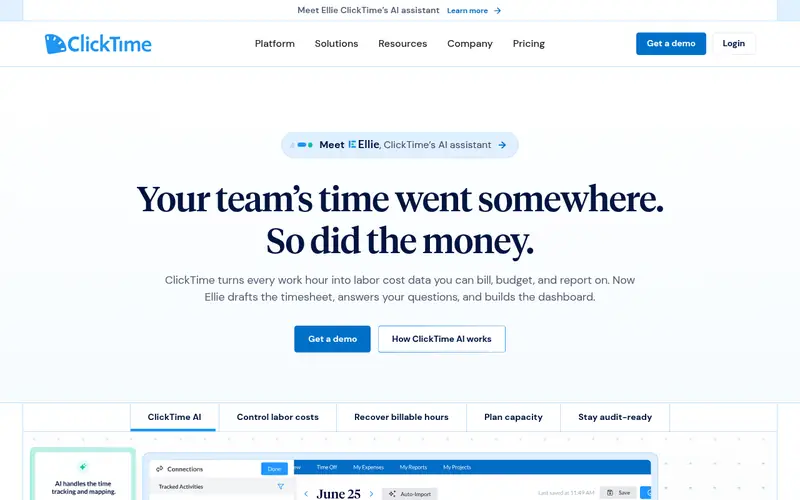
          ClickTime is built around timesheets, utilization and billing. Market research firms can track hours by client and project, review timesheets for approval, and report on utilization across staff. That suits firms that need to show how research hours are spent. It offers a free trial and tiered plans, with pricing available from the vendor. Setup is more structured than a simple tracker, so small firms may find it heavier than needed. Confirm current plan limits on the vendor site.

          Free plan: Free trial (30 days)

          Website: clicktime.com

          Strengths

            Watch out for

            • Check current limits on the vendor page
            6

            Wrike

            Larger research operations that need project management too
            See vendor pricing page
            wrike.comHomepage, Nov 2026
            Wrike homepage

            Wrike combines project management with time tracking. Market research firms running multi-stage studies can plan work, assign tasks and log hours against projects in one place. Timesheet views and reports support client and project review. A free plan exists for small teams, and paid tiers add more automation and reporting. Pricing varies by plan and seat count, so check the vendor page. It is more platform than timesheet tool, which suits larger operations but may be too much for a small firm.

            Free plan: Yes

            Website: wrike.com

            Strengths

              Watch out for

              • Check current limits on the vendor page

              Which timesheet software for market research firms should I use if I bill clients by the hour?

              Harvest is the best fit if you bill clients by the hour, because it connects tracked time to project budgets and invoices. If you want a free start with unlimited users, choose Clockify. If you need utilization and timesheet approvals, choose ClickTime. If you manage remote fieldwork teams and want activity context, choose Hubstaff.

              Is Harvest better than Clockify for timesheet software for market research firms?

              Harvest is better for firms that bill clients directly from tracked hours, because it includes invoicing and project budgets. Clockify is better for firms that want a free plan with unlimited users and lower paid seats. Choose Harvest when billing is central; choose Clockify when cost and team size matter most.

              Pre-purchase checklist

              • Confirm the tool tracks time by client, project and task, which is how research studies are usually billed.
              • Check whether invoicing is included or whether you need to export hours to accounting software.
              • Compare the free plan user cap against your team size before relying on it.
              • Check whether project budgets and budget alerts are included in the entry plan.
              • Confirm reporting covers billable hours and utilization by client and team member.

              FAQ

              What is the best timesheet software for market research firms?

              Harvest is a strong default because it links tracked hours to client projects, budgets and invoices. Clockify is a lower-cost option with a free plan for unlimited users. ClickTime suits firms that need utilization reporting and timesheet approvals.

              Do market research firms need invoicing inside their timesheet software?

              Not always. Firms that bill from tracked hours benefit from invoicing in the same tool, as Harvest provides. Firms that invoice through accounting software can use a plain tracker such as Toggl Track or Clockify and export the hours.

              Is there free timesheet software for small market research firms?

              Yes. Harvest has a free plan for two users with one active project and one client. Clockify has a free plan with unlimited users. Toggl Track has a free plan for up to five users. Check current limits on each vendor site.

              Can these tools track hours by client and study?

              Most do. Harvest, Clockify, Toggl Track and ClickTime all support time entry by client and project, which maps to studies and fieldwork. Wrike does this inside a broader project management platform.

              How much does timesheet software for market research firms cost?

              Published entry prices in this list range from $3.99 per user per month for Clockify to $12 per user per month for Harvest. Hubstaff starts at $7.50 per seat per month and Toggl Track at $9 per user per month. ClickTime and Wrike list pricing on their vendor pages.