How we rank
HR and Workforce · Researched comparison

Best Timesheet Software for Mold Remediation Companies in 2026

TaskReports may earn a fee from some links on this page, and some placements are paid and labelled. Neither one decides the order. See our disclosure.

The short answer

QuickBooks Time suits mold remediation companies that already use QuickBooks and need mobile clock-in tied to jobs. Clockify is a good low-cost alternative for small teams that bill by project and want a free tier. Workyard fits field crews that need GPS and job-site time capture. All three track hours by job, which matters when you bill remediation work to property owners, insurers or contractors.

On this page

Key takeaways

  • QuickBooks Time is the first pick for mold remediation crews that already run QuickBooks, with mobile GPS time tracking and job codes.
  • Clockify has a free plan for unlimited users, which suits small remediation teams that bill hours by project.
  • Harvest and TSheets-style tools tie hours to client jobs, while Workyard and Connecteam focus on field crews and mobile clock-in.
  • Prices change; confirm the entry price on each vendor's pricing page before you buy.

Quick comparison

ToolBest fitStarting price
QuickBooks TimeRemediation firms already using QuickBooksSee vendor pricing page
ClockifySmall teams that bill hours by projectSee vendor pricing page

HarvestProject-based billing and client invoicingSee vendor pricing page
WorkyardField crews needing GPS time and job trackingSee vendor pricing page
ConnecteamCrews that need scheduling plus time clockSee vendor pricing page
Toggl TrackSimple time capture for small remediation teamsSee vendor pricing page
HubstaffRemote and field time with activity dataSee vendor pricing page

How we chose

We picked tools that support time tracking by job or project, since mold remediation billing depends on attaching hours to specific jobs. We looked at entry price, free access, mobile and field features, and main limits. Sources are vendor websites and public documentation. Prices change, so confirm the current price on each vendor's site before buying.

Best overall

QuickBooks Time

Remediation firms already using QuickBooks

  • Mobile GPS time tracking
  • Job and customer codes on timesheets
PriceSee vendor pricing page
See QuickBooks Time pricing
quickbooks.intuit.comHomepage, Nov 2026
QuickBooks Time homepage

QuickBooks Time lets crews clock in from a phone at the job site, with GPS stamps and job codes. For mold remediation, that means hours can be attached to a specific property or client, which helps when you invoice insurers or homeowners. Timesheets flow into QuickBooks payroll and invoicing if you use those products. The plan structure is built around per-user pricing, and the exact entry price varies by promotion and region, so check the vendor page. A free trial is offered. Teams that do not use QuickBooks get less value, since the strongest features are the integrations. Skip it if you need deep project budgeting rather than payroll-linked time.

Price: See vendor pricing page

Free plan: Free trial (30 days)

Website: quickbooks.intuit.com/time-tracking

Watch out for

  • Best value only inside QuickBooks
  • Payroll add-ons cost extra
2

Clockify

Small teams that bill hours by project
See vendor pricing page
clockify.meHomepage, Nov 2026
Clockify homepage

Clockify tracks time against projects and clients, which fits remediation companies that bill each job separately. The free plan supports unlimited users, so a small crew can log hours without a per-seat cost. Reports show hours by project and client, which helps with invoicing and job profitability checks. Paid tiers add admin controls, approvals and more detailed reporting. The mobile app is functional but less field-focused than tools built for crews. It suits office and estimator time well, and works for field staff who mainly need a simple clock. Skip it if you need GPS job-site verification or heavy scheduling.

Free plan: Yes

Website: clockify.me

Strengths

  • Free plan for unlimited users
  • Project and client hour reports

Watch out for

  • Advanced controls are paid
  • Mobile app is basic
3

Harvest

Project-based billing and client invoicing
See vendor pricing page
getharvest.comHomepage, Nov 2026
Harvest homepage

Harvest is built around tracking time to projects and turning those hours into invoices. For mold remediation, you can set up a project per job or per client and track labor hours against it. Invoicing pulls from tracked time, which reduces manual re-entry when billing property owners or contractors. The plan is per-seat and priced by user count, so check the vendor page for the current entry price. A free trial is available. It is stronger for office and project management time than for field crew clock-in, since it lacks GPS and job-site verification. Skip it if your main need is mobile crew tracking rather than client billing.

Free plan: Free trial (30 days)

Website: getharvest.com

Strengths

  • Clean project time tracking
  • Built-in invoicing from hours

Watch out for

  • No free plan
  • Field features are limited
4

Workyard

Field crews needing GPS time and job tracking
See vendor pricing page
workyard.comHomepage, Nov 2026
Workyard homepage

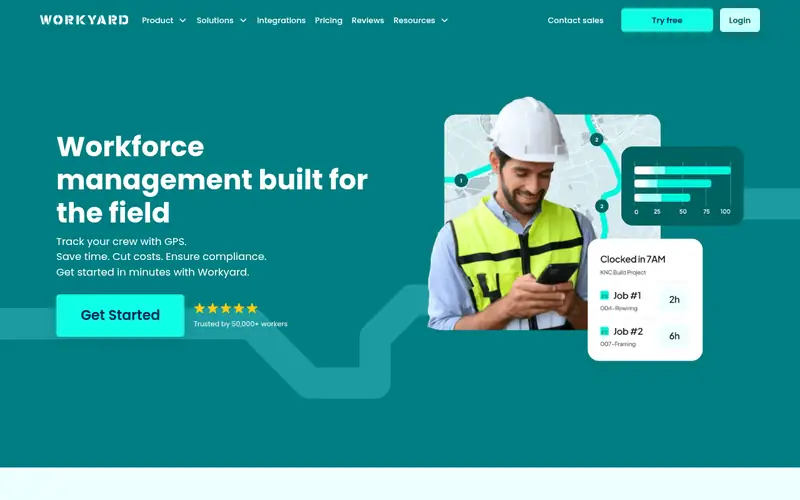
Workyard is built for field service crews, with mobile clock-in, GPS tracking and job assignment. Mold remediation work happens at customer sites, so GPS-stamped time helps confirm crews were on location. Hours can be tied to jobs and tasks, which supports job costing and client billing. Pricing is per user, and the entry price depends on the plan and user count, so confirm on the vendor page. A free trial is offered. It is a good fit for companies with several field technicians and a dispatcher. Skip it if your team is small and mostly office-based, where a simpler tracker costs less.

Free plan: Free trial (14 days)

Website: workyard.com

Strengths

  • GPS clock-in for field staff
  • Job and task time tracking

Watch out for

  • Priced per user
  • No free plan
5

Connecteam

Crews that need scheduling plus time clock
See vendor pricing page
connecteam.comHomepage, Nov 2026
Connecteam homepage

Connecteam combines scheduling, a mobile time clock and job assignment in one app. For remediation companies, that means you can schedule a crew to a mold job and have them clock in against it. The free plan covers small teams, with limits on users and features, so check the vendor page for current terms. Paid tiers add more admin tools, reports and integrations. It works well for companies that want scheduling and time tracking together without a separate payroll system. Skip it if you need deep accounting integration, since its strength is operations rather than finance.

Free plan: Yes

Website: connecteam.com

Strengths

  • Free plan for small teams
  • Scheduling and time clock in one app

Watch out for

  • Free plan has user limits
  • Advanced features are paid
6

Toggl Track

Simple time capture for small remediation teams
See vendor pricing page
toggl.comHomepage, Nov 2026
Toggl Track homepage

Toggl Track is a straightforward time tracker with a timer and manual entry, plus reports by client and project. A small mold remediation company can use it to log hours per job and export reports for billing. The free plan covers basic tracking for a small number of users, with paid tiers for more features. It lacks GPS, scheduling and invoicing, so it fits teams that already have those handled elsewhere. It is a low-friction option for estimators and project managers. Skip it if you need crew clock-in at job sites or payroll integration.

Free plan: Yes

Website: toggl.com/track

Strengths

  • Simple one-click timer
  • Reports by client and project

Watch out for

  • Limited field features
  • No built-in invoicing
7

Hubstaff

Remote and field time with activity data
See vendor pricing page
hubstaff.comHomepage, Nov 2026
Hubstaff homepage

Hubstaff tracks time with GPS and optional activity data, and ties hours to projects and tasks. For remediation companies with field staff, GPS time helps document site visits. Reports show hours by project, which supports billing and job costing. Pricing is per user, and the entry price depends on the plan, so check the vendor page. A free trial is available. It is heavier on monitoring than some teams want, so discuss it with staff before rolling it out. Skip it if you only need simple project time tracking.

Free plan: Free trial (14 days)

Website: hubstaff.com

Strengths

  • GPS and activity tracking
  • Project and task time reports

Watch out for

  • Per-user pricing
  • No free plan

Pre-purchase checklist

  • Confirm the tool tracks hours by job or client, not just by employee.
  • Check mobile clock-in and GPS if crews work at customer sites.
  • Verify how hours export to invoicing or accounting software.
  • Review per-user pricing against your crew size and seasonal hiring.
  • Read the free plan limits or trial length before committing.

FAQ

What should mold remediation companies look for in timesheet software?

Look for job or client codes on every timesheet, mobile clock-in for field crews, and a clear export to invoicing or accounting. GPS helps document site visits. Confirm per-user pricing against your crew size, and check whether a free plan or trial covers your team.

Can timesheet software track hours per remediation job?

Yes. Most tools on this list let you create a project or job per property or client and log hours against it. That supports job costing and client billing. Check that reports can group hours by job and export them in a format your billing process uses.

Is there free timesheet software for small remediation teams?

Clockify and Connecteam offer free plans, and Toggl Track has a free tier. Free plans usually have user or feature limits, so confirm the current terms on the vendor page. Paid tiers add approvals, reporting and integrations.

Do these tools include GPS for field crews?

Workyard and Hubstaff include GPS time tracking. QuickBooks Time also offers mobile GPS options. GPS can help confirm crews were on site, but review your policy with staff before enabling it, since monitoring rules vary by location.

How much does timesheet software cost for a remediation company?

Prices vary by vendor and user count, and many list per-user plans. We do not quote a single number here because entry prices change. Check each vendor's pricing page for the current rate, and compare the total for your crew size, including any add-ons.