How we rank
HR and Workforce · Researched comparison

Best Timesheet Software for Moving Companies in 2026

TaskReports may earn a fee from some links on this page, and some placements are paid and labelled. Neither one decides the order. See our disclosure.

The short answer

QuickBooks Time is the first pick for moving companies that already use QuickBooks for payroll and invoicing, because approved hours and job codes flow into the same system. Clockify is a practical low-cost alternative for small movers, since its free plan covers unlimited users. Hubstaff fits companies that want location tracking and activity data alongside timesheets. All three bill per user, so confirm the seat count before you commit.

On this page

Key takeaways

  • QuickBooks Time suits moving crews that already run QuickBooks payroll, with GPS and job-based time tracking on the phone.
  • Clockify has a free plan for unlimited users, which fits small movers tracking hours per job before paying for anything.
  • Hubstaff and Timeero add location tracking, useful when crews move between addresses during a shift.
  • Most tools here bill per user per month, so price scales with the number of movers and helpers on payroll.

Quick comparison

ToolBest fitStarting price
QuickBooks TimeMovers already using QuickBooks payrollSee vendor pricing page
ClockifySmall movers wanting a free planSee vendor pricing page
HubstaffMovers needing GPS and activity trackingSee vendor pricing page
TimeeroMoving crews tracked by location and routeSee vendor pricing page
HomebaseSmall moving teams mixing scheduling and time clocksSee vendor pricing page
Toggl TrackSimple per-job hour loggingSee vendor pricing page
Zoho PeopleMovers wanting HR records plus timesheetsSee vendor pricing page

How we chose

We picked tools that record hours against jobs or clients and can export those hours for payroll or billing, which is the core need for a moving company. We weighed fit for field crews, entry price, free access and main limits. Sources are vendor websites and public documentation, not hands-on testing. Prices change, so confirm the current rate on the vendor pricing page before you buy.

★ Best overall

QuickBooks Time

Movers already using QuickBooks payroll

  • Hours flow into QuickBooks payroll
  • GPS tracking on the mobile app
PriceSee vendor pricing page
See QuickBooks Time pricing
quickbooks.intuit.comHomepage, Nov 2026
QuickBooks Time homepage

QuickBooks Time records hours on a phone or tablet, so a driver or helper can clock in at the warehouse and switch job codes when the truck reaches the customer's address. Timesheets can carry a service item or customer, which maps to a move job, and approved hours export to QuickBooks payroll for payday. GPS stamps are attached to punches, so a dispatcher can see where a crew was when it clocked in. The product is sold as a standalone subscription with a per-user monthly fee, and the published rate changes, so check the vendor pricing page. A 30-day trial is offered. Companies that do not use QuickBooks can still use it, but the payroll link is the main reason to pick it. Skip it if you want a free plan for a large crew.

Price: See vendor pricing page

Free plan: Free trial (30 days)

Website: quickbooks.intuit.com/time-tracking

Watch out for

  • Full features need a paid plan
  • price rises with each user
2

Clockify

Small movers wanting a free plan

See vendor pricing page
clockify.meHomepage, Nov 2026
Clockify homepage

Clockify is a time tracker with a free plan that covers unlimited users, which suits a small moving company that wants to log hours per job without a per-seat bill. A move can be set up as a project under a client, and each crew member logs time against it from a phone or browser. Reports total hours per project, which helps when you bill a move by the hour or check labor against an estimate. The paid tiers add admin controls, approvals and invoicing features. Clockify does not run payroll itself, so hours are exported to a payroll provider or a spreadsheet. It has no location tracking, so it relies on the crew clocking in honestly. It fits small and mid-size movers; larger fleets that need GPS should look at Hubstaff or Timeero.

Free plan: Yes

Website: clockify.me

Strengths

  • Free plan for unlimited users
  • Timesheets can be grouped by client and project

Watch out for

  • Advanced controls are paid
  • No built-in payroll processing
3

Hubstaff

Movers needing GPS and activity tracking
See vendor pricing page
hubstaff.comHomepage, Nov 2026
Hubstaff homepage

Hubstaff tracks time on desktop and mobile and adds GPS location points on the mobile app, which helps a moving company confirm a crew reached a job site. Timesheets can be tied to projects and clients, and the platform offers payroll and invoicing as paid add-ons. Screenshots and activity rates are part of the product, which some field crews dislike. Plans are billed per user per month, and the entry rate is published on the vendor site, so confirm it before you budget for a full crew. A 14-day trial is offered. It suits companies with several trucks and remote estimators as well as movers. Skip it if you only need simple hour logs and want to avoid activity monitoring.

Free plan: Free trial (14 days)

Website: hubstaff.com

Strengths

  • GPS and location tracking on mobile
  • Payroll and invoicing add-ons

Watch out for

  • Per-user pricing adds up
  • Activity tracking can feel intrusive
4

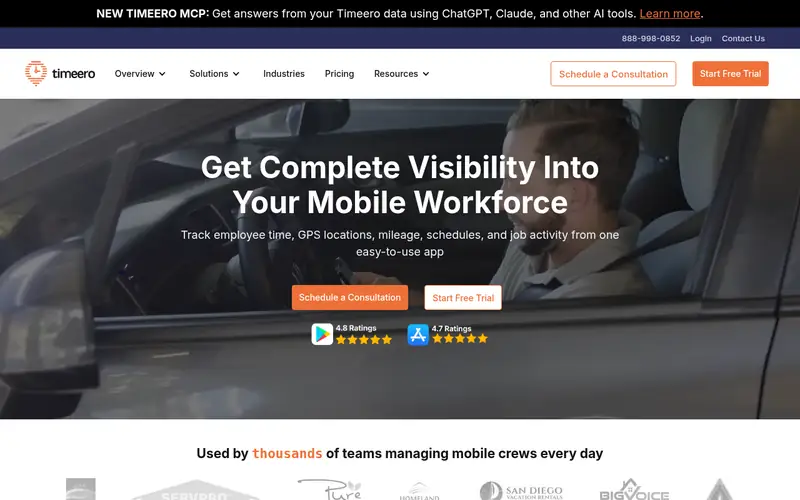
Timeero

Moving crews tracked by location and route
See vendor pricing page
timeero.comHomepage, Nov 2026
Timeero homepage

Timeero is built around mobile time tracking with location. Crews clock in on a phone, and the app records a GPS trail and mileage, which is useful when a moving truck drives between a warehouse, a pickup address and a delivery address. Geofences can be set for job sites so a punch is tied to a location. Timesheets can be approved and exported to payroll. Pricing is per user per month, with the location and mileage features on paid tiers. A 14-day trial is available. It fits movers who want proof of arrival times and mileage records for vehicles. It is less suited to office-only teams, and small crews may find the per-seat cost higher than a simple tracker like Clockify.

Free plan: Free trial (14 days)

Website: timeero.com

Strengths

  • GPS breadcrumbs and mileage tracking
  • Geofencing for job sites

Watch out for

  • Per-user pricing
  • Best features sit on higher tiers
5

Homebase

Small moving teams mixing scheduling and time clocks
See vendor pricing page
joinhomebase.comHomepage, Nov 2026
Homebase homepage

Homebase combines employee scheduling, a time clock and timesheets, which fits a moving company that schedules crews by the day and needs hours for payroll. Employees clock in from a shared device or their phone, and a manager approves hours before they go to payroll. The free plan covers one location and core scheduling and time clock features, which is enough for a small mover. Paid plans add payroll, hiring and more locations, and the rates are on the vendor site. Homebase is weaker on job costing than QuickBooks Time, so a mover who bills each move by labor hours may need to export data. It suits teams of hourly movers and helpers more than large fleets with route tracking needs.

Free plan: Yes

Website: joinhomebase.com

Strengths

  • Free plan covers scheduling and time clock
  • Good for hourly crews

Watch out for

  • Payroll is a paid add-on
  • Limited project costing depth
6

Toggl Track

Simple per-job hour logging
See vendor pricing page
toggl.comHomepage, Nov 2026
Toggl Track homepage

Toggl Track is a straightforward timer. A mover starts a timer when a job begins and stops it at the end, and the entry is tagged with a client or project. Reports sum hours per client, which helps a small moving company bill hourly jobs and check labor against an estimate. The free plan covers up to five users, so it fits a very small crew. Paid plans add more users, billable rates and reporting. There is no GPS tracking, so it depends on crew discipline. It is a good fit for owner-operators and small teams that want a clean timer without payroll features. Larger movers that need approvals, geofencing or payroll links should look at QuickBooks Time or Timeero.

Free plan: Yes

Website: toggl.com/track

Strengths

  • Free plan for up to five users
  • Fast timer on phone and desktop

Watch out for

  • Free plan caps users at five
  • No GPS or route tracking
7

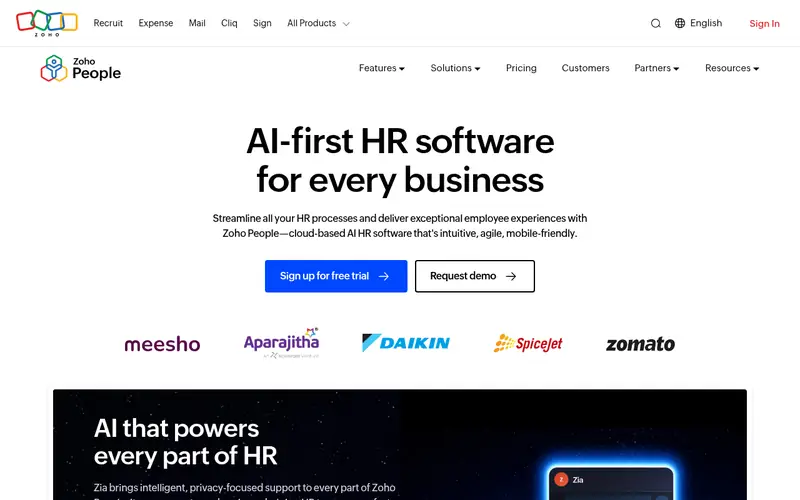
Zoho People

Movers wanting HR records plus timesheets
See vendor pricing page
zoho.comHomepage, Nov 2026
Zoho People homepage

Zoho People is an HR platform with a timesheet module. A moving company can record hours per employee and per job, route them for approval, and keep leave and attendance records in the same place. That helps when crews grow and you need a single record for payroll, leave and job hours. It integrates with other Zoho apps for invoicing and payroll. Pricing is per user per month, and the published entry rate is on the vendor site. A 30-day trial is offered. Setup takes more time than a simple timer, so it suits movers with an office administrator. Small crews that only need a timer will find Clockify or Toggl Track faster to start.

Free plan: Free trial (30 days)

Website: zoho.com/people

Strengths

  • Timesheets sit alongside leave and HR records
  • Part of the Zoho suite

Watch out for

  • Setup takes more effort
  • Per-user pricing

Pre-purchase checklist

  • Confirm the price is per user per month and multiply by the full crew, including helpers.
  • Check whether the mobile app works offline, since trucks often park where signal is weak.
  • Confirm hours can be tagged to a job or client so each move can be billed.
  • Check the payroll or accounting export, and whether it matches your provider.
  • Ask whether GPS or geofencing is included or on a higher tier.

FAQ

Do moving companies need GPS in a timesheet app?

Not always. GPS helps confirm a crew reached a job site and records mileage for trucks. Small crews that trust their movers can use a simple timer like Clockify or Toggl Track. Companies with several trucks often want location data, which Hubstaff and Timeero provide on paid plans.

Can I track hours per move instead of per day?

Yes. Most tools here let you tag time to a client, project or job code. QuickBooks Time, Clockify and Zoho People all support job-level hours, which lets you compare labor against the estimate for each move. Confirm the reporting you need before you pick.

Is there free timesheet software for a small moving crew?

Clockify has a free plan for unlimited users. Homebase has a free plan for one location with scheduling and a time clock. Toggl Track's free plan covers up to five users. Free plans usually leave out payroll, approvals and location tracking, so check the limits.

How much does timesheet software cost for a moving company?

Most tools here bill per user per month, so the total depends on crew size. Published entry rates change, so check each vendor's pricing page. Multiply the per-user rate by the number of movers, helpers and office staff who need a login.

Does timesheet software handle payroll for movers?

Some do. QuickBooks Time exports approved hours to QuickBooks payroll. Homebase and Hubstaff offer payroll as a paid feature or add-on. Others, such as Clockify and Toggl Track, export hours to a payroll provider or spreadsheet instead of running payroll themselves.