How we rank
HR and Workforce · Researched comparison

Best Timesheet Software for Music Schools in 2026

TaskReports may earn a fee from some links on this page, and some placements are paid and labelled. Neither one decides the order. See our disclosure.

The short answer

Clockify is the first pick for most music schools because its free plan covers unlimited users and tracks billable hours by teacher or student. FreshBooks suits schools that invoice families per lesson and want time tracking tied to client billing. QuickBooks Time fits larger schools that need payroll, scheduling, and job costing in one place.

On this page

Key takeaways

  • Clockify has a free plan with unlimited users and tracks billable hours by teacher, class, or client.
  • QuickBooks Time starts at $20 per month plus $5 per user for payroll and job costing.
  • Music school studios that bill per lesson often need client-level hours, which FreshBooks and Harvest handle well.
  • Most tools here charge per user, so compare seat costs against the number of teachers and admin staff.

Quick comparison

ToolBest fitStarting price
ClockifySchools that need free time tracking for many teachersSee vendor pricing page
QuickBooks TimeSchools that combine staff timesheets with payroll$20 per month plus $5 per user

FreshBooksSchools that invoice families per lessonSee vendor pricing page
HarvestStudios that track billable lesson hours by clientSee vendor pricing page
Toggl TrackTeachers who need simple one-click time trackingSee vendor pricing page
HubstaffSchools that manage remote admin and teaching staffSee vendor pricing page
Zoho PeopleSchools that need HR records plus timesheetsSee vendor pricing page

How we chose

We picked tools that support time tracking for teacher hours, lesson billing, or staff payroll in a music school setting. Criteria were fit for the use case, published entry price, free access, and main limits such as per-user fees or missing invoicing. Sources are vendor websites and public pricing pages. Prices change, so confirm current rates on the vendor site before buying.

Best overall

Clockify

Schools that need free time tracking for many teachers

  • Unlimited users on the free plan
  • billable hours by project and client
PriceSee vendor pricing page
See Clockify pricing
clockify.meHomepage, Nov 2026
Clockify homepage

Clockify is a time tracker that works for music schools tracking teacher hours, lesson prep, and admin work. The free plan supports unlimited users and unlimited tracking, which matters when a school has many part-time teachers. You can set up projects for each teacher, instrument, or student and mark hours as billable. Paid tiers add reporting, timesheet approvals, and invoicing features. The free plan does not include invoicing, so schools that bill families directly need another tool or a paid upgrade. Schools with a small admin team and a large teaching staff get the most from the free tier.

Price: See vendor pricing page

Free plan: Yes

Website: clockify.me

Watch out for

  • Advanced reporting sits on paid tiers
  • no built-in invoicing
2

QuickBooks Time

Schools that combine staff timesheets with payroll
$20 per month plus $5 per user
quickbooks.intuit.comHomepage, Nov 2026
QuickBooks Time homepage

QuickBooks Time handles staff timesheets, scheduling, and payroll for music schools with employees. Teachers can clock in from a phone, and admins can assign hours to classes, locations, or clients for job costing. The published entry price is $20 per month plus $5 per user. The per-user fee is the main cost driver. A school with 20 teachers pays $100 per month in user fees on top of the base price. Schools already using QuickBooks for accounting get the most from the payroll integration. Schools that only need simple hour tracking may find Clockify cheaper.

Free plan: Free trial (30 days)

Website: quickbooks.intuit.com/time-tracking

Strengths

  • Payroll and job costing in one system
  • mobile clock-in for teachers

Watch out for

  • Per-user fee adds up
  • best value inside QuickBooks payroll

3

FreshBooks

Schools that invoice families per lesson
See vendor pricing page
freshbooks.comHomepage, Nov 2026
FreshBooks homepage

FreshBooks combines time tracking with invoicing, which suits music schools that bill families or students per lesson. You can track hours against a client, then turn those hours into an invoice. That flow reduces manual billing work for small studios. The tool is built around client billing rather than staff payroll. A school with many employees and complex payroll needs may need a separate payroll system. Small studios and independent teachers get a simple path from tracked lesson hours to a sent invoice.

Free plan: Free trial (30 days)

Website: freshbooks.com

Strengths

  • Time tracking tied to client invoices
  • simple for small studios

Watch out for

  • Per-client billing focus
  • limited for large staff payroll
4

Harvest

Studios that track billable lesson hours by client
See vendor pricing page
getharvest.comHomepage, Nov 2026
Harvest homepage

Harvest tracks time by client and project and turns tracked hours into invoices. A music school can set up a client for each family or student and log lesson hours against it. Reports show billable hours by client and by teacher. Harvest charges per seat, so cost rises with the number of teachers who log time. Schools with many part-time staff should compare seat costs before committing. The tool fits studios that bill per lesson and want a clear record of hours behind each invoice.

Free plan: Free trial (30 days)

Website: getharvest.com

Strengths

  • Clean client and project time tracking
  • invoice from tracked hours

Watch out for

  • Per-seat pricing
  • no free plan
5

Toggl Track

Teachers who need simple one-click time tracking
See vendor pricing page
toggl.comHomepage, Nov 2026
Toggl Track homepage

Toggl Track is a lightweight timer that teachers can start and stop around lessons. It works on desktop and mobile, so a teacher can log a lesson, a rehearsal, or prep time in a few taps. The free plan covers small teams. Paid plans add reporting, billable rates, and project estimates. A music school that only needs to know how many hours each teacher worked can stay on the free plan. Schools that need invoicing or payroll should look at FreshBooks or QuickBooks Time.

Free plan: Yes

Website: toggl.com/track

Strengths

  • Simple start-and-stop tracking
  • free plan for small teams

Watch out for

  • Free plan limits features
  • reporting on paid tiers
6

Hubstaff

Schools that manage remote admin and teaching staff
See vendor pricing page
hubstaff.comHomepage, Nov 2026
Hubstaff homepage

Hubstaff combines timesheets, scheduling, and activity monitoring for teams that work in different places. A music school with remote admin staff or teachers across locations can use it to confirm hours and manage schedules. Activity monitoring is optional but may not fit a school culture where teachers work independently. The tool charges per user, so large teaching staffs should check the total. Schools that need simple hour logs without monitoring may prefer Clockify or Toggl Track.

Free plan: Free trial (14 days)

Website: hubstaff.com

Strengths

  • Timesheets with activity data
  • scheduling and payroll add-ons

Watch out for

  • Activity tracking may not suit all staff
  • per-user pricing
7

Zoho People

Schools that need HR records plus timesheets
See vendor pricing page
zoho.comHomepage, Nov 2026
Zoho People homepage

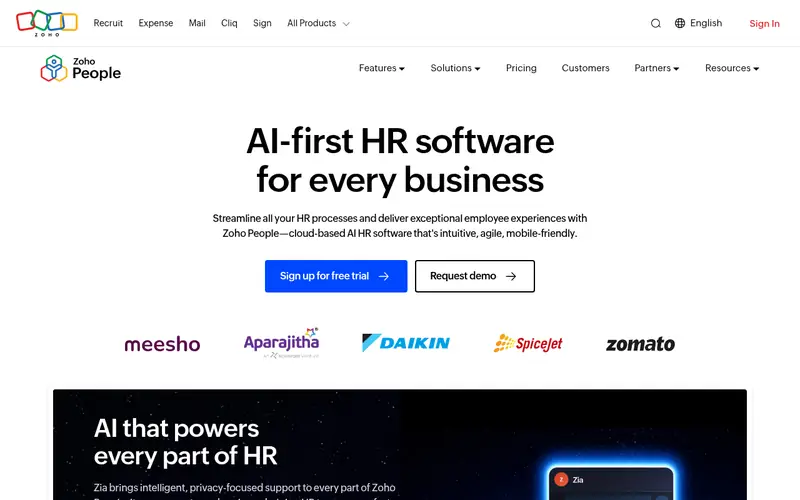
Zoho People is an HR system with timesheet, leave, and attendance modules. A music school can track teacher hours alongside leave requests and staff records in one place. That helps schools with formal HR needs and a growing staff. The system has more setup than a simple timer. Small studios may find it heavy for basic hour tracking. Schools that already use Zoho products or need leave and attendance records get more value from the combined modules.

Free plan: Free trial (30 days)

Website: zoho.com/people

Strengths

  • Timesheets combined with leave and HR records
  • part of Zoho suite

Watch out for

  • Setup takes time
  • more features than small studios need

Pre-purchase checklist

  • Count the teachers and admin staff who will log time, then multiply by the per-user fee.
  • Confirm whether the tool bills by client or student, not just by project.
  • Check if invoicing is included or requires a paid tier or separate tool.
  • Test mobile clock-in if teachers log hours between lessons.
  • Review whether timesheet approvals are needed for payroll.

FAQ

What is the best timesheet software for music schools?

Clockify is a strong first pick because its free plan supports unlimited users and billable hours by teacher or client. Schools that invoice families per lesson should also look at FreshBooks, and schools with payroll needs should compare QuickBooks Time.

Can I track lesson hours by student?

Yes. Tools like FreshBooks and Harvest let you set up a client for each family or student and log lesson hours against it. Clockify can use projects for the same purpose, though invoicing needs a paid tier or another tool.

Do music schools need payroll features in a timesheet tool?

Only if the school has employees on payroll. Schools that pay teachers per lesson may only need hour tracking and invoicing. QuickBooks Time and Hubstaff add payroll and scheduling for schools with staff.

Is there free timesheet software for small music schools?

Clockify offers a free plan with unlimited users. Toggl Track has a free plan for small teams. Free plans usually limit reporting or invoicing, so check the limits before relying on them for billing.

How much does timesheet software cost for a music school?

Prices vary by user count. QuickBooks Time publishes $20 per month plus $5 per user. Other vendors list prices on their sites, and per-user fees are the main cost driver for schools with many teachers.