How we rank
HR and Workforce · Researched comparison

Best Timesheet Software for Oil and Gas Crews in 2026

TaskReports may earn a fee from some links on this page, and some placements are paid and labelled. Neither one decides the order. See our disclosure.

The short answer

QuickBooks Time is the first pick for small oil and gas crews that want mobile time capture with GPS stamps and job costing tied to payroll. Clockify is a lower-cost alternative when you need a free starting point and per-user time tracking. Hubstaff fits crews that need location and activity context alongside timesheets. Larger operators with complex rotations and cost codes should compare the scheduling and approval features listed below.

On this page

Key takeaways

  • QuickBooks Time suits small oil and gas crews that need GPS-stamped mobile time capture and job costing at a published entry price.
  • Clockify offers a free plan for time tracking, with paid tiers that add approvals, scheduling and reporting.
  • Crew-friendly tools should handle shift rotations, offline entry and per-job or per-well cost codes, not just daily clock-in.
  • Most products on this list publish prices per user per month, so cost scales with crew size; confirm current rates on vendor pages.

Quick comparison

ToolBest fitStarting price
QuickBooks TimeSmall crews needing GPS-stamped mobile time and job costingSee vendor pricing page
ClockifyBudget-conscious crews that want a free time tracking startSee vendor pricing page
HubstaffCrews wanting location and activity context with timesheetsSee vendor pricing page
DeputyShift and rotation scheduling with timesheet approvalSee vendor pricing page
ConnecteamField crews needing time clock plus team communicationSee vendor pricing page
TimeeroGPS and mileage tracking for mobile field crewsSee vendor pricing page
JibbleLow-cost time and attendance with a free tierSee vendor pricing page
MiterConstruction and field crews needing job cost trackingSee vendor pricing page

How we chose

We selected products that support field time capture, shift or rotation scheduling, job and cost-code tracking and approval workflows relevant to oil and gas crews. Criteria included fit for mobile and deskless work, published entry pricing where available, free access options and main plan limits. Sources are vendor websites and public documentation. Prices and plan features change, so confirm current details on each vendor site before buying.

Best overall

QuickBooks Time

Small crews needing GPS-stamped mobile time and job costing

  • Mobile clock-in with GPS and job codes
  • Payroll and invoicing ties through QuickBooks
PriceSee vendor pricing page
See QuickBooks Time pricing
quickbooks.intuit.comHomepage, Nov 2026
QuickBooks Time homepage

QuickBooks Time is a time tracking product from Intuit aimed at small and mid-sized teams. For oil and gas crews, the mobile app lets workers clock in from a phone with a GPS stamp, attach a job or service item, and send hours to payroll. That fits crews moving between wells, pads or client sites where location context matters. Administrators can review timesheets, approve hours and export to payroll. The plan structure separates simple time tracking from scheduling and payroll add-ons. Crews that need shift scheduling, geofencing and approval rules should check which tier includes them. Very large operators with multi-level cost codes and complex rotation rules may find the job code structure limited compared with dedicated field service or project cost systems. Confirm current pricing and trial length on the vendor site.

Price: See vendor pricing page

Free plan: Free trial (30 days)

Website: quickbooks.intuit.com/time-tracking

Watch out for

  • Per-user pricing adds up for large crews
  • Advanced features need higher tiers
2

Clockify

Budget-conscious crews that want a free time tracking start

See vendor pricing page
clockify.meHomepage, Nov 2026
Clockify homepage

Clockify is a time tracking tool with a free plan that covers basic tracking for unlimited users, which suits small oil and gas crews testing a timesheet process before paying. Workers can start a timer or enter hours manually, tag entries with projects and tasks, and submit timesheets for review. Project and client structures can stand in for wells, pads or cost codes. Paid tiers add approvals, scheduling, attendance and reporting. Crews that need offline mobile entry, GPS stamps or rotation-aware scheduling should check whether those features exist on the plan they need. Clockify works best for back-office and contractor time capture rather than heavy field service workflows. Confirm free plan limits and paid prices on the vendor site.

Free plan: Yes

Website: clockify.me

Strengths

  • Free plan for unlimited users on basic tracking
  • Simple timer and manual entry

Watch out for

  • Advanced approvals and scheduling need paid tiers
  • Limited field-specific features
3

Hubstaff

Crews wanting location and activity context with timesheets
See vendor pricing page
hubstaff.comHomepage, Nov 2026
Hubstaff homepage

Hubstaff combines time tracking with location and activity data. For oil and gas crews, the mobile app can record time against projects and tasks with location context, which helps verify where field hours were worked. Managers get timesheets, approvals and reporting, and can tie hours to projects for client or job billing. The product is often used by distributed teams, so some features focus on desktop activity monitoring. Field crews may only need the mobile time and location parts. Plan tiers differ in scheduling, payroll and reporting features. Crews that want minimal monitoring should review settings before rollout. Pricing is per user, so confirm current rates and trial terms on the vendor site.

Free plan: Free trial (14 days)

Website: hubstaff.com

Strengths

  • GPS and location tracking on mobile
  • Screenshot and activity options for remote staff

Watch out for

  • Activity monitoring may not suit all field crews
  • Per-user pricing
4

Deputy

Shift and rotation scheduling with timesheet approval
See vendor pricing page
deputy.comHomepage, Nov 2026
Deputy homepage

Deputy is a workforce management tool built around scheduling and timesheets. That fits oil and gas crews working shifts and rotations, where supervisors need to publish schedules, handle shift swaps and approve hours. Workers clock in from a mobile app, and the system can compare scheduled versus actual hours for review. Deputy handles availability, leave and overtime rules, which helps when crews rotate between field and home time. The scheduling depth is the main reason to choose it; simple time capture alone can be done with lighter tools. Pricing depends on the plan and add-ons such as payroll. Confirm current plan details and trial length on the vendor site.

Free plan: Free trial (31 days)

Website: deputy.com

Strengths

  • Strong shift scheduling and swap workflows
  • Mobile clock-in with location

Watch out for

  • Payroll add-ons cost extra
  • Complexity grows with large teams
5

Connecteam

Field crews needing time clock plus team communication
See vendor pricing page
connecteam.comHomepage, Nov 2026
Connecteam homepage

Connecteam is an all-in-one app for deskless teams, combining a mobile time clock with task management, forms and team messaging. For oil and gas crews, that means workers can clock in at a site, complete safety or job forms, and receive updates in the same app. Timesheets can be reviewed and exported. The free plan suits small teams and covers basic time clock and communication features, with user limits. Paid tiers add scheduling, geofencing, job scheduling and advanced reporting. Crews that mainly need timesheets may find the broader feature set more than required, but the combination can replace several separate apps. Confirm free plan limits and current prices on the vendor site.

Free plan: Yes

Website: connecteam.com

Strengths

  • Free plan for small teams
  • Time clock, tasks and messaging in one app

Watch out for

  • Advanced features need paid plans
  • Free plan has user limits
6

Timeero

GPS and mileage tracking for mobile field crews
See vendor pricing page
timeero.comHomepage, Nov 2026
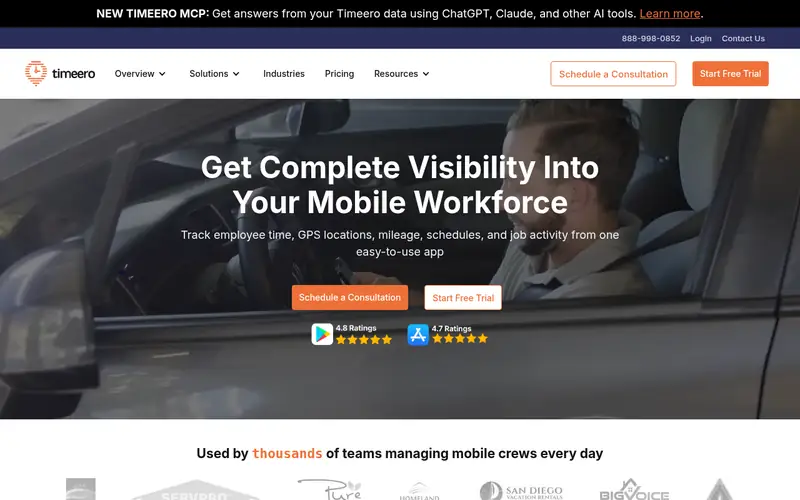
Timeero homepage

Timeero focuses on GPS time tracking for mobile teams. Oil and gas crews that drive between sites can use it to capture clock-in locations, route history and mileage, which supports both timesheets and vehicle cost records. Administrators get timesheets, job costing and reports. The product is built for field service and mobile workforces, so location breadcrumbs and geofences are central rather than add-ons. That helps verify hours at remote sites, though crews should review privacy settings and communicate tracking rules. Plan tiers differ in features such as scheduling and payroll integrations. Confirm current pricing and trial terms on the vendor site.

Free plan: Free trial (14 days)

Website: timeero.com

Strengths

  • GPS tracking and route history
  • Mileage tracking for vehicles

Watch out for

  • Per-user pricing
  • Smaller ecosystem of integrations
7

Jibble

Low-cost time and attendance with a free tier
See vendor pricing page
jibble.ioHomepage, Nov 2026
Jibble homepage

Jibble is a time and attendance tool with a free plan for core time tracking. For oil and gas crews, workers can clock in from mobile or web, and managers can review timesheets and attendance reports. It suits smaller crews that need a simple, low-cost record of hours across sites. Paid plans add payroll, scheduling, geofencing and more detailed reporting. The tool is lighter on project and job costing than dedicated field service systems, so crews billing many cost codes per well may need to check reporting depth. The free tier makes it easy to trial with a small team. Confirm free plan limits and current prices on the vendor site.

Free plan: Yes

Website: jibble.io

Strengths

  • Free plan for unlimited users on core time tracking
  • Simple mobile and web clock-in

Watch out for

  • Advanced payroll and scheduling need paid plans
  • Limited job costing depth
8

Miter

Construction and field crews needing job cost tracking
See vendor pricing page
MiterHomepage image unavailable

Miter is a time tracking tool aimed at construction and field service crews. It supports mobile clock-in with location, job and cost code assignment, and timesheet approval. For oil and gas crews, that means hours can be tied to specific jobs or sites and reviewed before payroll or billing. The product emphasizes job costing and payroll reporting, which suits contractors billing client hours. It does not publish a free plan, and pricing is typically arranged through the vendor, so small crews should request a quote before committing. Crews that only need basic time capture may find it heavier than needed. Confirm plan details and pricing on the vendor site.

Free plan: No

Website: miter.io

Strengths

  • Built for field and construction time tracking
  • Job costing and payroll reports

Watch out for

  • No free plan
  • Pricing requires a quote

Pre-purchase checklist

  • Confirm the app supports offline clock-in and syncs when crews return to signal.
  • Check how shifts and rotations are scheduled, including overnight and multi-day patterns.
  • Verify job, well or cost-code fields exist on the plan you will buy, not just higher tiers.
  • Review GPS and location tracking settings against your company and crew privacy rules.
  • Confirm payroll export formats and whether approvals can be limited to supervisors.

FAQ

What features matter most in timesheet software for oil and gas crews?

Look for mobile clock-in that works offline, shift and rotation scheduling, job or cost-code assignment, supervisor approvals and payroll export. GPS and location stamps help verify field hours. Crews that bill clients also need job costing reports. Confirm which features sit on the entry plan versus higher tiers.

Can crews clock in without cell signal?

Some products support offline mobile entry and sync later, but not all do. Check the vendor documentation for offline mode before rollout, and test it at a remote site. If offline entry is missing, crews may need a paper backup process until they regain signal.

How is pricing usually structured?

Most products on this list price per user per month, often with tiers based on features such as scheduling, payroll and reporting. Some offer free plans with limits, and others require a quote. Costs scale with crew size, so confirm current rates and what each tier includes on the vendor site.

Do these tools handle shift rotations?

Deputy is built around shift scheduling and swaps, which suits rotation patterns. Other tools offer scheduling on higher tiers. Check whether overnight shifts, multi-day rotations and overtime rules are supported before you commit, since simple time clocks may not handle them.

Can timesheets be tied to specific wells or jobs?

Several products support projects, jobs or cost codes that can represent wells, pads or client sites. QuickBooks Time, Timeero and Miter emphasize job and cost tracking. Confirm the number of codes and reporting depth on your plan, because entry tiers may limit them.