How we rank
HR and Workforce · Researched comparison

Best Timesheet Software for Optometry Practices in 2026

TaskReports may earn a fee from some links on this page, and some placements are paid and labelled. Neither one decides the order. See our disclosure.

The short answer

QuickBooks Time suits optometry practices that want timesheets tied to payroll and QuickBooks accounting. Harvest fits practices that bill optical or consulting work by the hour and want invoicing built in. Clockify is the low-cost choice for small offices that only need basic clock-in and hour totals. All three track staff hours; they differ in billing, payroll links, and price structure.

On this page

Key takeaways

  • QuickBooks Time is the first pick for optometry practices that already run payroll or books in QuickBooks.
  • Clockify offers a free plan for practices that need basic hourly tracking at no cost.
  • Harvest and Toggl Track focus on billable hours, which suits practices that bill optical work by time.
  • Most tools here charge per user per month, so cost scales with front desk, optician, and technician headcount.

Quick comparison

ToolBest fitStarting price
QuickBooks TimePractices already using QuickBooks for payroll and booksSee vendor pricing page
ClockifySmall practices that need free basic hour trackingSee vendor pricing page

HarvestPractices that bill optical or consulting work by the hourSee vendor pricing page
Toggl TrackStaff who need fast one-click time entrySee vendor pricing page
HomebaseSmall practices that need scheduling plus time clocksSee vendor pricing page
When I WorkPractices that schedule shifts across staff rolesSee vendor pricing page
DeputyMulti-location practices that need scheduling and timesheetsSee vendor pricing page
HubstaffPractices that want activity and location trackingSee vendor pricing page

How we chose

We picked tools that support hourly tracking, scheduling, or billing for small clinical teams, then compared entry pricing, free access, and main limits. Sources are vendor websites and public pricing pages. Prices and plan details change, so confirm current pricing on the vendor site before buying.

Best overall

QuickBooks Time

Practices already using QuickBooks for payroll and books

  • Ties timesheets to QuickBooks payroll
  • GPS and job tracking for mobile staff
PriceSee vendor pricing page
See QuickBooks Time pricing
quickbooks.intuit.comHomepage, Nov 2026
QuickBooks Time homepage

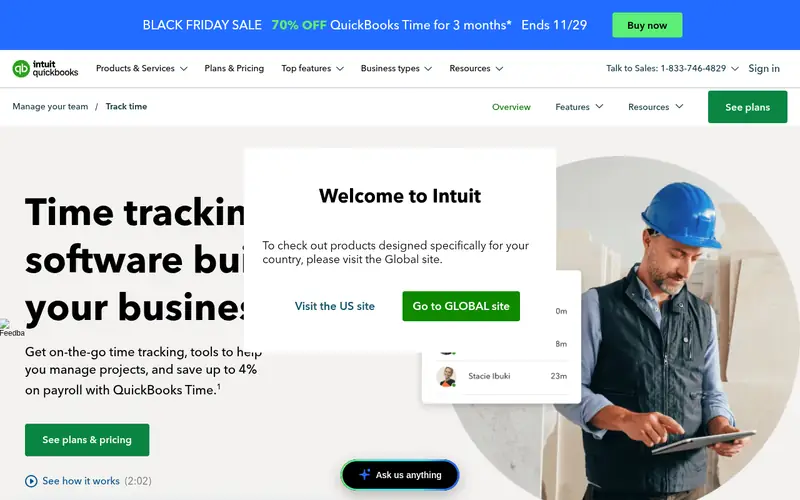
QuickBooks Time records employee hours by clock-in, timesheet, or mobile app. For an optometry practice, that covers front desk staff, opticians, and technicians who rotate between exam rooms and the optical dispensary. Hours can flow into QuickBooks payroll, which cuts manual re-entry if the practice already uses QuickBooks. The product is sold in tiers, and the entry price depends on the plan and whether payroll is included. Scheduling, time-off tracking, and project or job codes are available on higher tiers. Small practices that do not use QuickBooks may find the setup heavier than needed. Skip it if the practice runs payroll on a different platform and only wants a standalone time clock.

Price: See vendor pricing page

Free plan: Free trial (30 days)

Website: quickbooks.intuit.com/time

Watch out for

  • Full features need a paid plan
  • pricing varies by tier and add-ons
2

Clockify

Small practices that need free basic hour tracking
See vendor pricing page
clockify.meHomepage, Nov 2026
Clockify homepage

Clockify offers a free plan that covers unlimited users and basic time tracking, which suits a small optometry office with a handful of staff. Employees can clock in from a browser or phone, and managers can review timesheets by person or project. Paid tiers add features such as timesheet approvals, scheduling, and more detailed reporting. A practice that needs to bill optical work by the hour can use project and client fields, though invoicing is more limited than in dedicated billing tools. The free plan is a reasonable starting point for a practice that only needs hour totals for payroll. Practices with complex scheduling or multi-location needs should compare paid tiers.

Free plan: Yes

Website: clockify.me

Strengths

  • Free plan for unlimited users
  • simple clock-in and timesheet views

Watch out for

  • Advanced features sit behind paid tiers
  • free plan has fewer admin controls

3

Harvest

Practices that bill optical or consulting work by the hour
See vendor pricing page
getharvest.comHomepage, Nov 2026
Harvest homepage

Harvest tracks time against clients and projects and turns those hours into invoices. An optometry practice that bills separate optical services, consulting, or corporate vision accounts can log hours by client and send invoices from the same tool. The plan is priced per user, so a larger front office and optical team raises the monthly cost. Budgets and retainer tracking help practices keep billable work within agreed limits. Payroll is not the main focus, so most practices still export hours to a payroll provider. Skip Harvest if the practice only needs internal timesheets and does not bill by the hour.

Free plan: Free trial (30 days)

Website: getharvest.com

Strengths

  • Built-in invoicing from tracked hours
  • clear client and project budgets

Watch out for

  • Per-user pricing adds up
  • payroll integration is limited
4

Toggl Track

Staff who need fast one-click time entry
See vendor pricing page
toggl.comHomepage, Nov 2026
Toggl Track homepage

Toggl Track is a lightweight time tracker with a timer, manual entry, and reports. In an optometry office, technicians and opticians can log time against tasks or clients with few clicks, which helps when staff move between patients and admin work. The free plan covers a small team with basic tracking. Paid tiers add billable rates, rounding, and more reporting. The tool does not handle payroll directly, so hours are exported or re-entered. It fits practices that want minimal setup and do not need scheduling or payroll inside the same product.

Free plan: Yes

Website: toggl.com/track

Strengths

  • Simple timer and manual entry
  • free plan for small teams

Watch out for

  • Limited payroll features
  • advanced reporting on paid tiers
5

Homebase

Small practices that need scheduling plus time clocks
See vendor pricing page
joinhomebase.comHomepage, Nov 2026
Homebase homepage

Homebase bundles employee scheduling, a time clock, and timesheets. That combination suits an optometry practice that schedules front desk, opticians, and technicians across shifts and wants hours tracked in the same place. The free plan covers basic scheduling and time clock for a single location. Paid plans add hiring, onboarding, and payroll features. Practices with multiple locations or advanced payroll needs will likely need a paid tier. It is a practical pick for a single-location office that wants scheduling and timesheets together without a large software stack.

Free plan: Yes

Website: joinhomebase.com

Strengths

  • Combines scheduling, time clock, and payroll exports
  • free plan for one location

Watch out for

  • Free plan is limited
  • payroll add-ons cost extra
6

When I Work

Practices that schedule shifts across staff roles
See vendor pricing page
wheniwork.comHomepage, Nov 2026
When I Work homepage

When I Work focuses on shift scheduling, with time clock and attendance features. An optometry practice with rotating staff and coverage gaps can build schedules, let staff swap shifts, and track actual hours against planned ones. Pricing is per user and depends on the plan. Time tracking and attendance are available, but the product is built around scheduling rather than payroll or client billing. Practices that mainly need billing should look at Harvest or Toggl Track. It suits offices where scheduling coverage is the main pain point.

Free plan: Free trial (14 days)

Website: wheniwork.com

Strengths

  • Strong shift scheduling and swap tools
  • mobile clock-in

Watch out for

  • No free plan
  • time tracking tied to scheduling tiers
7

Deputy

Multi-location practices that need scheduling and timesheets
See vendor pricing page
deputy.comHomepage, Nov 2026
Deputy homepage

Deputy handles employee scheduling, time and attendance, and payroll exports. A growing optometry group with more than one office can manage shifts and timesheets per location and export hours to payroll. The product is priced per user, and the entry price depends on the plan and add-ons. It does not focus on client billing, so practices that invoice optical work by the hour may need a second tool. It fits multi-site practices that need scheduling and attendance controls in one place.

Free plan: Free trial (31 days)

Website: deputy.com

Strengths

  • Scheduling, time tracking, and payroll exports in one tool
  • supports multiple locations

Watch out for

  • No free plan
  • pricing per user
8

Hubstaff

Practices that want activity and location tracking
See vendor pricing page
hubstaff.comHomepage, Nov 2026
Hubstaff homepage

Hubstaff tracks time with optional screenshots, activity rates, and location data. For an optometry practice, that can support remote billing staff or mobile opticians, though many clinical teams will not want activity monitoring. The tool includes payroll and invoicing features, so tracked hours can move toward billing. Pricing is per user, and the entry price depends on the plan. Skip it if staff are uncomfortable with activity tracking or if the practice only needs simple timesheets.

Free plan: Free trial (14 days)

Website: hubstaff.com

Strengths

  • Time tracking with location and activity options
  • payroll and invoicing features

Watch out for

  • No free plan
  • activity tracking may not suit all staff

Pre-purchase checklist

  • Confirm the tool tracks hours by employee, role, and location if the practice has more than one office.
  • Check whether hours export to your payroll provider without manual re-entry.
  • Confirm whether client or project billing is needed for optical or consulting work.
  • Review the free plan limits and how many users are included.
  • Check mobile clock-in if staff work across exam rooms or the dispensary.

FAQ

What is the best timesheet software for optometry practices?

QuickBooks Time is the first pick for practices that use QuickBooks for payroll. Harvest suits practices that bill by the hour, and Clockify is a free option for basic tracking.

Do optometry practices need billable hour tracking?

Only if the practice bills optical, consulting, or corporate vision work by time. Practices that pay staff hourly and do not bill by time can use simpler timesheet tools.

Is there free timesheet software for a small optometry office?

Clockify and Homebase offer free plans with limits. Toggl Track also has a free plan for small teams. Check current limits on each vendor site.

Can timesheet software handle staff scheduling too?

Yes. Homebase, When I Work, and Deputy combine scheduling with time tracking. QuickBooks Time and Harvest focus more on hours and billing.

How is pricing structured for these tools?

Most tools charge per user per month, and some have tiered plans. Entry prices vary, so confirm current pricing on the vendor page before buying.




