How we rank
HR and Workforce · Researched comparison

Best Timesheet Software for Paving Contractors in 2026

TaskReports may earn a fee from some links on this page, and some placements are paid and labelled. Neither one decides the order. See our disclosure.

The short answer

QuickBooks Time is the first pick for paving contractors who already use QuickBooks for payroll and job costing, because hours flow into the same system. ClockShark suits crews that need GPS and jobsite geofencing without a full accounting suite. Busybusy fits contractors who want photo and location capture on every clock-in. Confirm current prices on each vendor page before you commit.

On this page

Key takeaways

  • QuickBooks Time is the first pick for paving crews that already run QuickBooks payroll and job costing.
  • ClockShark and Busybusy are built around GPS and jobsite tracking for field crews.
  • Entry prices range from free tiers to per-user monthly fees, so crew size drives the cost.
  • All six tools track hours by job or cost code, which is what paving bids depend on.

Quick comparison

ToolBest fitStarting price
QuickBooks TimePaving crews already using QuickBooks payrollSee vendor pricing page
ClockSharkField crews needing GPS and geofenced jobsitesSee vendor pricing page
BusybusyCrews wanting photo and location proof on clock-insSee vendor pricing page
ConnecteamSmall crews wanting free time clock and schedulingSee vendor pricing page
HubstaffContractors tracking hours with GPS and screenshotsSee vendor pricing page
HomebaseSmall paving teams needing free scheduling and time clockSee vendor pricing page

How we chose

We picked tools that record hours by job or cost code and export to payroll, which is what paving contractors need to bid and bill accurately. We looked at fit for field crews, entry price, free access, and main limits. Sources are vendor websites and public documentation. Prices change, so confirm the current rate on each vendor page before buying.

★ Best overall

QuickBooks Time

Paving crews already using QuickBooks payroll

  • Hours flow into QuickBooks payroll and job costing
  • mobile clock-in with GPS
PriceSee vendor pricing page
See QuickBooks Time pricing
quickbooks.intuit.comHomepage, Nov 2026
QuickBooks Time homepage

QuickBooks Time records hours on a phone or tablet and attaches them to a customer, service item, or job. For paving work, that means a crew can clock in at a driveway or lot and the time lands on the right job code. Timesheets sync to QuickBooks Online or Desktop for payroll and invoicing. The product has a limited free tier for one admin and a small number of users, and paid plans add scheduling, GPS tracking, and project tracking. Contractors who do not use QuickBooks may find the accounting tie-in less useful and should compare standalone field tools first.

Price: See vendor pricing page

Free plan: Free trial (30 days)

Website: quickbooks.intuit.com/time-tracking

Watch out for

  • Full features need a paid plan
  • GPS tracking can raise crew questions
2

ClockShark

Field crews needing GPS and geofenced jobsites
See vendor pricing page
ClockSharkHomepage image unavailable

ClockShark is built for construction and field service crews. Employees clock in from a mobile app, and the system can confirm they are inside a jobsite geofence. For paving, that helps separate time at the plant, on the haul, and on the mat. Time can be assigned to jobs and tasks, and hours export to payroll and accounting systems. The vendor sells per-user plans with a free trial, and the price rises with crew size. Small paving outfits with a handful of workers should check the per-user rate before choosing it over a flat-fee tool.

Free plan: Free trial (14 days)

Website: clockshark.com

Strengths

  • Geofenced clock-in tied to a jobsite
  • job costing and payroll exports

Watch out for

  • Per-user pricing adds up on large crews
  • no free plan
3

Busybusy

Crews wanting photo and location proof on clock-ins
See vendor pricing page
busybusy.comHomepage, Nov 2026
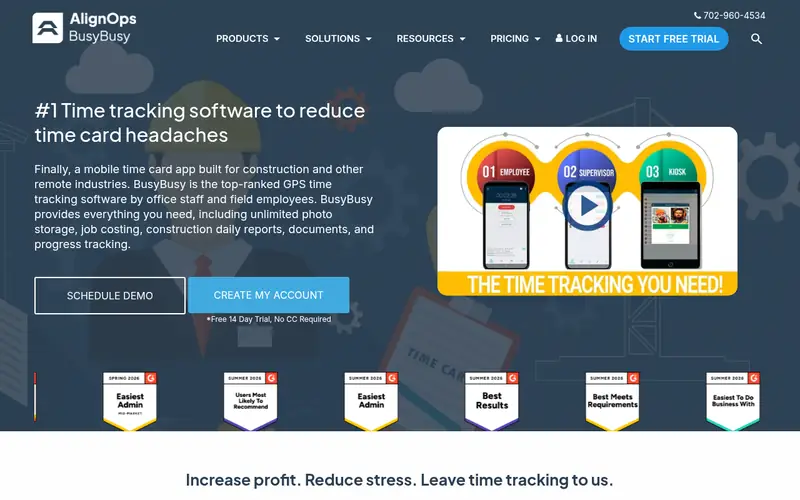
Busybusy homepage

Busybusy focuses on proof of work. Each clock-in can capture a photo and location, which suits paving crews that want a record of who was on site and when. Time is sorted by job and can be exported for payroll. The app is designed to be simple for workers who are not comfortable with complex software. It sells per-user plans after a trial. Contractors who need deep job costing inside an accounting system may need to pair it with other software.

Free plan: Free trial (14 days)

Website: busybusy.com

Strengths

  • Photos and GPS attached to each time entry
  • simple mobile app for crews

Watch out for

  • No free plan
  • fewer accounting integrations than larger suites
4

Connecteam

Small crews wanting free time clock and scheduling
See vendor pricing page
connecteam.comHomepage, Nov 2026
Connecteam homepage

Connecteam offers a free plan for small businesses that includes a time clock and job scheduling. For a paving crew, that covers clock-in at the jobsite, shift scheduling, and basic reports without a subscription. Paid tiers add features such as geofencing, payroll exports, and deeper reporting. The app bundles many workplace tools, so the screen can feel busy for crews that only need a time clock. It suits small paving contractors who want one low-cost app for hours and shift communication.

Free plan: Yes

Website: connecteam.com

Strengths

  • Free plan for small teams
  • time clock, scheduling, and communication in one app

Watch out for

  • Advanced features sit on paid tiers
  • interface covers many modules
5

Hubstaff

Contractors tracking hours with GPS and screenshots
See vendor pricing page
hubstaff.comHomepage, Nov 2026
Hubstaff homepage

Hubstaff tracks time with GPS and optional screenshots and activity levels. It is more common in remote and office work, but paving contractors who manage estimators, dispatchers, or office staff can use it for those roles. Field time can be assigned to projects and tasks, and hours export to payroll and invoicing tools. The vendor sells per-user plans with a trial. Crews that only need a simple jobsite clock may find it more than they need.

Free plan: Free trial (14 days)

Website: hubstaff.com

Strengths

  • GPS and activity tracking
  • payroll and invoicing integrations

Watch out for

  • Screenshot tracking can feel heavy for field crews
  • per-user pricing
6

Homebase

Small paving teams needing free scheduling and time clock
See vendor pricing page
joinhomebase.comHomepage, Nov 2026
Homebase homepage

Homebase offers a free plan with a time clock, scheduling, and team messaging for a single location. A small paving contractor can track crew hours and build a weekly schedule without paying. Paid plans add payroll, hiring, and more detailed reporting. Job costing is lighter than in construction-focused tools, so contractors who bid by cost code may outgrow it. It suits very small teams that want free hours and scheduling first.

Free plan: Yes

Website: joinhomebase.com

Strengths

  • Free plan with time clock and scheduling
  • simple for small teams

Watch out for

  • Payroll and advanced features cost extra
  • limited job costing depth

Pre-purchase checklist

  • Confirm the tool assigns hours to jobs or cost codes, not just to employees.
  • Check how many users the free plan allows and what the paid per-user rate is.
  • Ask whether GPS or geofencing works offline at remote paving sites.
  • Verify payroll export formats match your payroll provider.
  • Test the mobile app with one crew before rolling it out to all crews.

FAQ

Do paving contractors need GPS time tracking?

GPS helps confirm crews are on the right jobsite, which matters when several jobs run at once. It is optional in most tools, so crews that dislike it can use job codes instead. Check whether GPS works without a signal at remote sites.

Can these tools track time by job or cost code?

Yes. QuickBooks Time, ClockShark, Busybusy, and Hubstaff all assign hours to jobs or projects. That lets you compare actual hours to bid hours on each paving job. Confirm the export format matches your accounting setup.

Is there free timesheet software for small paving crews?

Connecteam and Homebase both offer free plans with a time clock. Free plans have user or feature limits, so check the current terms on each vendor page. Larger crews usually need a paid plan.

How much does timesheet software cost for a paving crew?

Prices vary by vendor and are usually charged per user per month. Most vendors list current rates on their pricing pages. Crew size is the main cost driver, so compare per-user rates before choosing.

Can timesheet software handle payroll for paving crews?

Most tools here export hours to payroll providers or run payroll directly. QuickBooks Time ties into QuickBooks Payroll, and Homebase sells payroll as a paid add-on. Confirm the payroll integration before you commit.