How we rank
HR and Workforce · Researched comparison

Best Timesheet Software for Plumbers in 2026

TaskReports may earn a fee from some links on this page, and some placements are paid and labelled. Neither one decides the order. See our disclosure.

The short answer

Clockify is the first pick for plumbers who want a free, simple way to log hours per job and per client. QuickBooks Time suits plumbing businesses already using QuickBooks for payroll and invoicing. Housecall Pro and Jobber are better fits for plumbers who want scheduling, dispatching and timesheets in one field service tool. All four track billable hours, and the right choice depends on whether you need standalone time tracking or a full job management system.

On this page

Key takeaways

  • Clockify has a free plan with unlimited users and tracks billable hours per job, which suits small plumbing crews.
  • QuickBooks Time connects timesheets to QuickBooks payroll and invoicing, so job hours flow into billing.
  • Housecall Pro and Jobber combine scheduling with time tracking built for service trades like plumbing.
  • Entry prices below are published list prices as of 2025-2026; confirm current rates on each vendor page.

Quick comparison

ToolBest fitStarting price
ClockifyFree per-job hour tracking for small plumbing crews$3.99 per user per month
QuickBooks TimePlumbing teams already using QuickBooks for payrollSee vendor pricing page
Housecall ProPlumbers who want scheduling, dispatch and time tracking togetherSee vendor pricing page
JobberSmall plumbing businesses that need quoting, scheduling and timesheetsSee vendor pricing page
Toggl TrackSolo plumbers who want simple billable hour logs$10 per user per month
HarvestPlumbing contractors who invoice from tracked hours$12 per user per month
HubstaffPlumbing crews that need GPS and activity tracking on the clock$7 per user per month
Zoho PeoplePlumbing companies that need HR records plus timesheets$1.50 per user per month

How we chose

We picked tools that support hourly tracking, job or client level records, and mobile use for field workers. We looked at whether each tool fits plumbing work, its published entry price, whether it offers free access, and its main limits. Sources are vendor websites and public documentation. Prices and plan features change, so confirm current details on each vendor page before buying.

Best overall

Clockify

Free per-job hour tracking for small plumbing crews

  • Free plan with unlimited users
  • billable hours tracked per project and client
Price$3.99 per user per month
See Clockify pricing
clockify.meHomepage, Nov 2026
Clockify homepage

Clockify is a general time tracking tool that works well for plumbers who need to record hours against each job, customer or service call. You create a project for each job, start a timer on a phone or desktop, and mark hours as billable. Reports show total hours per client, which helps when you invoice. The free plan covers unlimited users and unlimited tracking, with limits on some reporting and admin features. Paid plans add timesheet approvals, invoicing and more detailed reports. There is no dispatch, scheduling or job costing built for field service, so plumbers who need those should look at a trade-specific tool. It suits solo plumbers and small crews who mainly need clean hour records.

Price: $3.99 per user per month

Free plan: Yes

Website: clockify.me

Watch out for

  • No plumbing-specific scheduling or dispatch
  • advanced features need paid tiers
2

QuickBooks Time

Plumbing teams already using QuickBooks for payroll

See vendor pricing page
quickbooks.intuit.comHomepage, Nov 2026
QuickBooks Time homepage

QuickBooks Time, formerly TSheets, is built for hourly teams that need to track time by job and location. Plumbers can clock in from a phone, assign hours to a customer or job code, and see who is on which site. GPS and geofencing options help confirm crew locations. The main draw is the link to QuickBooks. Approved timesheets move into QuickBooks Online Payroll, and job hours can feed invoicing. That reduces double entry for plumbing businesses already on QuickBooks. If you do not use QuickBooks, the connection adds less value and a standalone tracker may cost less. Pricing is quoted by the vendor based on features and team size, so check the current page before deciding.

Free plan: Free trial (30 days)

Website: quickbooks.intuit.com/time-tracking

Strengths

  • Mobile clock-in with GPS and job codes
  • hours flow into QuickBooks payroll

Watch out for

  • Full features need a paid plan
  • best value only if you use QuickBooks

3

Housecall Pro

Plumbers who want scheduling, dispatch and time tracking together
See vendor pricing page
housecallpro.comHomepage, Nov 2026
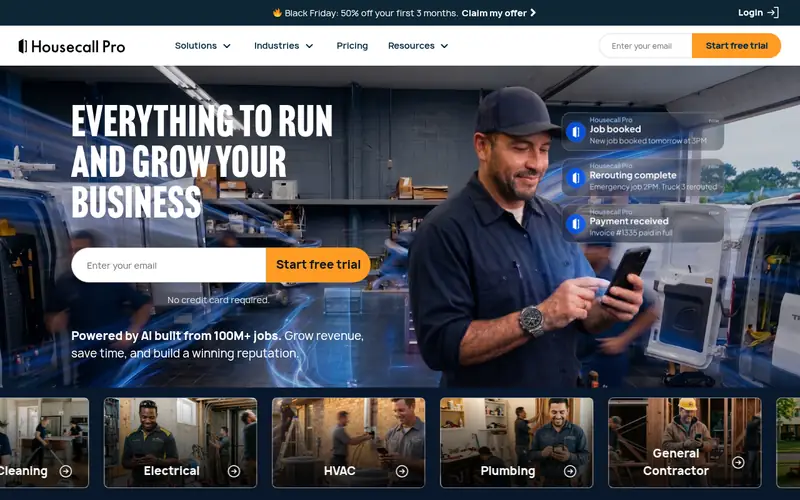
Housecall Pro homepage

Housecall Pro is field service software for trades such as plumbing, HVAC and electrical. It combines scheduling, dispatching, job notes, invoicing and time tracking. A plumber can clock in on a job from the mobile app, and the hours attach to the customer record and the invoice. Because it is built for service work, it handles recurring maintenance visits, estimates and payment collection in one place. That makes it a fit for plumbing companies with several technicians and office staff. The trade-off is cost and setup time compared with a simple timesheet app. Smaller operations that only need hour logs may find it more than they need. Pricing is tiered by team size and features, so confirm on the vendor site.

Free plan: Free trial (14 days)

Website: housecallpro.com

Strengths

  • Built for service trades
  • job scheduling linked to time and invoicing

Watch out for

  • Higher cost than standalone trackers
  • plan features vary by tier
4

Jobber

Small plumbing businesses that need quoting, scheduling and timesheets
See vendor pricing page
JobberHomepage image unavailable

Jobber is service business software used by plumbers, cleaners and other trades. It covers quoting, scheduling, dispatching, invoicing and time tracking. Technicians clock in and out on a job, and the hours can be used for payroll and job costing. The tool is aimed at small and growing service companies rather than large enterprises. It has a client hub where customers can approve quotes and pay invoices. Time tracking is part of the job workflow, so hours stay linked to the right visit. Plan limits, such as the number of users on the entry tier, matter for growing crews. Check the current plans and prices on the vendor page before you commit.

Free plan: Free trial (14 days)

Website: getjobber.com

Strengths

  • Time tracking tied to jobs and visits
  • client hub for quotes and invoices

Watch out for

  • Entry plan limits users
  • advanced reporting on higher tiers
5

Toggl Track

Solo plumbers who want simple billable hour logs
$10 per user per month
toggl.comHomepage, Nov 2026
Toggl Track homepage

Toggl Track is a lightweight time tracking tool. A plumber can start a timer when arriving at a job, tag it with the client name, and mark it billable. Reports summarize hours per client or project, which supports invoicing. It is easy to set up and works on phones, so it suits solo plumbers and very small teams. The free plan covers basic tracking for a limited number of users, while paid plans add more reporting and admin controls. It does not handle scheduling, dispatch or job details beyond what you type in. Plumbers who need those features should pair it with another tool or choose field service software instead.

Free plan: Yes

Website: toggl.com/track

Strengths

  • Simple one-click timers on phone and desktop
  • clear billable reports per client

Watch out for

  • No scheduling or dispatch
  • free plan limits some reports and features
6

Harvest

Plumbing contractors who invoice from tracked hours
$12 per user per month
getharvest.comHomepage, Nov 2026
Harvest homepage

Harvest is time tracking and invoicing software. Plumbers can log hours per project or client, then turn those hours into an invoice with a few clicks. That suits contractors who bill hourly and want the timesheet and the invoice in one place. The tool is simple and focused. It does not include dispatch, scheduling or job management for field teams, so it works best for owner-operators and small shops that already handle scheduling elsewhere. Paid plans are priced per user, and there is a free trial rather than a free plan. Teams that need crew location tracking or job photos should look at trade-specific software instead.

Free plan: Free trial (30 days)

Website: getharvest.com

Strengths

  • Timesheets connect directly to invoices
  • simple project and client structure

Watch out for

  • No free plan
  • no field service scheduling
7

Hubstaff

Plumbing crews that need GPS and activity tracking on the clock
$7 per user per month
hubstaff.comHomepage, Nov 2026
Hubstaff homepage

Hubstaff is time tracking with location and activity monitoring. Plumbers can clock in from a mobile app, and the system records GPS location and time on site. Timesheets can be approved and exported for payroll. It fits plumbing companies with mobile crews who want proof of arrival times and job locations. The monitoring features are optional but can feel heavy for small teams that just want hour logs. There is no free plan, only a trial, and pricing is per user. Companies that need scheduling and invoicing should combine it with other tools or pick an all-in-one field service product.

Free plan: Free trial (14 days)

Website: hubstaff.com

Strengths

  • GPS tracking and geofenced clock-in
  • timesheets feed payroll and reports

Watch out for

  • No free plan
  • monitoring features may be more than some crews need
8

Zoho People

Plumbing companies that need HR records plus timesheets
$1.50 per user per month
zoho.comHomepage, Nov 2026
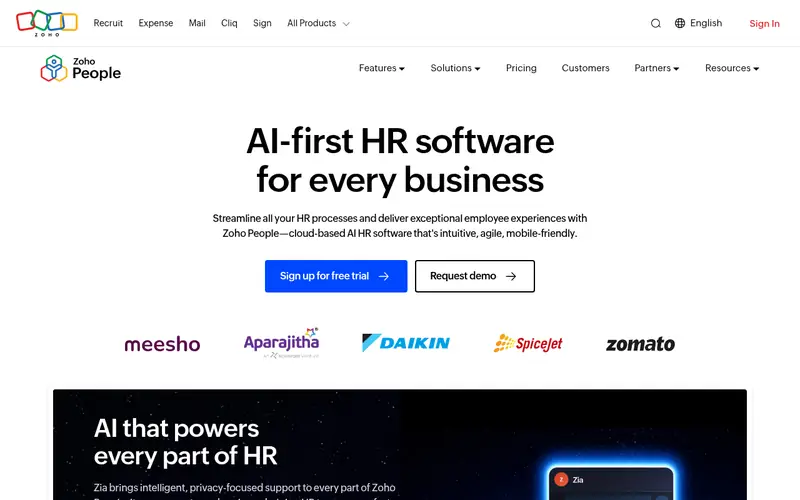
Zoho People homepage

Zoho People is HR software with timesheet and attendance modules. A plumbing business can use it to track employee hours, leave and attendance in one system, which helps with payroll preparation and record keeping. It is not a field service tool. It does not handle dispatch, job scheduling or customer invoicing for plumbing work. Its value is in combining HR admin with time records at a low per-user price. The free plan covers a small number of users with limited features. Companies that mainly need job-level billing hours may prefer a simpler tracker or trade-specific software. Confirm plan limits on the vendor page.

Free plan: Yes

Website: zoho.com/people

Strengths

  • Low entry price
  • timesheets sit alongside leave and HR records

Watch out for

  • Not built for field service or job costing
  • setup takes time

Pre-purchase checklist

  • Confirm the tool tracks hours per job or client, not just per employee.
  • Check mobile clock-in works on the phones your plumbers carry.
  • Verify how tracked hours reach invoicing or payroll.
  • Compare the entry plan's user limit with your crew size.
  • Read the free plan or trial limits before you commit.

FAQ

What is the best timesheet software for plumbers?

Clockify is a strong fit for small plumbing crews because it has a free plan with unlimited users and tracks billable hours per job. QuickBooks Time suits businesses already using QuickBooks, and Housecall Pro or Jobber fit plumbers who want scheduling and timesheets together.

Do plumbers need trade-specific timesheet software?

Not always. A general tracker like Clockify or Harvest can log hours per job and support invoicing. Trade-specific tools such as Housecall Pro and Jobber add scheduling, dispatch and customer records, which help once you have several technicians and office staff.

Can plumbers track hours by job and by client?

Yes. Most tools on this list let you create a project or job for each customer and mark hours as billable. Clockify, Harvest and Toggl Track all report hours per client, which makes hourly invoicing easier.

Is there free timesheet software for plumbers?

Clockify and Zoho People offer free plans with limits on users or features. QuickBooks Time, Housecall Pro, Jobber, Harvest and Hubstaff offer free trials rather than free plans. Check each vendor page for current limits.

How much does timesheet software for plumbers cost?

Entry prices vary. Clockify starts at $3.99 per user per month, Toggl Track at $10, Harvest at $12, Hubstaff at $7 and Zoho People at $1.50. QuickBooks Time, Housecall Pro and Jobber quote prices on their sites, so confirm current rates before buying.