How we rank
HR and Workforce · Researched comparison

Best Timesheet Software for Restoration Companies in 2026

TaskReports may earn a fee from some links on this page, and some placements are paid and labelled. Neither one decides the order. See our disclosure.

The short answer

ClockShark is the first pick for restoration companies that need to track crew hours by job and by phase, such as mitigation versus rebuild, with GPS and mobile clock-in. QuickBooks Time suits companies already using QuickBooks for job costing and payroll. Homebase is a low-cost option for small teams that need basic scheduling and time clocks before adding field-service features.

On this page

Key takeaways

  • ClockShark fits restoration crews that split time between water mitigation, fire damage, and rebuild jobs, with GPS and job-based tracking.
  • QuickBooks Time connects timesheets to payroll and job costing for companies already running QuickBooks.
  • Homebase offers a free plan for small restoration teams that only need basic clock-in and scheduling.
  • Most restoration-specific field tools charge per user per month, so crew size drives the total cost.

Quick comparison

ToolBest fitStarting price
ClockSharkRestoration crews tracking hours by job and phaseSee vendor pricing page
QuickBooks TimeRestoration firms already using QuickBooksSee vendor pricing page

HomebaseSmall restoration teams needing free scheduling and time clocksSee vendor pricing page
JobberRestoration companies running jobs, quotes, and time in one toolSee vendor pricing page
ConnecteamRestoration teams wanting customizable time clocks and checklistsSee vendor pricing page
HubstaffRestoration companies tracking time and location across crewsSee vendor pricing page
TimeeroSmall restoration crews needing GPS time trackingSee vendor pricing page

How we chose

We picked tools that support crew scheduling, job-based time tracking, and payroll export, which are the main timesheet needs for restoration companies. We looked at whether each product has a free plan or trial, how pricing is structured, and what limits apply to entry tiers. Sources are vendor websites and public documentation. Prices change, so confirm current pricing on each vendor site before buying.

★ Best overall

ClockShark

Restoration crews tracking hours by job and phase

  • GPS tracking ties clock-ins to job sites
  • job and task codes separate mitigation from rebuild hours
PriceSee vendor pricing page
See ClockShark pricing
ClockSharkHomepage image unavailable

ClockShark is built for field service crews that move between job sites. For restoration companies, that means a technician can clock in at a water damage site, tag the time to that job and to a task like extraction or drying, and move to the next site without re-entering data. GPS stamps confirm where each clock-in happened. The mobile app works offline, which matters when crews are in basements or buildings with poor signal. Timesheets export to payroll and to accounting systems, and job costing reports show labor hours by job. Scheduling and reminders sit on higher tiers, so small shops may find the entry plan enough while larger companies will need to compare tiers on the vendor site. Skip ClockShark if you only need a simple time clock and do not track hours by job.

Price: See vendor pricing page

Free plan: Free trial (14 days)

Website: clockshark.com

Watch out for

  • Per-user pricing adds up for larger crews
  • advanced scheduling needs a higher tier
2

QuickBooks Time

Restoration firms already using QuickBooks
See vendor pricing page
quickbooks.intuit.comHomepage, Nov 2026
QuickBooks Time homepage

QuickBooks Time connects hours directly to QuickBooks, which many restoration companies already use for invoicing and job costing. Crews clock in from a phone, and the hours can be assigned to a customer or job so labor lands in the right cost category. The tool supports GPS tracking, geofencing, and scheduling. Payroll runs from the same timesheet data, which cuts double entry for office staff. Because the product is tied to the Intuit ecosystem, the value depends on whether you already run QuickBooks. Companies on other accounting software should compare standalone options before committing.

Free plan: Free trial (30 days)

Website: quickbooks.intuit.com/time-tracking

Strengths

  • Timesheets flow into QuickBooks payroll and job costing
  • mobile clock-in with GPS

Watch out for

  • Best value only if you use QuickBooks
  • some features require higher tiers
3

Homebase

Small restoration teams needing free scheduling and time clocks
See vendor pricing page
joinhomebase.comHomepage, Nov 2026
Homebase homepage

Homebase gives small restoration companies a free way to handle scheduling and clock-in. The free plan covers employee scheduling, a time clock, and basic timesheets, which is enough for a small crew that does not yet need job-level cost tracking. Paid plans add hiring tools, payroll, and more detailed reporting. The product is general-purpose rather than built for restoration, so it does not track mitigation phases or equipment the way field-service tools do. It suits a startup or a small rebuild crew that wants to stop using paper timesheets before investing in a larger system.

Free plan: Yes

Website: joinhomebase.com

Strengths

  • Free plan covers basic scheduling and time clock
  • simple setup for small crews

Watch out for

  • Job costing and advanced reporting sit on paid plans
  • fewer field-service features
4

Jobber

Restoration companies running jobs, quotes, and time in one tool
See vendor pricing page
JobberHomepage image unavailable

Jobber combines scheduling, quoting, invoicing, and time tracking. A restoration crew can clock in on a job, and those hours feed into the job record and the invoice. That reduces the gap between field hours and billing. The mobile app lets technicians see their schedule and log time on site. Reports show labor hours by job and by team member. Jobber is a general field-service platform, so it does not include restoration-specific forms or drying logs. It fits companies that want one system for jobs and time rather than separate tools.

Free plan: Free trial (14 days)

Website: getjobber.com

Strengths

  • Time tracking links to jobs, quotes, and invoices
  • mobile app for field crews

Watch out for

  • No free plan
  • per-user pricing grows with crew size
5

Connecteam

Restoration teams wanting customizable time clocks and checklists
See vendor pricing page
connecteam.comHomepage, Nov 2026
Connecteam homepage

Connecteam is a workforce management app with a free plan for small teams. Restoration companies can use it for time clocks, scheduling, and custom forms such as safety checklists or job completion reports. The time clock supports GPS and job tagging on paid tiers. Because the platform is configurable, a company can build forms that match its own process for mitigation and rebuild work. The trade-off is setup time: the free plan has limits on users and features, and the more useful time and reporting tools sit on paid plans. It suits companies that want one app for communication, checklists, and time.

Free plan: Yes

Website: connecteam.com

Strengths

  • Free plan for small teams
  • custom checklists and forms for job documentation

Watch out for

  • Advanced time tracking and reports need paid tiers
  • setup takes some planning
6

Hubstaff

Restoration companies tracking time and location across crews
See vendor pricing page
hubstaff.comHomepage, Nov 2026
Hubstaff homepage

Hubstaff focuses on time tracking with location data. For restoration companies, that means crews can clock in from a phone and the record shows where the work happened. Timesheets can be reviewed, approved, and exported to payroll or accounting tools. The product also supports project and task tracking, so hours can be split between jobs. It is not built specifically for restoration, and it does not handle job costing or invoicing the way field-service platforms do. It suits companies that mainly need accurate time and location records and will handle billing in another system.

Free plan: Free trial (14 days)

Website: hubstaff.com

Strengths

  • GPS and location tracking for field crews
  • timesheets export to payroll and accounting

Watch out for

  • No free plan
  • per-user pricing
7

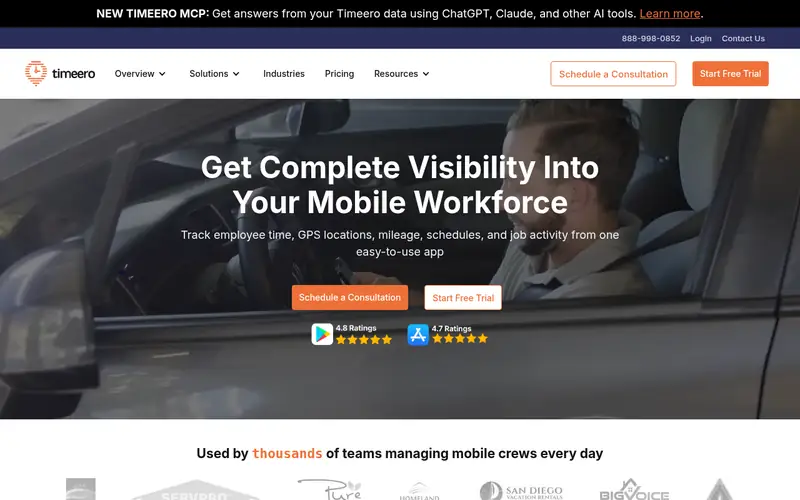
Timeero

Small restoration crews needing GPS time tracking
See vendor pricing page
timeero.comHomepage, Nov 2026
Timeero homepage

Timeero is a GPS time tracking tool for mobile teams. Restoration crews can clock in and out from a phone, and the system records location and mileage. That helps when crews drive between multiple job sites in a day. Timesheets can be reviewed and exported, and the app supports geofencing so clock-ins are tied to job locations. Timeero does not include quoting, invoicing, or restoration-specific documentation, so it works best as a time layer alongside other business software. Small crews that mainly need to confirm where hours were worked should compare it with the other options here.

Free plan: Free trial (14 days)

Website: timeero.com

Strengths

  • GPS tracking with route history
  • simple mobile clock-in for field staff

Watch out for

  • No free plan
  • fewer job costing and invoicing features

Pre-purchase checklist

  • Confirm the tool can tag hours to a specific job and to phases like mitigation and rebuild.
  • Check whether GPS or geofencing is included on the plan you are considering.
  • Confirm timesheets export to your payroll and accounting systems.
  • Compare per-user pricing against your current and expected crew size.
  • Check mobile offline support for crews working in buildings with poor signal.

FAQ

What is the best timesheet software for restoration companies?

ClockShark is a strong fit because it tracks hours by job and task with GPS, which matches how restoration crews move between sites. QuickBooks Time is a good alternative for companies already using QuickBooks, and Homebase is a free option for small teams.

Do restoration companies need job costing in a timesheet tool?

Job costing helps you see labor cost per job, which matters when mitigation and rebuild work are billed separately. Tools like ClockShark and QuickBooks Time connect hours to jobs so labor lands in the right cost category. Simpler time clocks may not include this.

Is there free timesheet software for restoration crews?

Homebase and Connecteam both offer free plans with limits on users and features. The free tiers cover basic scheduling and time clocks, but job costing and advanced reports usually require a paid plan. Check each vendor's current limits before relying on a free plan.

Can field crews clock in without cell signal?

Some tools, including ClockShark, offer offline clock-in on the mobile app. That matters in basements and damaged buildings. Confirm offline support on the specific plan you choose, since features can differ by tier.

How much does timesheet software cost for a restoration company?

Most tools here charge per user per month, so cost depends on crew size. Several offer free trials, and two offer free plans with limits. Published prices change, so check each vendor's pricing page for current rates before you decide.