How we rank
HR and Workforce · Researched comparison

Best Timesheet Software for Rigging Companies in 2026

TaskReports may earn a fee from some links on this page, and some placements are paid and labelled. Neither one decides the order. See our disclosure.

The short answer

QuickBooks Time is the first pick for most rigging companies. It tracks crew hours by job and customer, stamps mobile punches with GPS, and syncs to QuickBooks payroll. Choose Clockify if you want a free tier and simple project time tracking. Choose Connecteam if scheduling and crew communication matter as much as the timesheet.

On this page

Key takeaways

  • QuickBooks Time is the top pick for rigging companies that already run QuickBooks and need GPS-stamped crew hours by job.
  • Clockify has a free plan for unlimited users and paid plans from $9 per user per month.
  • Crew tools like Connecteam fit rigging work that mixes scheduling with time capture.
  • Construction-focused tools such as Procore and Buildertrend cost more but tie hours to budgets and change orders.

Quick comparison

ToolBest fitStarting price
QuickBooks TimeRigging firms already using QuickBooks payrollSee vendor pricing page
ClockifySmall rigging shops that want a free start$9 per user per month

ConnecteamCrew scheduling plus time clock in one appSee vendor pricing page
ProcoreLarge rigging contractors on construction projectsSee vendor pricing page
BuildertrendRigging and install crews inside a builder workflowSee vendor pricing page
HubstaffRemote and field crews needing proof of hoursSee vendor pricing page

How we chose

We picked tools that record hours by job, project or client, since that is the core timesheet need for rigging work. We weighed fit for field crews, published entry price, free access and the main limits of each plan. Sources are vendor websites and public pricing and documentation pages. Prices and plan limits change, so confirm current details on the vendor site before buying.

Best overall

QuickBooks Time

Rigging firms already using QuickBooks payroll

  • GPS-stamped mobile punches
  • Job and customer codes on each entry
PriceSee vendor pricing page
See QuickBooks Time pricing
quickbooks.intuit.comHomepage, Nov 2026
QuickBooks Time homepage

QuickBooks Time is built for field crews. Workers clock in from a phone, and each entry can carry a job code, service item and location. For a rigging company, that means hours split across a specific crane job, a client site or a shop task. GPS stamps on mobile punches help confirm where a crew member was when they clocked in. The product sits inside Intuit's QuickBooks line. Payroll, invoicing and job costing flow from the timesheet into QuickBooks Online or Desktop. If you do not use QuickBooks, the integration value drops and a standalone tool may cost less. Intuit publishes current plan prices on its site, and a 30-day trial is offered. Confirm seat limits and feature tiers on the vendor pricing page before you commit.

Price: See vendor pricing page

Free plan: Free trial (30 days)

Website: quickbooks.intuit.com/time-tracking

Watch out for

  • Best value only inside the QuickBooks ecosystem
  • Overtime and approval setup takes time
2

Clockify

Small rigging shops that want a free start
$9 per user per month
clockify.meHomepage, Nov 2026
Clockify homepage

Clockify is a general time tracker that works well for small rigging operations. You create a project per job or client, and crew members log hours against it from a browser or phone. The free plan covers unlimited users and basic time tracking, which suits a shop that just needs clean hours by job. Paid plans add timesheet approvals, invoicing, scheduling and reporting. The entry paid tier is listed at $9 per user per month. Larger firms with many billable crews should check the per-seat cost as headcount grows. Clockify does not run payroll. It exports time data to payroll or accounting tools. Skip it if you need certified payroll or deep construction job costing.

Free plan: Yes

Website: clockify.me

Strengths

  • Free plan with unlimited users
  • Simple project and task time entries

Watch out for

  • Advanced approvals sit on paid tiers
  • No built-in payroll processing
3

Connecteam

Crew scheduling plus time clock in one app
See vendor pricing page
connecteam.comHomepage, Nov 2026
Connecteam homepage

Connecteam is aimed at deskless workers, which fits rigging crews moving between sites. It combines a mobile time clock with shift scheduling, task checklists and team messaging. A dispatcher can assign a crew to a lift, and the crew clocks in against that job from a phone. The free plan covers a small team with basic time clock and scheduling. Paid tiers add more admin seats, advanced reporting and workflow tools. Connecteam publishes its tier limits on its pricing page. It is a strong fit when communication and scheduling are the daily pain. It is a weaker fit if you need hours to flow straight into job costing or union payroll.

Free plan: Yes

Website: connecteam.com

Strengths

  • Time clock with job scheduling
  • Built for deskless field teams

Watch out for

  • Advanced features need paid tiers
  • Reporting is lighter than accounting tools
4

Procore

Large rigging contractors on construction projects
See vendor pricing page
procore.comHomepage, Nov 2026
Procore homepage

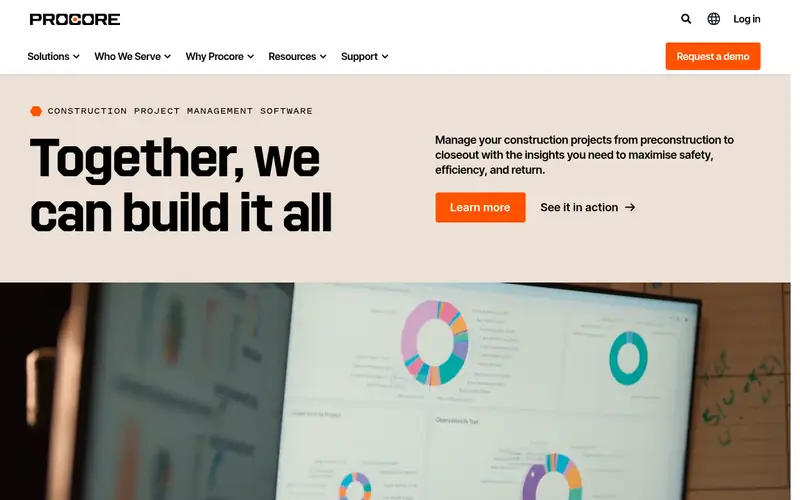
Procore is construction management software. Its time and materials tools let a rigging contractor record labor hours against a project, attach them to change orders, and compare them to budget. That matters on large jobs where rigging hours are billed as extras. The platform covers drawings, RFIs, submittals and daily logs alongside time tracking. For a contractor working as a subcontractor on commercial projects, that puts hours in the same system as the rest of the job record. Procore is priced for mid-size and large firms, and there is no free plan. Small rigging shops will find it heavy. Confirm module pricing with the vendor.

Free plan: No

Website: procore.com

Strengths

  • Time and materials tied to project budgets
  • Strong construction document control

Watch out for

  • Priced for larger firms
  • Setup and training take time
5

Buildertrend

Rigging and install crews inside a builder workflow
See vendor pricing page
BuildertrendHomepage image unavailable

Buildertrend is project management software for builders and remodelers. A rigging company that works closely with a general contractor can log crew hours, daily logs and site notes in the same system the builder uses. Time entries attach to a project and feed job costing and schedules. The client communication tools also help when a homeowner or builder wants progress updates on an install. The product is built around residential and light commercial building, so a pure rigging outfit may pay for features it does not use. There is no free plan. Buildertrend publishes plan details on its site.

Free plan: No

Website: buildertrend.com

Strengths

  • Daily logs and time tracking in one place
  • Client-facing project updates

Watch out for

  • Aimed at builders, not specialty subs
  • No free plan
6

Hubstaff

Remote and field crews needing proof of hours
See vendor pricing page
hubstaff.comHomepage, Nov 2026
Hubstaff homepage

Hubstaff is time tracking with GPS, geofencing and optional activity monitoring. For rigging companies with crews spread across sites, it gives office staff a clear record of when and where people clocked in. Timesheets roll up by project and client, and the platform connects to payroll and invoicing. Geofences can flag a punch made outside the job site, which helps with disputed hours. The tracking features are more than some crews want. Decide with your team before turning on activity monitoring. Hubstaff lists plans and a 14-day trial on its site.

Free plan: Free trial (14 days)

Website: hubstaff.com

Strengths

  • GPS and activity tracking on mobile
  • Payroll and invoicing add-ons

Watch out for

  • Activity tracking can feel intrusive
  • Per-seat pricing adds up

Which timesheet software for rigging companies should I use if my crews work at multiple client sites each week?

Start with QuickBooks Time, because GPS-stamped mobile punches and job codes fit crews that move between sites. If you also need shift scheduling and team messaging, look at Connecteam. If you want a free start with unlimited users, Clockify covers basic job time tracking. If you need proof of location and optional activity monitoring, Hubstaff adds GPS and geofencing. Match the tool to whether your main pain is payroll, scheduling or billing.

Is QuickBooks Time better than Clockify for timesheet software for rigging companies?

QuickBooks Time is better if you already run QuickBooks payroll and want hours to flow into job costing and invoicing. Clockify is better if you want a free plan with unlimited users and simple project time entries. QuickBooks Time adds GPS-stamped punches and a 30-day trial. Clockify starts at $9 per user per month on paid tiers and does not run payroll.

Pre-purchase checklist

  • Confirm the tool records hours by job, client or project, not just by day.
  • Check whether mobile punches capture GPS or geofence data if crews work off site.
  • Confirm how hours export to your payroll provider, including union or certified payroll needs.
  • Compare the per-seat cost at your full crew size, not just the entry tier.
  • Check free plan limits and trial length before you commit to a paid tier.

FAQ

What is the best timesheet software for rigging companies?

QuickBooks Time is the best fit for most rigging companies that use QuickBooks, because it tracks crew hours by job and customer with GPS-stamped mobile punches. Clockify suits small shops that want a free plan. Connecteam suits crews that need scheduling and time clock in one app.

Does timesheet software for rigging companies handle job costing?

Some do. QuickBooks Time feeds hours into QuickBooks job costing, and Procore ties labor hours to project budgets and change orders. General trackers like Clockify record hours by project but leave costing to your accounting tool. Check the integration before you buy.

Can rigging crews clock in from a phone?

Yes, most tools on this list offer mobile time clocks. QuickBooks Time, Connecteam and Hubstaff all support phone-based clock-in, and several add GPS or geofence data to each punch. Confirm mobile support on the plan tier you choose.

Is there free timesheet software for small rigging companies?

Clockify offers a free plan with unlimited users and basic time tracking. Connecteam has a free plan for small teams with a time clock and scheduling. QuickBooks Time and Hubstaff offer free trials rather than free plans. Check current limits on each vendor site.

How much does timesheet software for rigging companies cost?

Prices vary by plan and seat count. Clockify lists a paid entry tier at $9 per user per month. QuickBooks Time, Connecteam, Procore, Buildertrend and Hubstaff publish current prices on their own pricing pages. Confirm the tier that includes the features you need.