
How we rank
HR and Workforce · Researched comparison

Best Timesheet Software for RV Dealers in 2026

TaskReports may earn a fee from some links on this page, and some placements are paid and labelled. Neither one decides the order. See our disclosure.

The short answer

QuickBooks Time suits most RV dealers because it combines mobile clock-in, job and service-order codes, and payroll export in one tool. Dealers that send technicians off-site should look at Timeero for GPS and mileage tracking. Small lots with tight budgets can start on Clockify's free plan and upgrade only when they need scheduling or approvals.

On this page

Key takeaways

  • QuickBooks Time is the first pick for RV dealers that need simple mobile time tracking tied to payroll and job costing.
  • Timeero adds GPS and mileage tracking, which suits mobile service crews and lot drivers.
  • Clockify has a free plan for unlimited users, making it the lowest-cost starting point for small dealerships.
  • Most tools here charge per user, so a 20-person service department pays more than a small sales lot.

Quick comparison

ToolBest fitStarting price
QuickBooks TimeDealers that want time tracking tied to payrollSee vendor pricing page
TimeeroDealers with mobile service crews and lot driversSee vendor pricing page
ClockifySmall dealerships that need a free startSee vendor pricing page
HubstaffDealers managing remote staff and contractorsSee vendor pricing page
HomebaseDealers that need scheduling and time clocks togetherSee vendor pricing page
DeputyMulti-location dealers with complex shift rulesSee vendor pricing page
Toggl TrackDealers that want simple project time trackingSee vendor pricing page

How we chose

We picked tools that support hourly time tracking, job or project codes, and reporting that fits a dealership's service, sales and parts departments. We checked each vendor's official site and public pricing page for plan structure, free access and stated limits. We did not test the products or collect user reviews. Prices and plan limits change, so confirm current details on the vendor site before you commit.

Best overall

QuickBooks Time

Dealers that want time tracking tied to payroll

  • Mobile clock-in with GPS
  • exports to QuickBooks payroll
PriceSee vendor pricing page
See QuickBooks Time pricing
quickbooks.intuit.comHomepage, Nov 2026
QuickBooks Time homepage

QuickBooks Time is a time tracking service from Intuit. Technicians and lot staff can clock in from a phone, and managers can assign hours to service orders, jobs or customers. That matters for RV dealers that bill warranty work and customer repairs against specific units. The product sits in tiers, and the entry tier covers basic time tracking while scheduling and approvals sit higher. Pricing is per user per month, so cost scales with headcount. Dealers already running QuickBooks for accounting get the cleanest fit. Dealers on other accounting systems should compare export options first.

Price: See vendor pricing page

Free plan: Free trial (30 days)

Website: quickbooks.intuit.com/time-tracking

Watch out for

  • Per-user pricing adds up
  • full features need a paid tier
2

Timeero

Dealers with mobile service crews and lot drivers
See vendor pricing page
timeero.comHomepage, Nov 2026
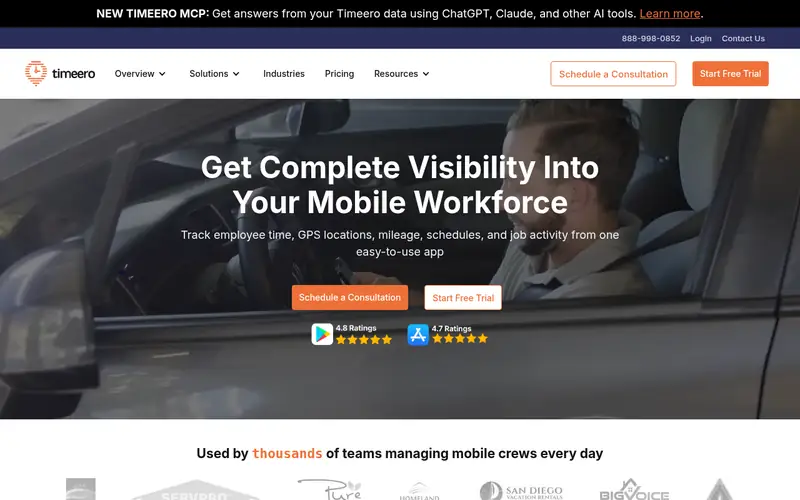
Timeero homepage

Timeero is built around location-aware time tracking. For RV dealers, that means a technician who drives to a customer's site can be tracked by GPS, and mileage can be logged for reimbursement or job costing. Geofences can mark the dealership lot, the service bay and off-site jobs. The vendor prices per user with tiers that unlock GPS, mileage and scheduling. A dealer with a fixed shop and no road calls will pay for features it does not use. It fits best when mobile service, delivery drives or shuttle runs are a real part of the business.

Free plan: Free trial (14 days)

Website: timeero.com

Strengths

  • GPS and mileage tracking
  • geofencing for lot and shop locations

Watch out for

  • GPS features cost more per user
  • small teams may not need route history

3

Clockify

Small dealerships that need a free start
See vendor pricing page
clockify.meHomepage, Nov 2026
Clockify homepage

Clockify offers a free plan with unlimited users and basic time tracking, which suits a small RV lot with a handful of staff and no formal payroll integration. Users start a timer or enter hours on a weekly timesheet, and managers can group time by project, client or job. Paid tiers add approvals, scheduling, invoicing and admin controls. The free plan does not include those, so a dealer that needs manager sign-off on every timesheet will need to upgrade. It is a reasonable first step for a dealership that has never tracked hours digitally.

Free plan: Yes

Website: clockify.me

Strengths

  • Free plan for unlimited users
  • simple timer and timesheet views

Watch out for

  • Advanced controls are paid
  • setup is self-service
4

Hubstaff

Dealers managing remote staff and contractors
See vendor pricing page
hubstaff.comHomepage, Nov 2026
Hubstaff homepage

Hubstaff combines time tracking with optional activity monitoring, screenshots and location data. For an RV dealer, the practical use is tracking hours for remote sales staff, contract detailers or staff who work across multiple locations. The vendor sells per-user plans, and features like payroll, invoicing and scheduling are separate add-ons or higher tiers. Dealers should decide whether monitoring fits their workplace policy before choosing it. For a shop floor where everyone works in the same bay, a simpler tool is usually enough.

Free plan: Free trial (14 days)

Website: hubstaff.com

Strengths

  • Activity and location tracking options
  • payroll and invoicing add-ons

Watch out for

  • Per-user cost is higher
  • monitoring features may not suit shop staff
5

Homebase

Dealers that need scheduling and time clocks together
See vendor pricing page
joinhomebase.comHomepage, Nov 2026
Homebase homepage

Homebase pairs employee scheduling with a time clock, which fits dealerships that run shifts across sales, service and parts. Staff clock in from a shared device or their phone, and managers see who is on shift and who is late. The free plan covers one location with core scheduling and time clock features. Payroll, hiring and advanced controls sit on paid plans. A single-location RV dealer with hourly staff can run on the free tier for a while, but multi-location groups will need to pay.

Free plan: Yes

Website: joinhomebase.com

Strengths

  • Free plan with scheduling and time clock
  • good for hourly staff

Watch out for

  • Free plan limits features
  • payroll is a paid add-on
6

Deputy

Multi-location dealers with complex shift rules
See vendor pricing page
deputy.comHomepage, Nov 2026
Deputy homepage

Deputy focuses on scheduling and time and attendance for shift-based workplaces. RV dealers with several locations, weekend sales shifts and service bays that open early can set rules for overtime, breaks and shift swaps in one place. The vendor prices per user with tiers that add scheduling, payroll integrations and compliance features. Setup is more involved than a basic timer, so it suits a dealer with an HR or payroll admin who can configure it. A small single-lot dealer will likely find it heavier than needed.

Free plan: Free trial (31 days)

Website: deputy.com

Strengths

  • Strong scheduling and award rules
  • handles multiple locations

Watch out for

  • Priced per user
  • setup takes more time
7

Toggl Track

Dealers that want simple project time tracking
See vendor pricing page
toggl.comHomepage, Nov 2026
Toggl Track homepage

Toggl Track is a straightforward time tracking tool built around projects and clients. An RV dealer can create a project per service order or per customer and have staff log hours against it, then pull reports for billing or job costing. The free plan covers a small number of users with core tracking. Paid tiers add billable rates, estimates and more reporting. It does not handle shift scheduling or payroll, so it works best as a reporting layer next to a separate payroll system.

Free plan: Yes

Website: toggl.com/track

Strengths

  • Clean timer and reports
  • free plan for small teams

Watch out for

  • Limited scheduling and payroll depth
  • per-user pricing on paid tiers

Pre-purchase checklist

  • Confirm how the tool codes hours to service orders, warranty jobs or customer accounts.
  • Check whether pricing is per user and estimate the monthly cost for your full headcount.
  • Verify payroll export works with the system your dealership already uses.
  • Ask whether mobile clock-in and GPS are included or cost extra.
  • Review the free plan limits against your number of staff and locations.

FAQ

What is the best timesheet software for RV dealers?

QuickBooks Time is a strong default for dealers that want mobile clock-in and payroll export. Timeero fits dealers with mobile service crews. Clockify and Homebase are lower-cost starting points for small lots.

Do RV dealers need GPS time tracking?

Only if staff work off-site. Mobile technicians, delivery drivers and shuttle staff benefit from GPS and mileage logs. A dealer with a fixed shop and lot can use a simpler time clock and skip the extra per-user cost.

Can timesheet software track hours by service order?

Several tools can. QuickBooks Time, Toggl Track and Clockify let you assign hours to jobs, projects or customers, which helps with warranty claims and customer billing. Check the reporting options on each plan.

Is there free timesheet software for small dealerships?

Clockify offers a free plan with unlimited users on basic tracking. Homebase has a free plan for one location with scheduling and a time clock. Both limit advanced features, so confirm the free tier covers what you need.

How much does timesheet software cost for a dealership?

Most tools here charge per user per month, and rates vary by tier. A 20-person dealership will pay more than a five-person lot. See each vendor's pricing page for current rates, since published prices change.



