How we rank
HR and Workforce · Researched comparison

Best Timesheet Software for Salons in 2026

TaskReports may earn a fee from some links on this page, and some placements are paid and labelled. Neither one decides the order. See our disclosure.

The short answer

Homebase is the first pick for most small salons because it combines shift scheduling, a time clock, and timesheets with a free plan for one location. When I Work suits salons that need stronger shift-swap and attendance controls. Square Team Management is the better choice if the salon already uses Square for payments and appointments, since hours and sales live in one system.

On this page

Key takeaways

  • Homebase and When I Work are the most common picks for salon shift scheduling and clock-in, and both offer free plans for a single location.
  • Square Team Management is the natural fit if the salon already runs Square for payments and bookings.
  • Most salon-focused tools charge per location or per employee, so a chair-rental salon and a commission salon often need different plans.
  • None of these tools replace a full payroll provider; they feed hours into payroll or export them.

Quick comparison

ToolBest fitStarting price
HomebaseSmall salons that need scheduling and a time clockSee vendor pricing page
When I WorkSalons with frequent shift swaps and attendance trackingSee vendor pricing page

Square Team ManagementSalons already using Square for payments and bookingsSee vendor pricing page
QuickBooks TimeSalons that already run payroll in QuickBooksSee vendor pricing page
ClockifySalons that want a low-cost time clock and simple reportsSee vendor pricing page
DeputyMulti-location salons with complex shift rulesSee vendor pricing page
TimeCampSalons that want simple time tracking with budget reportsSee vendor pricing page

How we chose

We picked tools that record hours and produce timesheets for hourly teams like salons, then compared fit for salon workflows, entry price, free access, and main limits. Sources are vendor websites and public pricing and documentation pages. Prices and plan limits change, so confirm current details on each vendor's site before buying.

Best overall

Homebase

Small salons that need scheduling and a time clock

  • Free plan covers one location with scheduling and time clock
  • mobile app for clock-in and shift swaps
PriceSee vendor pricing page
See Homebase pricing
joinhomebase.comHomepage, Nov 2026
Homebase homepage

Homebase combines employee scheduling, a time clock, and timesheets in one app. Staff clock in from a phone or a shared tablet at the front desk, and hours flow into timesheets that can be exported or pushed to payroll. For a salon with a handful of stylists and a receptionist, this covers the daily need without a separate scheduling tool. The free plan is built for a single location. Paid tiers add features such as hiring tools, more advanced reporting, and payroll. Salons with several locations or a large staff should check the current tier limits on the pricing page before committing. Skip Homebase if the salon needs deep commission calculation tied to services sold. It tracks hours well but is not a salon point-of-sale system.

Price: See vendor pricing page

Free plan: Yes

Website: joinhomebase.com

Watch out for

  • Advanced hiring and payroll add-ons cost extra
  • free plan limits how many employees can be managed
2

When I Work

Salons with frequent shift swaps and attendance tracking
See vendor pricing page
wheniwork.comHomepage, Nov 2026
When I Work homepage

When I Work focuses on scheduling and time tracking for hourly teams, which matches how salons run. Stylists set availability, managers build shifts, and staff swap shifts in the app with manager approval. The time clock records punches, and attendance reports flag late arrivals and no-shows. The tool charges per employee, so cost scales with staff size. There is a free trial but no permanent free tier. Salons with a stable, small team may find the per-employee cost harder to justify than a flat-rate tool. It works best for salons with a busy schedule and frequent changes. It does not handle salon bookings or payments, so it sits alongside the salon's booking system.

Free plan: Free trial (14 days)

Website: wheniwork.com

Strengths

  • Strong shift-swap and availability tools
  • attendance and late-clock-in alerts

Watch out for

  • No permanent free plan
  • pricing is per employee
3

Square Team Management

Salons already using Square for payments and bookings
See vendor pricing page
squareup.comHomepage, Nov 2026
Square Team Management homepage

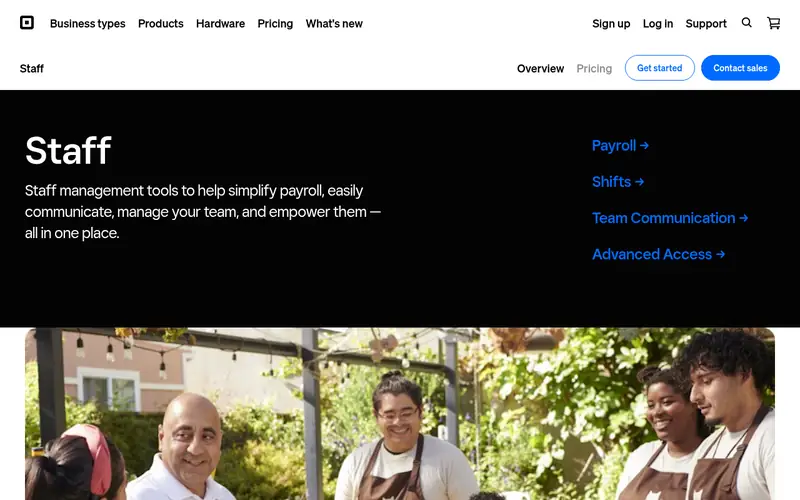
Square Team Management adds scheduling, time tracking, and team permissions to a Square account. For a salon that already takes payments and bookings through Square, this keeps hours, sales, and appointments in one place. Managers can see who worked and what they sold without exporting data between systems. The free tier covers basic team features, and more advanced scheduling and reporting come with paid Square plans. The exact split between free and paid features changes, so confirm on the Square pricing page. This is the wrong pick for a salon that does not use Square. The value comes from the connection to payments and bookings, not from the timesheet features alone.

Free plan: Yes

Website: squareup.com/us/en/staff

Strengths

  • Hours sit next to sales and appointments in one system
  • free tier for basic team features

Watch out for

  • Best value only if the salon uses Square
  • advanced features require a paid Square plan
4

QuickBooks Time

Salons that already run payroll in QuickBooks
See vendor pricing page
quickbooks.intuit.comHomepage, Nov 2026
QuickBooks Time homepage

QuickBooks Time is a time tracking and timesheet tool that connects to QuickBooks payroll. For a salon already using QuickBooks, hours flow into payroll without manual re-entry. Staff clock in from a phone or a kiosk, and managers approve timesheets before they run. Pricing is per user, so a salon with many part-time stylists should estimate the monthly cost before choosing it. The free trial gives time to test the payroll connection. It is more than a small salon needs if payroll is handled elsewhere. The main reason to pick it is the existing QuickBooks payroll setup.

Free plan: Free trial (30 days)

Website: quickbooks.intuit.com/time-tracking

Strengths

  • Timesheets feed directly into QuickBooks payroll
  • GPS and job tracking for mobile staff

Watch out for

  • Priced per user
  • overkill for a very small salon
5

Clockify

Salons that want a low-cost time clock and simple reports
See vendor pricing page
clockify.meHomepage, Nov 2026
Clockify homepage

Clockify is a time tracking tool with a free plan that supports unlimited users. A salon can have stylists and front-desk staff clock in and out, then review hours by person or project. Reports export to common formats for payroll. Scheduling is lighter than in Homebase or When I Work, so a salon with complex shift patterns may need a second tool. Clockify is best as a straightforward time clock and hours report. It is a good fit for a small salon that mainly needs to record hours and does not need commission tracking or booking integration.

Free plan: Yes

Website: clockify.me

Strengths

  • Free plan supports unlimited users
  • simple clock-in and reporting

Watch out for

  • Scheduling is limited compared with dedicated shift tools
  • salon-specific features are absent
6

Deputy

Multi-location salons with complex shift rules
See vendor pricing page
deputy.comHomepage, Nov 2026
Deputy homepage

Deputy is built for shift-based workplaces with more complex rules. A salon group with several locations can schedule across sites, apply pay rules, and route timesheets for approval. The time clock records breaks and overtime. The tool is priced per employee and has a free trial rather than a free plan. Setup takes more effort than a basic time clock, which is a tradeoff for salons that need the extra control. A single small salon will likely find Deputy more than it needs. It fits salon groups and busy multi-site operations.

Free plan: Free trial (31 days)

Website: deputy.com

Strengths

  • Handles multi-location scheduling and award-style pay rules
  • strong attendance and timesheet approval

Watch out for

  • Priced per employee
  • setup takes more time than simple tools
7

TimeCamp

Salons that want simple time tracking with budget reports
See vendor pricing page
timecamp.comHomepage, Nov 2026
TimeCamp homepage

TimeCamp tracks time and produces reports on hours and labor cost. A salon can use it to record stylist and front-desk hours and review labor cost against revenue. The free plan covers a small team, and paid tiers add more reporting and integrations. Scheduling is not its strength, so it works best alongside a separate booking or scheduling tool. It is a reasonable pick for a salon that mainly wants hours and cost reporting. Salons that need shift swaps and attendance alerts should look at When I Work or Homebase instead.

Free plan: Yes

Website: timecamp.com

Strengths

  • Free plan for a small team
  • reports on hours and labor cost

Watch out for

  • Fewer scheduling features
  • not built for salon bookings

Pre-purchase checklist

  • Confirm whether pricing is per employee or per location, and estimate the monthly cost for your full staff.
  • Check whether the free plan covers your number of locations and employees.
  • Verify that timesheets export to your payroll provider or connect directly.
  • Test the mobile clock-in and shift-swap flow with a few staff before rolling out.
  • Confirm how the tool handles breaks, overtime, and commission or service-based pay if you use them.

FAQ

What is the best timesheet software for salons?

Homebase is a common first pick for small salons because its free plan includes scheduling and a time clock for one location. When I Work and Square Team Management are strong alternatives depending on shift complexity and existing payment systems.

Do salon timesheet tools handle commission?

Most general timesheet tools track hours, not service commission. Square Team Management keeps hours next to sales in one system, which helps with commission review. For detailed commission rules, check whether the tool integrates with your salon point-of-sale.

Is there free timesheet software for a small salon?

Homebase offers a free plan for one location, and Clockify's free plan supports unlimited users. TimeCamp also has a free plan for a small team. Free plans usually limit advanced scheduling, reporting, or payroll features.

Can these tools replace my salon booking system?

No. These tools track hours and schedules. They do not manage appointments or client bookings, except where a tool connects to a booking system such as Square. Most salons run a booking system and a timesheet tool side by side.

How much does salon timesheet software cost?

Pricing varies by model. Some tools charge per employee, others per location, and several offer free tiers. Because published prices change, check each vendor's pricing page for current rates before choosing.