How we rank
HR and Workforce · Researched comparison

Best Timesheet Software for Scaffolding Contractors in 2026

TaskReports may earn a fee from some links on this page, and some placements are paid and labelled. Neither one decides the order. See our disclosure.

The short answer

QuickBooks Time suits scaffolding contractors who already use QuickBooks and need crew hours tied to jobs, with GPS and mobile entry. Clockify is a lower-cost alternative with a free plan for unlimited users. Buildertrend fits firms that want scheduling, daily logs, and client billing in one construction-focused system. All three track hours by job, but they differ in price structure and how deep the project management goes.

On this page

Key takeaways

  • QuickBooks Time is the first pick for scaffolding crews that already run QuickBooks, with GPS and job-based time tracking.
  • Clockify has a free plan for unlimited users, which suits small scaffolding firms tracking hours across a few sites.
  • Most tools here bill per user per month, so cost scales with crew size and office staff.
  • Only some tools tie hours to project budgets and client billing, so check job costing before you commit.

Quick comparison

ToolBest fitStarting price
QuickBooks TimeScaffolding crews already using QuickBooksSee vendor pricing page
ClockifySmall scaffolding firms watching costsSee vendor pricing page

BuildertrendScaffolding firms wanting project management plus timeSee vendor pricing page
ProcoreLarger scaffolding contractors on commercial jobsSee vendor pricing page
HubstaffScaffolding crews needing GPS and activity dataSee vendor pricing page
Toggl TrackSimple job-based hour trackingSee vendor pricing page
HarvestScaffolding firms billing hours to clientsSee vendor pricing page
Zoho ProjectsScaffolding firms wanting timesheets inside project toolsSee vendor pricing page

How we chose

We picked tools that record hours by job or project, support mobile entry, and fit how scaffolding crews work across sites. We weighed entry price, free plan or trial access, and main limits such as per-user billing or missing field features. Sources are vendor websites and public documentation. Prices change, so confirm current rates on each vendor's pricing page before you buy.

Best overall

QuickBooks Time

Scaffolding crews already using QuickBooks

  • GPS tracking and job codes
  • Payroll and invoicing inside QuickBooks
PriceSee vendor pricing page
See QuickBooks Time pricing
quickbooks.intuit.comHomepage, Nov 2026
QuickBooks Time homepage

QuickBooks Time records hours against jobs and service items, which fits scaffolding work split across multiple sites and clients. Crews clock in on mobile, and GPS stamps show where they were when they started and stopped. Timesheets flow into QuickBooks payroll and invoicing, so office staff avoid rekeying hours. Pricing is per user per month with a base fee, and the vendor publishes current rates on its site. A 30-day trial is offered. The tool is strongest for firms already on QuickBooks. Contractors who use another accounting system may find the integration value drops and the per-user cost harder to justify.

Price: See vendor pricing page

Free plan: Free trial (30 days)

Website: quickbooks.intuit.com/time-tracking

Watch out for

  • Per-user pricing adds up
  • Best value only with QuickBooks
2

Clockify

Small scaffolding firms watching costs
See vendor pricing page
clockify.meHomepage, Nov 2026
Clockify homepage

Clockify tracks time by project, client, and task, which suits scaffolding firms that bill hours to specific jobs. The free plan covers unlimited users and projects, with basic reporting. That makes it a practical starting point for a small crew that needs timesheets without a subscription. Paid tiers add features such as invoicing, budgeting, and timesheet approvals. The vendor lists current prices on its pricing page. The mobile app handles clock-in and out but is less built for field crews than construction-specific tools. Contractors who need daily logs, site photos, or scheduling should look at a construction platform instead.

Free plan: Yes

Website: clockify.me

Strengths

  • Free plan for unlimited users
  • Simple project and task tracking

Watch out for

  • Advanced job costing is paid
  • Mobile app is basic
3

Buildertrend

Scaffolding firms wanting project management plus time
See vendor pricing page
BuildertrendHomepage image unavailable

Buildertrend is construction management software with time tracking built in. Scaffolding contractors can schedule crews, log daily site activity, and record hours against jobs. Client billing and change orders connect to the same project record, which helps when scaffolding work is part of a larger build. Pricing is quote-based and depends on the modules and user count, so the vendor pricing page is the place to confirm. There is no free plan. The platform suits firms running multiple projects with office staff. A two-person scaffolding crew that only needs timesheets will likely find it heavier and more expensive than needed.

Free plan: No

Website: buildertrend.com

Strengths

  • Scheduling, daily logs, and time in one system
  • Client billing tied to jobs

Watch out for

  • Higher cost for small crews
  • Setup takes time
4

Procore

Larger scaffolding contractors on commercial jobs
See vendor pricing page
procore.comHomepage, Nov 2026
Procore homepage

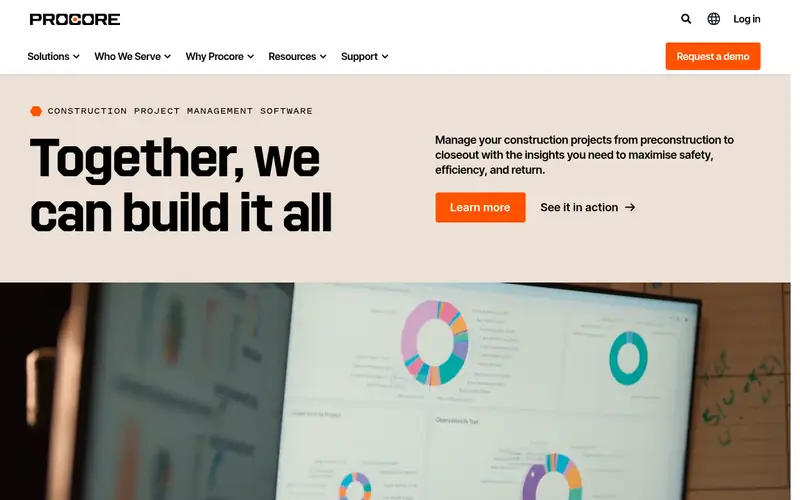
Procore is a construction management platform used on commercial projects. Its time and attendance tools let crews record hours against cost codes and projects, and the data feeds project cost tracking. For scaffolding contractors working as a subcontractor on large sites, that link between hours and project cost is useful. Pricing is quote-based and generally aimed at larger firms, so the vendor pricing page is the source for current rates. There is no free plan. Small scaffolding businesses should compare the cost against simpler timesheet tools. Firms that already use Procore on client projects may find adding time tracking straightforward.

Free plan: No

Website: procore.com

Strengths

  • Strong field and project controls
  • Time and cost tied to projects

Watch out for

  • Priced for larger firms
  • Annual commitment typical
5

Hubstaff

Scaffolding crews needing GPS and activity data
See vendor pricing page
hubstaff.comHomepage, Nov 2026
Hubstaff homepage

Hubstaff tracks time with GPS, geofences, and optional screenshots. For scaffolding contractors, geofenced sites can confirm a crew arrived at the right location, and timesheets can be approved before payroll. Projects and tasks let you split hours between jobs and clients. Plans are per user per month, and the vendor lists current prices on its site. A 14-day trial is offered. The activity monitoring features are optional but may not fit every crew culture. Firms that only need simple job-based hours may prefer a lighter tool at a lower price.

Free plan: Free trial (14 days)

Website: hubstaff.com

Strengths

  • GPS tracking and geofenced sites
  • Payroll and invoicing options

Watch out for

  • Per-user pricing
  • Activity monitoring may not suit all crews
6

Toggl Track

Simple job-based hour tracking
See vendor pricing page
toggl.comHomepage, Nov 2026
Toggl Track homepage

Toggl Track records time with one-click timers and manual entries, organized by client, project, and task. A scaffolding firm can set up each site or contract as a project and pull reports for billing. The free plan covers a limited number of users, and paid plans add more features. The vendor publishes current prices on its pricing page. Toggl Track does not handle scheduling, site logs, or payroll directly, so it works best alongside accounting or payroll software. Contractors who need crew scheduling and field data should look at construction-specific platforms.

Free plan: Yes

Website: toggl.com/track

Strengths

  • Easy one-click timers
  • Clean reports by client and project

Watch out for

  • Limited construction features
  • Payroll needs integrations
7

Harvest

Scaffolding firms billing hours to clients
See vendor pricing page
getharvest.comHomepage, Nov 2026
Harvest homepage

Harvest tracks time by project and task and turns hours into invoices. For scaffolding contractors who bill clients by the hour or by the job, that link between timesheets and invoices saves admin work. Project budgets and retainer tracking help spot jobs running over estimate. Pricing is per user per month, and the vendor lists current rates on its site. A 30-day trial is offered. Harvest has no GPS, scheduling, or site log features, so it suits office-based billing more than field crew management. Pair it with a field time tool if you need location data.

Free plan: Free trial (30 days)

Website: getharvest.com

Strengths

  • Strong invoicing from tracked time
  • Clear project budgets

Watch out for

  • No GPS or field tools
  • Per-user pricing
8

Zoho Projects

Scaffolding firms wanting timesheets inside project tools
See vendor pricing page
zoho.comHomepage, Nov 2026
Zoho Projects homepage

Zoho Projects includes timesheets linked to tasks and projects. A scaffolding contractor can create a project per site, log hours against tasks, and review reports for billing or payroll. The free plan covers a small number of users and projects, and paid tiers add more. The vendor publishes current prices on its pricing page. Zoho Projects is general project software rather than a construction platform, so it lacks site logs, GPS, and crew scheduling built for field work. It fits small firms that want timesheets and project tracking in one low-cost tool and are comfortable with a general-purpose system.

Free plan: Yes

Website: zoho.com/projects

Strengths

  • Timesheets tied to tasks and projects
  • Free plan for small teams

Watch out for

  • Construction features are limited
  • Best value inside Zoho suite

Pre-purchase checklist

  • Confirm the tool tracks hours by job, site, or cost code, not just by person.
  • Check whether pricing is per user and estimate the cost for your full crew plus office staff.
  • Test mobile clock-in and offline entry, since scaffolding crews often work where signal is weak.
  • Confirm whether GPS or geofencing is included or costs extra.
  • Check how hours export to your payroll or accounting software.

FAQ

Do scaffolding contractors need GPS time tracking?

Not always. GPS helps confirm crews reached the right site and supports client disputes. Firms with fixed sites and trusted crews may not need it. Check whether GPS is included in the plan or an add-on before you commit.

Can these tools split hours across multiple sites in one day?

Most can. QuickBooks Time, Clockify, Harvest, and Toggl Track let workers switch jobs during the day and keep separate totals. Confirm the mobile app supports quick job switching, since crews often move between sites.

Is there free timesheet software for small scaffolding firms?

Clockify and Zoho Projects offer free plans with limits on users or features. Both handle basic job-based time tracking. Free plans usually lack advanced reporting, approvals, or payroll integration, so check the limits against your crew size.

How much does timesheet software cost for a scaffolding crew?

Most tools here bill per user per month, with rates set by the vendor. Cost depends on crew size and features. Several offer free trials. Confirm current prices on each vendor's pricing page, since rates change.

Can timesheet software handle payroll for scaffolding crews?

Some can. QuickBooks Time connects to QuickBooks payroll, and Hubstaff offers payroll options. Others export hours to payroll software. Check the integration list before buying if payroll is a priority.