
How we rank
HR and Workforce · Researched comparison

Best Timesheet Software for Sheet Metal Contractors in 2026

TaskReports may earn a fee from some links on this page, and some placements are paid and labelled. Neither one decides the order. See our disclosure.

The short answer

Clockify is the best starting point for most sheet metal contractors. It tracks hours by project and task, has a free plan for unlimited users, and costs little as crews grow. QuickBooks Time suits shops already using QuickBooks for payroll and job costing. Connecteam is a strong alternative for field-heavy crews that need scheduling and GPS alongside timesheets.

On this page

Key takeaways

  • Clockify is the first pick for sheet metal shops that need free per-project hour tracking, with a free plan for unlimited users.
  • QuickBooks Time fits contractors who already run payroll and job costing in QuickBooks.
  • Most tools here price per user per month, so crew size drives the bill more than the feature list.
  • Tools built for field crews add GPS, scheduling and job codes that office-only timesheets lack.

Quick comparison

ToolBest fitStarting price
ClockifyFree hour tracking by project and task$3.99 per user per month
QuickBooks TimeContractors already using QuickBooks payrollSee vendor pricing page
ConnecteamField crews needing scheduling plus timesheetsSee vendor pricing page
HubstaffTracking hours with GPS and activity dataSee vendor pricing page
Toggl TrackSimple project time tracking for small shops$9 per user per month
HarvestTracking hours against job budgets and invoicesSee vendor pricing page
ClockSharkConstruction crews needing GPS time clock and job costingSee vendor pricing page

How we chose

We picked tools that track hours by job or project, since that is the core need for sheet metal contractors billing by job. We weighed fit for field and shop crews, published entry price, free access, and main limits such as user caps and missing payroll. Sources are vendor websites and public documentation. Prices change, so confirm on the vendor pricing page before buying.

Best overall

Clockify

Free hour tracking by project and task

  • Free plan for unlimited users
  • hours roll up by project, client and task
Price$3.99 per user per month
See Clockify pricing
clockify.meHomepage, Nov 2026
Clockify homepage

Clockify tracks time against projects, clients and tasks, which maps well to sheet metal work split between fabrication jobs and install sites. The free plan covers unlimited users with basic time tracking and reporting. Paid tiers add timesheet approvals, invoicing and labor cost rates. For a contractor, the main limit is that Clockify is a time tool, not a payroll or job costing system. You export hours to payroll or accounting software. Shops that need GPS, scheduling or certified payroll should look at the field-service tools below.

Price: $3.99 per user per month

Free plan: Yes

Website: clockify.me

Watch out for

  • No built-in payroll processing
  • mobile app is basic for field crews
2

QuickBooks Time

Contractors already using QuickBooks payroll
See vendor pricing page
quickbooks.intuit.comHomepage, Nov 2026
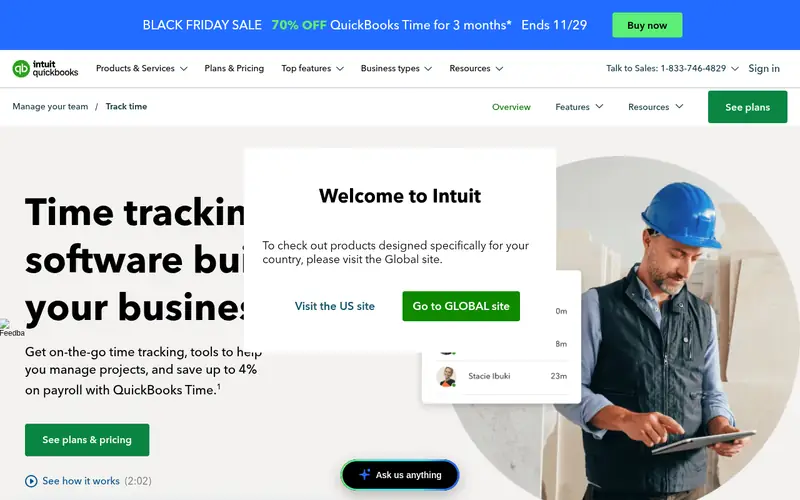
QuickBooks Time homepage

QuickBooks Time (formerly TSheets) lets crews clock in from a phone and assign hours to a customer, job or service item. That structure fits sheet metal contractors who bill by job and want hours to land in QuickBooks for payroll and job costing without a manual export. It supports GPS tracking, geofencing, scheduling and approvals. The catch is that the product is priced per user and works best when paired with QuickBooks Online or Desktop. A shop using another accounting system may find the integration value drops. Confirm current pricing on the vendor page.

Free plan: Free trial (30 days)

Website: quickbooks.intuit.com/time

Strengths

  • Hours flow into QuickBooks payroll and job costing
  • GPS and job codes on mobile

Watch out for

  • Best value only inside the QuickBooks ecosystem
  • per-user pricing adds up
3

Connecteam

Field crews needing scheduling plus timesheets
See vendor pricing page
connecteam.comHomepage, Nov 2026
Connecteam homepage

Connecteam is built for mobile and deskless workers, which suits install and service crews who are rarely at a desk. It combines a time clock, job scheduling, task checklists and communication in one app. Workers clock in with a job assigned, and admins see hours by job and employee. The free plan is limited to a small number of users, so growing shops move to a paid tier. It is a good fit when scheduling and crew communication matter as much as the timesheet. Shops that only need hours may find it heavier than necessary.

Free plan: Yes

Website: connecteam.com

Strengths

  • Combines scheduling, job dispatch and time clock
  • mobile-first for field staff

Watch out for

  • Free plan caps users
  • advanced features sit on higher tiers
4

Hubstaff

Tracking hours with GPS and activity data
See vendor pricing page
hubstaff.comHomepage, Nov 2026
Hubstaff homepage

Hubstaff offers a time clock with GPS, geofencing and optional screenshots, plus project budgets and reporting. For sheet metal contractors with crews moving between sites, geofenced clock-in helps confirm workers are on the right job. It exports hours to payroll and accounting tools and supports client billing rates. The trade-off is that Hubstaff leans toward monitoring, which some field crews resist. There is no free plan, only a trial, so budget for per-user costs. Check the vendor page for current tiers.

Free plan: Free trial (14 days)

Website: hubstaff.com

Strengths

  • GPS and geofenced time clocks
  • project budgets and payroll exports

Watch out for

  • No free plan
  • activity monitoring can feel heavy for some crews
5

Toggl Track

Simple project time tracking for small shops
$9 per user per month
toggl.comHomepage, Nov 2026
Toggl Track homepage

Toggl Track is a straightforward timer and timesheet tool. Small sheet metal shops can set up projects per job or client and track hours with little training. Reports break hours down by project, client and team member, which helps with job estimates. The free plan covers a small team with basic tracking. Paid plans add billable rates, estimates and more reporting. Toggl Track does not handle scheduling, GPS or payroll, so it fits shops that already have those covered and just need clean hour records.

Free plan: Yes

Website: toggl.com/track

Strengths

  • Fast to set up
  • clean reports by project and client

Watch out for

  • Limited scheduling and field features
  • no payroll built in
6

Harvest

Tracking hours against job budgets and invoices
See vendor pricing page
getharvest.comHomepage, Nov 2026
Harvest homepage

Harvest combines time tracking with invoicing and project budgets. A sheet metal contractor can set a budget per job, track hours against it, and see whether the job is running over before it closes out. Invoices can pull in tracked hours and expenses. It is best for shops that bill clients directly and want hours, budgets and invoices in one place. Harvest does not include payroll, scheduling or GPS. It is a solid choice for office-side job costing but not a full field-service system. Confirm pricing on the vendor site.

Free plan: Free trial (30 days)

Website: getharvest.com

Strengths

  • Ties hours to budgets and invoices
  • clear project profitability view

Watch out for

  • No free plan
  • per-seat pricing
7

ClockShark

Construction crews needing GPS time clock and job costing
See vendor pricing page
ClockSharkHomepage image unavailable

ClockShark is designed for construction and field service crews. Workers clock in from a phone with GPS, assign hours to a job or task, and admins see who is where. It includes scheduling, job costing and payroll exports. For sheet metal contractors, the job and task structure fits fabrication and install work, and GPS helps confirm site attendance. It does not offer a free plan, only a trial, and pricing is per user, so larger crews pay more. It suits shops that want a construction-focused tool rather than a generic timer.

Free plan: Free trial (14 days)

Website: clockshark.com

Strengths

  • Built for construction and field service
  • GPS, job codes and scheduling

Watch out for

  • No free plan
  • pricing quoted per user

Pre-purchase checklist

  • Confirm the tool tracks hours by job or project, not just by employee.
  • Check how many users the free plan allows before you rely on it.
  • Verify payroll exports match your accounting or payroll software.
  • Ask whether GPS, geofencing or scheduling are included or cost extra.
  • Confirm per-user pricing at your full crew size, including office staff.

FAQ

Does sheet metal work need different timesheet software than general contracting?

The core needs are similar: hours by job, crew tracking and payroll export. Sheet metal shops often split time between fabrication and install, so task-level tracking and job codes help. Field-service tools with GPS and scheduling fit install crews better than office-only timers.

Can I track hours for free?

Clockify offers a free plan for unlimited users with basic tracking. Connecteam has a free plan with a user cap. Most other tools here offer only a trial, so check each vendor page for current free limits.

Do these tools handle payroll?

Some do. QuickBooks Time feeds hours into QuickBooks payroll, and ClockShark and Hubstaff export to payroll systems. Others, like Clockify and Toggl Track, track hours and export them but do not run payroll themselves.

What about GPS tracking for install crews?

Connecteam, Hubstaff and ClockShark offer GPS or geofenced clock-in. This helps confirm crews are on the right site. Check whether GPS is on the plan you need, since some tools reserve it for higher tiers.

How is pricing structured?

Most tools price per user per month, so cost scales with crew size. A few have free plans with user caps. Entry prices shown here are published rates and can change, so confirm on the vendor site.



