How we rank
HR and Workforce · Researched comparison

Best Timesheet Software for Telecom Contractors in 2026

TaskReports may earn a fee from some links on this page, and some placements are paid and labelled. Neither one decides the order. See our disclosure.

The short answer

QuickBooks Time suits telecom contractors who need crew time tracking tied to QuickBooks payroll and job costing. For a low-cost start, Clockify offers a free plan for unlimited users with paid upgrades for billing and scheduling. For remote or subcontracted field work that needs activity tracking, Hubstaff and Time Doctor are the alternatives to review. All three track hours by project or client, which fits telecom install and maintenance work.

On this page

Key takeaways

  • QuickBooks Time is the first pick for telecom crews that already run payroll and job costing in QuickBooks.
  • Clockify has a free plan for unlimited users, which suits small contractors tracking hours across many sites.
  • Hubstaff and Time Doctor add screenshots and activity tracking for remote or subcontracted field work.
  • Entry prices here run from free plans to paid per-user rates; confirm current numbers on each vendor page.

Quick comparison

ToolBest fitStarting price
QuickBooks TimeTelecom crews already using QuickBooks payroll and job costingSee vendor pricing page
ClockifySmall telecom contractors wanting a free startSee vendor pricing page

HubstaffContractors managing remote or subcontracted field staffSee vendor pricing page
Time DoctorTelecom teams needing detailed activity and attendance recordsSee vendor pricing page
HarvestTelecom contractors billing clients by the hourSee vendor pricing page
Toggl TrackSimple hourly tracking across many telecom clientsSee vendor pricing page
Zoho PeopleTelecom firms needing HR records plus timesheetsSee vendor pricing page

How we chose

We picked tools that support hourly tracking, job or client costing, and crew or field use for telecom work. Criteria were fit for the use case, published entry price, free access, and main limits such as user caps or missing field features. Details come from vendor websites and public documentation. Prices and plan limits change, so confirm current numbers on each vendor page before buying.

Best overall

QuickBooks Time

Telecom crews already using QuickBooks payroll and job costing

  • Ties hours to QuickBooks payroll and job costing
  • GPS and job tracking for field crews
PriceSee vendor pricing page
See QuickBooks Time pricing
quickbooks.intuit.comHomepage, Nov 2026
QuickBooks Time homepage

QuickBooks Time (formerly TSheets) is built for hourly crews that need to clock in from a phone or job site. Telecom contractors can assign hours to a customer, job code or service item, then push approved time to QuickBooks for payroll and invoicing. GPS tracking and geofencing help confirm crews were on site. The plan structure is per user per month, with a base fee plus a per-user rate. A free trial is offered. The tool is strongest when payroll and job costing already run in QuickBooks. Contractors on other accounting systems should compare standalone options first, since the main value is the QuickBooks link.

Price: See vendor pricing page

Free plan: Free trial (30 days)

Website: quickbooks.intuit.com/time-tracking

Watch out for

  • Best value only if you use QuickBooks
  • per-user pricing adds up for large crews
2

Clockify

Small telecom contractors wanting a free start
See vendor pricing page
clockify.meHomepage, Nov 2026
Clockify homepage

Clockify is a time tracking tool with a free plan that covers unlimited users and unlimited tracking. Telecom contractors can set up projects per client or site, log hours from a browser or phone, and export reports for billing. It suits small teams that need basic hours by job without a big software cost. Paid plans add features such as invoicing, approvals, scheduling and timesheet audits. The free plan does not include those controls, so contractors who need client invoicing or manager sign-off will look at the paid tiers. It does not process payroll, so payroll still runs in a separate system.

Free plan: Yes

Website: clockify.me

Strengths

  • Free plan for unlimited users
  • simple project and client time tracking

Watch out for

  • Advanced billing and approvals need paid plans
  • no native payroll processing
3

Hubstaff

Contractors managing remote or subcontracted field staff
See vendor pricing page
hubstaff.comHomepage, Nov 2026
Hubstaff homepage

Hubstaff combines time tracking with activity monitoring, screenshots and GPS. For telecom contractors who manage remote staff or subcontractors, it gives a record of hours plus proof of activity. Field teams can clock in with GPS and geofencing so site visits are logged against a job. Plans are priced per user per month, with tiers that add scheduling, payroll and invoicing. A free trial is offered. The monitoring features are the main draw, but they can cause friction with crews who dislike screenshots. Contractors who only need simple hours by job may find the tool heavier than needed.

Free plan: Free trial (14 days)

Website: hubstaff.com

Strengths

  • Activity and screenshot tracking for remote work
  • GPS and geofencing for field crews

Watch out for

  • Screenshot tracking can feel intrusive to crews
  • per-user pricing rises with team size
4

Time Doctor

Telecom teams needing detailed activity and attendance records
See vendor pricing page
timedoctor.comHomepage, Nov 2026
Time Doctor homepage

Time Doctor tracks time with activity monitoring, screenshots and attendance reports. Telecom contractors with distributed crews or remote support staff can use it to confirm hours and see how time is spent. Reports can be filtered by project, client or team member for billing and review. Pricing is per user per month, with a free trial. The tool leans toward monitoring, so it fits contractors who need that level of detail. Teams that only want start and stop timers by job may prefer a simpler tool. Confirm current plan limits on the vendor page before committing.

Free plan: Free trial (14 days)

Website: timedoctor.com

Strengths

  • Detailed activity and attendance reporting
  • supports remote and distributed teams

Watch out for

  • Monitoring features can be seen as intrusive
  • pricing is per user
5

Harvest

Telecom contractors billing clients by the hour
See vendor pricing page
getharvest.comHomepage, Nov 2026
Harvest homepage

Harvest focuses on time tracking and invoicing. Telecom contractors who bill clients by the hour can log time against projects and clients, set budgets, and turn approved hours into invoices. Reports show hours by client, project and team member, which helps with monthly billing. Plans are priced per seat per month, with a free trial and a limited free plan for one or two people. Harvest does not offer GPS, geofencing or crew dispatch, so it suits office-based billing more than field tracking. Contractors who need site verification should pair it with a field tool or choose a crew-focused option.

Free plan: Free trial (30 days)

Website: getharvest.com

Strengths

  • Clean time tracking tied to client invoicing
  • simple project budgets and reports

Watch out for

  • No GPS or field crew tracking
  • limited payroll features
6

Toggl Track

Simple hourly tracking across many telecom clients
See vendor pricing page
toggl.comHomepage, Nov 2026
Toggl Track homepage

Toggl Track is a lightweight time tracker with a free plan for up to five users. Telecom contractors with a small team can start and stop timers by client or project, then pull reports for billing. It works in a browser and on mobile, which suits technicians moving between sites. Paid plans add billable rates, project estimates, scheduling and more users. The free plan limit of five users matters for growing crews. Toggl Track does not handle payroll or GPS tracking, so it fits contractors who mainly need clean hourly records and reports rather than field verification.

Free plan: Yes

Website: toggl.com/track

Strengths

  • Free plan for up to five users
  • fast timer and clear reports

Watch out for

  • Free plan caps users at five
  • advanced features need paid plans
7

Zoho People

Telecom firms needing HR records plus timesheets
See vendor pricing page
zoho.comHomepage, Nov 2026
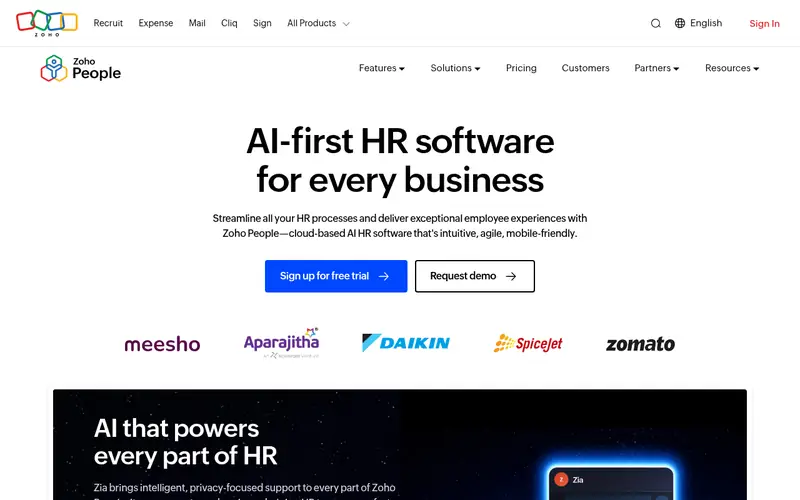
Zoho People homepage

Zoho People is an HR platform with timesheet, attendance and leave tracking. Telecom contractors with staff to manage can record hours, approve timesheets and track leave in one place. It fits firms that want timesheets alongside employee records rather than a standalone timer. Pricing depends on the plan and number of users, and a free trial is offered. Setup takes more effort than a simple tracker because the HR modules are broader. Contractors who only need hours by job may find it more than necessary, while firms with payroll and leave to manage get more value.

Free plan: Free trial (30 days)

Website: zoho.com/people

Strengths

  • Timesheets combined with leave and HR records
  • part of the wider Zoho suite

Watch out for

  • Setup is heavier than a standalone timer
  • pricing varies by plan and users

Pre-purchase checklist

  • Confirm the tool tracks hours by client, job or site, not just by employee.
  • Check whether GPS or geofencing is needed to verify field crew visits.
  • Compare per-user pricing against your crew size, including seasonal staff.
  • Confirm the free plan limits, such as user caps or missing approvals.
  • Check how approved hours move to payroll or invoicing, and whether that needs a paid tier.

FAQ

What is the best timesheet software for telecom contractors?

QuickBooks Time is a strong fit for contractors already using QuickBooks for payroll and job costing. Clockify suits small teams that want a free plan for unlimited users. Hubstaff and Time Doctor fit contractors who need activity tracking for remote or subcontracted staff.

Do telecom contractors need GPS tracking in timesheets?

Not always. GPS and geofencing help confirm crews were on site and are useful for field-heavy work. Office-based billing and small teams can work with simple timers by client or project. Decide based on how much field verification your contracts require.

Is there free timesheet software for small telecom crews?

Yes. Clockify offers a free plan for unlimited users, and Toggl Track has a free plan for up to five users. Free plans usually lack approvals, invoicing or advanced reporting, so check limits before relying on them for client billing.

Can these tools handle billing by client or job?

Several can. Harvest and QuickBooks Time link tracked hours to client invoicing or job costing. Clockify and Toggl Track offer reports by client and project, with invoicing on paid plans. Confirm the billing features you need are in the plan you choose.

How much does timesheet software cost for telecom contractors?

Prices vary by tool and user count. Most products here price per user per month and offer a free trial. Some have free plans with limits. Because published prices change, check each vendor's pricing page for current rates before you commit.