How we rank
HR and Workforce · Researched comparison

Best Timesheet Software for Utility Contractors in 2026

TaskReports may earn a fee from some links on this page, and some placements are paid and labelled. Neither one decides the order. See our disclosure.

The short answer

QuickBooks Time is the first pick for utility contractors who already use QuickBooks for payroll and invoicing, because approved hours flow into the same system. ClockShark is the better fit for crews that need scheduling and job costing in one mobile app. Busybusy is a strong alternative for contractors who want photo and GPS evidence attached to every timecard.

On this page

Key takeaways

  • QuickBooks Time is the default pick when payroll already runs through QuickBooks, with GPS and job codes on the entry plan.
  • ClockShark and Busybusy focus on field crews, with scheduling and job costing tied to each timecard.
  • Procore suits contractors whose utility work is managed through a general contractor portal.
  • Entry prices below are the published rates we could verify; always confirm on the vendor pricing page before buying.

Quick comparison

ToolBest fitStarting price
QuickBooks TimeContractors already running payroll in QuickBooksSee vendor pricing page
ClockSharkField crews needing scheduling and job costing togetherSee vendor pricing page
BusybusyCrews that need photo and GPS proof on timecardsSee vendor pricing page
ProcoreUtility contractors working inside general contractor projectsSee vendor pricing page
HomebaseSmall utility crews that need scheduling and time clocksSee vendor pricing page
HubstaffContractors tracking hours across dispersed field staffSee vendor pricing page
Toggl TrackSmall teams that need simple project time trackingSee vendor pricing page
ClockifyBudget-conscious teams wanting a free time trackerSee vendor pricing page

How we chose

We selected products that record employee hours and support project or job-level reporting, which utility contractors need for billing and payroll. Criteria were fit for field crews, published entry pricing, free access, and main limits. Sources are vendor websites and public documentation. Prices change, so confirm the current rate on the vendor pricing page before you buy.

Best overall

QuickBooks Time

Contractors already running payroll in QuickBooks

  • Payroll and invoicing in one system
  • GPS tracking and job codes on paid plans
PriceSee vendor pricing page
See QuickBooks Time pricing
quickbooks.intuit.comHomepage, Nov 2026
QuickBooks Time homepage

QuickBooks Time records hours by employee, job, and service item, which maps well to utility work billed by work order or project. Crews clock in from a phone, and GPS stamps show where a punch was made. Approved time exports to QuickBooks Online or Desktop payroll. The plan structure separates single-user and multi-user tiers, and scheduling, geofencing, and project tracking sit on the higher tier. The 30-day trial lets you test the mobile app before committing. Skip it if your accounting runs on something other than QuickBooks, since the integration is the main reason to choose it.

Price: See vendor pricing page

Free plan: Free trial (30 days)

Website: quickbooks.intuit.com/time-tracking

Watch out for

  • Full features require a paid plan
  • Best value only if you use QuickBooks
2

ClockShark

Field crews needing scheduling and job costing together
See vendor pricing page
ClockSharkHomepage image unavailable

ClockShark is built around field service and construction crews. Employees clock in on a phone or tablet, and the timecard records the job, task, and location. GPS tracking shows a breadcrumb trail for each shift, which helps when a utility crew works across several sites in one day. Scheduling lets a dispatcher assign crews to jobs and see who is available. Time can be pushed to payroll providers and to QuickBooks, though some integrations sit on higher plans. The 14-day trial covers the full feature set. It suits contractors with mobile crews; office-only teams get less value from the GPS features.

Free plan: Free trial (14 days)

Website: clockshark.com

Strengths

  • Mobile app built for field crews
  • Job costing and scheduling in one place

Watch out for

  • Payroll integration costs extra
  • No free tier
3

Busybusy

Crews that need photo and GPS proof on timecards
See vendor pricing page
busybusy.comHomepage, Nov 2026
Busybusy homepage

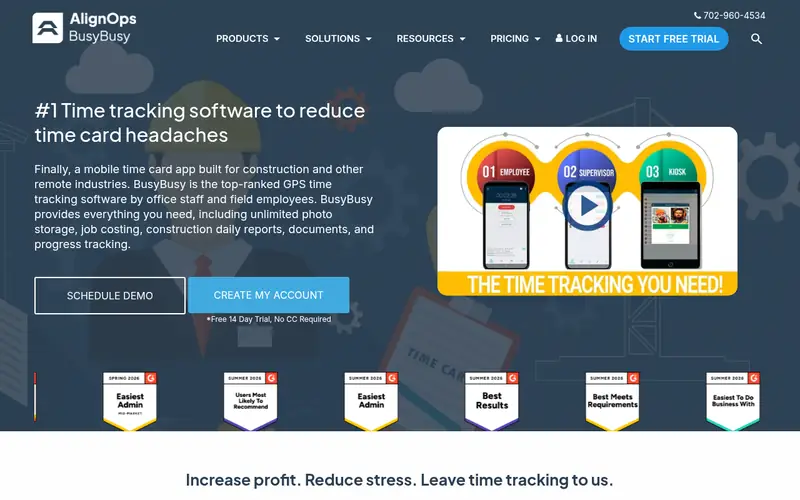
Busybusy targets construction and field service companies. Workers clock in from a phone, and the app can capture a photo and GPS location with each entry. That record is useful for utility work where a contractor needs to show when a crew arrived at a site and what condition it was in. Timesheets roll up by job and by employee, and the data exports for payroll and billing. The company quotes pricing per business rather than publishing a flat per-user rate, so ask for a quote based on crew size. It fits small and mid-size contractors; large enterprises may want deeper accounting integrations.

Free plan: Free trial (14 days)

Website: busybusy.com

Strengths

  • Photos and GPS attached to each time entry
  • Simple mobile clock-in

Watch out for

  • Smaller integration list than larger rivals
  • Pricing quoted per company
4

Procore

Utility contractors working inside general contractor projects
See vendor pricing page
procore.comHomepage, Nov 2026
Procore homepage

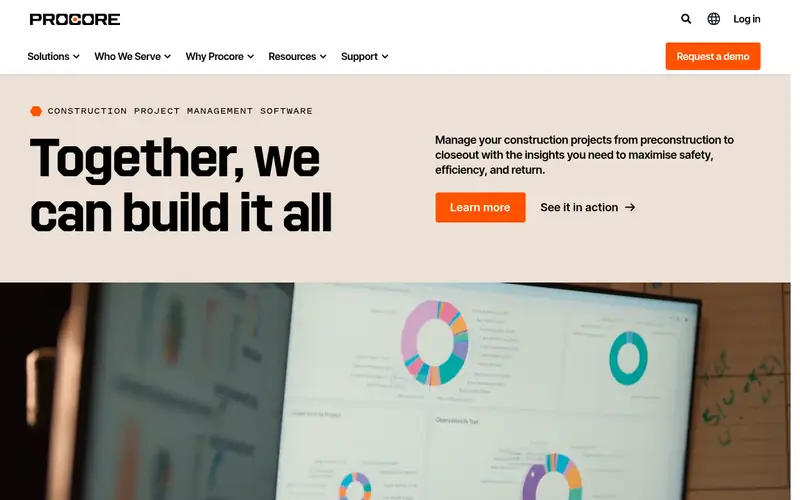
Procore is a construction management platform with a time and attendance module. Utility contractors who work as subcontractors on larger projects often already have a Procore login from the general contractor, and time can be recorded against the same project record as daily logs, RFIs, and change orders. The timesheet feature captures hours by cost code and employee, and the data feeds project cost reporting. Procore does not publish a standard entry price; pricing depends on annual construction volume and the modules selected. It is a poor fit for a small contractor who only needs a clock-in app, and there is no free plan.

Free plan: No

Website: procore.com

Strengths

  • Time and daily logs tied to the project record
  • Widely used by general contractors

Watch out for

  • Priced by project volume
  • No free plan or published entry rate
5

Homebase

Small utility crews that need scheduling and time clocks
See vendor pricing page
joinhomebase.comHomepage, Nov 2026
Homebase homepage

Homebase offers a free plan for a single location that includes employee scheduling and a basic time clock. That covers a small utility contractor with one crew and simple hourly payroll. Paid tiers add payroll, hiring, and more detailed reporting. Employees clock in from a shared device or their own phone, and timesheets can be approved before payroll runs. The free tier is genuinely usable for a small team, but it caps features and locations. Contractors with multiple crews, job costing needs, or certified payroll should look at ClockShark or QuickBooks Time instead.

Free plan: Yes

Website: joinhomebase.com

Strengths

  • Free tier for one location
  • Scheduling, time clock, and payroll add-ons

Watch out for

  • Free tier limits features
  • Advanced payroll costs extra
6

Hubstaff

Contractors tracking hours across dispersed field staff
See vendor pricing page
hubstaff.comHomepage, Nov 2026
Hubstaff homepage

Hubstaff records time with GPS, optional screenshots, and activity levels, and it produces detailed timesheet reports by project and client. For a utility contractor with inspectors or crews spread across a service territory, the location data and reporting give a clear record of where hours were spent. Pricing is per user per month, and features such as scheduling and payroll sit on higher tiers. The 14-day trial covers the main features. It is a reasonable fit for dispersed staff, but per-user costs grow quickly for large crews, and field workers may find the tracking features heavier than a simple clock-in app.

Free plan: Free trial (14 days)

Website: hubstaff.com

Strengths

  • GPS and activity tracking for remote staff
  • Detailed timesheet reports

Watch out for

  • Per-user pricing adds up
  • Some features need higher tiers
7

Toggl Track

Small teams that need simple project time tracking
See vendor pricing page
toggl.comHomepage, Nov 2026
Toggl Track homepage

Toggl Track is a straightforward time tracking tool. Users start a timer or enter hours manually, assign the entry to a project and client, and run reports on where time went. For a small utility contractor billing professional services or inspection hours, it covers the basics with little setup. The free plan supports a limited number of users and basic reporting. Paid tiers add billable rates, rounding, and more report options. It does not handle payroll, GPS, or job costing, so it is not a substitute for a field time clock. It fits back-office and consulting time, not crew time capture.

Free plan: Yes

Website: toggl.com/track

Strengths

  • Free plan for small teams
  • Simple timer and project reports

Watch out for

  • No payroll or job costing
  • Limited field-specific features
8

Clockify

Budget-conscious teams wanting a free time tracker
See vendor pricing page
clockify.meHomepage, Nov 2026
Clockify homepage

Clockify offers a free plan with unlimited users and unlimited tracking, which makes it one of the few no-cost options for a growing crew. Users log time against projects and clients, and managers review timesheets before export. Paid tiers add billable rates, approvals, and reporting. It does not process payroll or track GPS locations, so it works best for office staff, estimators, and project managers rather than field crews. A utility contractor could pair it with a field clock-in tool, but on its own it is a general time tracker, not a crew management system.

Free plan: Yes

Website: clockify.me

Strengths

  • Free plan with unlimited users
  • Timesheets by project and client

Watch out for

  • Advanced features are paid
  • No built-in payroll processing

Pre-purchase checklist

  • Confirm the app works offline, since utility crews often work where signal is weak.
  • Check whether time can be split by job, work order, and cost code, not just by employee.
  • Ask whether GPS stamps are included or cost extra on the plan you are considering.
  • Verify the payroll export matches your provider, including certified payroll if you need it.
  • Test the mobile clock-in with a real crew during the trial before committing.

FAQ

Do utility contractors need GPS tracking in a timesheet app?

Not always. GPS helps when crews move between sites and you need a record of arrival and departure. If your crews work at one yard, a simple clock-in app is enough.

Can these tools handle certified payroll?

Some can. QuickBooks Time and ClockShark support payroll exports, and certified payroll reporting may need a higher tier or an add-on. Confirm with the vendor before you buy.

Is there free timesheet software for small utility crews?

Yes. Homebase, Clockify, and Toggl Track all offer free plans with limits. Free tiers usually cap users, features, or locations, so check the limits against your crew size.

How much does timesheet software cost per user?

Published entry prices vary and many vendors quote per company. We list "See vendor pricing page" where a stable public rate could not be confirmed. Request a quote based on your crew count.

What is the difference between time tracking and job costing?

Time tracking records hours. Job costing ties those hours to a job or cost code and calculates labor cost against the project budget. Utility contractors billing by job usually need both.