
How we rank
HR and Workforce · Researched comparison

Best Timesheet Software for Veterinary Clinics in 2026

TaskReports may earn a fee from some links on this page, and some placements are paid and labelled. Neither one decides the order. See our disclosure.

The short answer

Homebase is the best starting point for most small veterinary clinics. It covers shift scheduling, a time clock and hours worked, and its free plan suits a single location with a small hourly team. If you already use QuickBooks for payroll, QuickBooks Time keeps hours and pay runs together. For clinics that bill house calls or mobile work to clients, Hubstaff tracks time by client and project.

On this page

Key takeaways

  • Homebase is the top pick for small clinics that need free shift scheduling and time clock tracking for hourly staff.
  • QuickBooks Time fits practices that already run payroll or books in QuickBooks and want hours to flow into pay runs.
  • Hubstaff and Time Doctor add client and project time tracking for mobile or house-call veterinary work.
  • Most tools here charge per user or per location, so confirm the cost for your whole team before you commit.

Quick comparison

ToolBest fitStarting price
HomebaseSmall clinics needing free scheduling and a time clockSee vendor pricing page
QuickBooks TimeClinics already using QuickBooks for payrollSee vendor pricing page
When I WorkClinics that need shift scheduling with staff availabilitySee vendor pricing page
HubstaffMobile and house-call vets billing time to clientsSee vendor pricing page
Time DoctorPractices tracking billable time across scattered staffSee vendor pricing page
ClockifyClinics wanting a free client time trackerSee vendor pricing page
DeputyMulti-location clinics with complex shift rulesSee vendor pricing page

How we chose

We picked tools that support the time tracking needs of veterinary clinics: shift scheduling, time clocks, payroll hours and client billing for mobile or house-call work. We looked at fit for the use case, published entry pricing, free access, and the main limits of each plan. Sources are vendor websites and public documentation. Prices and plan details change, so confirm current pricing on the vendor site before you buy.

Best overall

Homebase

Small clinics needing free scheduling and a time clock

  • Free plan covers scheduling and time clock for one location
  • mobile app for clocking in and out
PriceSee vendor pricing page
See Homebase pricing
joinhomebase.comHomepage, Nov 2026
Homebase homepage

Homebase handles the core needs of a small veterinary practice: building staff schedules, tracking clock-in and clock-out times, and totaling hours for payroll. The free plan covers one location and basic scheduling and time clock use, which suits a clinic with a handful of veterinary technicians, assistants and front-desk staff. Paid plans add payroll, hiring tools and more detailed reporting. The time clock works from a shared device or a phone, so staff can punch in at the front desk or in the treatment area. Hours export to payroll so you can run pay without re-entering time. Skip Homebase if you run several locations under one account or need detailed project and client time tracking. It is built around shift work, not billable client hours.

Price: See vendor pricing page

Free plan: Yes

Website: joinhomebase.com

Watch out for

  • Payroll and advanced features sit on paid plans
  • limited support for complex multi-location setups
2

QuickBooks Time

Clinics already using QuickBooks for payroll
See vendor pricing page
quickbooks.intuit.comHomepage, Nov 2026
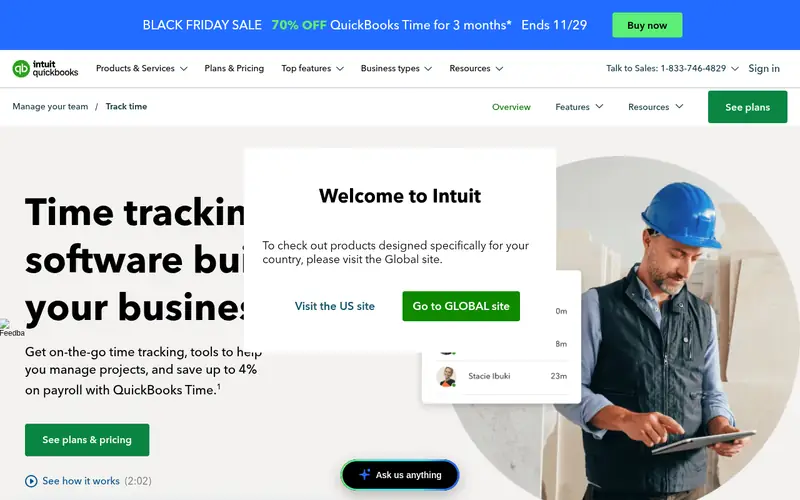
QuickBooks Time homepage

QuickBooks Time is a time tracking tool that connects to QuickBooks payroll and accounting. For a clinic that already runs payroll in QuickBooks, it removes a manual step: approved hours move into the pay run without re-keying. Staff clock in from a phone or a shared device, and managers approve timesheets before payroll. It supports job and customer tracking, which helps if you bill corporate clients, rescue groups or mobile visits. GPS tracking on the mobile app can record where staff clock in, which matters for house-call and mobile veterinary work. There is no free plan beyond the trial, and the tool makes the most sense inside the QuickBooks ecosystem. A clinic using different payroll software should compare standalone time clock tools first.

Free plan: Free trial (30 days)

Website: quickbooks.intuit.com/time

Strengths

  • Hours flow into QuickBooks payroll
  • GPS and job tracking for mobile staff

Watch out for

  • No free plan after the trial
  • best value only if you use QuickBooks

3

When I Work

Clinics that need shift scheduling with staff availability
See vendor pricing page
wheniwork.comHomepage, Nov 2026
When I Work homepage

When I Work focuses on employee scheduling. Staff set their availability, managers build shifts, and team members can request swaps and time off from the app. For a clinic with rotating technicians, weekend coverage and on-call vets, that scheduling layer is the main draw. The time clock and attendance features track hours against scheduled shifts, and you can review late arrivals and missed punches. Payroll and advanced reporting sit on higher plans or as add-ons, so check the tier that includes the features you need. It does not track billable client time by project. Clinics that bill mobile or corporate work to clients should pair it with a client time tracking tool or choose a product that does both.

Free plan: Free trial (14 days)

Website: wheniwork.com

Strengths

  • Strong scheduling with availability and shift swaps
  • staff messaging built in

Watch out for

  • No free plan after the trial
  • time clock and payroll are add-ons or higher tiers
4

Hubstaff

Mobile and house-call vets billing time to clients
See vendor pricing page
hubstaff.comHomepage, Nov 2026
Hubstaff homepage

Hubstaff tracks time by client, project and task, which fits veterinary practices that bill house calls, mobile visits or consulting work to specific clients. Staff start a timer for a client, and the time rolls into reports you can attach to an invoice. It works on desktop and mobile, so a vet on the road can log a visit from a phone. Screenshots and activity tracking are optional features aimed at remote teams; a clinic can leave them off and use Hubstaff as a simple client timer. The tool is priced per user, so a large clinic should estimate the cost for the whole team. It is not built for shift scheduling or payroll, so most clinics use it alongside a scheduling tool rather than as a full replacement.

Free plan: Free trial (14 days)

Website: hubstaff.com

Strengths

  • Tracks time by client and project
  • works across desktop and mobile

Watch out for

  • No free plan after the trial
  • per-user pricing adds up for larger teams
5

Time Doctor

Practices tracking billable time across scattered staff
See vendor pricing page
timedoctor.comHomepage, Nov 2026
Time Doctor homepage

Time Doctor records time by task and client and produces reports on where hours go. For a practice that splits staff time between clinic work, mobile visits and administrative projects, those reports help show which activities consume the most hours. It runs on desktop and mobile, so field staff and remote administrative workers can log time the same way. Managers review reports by person, client or project and export them for billing or payroll support. The tool includes activity and productivity monitoring, which some clinic teams may find excessive. It also lacks native shift scheduling and payroll, so it works best as a time and billing layer next to your scheduling and payroll systems.

Free plan: Free trial (14 days)

Website: timedoctor.com

Strengths

  • Detailed time reports by client and task
  • works for remote and field staff

Watch out for

  • No free plan after the trial
  • activity monitoring may be more than a clinic needs
6

Clockify

Clinics wanting a free client time tracker
See vendor pricing page
clockify.meHomepage, Nov 2026
Clockify homepage

Clockify offers a free plan with unlimited users for basic time tracking, which suits a clinic that wants to log billable and non-billable hours without a subscription. Staff start a timer or enter time manually, and you can sort entries by client, project and task. For veterinary work, that means separating clinic hours from house-call billing or tracking time spent on specific clients such as kennels, shelters or corporate accounts. Reports summarize hours by client and team member. Paid plans add admin controls, approvals and more detailed reporting. Clockify does not handle payroll or shift scheduling, so it is a time tracking layer rather than a full workforce tool. Clinics that need scheduling should pair it with a dedicated scheduler.

Free plan: Yes

Website: clockify.me

Strengths

  • Free plan supports unlimited users and basic time tracking
  • tracks time by client and project

Watch out for

  • Advanced features and admin controls are on paid plans
  • no built-in payroll or shift scheduling
7

Deputy

Multi-location clinics with complex shift rules
See vendor pricing page
deputy.comHomepage, Nov 2026
Deputy homepage

Deputy combines employee scheduling with a time clock and handles pay rules and compliance settings. That fits veterinary clinics with multiple locations, shift differentials or award rules that a simple scheduler cannot manage. Managers build schedules, staff clock in from an app or shared device, and Deputy applies the rules you set to calculate hours. It flags exceptions such as missed breaks or overtime so payroll is cleaner. The trade-off is setup time. Complex pay rules take effort to configure, and there is no free plan beyond the trial. A single-location clinic with simple hourly staff may find a lighter tool easier to run.

Free plan: Free trial (31 days)

Website: deputy.com

Strengths

  • Handles shift rules, awards and compliance
  • scheduling and time clock in one tool

Watch out for

  • No free plan after the trial
  • setup takes more effort for complex rules

Pre-purchase checklist

  • Confirm the plan covers every staff member who clocks in, including part-time and relief vets.
  • Check whether the time clock works on a shared device, a phone, or both, since treatment areas may not have a computer.
  • Confirm how hours export to your payroll provider and whether approval steps are included.
  • If you bill house calls or corporate clients, check that time can be tagged by client and reported for invoicing.
  • Review the free plan limits or trial length, and estimate the monthly cost at your full team size.

FAQ

What is the best timesheet software for a small veterinary clinic?

Homebase is a strong fit for a small clinic because its free plan covers scheduling and a time clock for one location. QuickBooks Time is the better choice if you already run payroll in QuickBooks and want hours to flow into pay runs.

Can these tools track billable time for house calls?

Yes. Hubstaff and Clockify let staff log time by client and project, so mobile visits and house calls can be billed to the right account. Neither handles payroll or shift scheduling, so most clinics pair them with a scheduling tool.

Do veterinary timesheet tools include payroll?

Some do. Homebase and QuickBooks Time connect time tracking to payroll, and Deputy calculates hours using pay rules. Others, such as Clockify and Hubstaff, track time and export it but do not run payroll themselves.

Is there free timesheet software for a veterinary clinic?

Homebase offers a free plan for one location with basic scheduling and time clock features, and Clockify has a free plan with unlimited users for basic time tracking. Both limit advanced features to paid plans, so check what your clinic needs.

How much does timesheet software cost for a clinic?

Pricing varies by vendor and is usually charged per user or per location. Because rates change, check each vendor's pricing page for current numbers and estimate the cost for your full team before choosing.



