How we rank
HR and Workforce · Researched comparison

Best Timesheet Software for Wedding Vendors in 2026

TaskReports may earn a fee from some links on this page, and some placements are paid and labelled. Neither one decides the order. See our disclosure.

The short answer

Harvest is the first pick for wedding vendors who bill clients by the hour, because it ties timesheets to project budgets and invoices. QuickBooks Time suits vendors who already run payroll and invoicing in QuickBooks. Clockify is a good fit for small teams that want a free plan with unlimited users. All three track hours and projects, so compare plan limits before choosing.

On this page

Key takeaways

  • Harvest suits wedding planners and studios that bill client hours and need project budgets, with a free plan for two active projects.
  • Clockify and Toggl Track offer free tiers that cover small vendor teams tracking hours across events and clients.
  • QuickBooks Time fits vendors already using QuickBooks payroll and invoicing, and it bills per user with a free trial.
  • Most tools here track hours and projects, not wedding-specific tasks, so check event-level reporting before you commit.

Quick comparison

ToolBest fitStarting price
HarvestPlanners and studios that bill client hoursSee vendor pricing page
ClockifySmall vendor teams that want a free planSee vendor pricing page

Toggl TrackSolo vendors and small teams tracking billable hoursSee vendor pricing page
QuickBooks TimeVendors already using QuickBooks for payrollSee vendor pricing page
HubstaffTeams that need activity and location trackingSee vendor pricing page
TimeCampVendors who want automatic time trackingSee vendor pricing page
Zoho ProjectsPlanners who manage event tasks and hours togetherSee vendor pricing page
ClickUpVendors who want tasks and time in one workspaceSee vendor pricing page

How we chose

We picked tools that record hours and support client or project billing, which is what wedding vendors need when they charge for planning, setup, or event work. We looked at fit for the use case, entry price, free access, and main limits. Sources are vendor websites and public documentation. Prices change, so confirm current pricing on the vendor site before you buy.

Best overall

Harvest

Planners and studios that bill client hours

  • Ties timesheets to project budgets and invoices
  • free plan for small studios
PriceSee vendor pricing page
See Harvest pricing
getharvest.comHomepage, Nov 2026
Harvest homepage

Harvest is built around billable time. A wedding planner can set up one project per event, track hours against a budget, and turn approved time into an invoice. That fits vendors who charge hourly for planning, coordination, or design work. The free plan covers two active projects, so it suits a solo planner with a few events at a time. Paid plans add more projects, team members, and reporting. Harvest is weaker for scheduling staff across many events, so large teams may need a separate scheduling tool. Vendors who bill flat fees rather than hours get less value from the budget tracking.

Price: See vendor pricing page

Free plan: Yes

Website: getharvest.com

Watch out for

  • Free plan caps active projects
  • limited scheduling features
2

Clockify

Small vendor teams that want a free plan
See vendor pricing page
clockify.meHomepage, Nov 2026
Clockify homepage

Clockify offers a free plan with unlimited users and unlimited tracking, which helps a wedding band, florist, or rental company with several part-time staff. You can group time by client and project, so each wedding or venue becomes a separate entry. Timesheets can be reviewed and exported. Paid plans add billing rates, invoicing, and admin controls. The free plan lacks some of that, so vendors who invoice straight from timesheets need to check the paid tiers. The interface is plain and takes a little setup to organize projects well.

Free plan: Yes

Website: clockify.me

Strengths

  • Free plan with unlimited users
  • simple timer and timesheet views

Watch out for

  • Advanced features sit on paid plans
  • setup takes some time
3

Toggl Track

Solo vendors and small teams tracking billable hours
See vendor pricing page
toggl.comHomepage, Nov 2026
Toggl Track homepage

Toggl Track is a time tracker first. A wedding photographer or videographer can start a timer per client, tag work like editing or shooting, and pull reports for billing. The free plan covers a small number of users and limits how far back you can view history. Paid plans add more users, longer history, and billable rates. Toggl Track does not handle project budgets or invoicing in depth, so it works best alongside separate accounting software. Vendors who need one tool for time and invoices should look at Harvest instead.

Free plan: Yes

Website: toggl.com/track

Strengths

  • Clean timer and reports
  • free plan for small teams

Watch out for

  • Free plan limits users and history
  • invoicing is limited
4

QuickBooks Time

Vendors already using QuickBooks for payroll
See vendor pricing page
quickbooks.intuit.comHomepage, Nov 2026
QuickBooks Time homepage

QuickBooks Time tracks employee hours and connects to QuickBooks payroll. A catering company or rental business that already runs payroll in QuickBooks can keep time and pay in one place. Staff can clock in from a phone at a venue, and managers approve timesheets before payroll runs. Pricing is per user, so cost rises with crew size. There is no free plan, only a trial. Vendors who do not use QuickBooks get less from the integration and may prefer a standalone tracker with a free tier.

Free plan: Free trial (30 days)

Website: quickbooks.intuit.com/time-tracking

Strengths

  • Connects to QuickBooks payroll and invoicing
  • mobile clock-in for event staff

Watch out for

  • No free plan
  • priced per user
5

Hubstaff

Teams that need activity and location tracking
See vendor pricing page
hubstaff.comHomepage, Nov 2026
Hubstaff homepage

Hubstaff records time with optional screenshots, activity levels, and GPS. For a wedding rental or setup crew working at different venues, location tracking can confirm where staff clocked in. Managers see timesheets and can export them for payroll or client billing. The tool is heavier than most small wedding businesses need. Activity monitoring may not suit a close-knit studio. Pricing is per user, and there is only a trial, not a free plan. Solo planners should skip it.

Free plan: Free trial (14 days)

Website: hubstaff.com

Strengths

  • Tracks time with location and activity data
  • supports field crews

Watch out for

  • No free plan
  • activity tracking can feel heavy for small studios
6

TimeCamp

Vendors who want automatic time tracking
See vendor pricing page
timecamp.comHomepage, Nov 2026
TimeCamp homepage

TimeCamp can track time automatically based on the apps and documents you use, which helps a designer or planner who forgets to start a timer. Time can be assigned to clients and projects, then reported for billing. The free plan is limited to a single user, so it fits solo vendors. Teams need a paid plan. Automatic tracking records everything, so someone has to review and correct entries. Vendors who bill by the hour and want simple manual timers may find it more than they need.

Free plan: Yes

Website: timecamp.com

Strengths

  • Automatic tracking by app and task
  • free plan for solo users

Watch out for

  • Free plan is limited
  • automatic tracking needs review
7

Zoho Projects

Planners who manage event tasks and hours together
See vendor pricing page
zoho.comHomepage, Nov 2026
Zoho Projects homepage

Zoho Projects combines task lists, milestones, and timesheets. A wedding planner can build a task list per event, log hours against each task, and see where time goes. That helps with quoting future weddings and checking budgets. The free plan covers a small number of users and projects. Paid plans add more projects, users, and reporting. The tool is broader than a pure timesheet app, so setup takes time. Vendors who only need a timer should pick something simpler.

Free plan: Yes

Website: zoho.com/projects

Strengths

  • Timesheets sit inside project and task management
  • free plan for small teams

Watch out for

  • Free plan limits projects and users
  • setup is involved
8

ClickUp

Vendors who want tasks and time in one workspace
See vendor pricing page
clickup.comHomepage, Nov 2026
ClickUp homepage

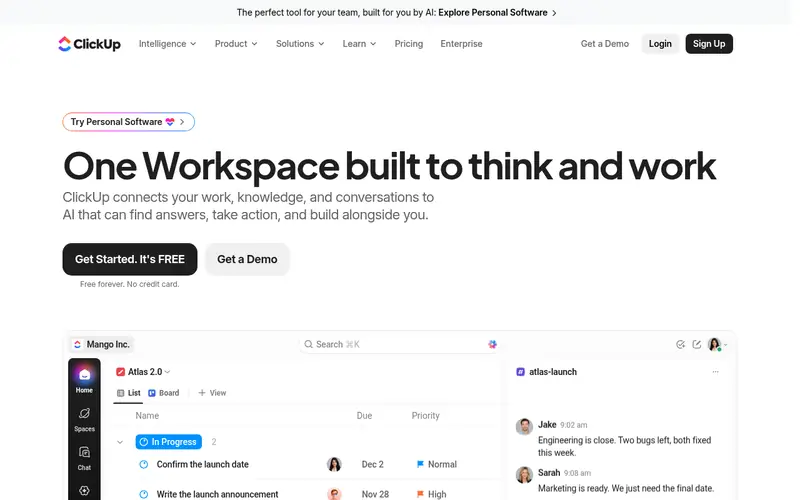
ClickUp includes time tracking inside its task and project tools. A wedding vendor can create a workspace per client, add tasks like venue visit or floral setup, and track time on each. Reports show hours by client or list. The free plan covers a small team with limited storage. The platform is large and takes time to configure. Time tracking is one feature among many, so it suits vendors who also want task and client management in the same place. Vendors who only need timesheets may prefer a focused tool.

Free plan: Yes

Website: clickup.com

Strengths

  • Time tracking built into tasks and projects
  • free plan for small teams

Watch out for

  • Free plan limits some features
  • many settings to learn

Pre-purchase checklist

  • Confirm the free plan limits, including active projects, users, and history.
  • Check whether the tool turns tracked hours into invoices or exports to your accounting software.
  • Test whether you can set up one project per wedding or client.
  • Confirm mobile clock-in if staff work at venues.
  • Check per-user pricing against your busiest season headcount.

FAQ

What is the best timesheet software for wedding vendors?

Harvest is a strong fit for vendors who bill client hours, because it links timesheets to project budgets and invoices. Clockify suits small teams that want a free plan with unlimited users. QuickBooks Time fits vendors already using QuickBooks payroll.

Do wedding vendors need timesheet software?

Vendors who bill by the hour or manage event staff benefit from tracking hours per client. It helps with invoicing, quoting future events, and payroll. Vendors who charge flat fees and work alone may not need a dedicated tool.

Is there free timesheet software for wedding vendors?

Yes. Harvest, Clockify, Toggl Track, TimeCamp, Zoho Projects, and ClickUp all offer free plans with limits. Harvest caps active projects, Clockify limits advanced features, and TimeCamp's free plan is for one user. Check each vendor's current limits.

Can I track hours for each wedding separately?

Most tools here let you create a project or client per wedding and log hours against it. Harvest, Clockify, and Zoho Projects are built around that structure. Reports then show hours and cost per event.

Does timesheet software connect to invoicing?

Some do. Harvest turns tracked time into invoices, and QuickBooks Time connects to QuickBooks invoicing and payroll. Toggl Track and Clockify offer billing features on paid plans. Confirm the integration before you buy.