How we rank
HR and Workforce · Researched comparison

Best Timesheet Software With Multiple Pay Rates in 2026

TaskReports may earn a fee from some links on this page, and some placements are paid and labelled. Neither one decides the order. See our disclosure.

The short answer

QuickBooks Time is the first pick for teams that need pay rates and billable rates in one place, because rates attach to people and to service items. Clockify suits budget-limited teams that want rate rules on a free plan. Harvest fits small agencies that bill by task and person rate. All three support more than one rate, but each caps features by plan tier, so check the tier before you commit.

On this page

Key takeaways

  • QuickBooks Time stores pay rates per team member and per service item, so one shift can bill at several rates.
  • Clockify applies billable rates per project and per member, and its free plan covers unlimited users.
  • Harvest bills time and expenses by task rate, project rate or person rate, and starts at $12 per seat per month.
  • Most tools here charge per user, so the cost of multiple rates is usually the plan tier, not the rate count.

Quick comparison

ToolBest fitStarting price
QuickBooks TimeTeams that need pay rates and billable rates togetherSee vendor pricing page
ClockifySmall teams that want rate rules at no costSee vendor pricing page

HarvestAgencies that bill by task and person rate$12 per seat per month
Toggl TrackFreelancers who bill clients at several ratesSee vendor pricing page
HubstaffRemote teams that need pay rates plus activity dataSee vendor pricing page
Zoho PeopleHR teams that tie timesheets to payroll rulesSee vendor pricing page
RepliconLarge teams with complex pay and billing rulesSee vendor pricing page

How we chose

We picked products that let one person or one project carry more than one pay rate or billable rate. We checked each vendor's official documentation and public pricing page for rate rules, plan tiers and free access. We did not run hands-on tests, benchmarks or user surveys. Prices change, so confirm the current price and plan limits on the vendor site before you buy.

Best overall

QuickBooks Time

Teams that need pay rates and billable rates together

  • Pay rates per team member and per service item
  • Payroll and invoicing in the same account
PriceSee vendor pricing page
See QuickBooks Time pricing
quickbooks.intuit.comHomepage, Nov 2026
QuickBooks Time homepage

QuickBooks Time tracks hours against team members and against service items. Each team member can carry a pay rate, and each service item can carry a billable rate, so a single shift can be costed at one rate and billed at another. Time entries can be split across service items when a worker changes tasks mid-shift. The product sits inside the QuickBooks ecosystem, which means approved timesheets can flow into payroll and invoices. Payroll support depends on the QuickBooks payroll product and the state. The pricing page lists several tiers, and some rate and approval features sit above the entry tier. Skip it if you do not use QuickBooks for accounting, or if you need a free plan for a small crew.

Price: See vendor pricing page

Free plan: Free trial (30 days)

Website: quickbooks.intuit.com/time-tracking

Watch out for

  • No free plan
  • Advanced features need higher tiers
2

Clockify

Small teams that want rate rules at no cost
See vendor pricing page
clockify.meHomepage, Nov 2026
Clockify homepage

Clockify lets you set a billable rate on a project and a separate rate on a team member. When both exist, the member rate can override the project rate for cost calculations. This covers the common case of one person working at a different rate on the same project. The free plan covers unlimited users and unlimited tracking. Paid tiers add features such as labor cost and billable rate reports, so check which tier holds the rate reports you need. The product is web-based with desktop and mobile apps. Skip it if you need payroll processing, because Clockify tracks and reports time but does not run payroll.

Free plan: Yes

Website: clockify.me

Strengths

  • Free plan with unlimited users
  • Billable rates per project and per member

Watch out for

  • Some rate and cost features sit on paid tiers
  • Interface has many settings
3

Harvest

Agencies that bill by task and person rate
$12 per seat per month
getharvest.comHomepage, Nov 2026
Harvest homepage

Harvest sets billable rates at the task level, the project level or the person level. A project can use task rates for different kinds of work, and a person rate can override the default. This fits agencies that bill different tasks at different prices. Tracked time turns into invoices, and you can choose which rate applies on each invoice line. The entry plan covers the core tracking and invoicing features. Higher tiers add capacity and team features, and the pricing page lists the current limits. Skip it if you need pay rates for payroll rather than client billing, since Harvest focuses on client billing.

Free plan: Free trial (30 days)

Website: getharvest.com

Strengths

  • Rates by task, project or person
  • Invoices built from tracked time

Watch out for

  • No free plan
  • Per-seat pricing adds up
4

Toggl Track

Freelancers who bill clients at several rates
See vendor pricing page
toggl.comHomepage, Nov 2026
Toggl Track homepage

Toggl Track assigns billable rates to projects and to workspace members. Reports show billable amounts by project, client and member, which covers the case of one freelancer charging different clients different rates. The free plan covers tracking for a small number of users, and the pricing page lists the current cap. Paid tiers add billable rates in reports and other features. The timer is available on web, desktop and mobile. Skip it if you need pay rates for payroll, because Toggl Track handles client billing rates only.

Free plan: Yes

Website: toggl.com/track

Strengths

  • Billable rates per project and per member
  • Simple one-click timer

Watch out for

  • Rate reports need a paid tier
  • No payroll features
5

Hubstaff

Remote teams that need pay rates plus activity data
See vendor pricing page
hubstaff.comHomepage, Nov 2026
Hubstaff homepage

Hubstaff stores a pay rate for each team member and calculates pay from approved timesheets. Rates can differ per member, and the timesheet shows hours and pay side by side. Payroll exports move the data to outside payroll providers. The product also records activity data such as screenshots and app usage, which some teams want and others do not. Plans are priced per user, and the pricing page lists the tiers and limits. Skip it if you only need client billing rates, or if activity monitoring is not acceptable to your team.

Free plan: Free trial (14 days)

Website: hubstaff.com

Strengths

  • Pay rates per member with automatic pay calculations
  • Timesheets link to payroll exports

Watch out for

  • No free plan
  • Activity tracking may not suit every team
6

Zoho People

HR teams that tie timesheets to payroll rules
See vendor pricing page
zoho.comHomepage, Nov 2026
Zoho People homepage

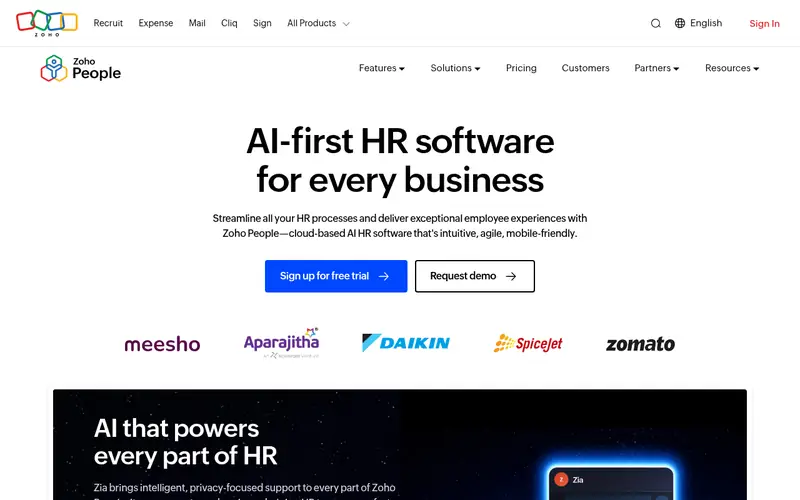
Zoho People combines timesheets with attendance, leave and shift data. Employee records can hold pay rate details, and timesheet approvals feed into payroll-related reports. This suits HR teams that already run attendance and leave in one system. The product is part of the Zoho suite, so it works best when other Zoho apps are in use. Plans are priced per user, and the pricing page lists the tiers. Setup of pay rules and approval flows takes some configuration. Skip it if you need a simple timer for a small team, because the HR feature set is larger than that.

Free plan: Free trial (30 days)

Website: zoho.com/people

Strengths

  • Timesheets connect to leave and attendance
  • Pay rate rules per employee

Watch out for

  • Setup takes time
  • Best value inside the Zoho suite
7

Replicon

Large teams with complex pay and billing rules
See vendor pricing page
RepliconHomepage image unavailable

Replicon handles timesheets for large workforces with pay rules that vary by project, client, labor category and location. It supports multiple pay rates per person and per assignment, and it includes compliance features for labor laws in several countries. The product is sold to mid-size and large organizations, and the vendor does not publish an entry price. Expect a sales process and an implementation period. Smaller teams will find it heavier than needed. Skip it if you are a small business that wants self-serve signup and a published price.

Free plan: No

Website: replicon.com

Strengths

  • Pay rules by project, client and labor category
  • Global compliance features

Watch out for

  • No free plan or public entry price
  • Aimed at larger organizations

Pre-purchase checklist

  • Confirm the tool supports both pay rates and billable rates if you need both.
  • Check how many rate levels each plan allows, since some tiers cap them.
  • Verify whether rate reports sit on the free plan or a paid tier.
  • Check the per-user price at your team size, not just the entry price.
  • Confirm payroll exports or integrations match your payroll provider.

FAQ

What is timesheet software with multiple pay rates?

It is time tracking software that lets you assign more than one pay rate or billable rate to tracked hours. Rates can attach to a person, a project, a task or a service item, so one shift can be costed at one rate and billed at another.

Can I track pay rates and billable rates in the same tool?

Yes, some tools do both. QuickBooks Time stores pay rates per team member and billable rates per service item. Others, such as Harvest and Toggl Track, focus on billable rates for client invoicing rather than payroll pay rates.

Is there free timesheet software that supports multiple rates?

Clockify offers a free plan with unlimited users, and billable rates can be set per project and per member. Some rate reports sit on paid tiers. Toggl Track also has a free plan with a user cap listed on its pricing page.

How is per-user pricing calculated with multiple rates?

Most tools here charge per user per month, and the number of rates does not change the price. The plan tier does, because higher tiers add rate reports and payroll features. Multiply the per-seat price by your team size to compare.

Do these tools process payroll?

Only some do. QuickBooks Time connects to QuickBooks payroll, and Hubstaff calculates pay and exports it to payroll providers. Clockify, Harvest and Toggl Track track and report time but do not run payroll themselves.