AI Tools · Researched comparison

AI Apps for Images: 7 Tools Worth Comparing in 2026

TaskReports may earn a fee from some links on this page, and some placements are paid and labelled. Neither one decides the order. See our disclosure.

The short answer

For commercial-safe images inside Adobe workflows, Adobe Firefly is where this list starts. Canva fits finished social and marketing assets; Ideogram fits Posters, ads and designs with legible text. Details, prices and limits for the rest of the 7 tools are below.

On this page

Key takeaways

  • Adobe Firefly takes the first slot, best suited to commercial-safe images inside Adobe workflows.
  • Check the limits for Midjourney before you commit: no permanent free level.
  • A free plan is offered by 6 of the 7 tools, including Adobe Firefly, Canva, Ideogram and Google Gemini.
  • For the cheapest start, look at Adobe Firefly: $9.99 per month.
  • For Logos, vectors and consistent brand sets, Recraft is worth a look.

Quick comparison

ToolStarts atFree planMain limitBest fit
---------------
Adobe Firefly$9.99 per monthYesArtistic range trails MidjourneyCommercial-safe images inside Adobe workflows
CanvaFreeYesGeneration quality trails specialist toolsFinished social and marketing assets
Ideogram$20 per monthYesHigher entry price than some rivalsPosters, ads and designs with legible text
Midjourney$10 per monthNoNo permanent free tierArtistic, cinematic and highly stylized images
Google GeminiFreeYesStyle range is narrower than MidjourneyPhotorealism and accurate text in images
Stable DiffusionFreeYesOut-of-the-box quality trails premium toolsFree local generation with full control
RecraftFreeYesLess suited to photorealistic scenesLogos, vectors and consistent brand sets
★ Best overall

Adobe Firefly

Commercial-safe images inside Adobe workflows

  • Indemnification for paying subscribers
  • Deep Photoshop integration
Price$9.99 a month
See Adobe Firefly pricing

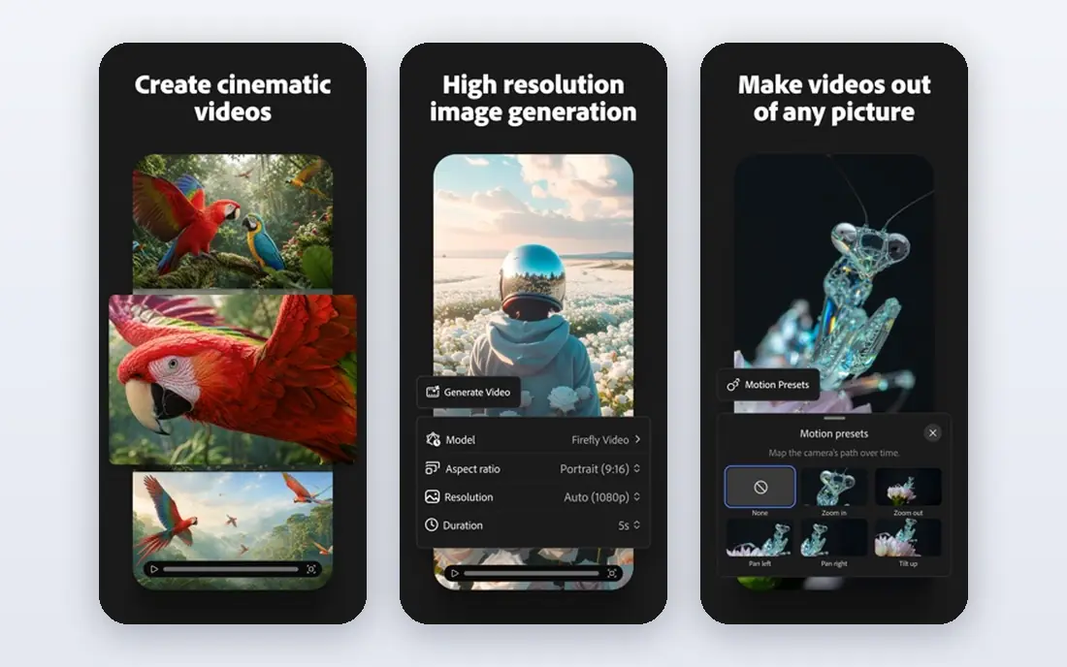
Choose Adobe Firefly for commercial-safe images inside Adobe workflows. The trade-off is flair. Firefly images can look safer and less distinctive than Midjourney output, and lower plans cap monthly credits. It is trained on licensed and public-domain content, and Adobe provides legal indemnification to paying subscribers, which shares the risk if a claim arises. Generative fill inside Photoshop is the practical payoff, letting you extend, replace and repair images inside a professional workflow. Premium plans start at $9.99 per month, with a limited free level for testing. Entry price for Adobe Firefly: $9.99 per month. Adobe Firefly offers a free plan. Points against: Credit limits apply on lower plans.

Price: $9.99 a month

Free plan: Yes

Website: firefly.adobe.com

Watch out for

  • Artistic range trails Midjourney
2

Canva

Finished social and marketing assets
Free

Canva was built for finished social and marketing assets. Generation quality trails Midjourney and Firefly, and the strongest AI features need the Pro plan, priced at $120 a year. In practice, teams benefit from shared folders and simple review. From a buyer's view, Canva fits the creator whose job ends with a finished post, not a raw image. Beyond that, if your output is social posts, presentations and marketing graphics, Canva turns images into finished assets quicker than any specialist tool here. Canva starts at: Free. Canva includes a free tier. Downsides: Best features need the Pro plan.

Free plan: Yes

Website: canva.com

Strengths

  • Simple team sharing
  • Huge template library

Watch out for

  • Generation quality trails specialist tools

3

Ideogram

Posters, ads and designs with legible text
$20 per month

Ideogram is a good fit for Posters, ads and designs with legible text. When the words in the image matter as much as the picture, Ideogram earns its price. Honest limits: Smaller model range for pure art. On top of that, Ideogram solves the problem that frustrates poster and ad designers most, which is text that comes out garbled. On cost, Ideogram starts like this: $20 per month. You can start on Ideogram without paying.

Free plan: Yes

Website: ideogram.ai

Strengths

  • Best-in-class text rendering inside images
  • Well suited to posters and typography

Watch out for

  • Higher entry price than some rivals
4

Midjourney

Artistic, cinematic and highly stylized images
$10 per month

Midjourney is designed for Artistic, cinematic and highly stylized images. Midjourney remains the tool we point to when the image itself is the product. Its sense of light, composition and style coherence beats most rivals for posters, thumbnails, concept art and campaign visuals, and style references help you keep a consistent look across a series. Watch-outs: No permanent free tier. Also, there is no permanent free level, with premium plans beginning at $10 a month, and text rendering inside images still trails Ideogram and newer Google models. As for the details, commercial use is allowed on premium plans, but protection against copyright claims is weaker than Adobe gives you. The starting price for Midjourney: $10 per month. Midjourney does not include a free plan.

Free plan: No

Website: midjourney.com

Strengths

  • Best overall image quality and style control
  • Steady model improvements

Watch out for

  • Text inside images still lags specialist tools
5

Google Gemini

Photorealism and accurate text in images
Free

Google Gemini is a good fit for Photorealism and accurate text in images. Google Gemini, with its Imagen models, has become a front-runner for lifelike images. Also, the free level includes casual generation, whereas premium access sits inside Google AI plans, with Pro at $19.99 a month. For realistic images and readable text, Gemini is a capable and convenient pick, particularly for people already inside Google apps. In daily use, editing an existing image by describing the change is also straightforward, which fits product and marketing work. Google Gemini pricing: Free. Google Gemini offers a free plan. Watch-outs: Style range is narrower than Midjourney.

Free plan: Yes

Website: gemini.google.com

Strengths

  • Decent text rendering
  • Image editing inside Google apps

Watch out for

  • Premium levels sit inside Google subscription plans
6

Stable Diffusion

Free local generation with full control
Free

Stable Diffusion is designed for free local generation with full control. Stable Diffusion is the free path for creators who want control and privacy. You become your own IT support, though. On top of that, the open models run on your own computer, so your prompts and images never leave your machine. A large community library provides fine-tuned models for anime, realism, illustration and more. Setup takes time, a decent graphics card matters for speed, and default quality trails Midjourney without the right model and settings. Beyond that, commercial use relies on the model license you choose, so check it before client work. Stable Diffusion cost at the entry level: Free. Stable Diffusion offers a free plan. Limits to weigh: Out-of-the-box quality trails premium tools.

Free plan: Yes

Website: stability.ai

Strengths

  • Full privacy and control
  • Huge community model library

Watch out for

  • Needs a decent computer and setup time
7

Recraft

Logos, vectors and consistent brand sets
Free

Recraft is built with Logos, vectors and consistent brand sets in mind. Native vector output means logos and illustrations scale cleanly from a business card to a billboard, and brand kits help keep colors and styles consistent across a set of assets. Photorealistic scenes are not its strength, so product photography and cinematic art belong elsewhere. Recraft cost at the entry level: Free. Recraft has a free plan. Watch-outs: Credit limits on the free plan.

Free plan: Yes

Website: recraft.ai

Strengths

  • Native vector output for logos
  • Brand kits and style consistency

Watch out for

  • Less suited to photorealistic scenes

FAQ

Can I try these tools before paying?

Often, yes. Adobe Firefly, Canva, Ideogram and others have a free plan. Use your own data and a real task during the test, and check what the free tier or trial limits before you rely on it.

What is the cheapest option for AI apps for images in this list?

On published monthly entry prices, Adobe Firefly is the lowest here at $9.99 per month. Entry price is only part of the cost, because seats, add-ons and billing terms can change the total.

Can I use AI images for my business logo?

Ideogram also works for logos with wording. Check trademark and licensing rules for your region, since an AI logo can resemble existing marks, and consider a designer review for a primary brand mark.

How are the tools for AI apps for images ordered?

Adobe Firefly sits first and Recraft last because the order follows typical fit for AI apps for images, then price clarity and free access. It is a judgement call, so read each profile for fit and limits.

What is the best app for ai images that is free?

This list starts with Adobe Firefly, which fits commercial-safe images inside Adobe workflows. For other needs, Canva is aimed at finished social and marketing assets, and Ideogram at Posters, ads and designs with legible text. Check each tool's price and main limit first.

What is the best image to image ai tool?

Adobe Firefly is the pick this page puts first, mainly for commercial-safe images inside Adobe workflows. If your situation differs, Canva suits finished social and marketing assets, and Ideogram suits Posters, ads and designs with legible text. Compare price and limits before you decide.