
AI Tools · Researched comparison

Choosing AI Design to Code Tools in 2026: 6 Platforms Compared

TaskReports may earn a fee from some links on this page, and some placements are paid and labelled. Neither one decides the order. See our disclosure.

The short answer

Locofy comes first here, mainly for Figma to clean frontend code. Webflow is better for agentic web product, and Builder.io is better for production code with agents. Prices, free plans and limits for all 6 tools follow.

On this page

Key takeaways

  • Top of the list is Locofy, which targets Figma to clean frontend code.
  • Pricing for Locofy and Builder.io is quote-based, which adds a sales step before you can compare cost.
  • A fair warning about Builder.io: no free plan shown.
  • Anima fits Figma to HTML or React.

Quick comparison

ToolBest forEntry priceFree tier
------------
LocofyFigma to clean frontend codeSee websiteYes
WebflowAgentic web productFreeYes
Builder.ioProduction code with agentsSee websiteNo
FigmaDesign to production canvasFreeYes
FramerAI design agent on canvasFreeYes
AnimaFigma to HTML or ReactFreeYes
★ Best overall

Locofy

Figma to clean frontend code

  • Companion product Hexby turns code into a visual canvas
  • Cursor and Claude
PriceSee website
See Locofy pricing

Choose Locofy for Figma to clean frontend code. The workflow links Figma to GitHub, VS Code, Cursor and Claude, so generated code flows straight into the tools developers already use. For teams whose designs live in Figma and who want clean, stack-flexible code, Locofy is a capable specialist pick. Drawbacks to consider: Homepage displays little pricing detail. Best features of Locofy: Works with GitHub; Proprietary design models. Pricing was not shown on the homepage, so check the pricing page, and a free plan is available. A companion product, Hexby, reverses the direction, turning existing codebases and vibe-coded apps from GitHub, Lovable or Bolt into a visual canvas for design iteration with AI coding agents. That two-way approach is Locofy's distinctive strength: design to code for new work, and code to design canvas for existing work. This comparison lists no price for Locofy; ask the vendor. Locofy includes a free tier.

Price: See website

Free plan: Yes

Website: locofy.ai

Watch out for

  • Output needs review for complicated apps
2

Webflow

Agentic web product
Free

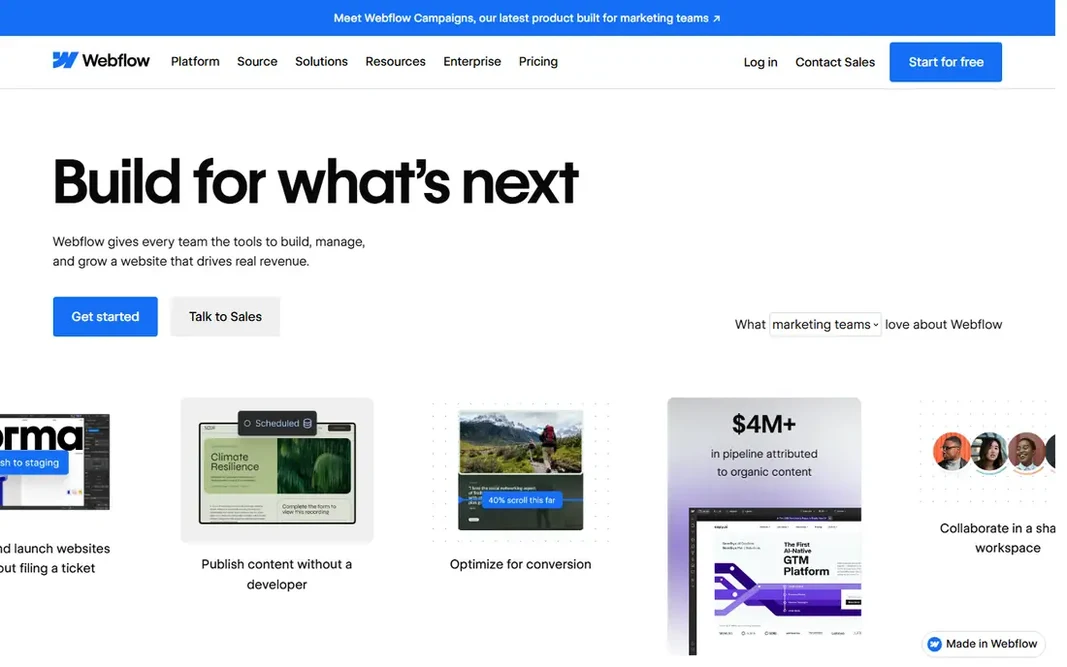
Webflow makes the most sense for agentic web product. Webflow is the agentic web system for modern firms, giving teams the tools to build, manage and grow a website that drives real revenue. Marketing teams can build and launch without filing tickets, editing content in a visual canvas, controlling layout and typography, and publishing content optimized for AI search, SEO and conversion. From a buyer's view, more than 300,000 brands use Webflow. In practice, the product also spans AEO, showing how AI crawls a site and tracking visibility in AI answers, plus page branching for safe design changes, GSAP-powered interactions, shared libraries for brand consistency, and hosting that processes tens of billions of page views per month. Webflow cost at the entry level: Free. You can start on Webflow without paying. What to check first: Enterprise features need premium plans. Where Webflow stands out: AEO visibility tracking; 300,000+ brands.

Free plan: Yes

Website: webflow.com

Strengths

  • GSAP-powered interactions
  • AI tools like Claude and Cursor work on sites

Watch out for

  • App code output is web-focused
3

Builder.io

Production code with agents
See website

For production code with agents, Builder.io is a natural candidate. Customer stories cite a 20 percent increase in development capacity at TechStyle Fashion Group and more than 250 new pages launched at Zapier. Worth adding: builder.io is a collaborative platform to build with AI agents, creating real product experiences that stay on brand, in code, and ready to ship. Its visual editor is wired straight into a team's own components and design tokens, so changes are always on-brand and production-ready, whereas the agentic CMS publishes dynamic content with prompts, running A/B tests, personalizing and scheduling updates with brand and workflow intact. Worth adding: teams can build apps and UIs from scratch, from Figma designs, or with any existing repo, keeping their framework, Git workflow and review process. This comparison lists no price for Builder.io; ask the vendor. Builder.io has no permanent free option. Trade-offs to know: No free plan shown. Best features of Builder.io: SOC 2 Type II; Agentic CMS with prompts.

Free plan: No

Website: builder.io

Strengths

  • MCP connectors
  • Visual editor wired straight into real components and design tokens

Watch out for

  • Enterprise-leaning
4

Figma

Design to production canvas
Free

Figma is designed for design to production canvas. Figma is the collaborative canvas for design, code and AI. The full-stack creative canvas where entire product teams go from work in progress to shipped product together. Its built-in agent acts as a creative collaborator, adding motion to designs, documenting design systems, implementing feedback and more, whereas teammates and AI agents work in the same space with shared context. The free plan spans core design work, with premium plans adding the agent depth and team features. Worth adding: Dev tools take designs all the way to production, and design context, codebase and agents stay connected so what is designed is what gets shipped. Entry price for Figma: Free. Free access exists with Figma. Watch-outs: Pricing must be checked on the pricing page.

Free plan: Yes

Website: figma.com

Strengths

  • Dev tools that take designs to production
  • Code and AI

Watch out for

  • Design tool first, so code output needs developer review
5

Framer

AI design agent on canvas
Free

Framer makes the most sense for AI design agent on canvas. Framer is a free website builder with an AI design agent native to the canvas. Best features of Framer: Free website builder; Codex and Cursor. The main drawbacks: Advanced CMS and hosting features need premium plans. As for the details, the design agent works straight on a site to produce and refine in place, with every change visible, editable and under the user's control. Framer also links to external agents through MCP, letting teams update copy from Slack, trigger CMS changes from the terminal, or ship from a GitHub pull request using Claude, Codex, Cursor or any MCP-compatible agent. Price to start with Framer: Free. You can start on Framer without paying.

Free plan: Yes

Website: framer.com

Strengths

  • Code agent layers on custom effects
  • MCP connections to Claude

Watch out for

  • Website-focused
6

Anima

Figma to HTML or React
Free

Anima targets Figma to HTML or React. Code output spans HTML with clean CSS, Tailwind or inline styles, and React with TypeScript or JavaScript and a preferred UI library. Where it shines: Brand matching from any URL or design system; Database and auth included. Entry price for Anima: Free. Anima offers a free plan. Downsides: Free level limits apply.

Free plan: Yes

Website: animaapp.com

Strengths

  • Engine inside Bolt.new and Replit
  • Version restore

Watch out for

  • Output still needs review for complicated interactions

FAQ

Is Locofy the right pick for everyone comparing AI design to code tools?

No single tool suits every team. Locofy comes first because it fits Figma to clean frontend code, while Webflow suits agentic web platform and Builder.io suits production code with agents. Match the tool to your own size, budget and workflow before deciding.

What is the best AI design to code tool overall?

Start with Locofy if you need Figma to clean frontend code. Webflow is the better match for agentic web product, and Builder.io for production code with agents. The best choice depends on budget, team size and workflow.

Can I try these options before paying?

Often, yes. Locofy, Webflow, Figma and others have a free plan. Use your own data and a real task during the test, and check what the free tier or trial limits before you rely on it.

Can AI really turn Figma into production code?

It can produce capable starting code, particularly for marketing pages, dashboards and flows, but complicated interactions, accessibility and performance still need developer review. Treat AI output as a quick first draft, not a finished release.

How are the tools for AI design to code tools ordered?

The order follows typical fit for AI design to code tools, with Locofy first and Anima last, then price clarity and free access. It is editorial judgement, not a score, so another team could rank the tools differently.

Do these tools publish their prices?

Not all of them. Locofy and Builder.io publish no starting price, so expect a quote request for those. The rest, Webflow included, show a starting price, though seats and billing terms still change the final cost.