AI Tools · Researched comparison

7 AI Image to Video Animation Tools Ranked for 2026

TaskReports may earn a fee from some links on this page, and some placements are paid and labelled. Neither one decides the order. See our disclosure.

The short answer

Runway comes first here, mainly for professional control and finishing. For a different need, Adobe Firefly covers brand work with clear commercial terms and Pika covers short social clips and playful effects. All 7 tools are compared below on price, free plan and limits.

On this page

Key takeaways

  • Number one here is Runway, a fit for professional control and finishing.
  • Before buying HeyGen, weigh this: higher price for short clips.
  • Starting prices begin at $6.99 per month with Kling.
  • A free plan is offered by 7 of the 7 tools, including Runway, Adobe Firefly, Pika and HeyGen.

Quick comparison

ToolStarts atFree accessKey limitationSuited to
---------------
Runway$12 per monthYesPremium plans are needed for regular useProfessional control and finishing
Adobe Firefly$9.99 per monthYesClips are shortBrand work with clear commercial terms
Pika$8 per monthYesShorter clips than some rivalsShort social clips and playful effects
HeyGen$29 per monthYesHigher price for short clipsTalking head and presenter animation
Kling$6.99 per monthYesHigher quality settings use more creditsRealistic motion at a fair price
PixVerse$8 per monthYesMotion can soften on detailed scenesDaily free animation
Luma Dream Machine$30 per monthYesFree access is limitedQuick iteration and video restyling
★ Best overall

Runway

Professional control and finishing

  • Solid image to video consistency
  • Camera and style controls
Price$12 per month
See Runway pricing

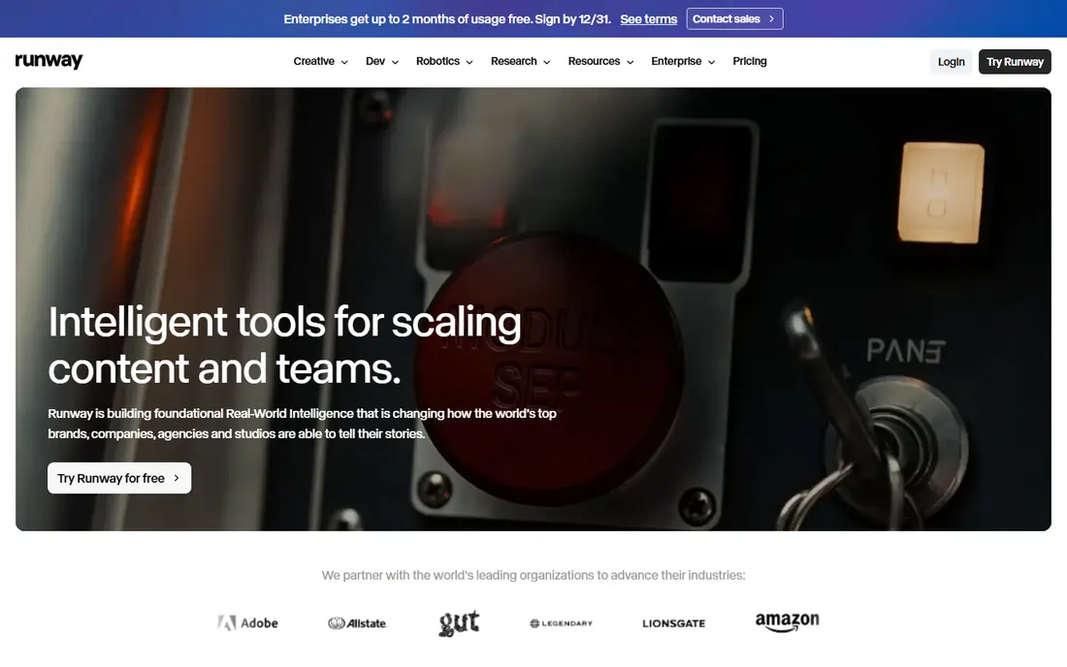
Runway targets professional control and finishing. Its Gen-4 family keeps the look of the starting image whereas letting you direct camera movement and style changes. The same account can carry a clip into editing. The main drawbacks: premium plans are needed for regular use. That matters when a project needs multiple shots that look like they belong together. In practice, once you move to a premium plan, the value comes from control instead of raw volume: reference images, camera direction, and editing cut the need to regenerate the same shot numerous times. On top of that, the free allowance is a one-time credit grant instead of a daily refill, so treat it as a trial. Runway pricing: $12 per month. Runway offers a free plan.

Price: $12 per month

Free plan: Yes

Website: runwayml.com

Watch out for

  • Credit costs rise with longer or higher resolution clips
2

Adobe Firefly

Brand work with clear commercial terms

$9.99 a month

Adobe Firefly makes the most sense for brand work with clear commercial terms. Free users get daily generations, which is enough to test the style. For brand teams, the clearer commercial footing matters as much as the output itself, since usage terms affect what you can publish. Limits to weigh: Motion quality trails the top realism leaders on complicated scenes. If your priority is a safe, repeatable workflow for short brand clips, Firefly earns its place. On top of that, Adobe Firefly is the pragmatic choice for teams that publish client work. More specifically, the limits are real. Generated clips are short, often around five seconds, so Firefly performs best for animated posts, ads, and title sequences instead of longer scenes. Starting cost for Adobe Firefly: $9.99 per month. Adobe Firefly has a free plan.

Free plan: Yes

Website: firefly.adobe.com

Strengths

  • Adobe integration
  • Commercially oriented training and terms

Watch out for

  • Clips are short
3

Pika

Short social clips and playful effects
$8 a month

Think of Pika for short social clips and playful effects. Its effects and stylized looks suit product teasers, memes, and short loops, and the workflow is quick enough to test multiple ideas in one sitting. From a buyer's view, the tool also manages image to video straight, so a single photo can become a moving post in minutes. Where it is weaker: Shorter clips than some rivals. Worth adding: premium plans add more credits and remove some limits, but creators who need longer, realistic scenes should look at Kling or Veo first. For light, frequent social animation, Pika is hard to beat on price and speed. Pika cost at the entry level: $8 per month. A free plan is available with Pika.

Free plan: Yes

Website: pika.art

Strengths

  • Fun effects for social content
  • Straightforward prompt workflow

Watch out for

  • Free credits are restricted and do not refill generously
4

HeyGen

Talking head and presenter animation
$29 per month

HeyGen targets talking head and presenter animation. Rather than animating a scene, it turns a photo into a talking presenter who can deliver a script in multiple languages. That makes it handy for training videos, product explainers, and localized marketing, where a consistent presenter matters more than cinematic camera work. Honest limits: Not the best choice for general scene animation. The price reflects that business focus, and the free plan only includes a handful of watermarked videos. If you need a photo of a scenic view to come alive with camera movement, choose Kling, Runway, or Veo instead, and keep HeyGen for presenter work. The starting price for HeyGen: $29 per month. A free plan is available with HeyGen.

Free plan: Yes

Website: heygen.com

Strengths

  • Well suited to training and marketing videos
  • Voice and translation choices

Watch out for

  • Higher price for short clips
5

Kling

Realistic motion at a fair price
$6.99 a month

In short, Kling is for realistic motion at a fair price. The main limit is credit use. As for the details, longer clips and higher quality settings cost more. Where it is weaker: Some features are locked behind higher levels. In practice, the interface keeps the core choice straightforward: upload an image, describe the movement, and pick a length and quality setting. Its motion tends to hold together well on people walking, turning, or gesturing, which is where less expensive tools commonly fall apart. Kling starts at: $6.99 per month. Kling has a free plan.

Free plan: Yes

Website: klingai.com

Strengths

  • Solid human motion
  • Image to video with first and last frame control on premium plans

Watch out for

  • Higher quality settings use more credits
6

PixVerse

Daily free animation
$8 per month

PixVerse was built for daily free animation. Quality is solid for social content, though fine detail can soften when the scene is busy or the camera moves quick. Price to start with PixVerse: $8 per month. PixVerse has a free plan. Drawbacks to consider: Motion can soften on in-depth scenes.

Free plan: Yes

Website: pixverse.ai

Strengths

  • Straightforward image to video workflow
  • Well suited to frequent short clips

Watch out for

  • Higher resolution is capped on lower plans
7

Luma Dream Machine

Quick iteration and video restyling
$30 per month

Luma Dream Machine makes the most sense for fast iteration and video restyling. Luma Dream Machine appeals to visual creators who iterate quick. Its restyling tools also let you change the look of existing footage, which is handy when a client wants a different mood from the same shot. For rapid visual prototyping, the speed makes up for some of that cost. As for the details, free access lets you test the quality, but it is not a steady production source. Entry price for Luma Dream Machine: $30 per month. You can start on Luma Dream Machine without paying. Drawbacks to consider: Free access is restricted.

Free plan: Yes

Website: lumalabs.ai

Strengths

  • Quick generation
  • Image to video and video restyling

Watch out for

  • Higher starting price than rivals

FAQ

Can I try these options before paying?

Often, yes. Runway, Adobe Firefly, Pika and others have a free plan. Use your own data and a real task during the test, and check what the free tier or trial limits before you rely on it.

What is the cheapest option for AI image to video animation tools in this list?

On published monthly entry prices, Kling is the lowest here at $6.99 per month. Entry price is only part of the cost, because seats, add-ons and billing terms can change the total.

How are the tools for AI image to video animation tools ordered?

Runway sits first and Luma Dream Machine last because the order follows typical fit for AI image to video animation tools, then price clarity and free access. It is a judgement call, so read each profile for fit and limits.

Which options for AI image to video animation tools have a free plan?

On this list, 7 of 7 tools include a free plan, among them Runway, Adobe Firefly, Pika and HeyGen. Caps on seats, usage or features are common, so test the free plan against your real workload.

Which tool is a good match for animating people?

Runway is the pick this page puts first, mainly for professional control and finishing. If your situation differs, Adobe Firefly suits brand work with clear commercial terms, and Pika suits short social clips and playful effects. Compare price and limits before you decide.