
AI Tools · Researched comparison

AI Photo to Video Tools: 7 Options Side by Side (2026)

TaskReports may earn a fee from some links on this page, and some placements are paid and labelled. Neither one decides the order. See our disclosure.

The short answer

PixVerse leads the list, best for daily free testing. Look at HeyGen for talking photo avatars, and at Runway for controlled, professional short clips. Details, prices and limits for the rest of the 7 tools are below.

On this page

Key takeaways

  • Number one here is PixVerse, a fit for daily free testing.
  • For realistic motion on a budget, Kling AI is worth a look.
  • For the cheapest start, look at D-ID: $5.90 per month.
  • Free plans exist at 5 of 7 tools (PixVerse, HeyGen, Runway, Pika, Kling AI).
  • One limit worth knowing about HeyGen: premium avatar quality uses credits quick.

Quick comparison

ToolSuited toFree planKey limitation
------------
PixVerseDaily free testingYesFree output is watermarked and non-commercial
HeyGenTalking photo avatarsYesPremium avatar quality uses credits fast
RunwayControlled, professional short clipsYesCredits burn fast on detailed clips
D-IDLow cost talking photosFree trialLite output is watermarked
PikaPlayful effects and social clipsYesNo full timeline editor
LumaNatural camera movementFree trialHigher entry price than most rivals
Kling AIRealistic motion on a budgetYesRender times can be slow at peak times
★ Best overall

PixVerse

Daily free testing

  • Styles from realistic to anime and clay
  • Daily refilling free credits
Price$10 per month
See PixVerse pricing

PixVerse targets daily free testing. PixVerse stands out since its free allowance refills daily, so you can test a new photo idea each day without paying. Limits to weigh: Higher resolution sits on higher plans. For everyday use, the free plan is for testing only. On cost, PixVerse starts like this: $10 per month. PixVerse offers a free plan.

Price: $10 per month

Free plan: Yes

Website: pixverse.ai

Watch out for

  • Free output is watermarked and non-commercial
2

HeyGen

Talking photo avatars

$29 a month

HeyGen targets talking photo avatars. The free plan provides a handful of short watermarked videos per month, and Creator costs 29 dollars a month, or around 24 dollars a month billed annually, with a bigger credit pool on higher plans. For everyday use, use HeyGen when the job is a person speaking to camera, and use a scene tool when the job is motion through a place or a product in action. The main drawbacks: Premium avatar quality uses credits quick. The most realistic avatar engines cost far more per minute than the standard engine. So a Creator plan spans far fewer premium minutes than the headline recommends. It turns a photo into a talking presenter, with a script, a voice, and lip sync, which suits explainers, training clips, and short marketing messages. HeyGen starts at: $29 per month. Free access exists with HeyGen.

Free plan: Yes

Website: heygen.com

Strengths

  • Realistic talking avatars from a photo
  • Numerous languages

Watch out for

  • Free plan is restricted to a handful of short videos per month
3

Runway

Controlled, professional short clips
$15 per month

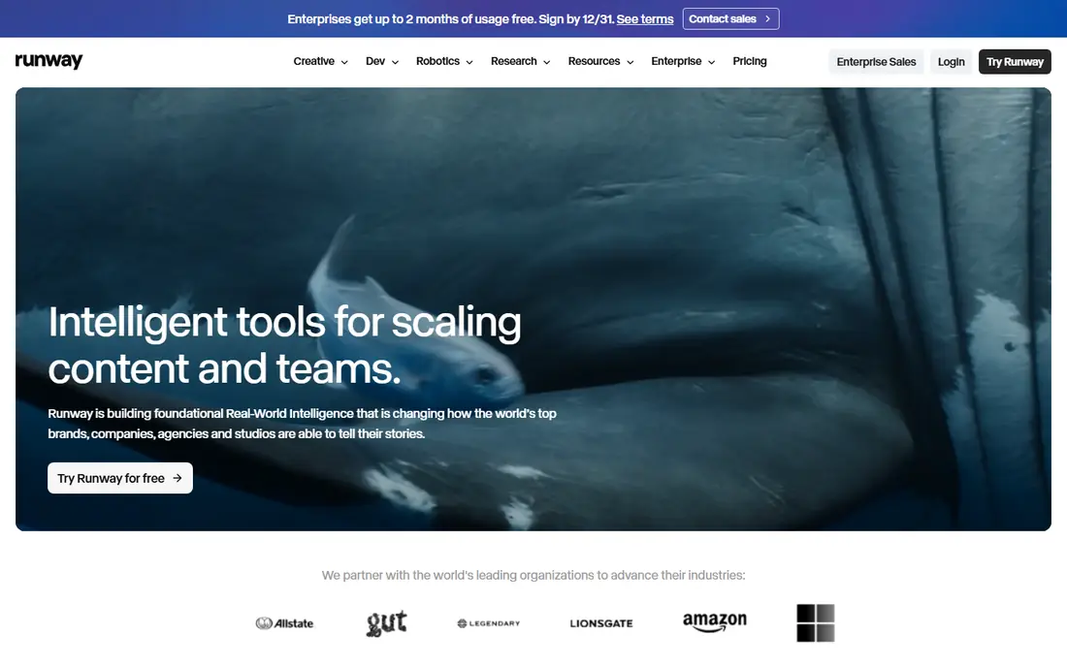
For controlled, professional short clips, Runway is a natural candidate. On top of that, the main limit is cost planning. Limits to weigh: Credits burn quick on in-depth clips. You can describe camera moves, keep a subject in frame, and edit the lead to the same workspace, which matters when a product photo has to stay recognisable. Starting cost for Runway: $15 per month. A free plan is available with Runway.

Free plan: Yes

Website: runwayml.com

Strengths

  • Solid camera control
  • A broad model choice in one account

Watch out for

  • The free allowance is one time only, not monthly
4

D-ID

Low cost talking photos
$5.90 a month

Where D-ID fits: low cost talking photos. Lite costs 5.90 dollars a month, or less billed annually, and provides a small monthly minute allowance that is shared by the web app and the API. That makes it practical for a small business that needs a handful of short spoken clips per month. Video length and quality also stay modest compared to HeyGen. Worth adding: the limits are clear. Lite output carries a watermark, and commercial use starts on the Pro plan. So a free or Lite clip is not the right choice for premium client work. Price to start with D-ID: $5.90 per month. As for free access: Free trial. Limits to weigh: Commercial use starts on higher plans.

Free plan: Free trial

Website: d-id.com

Strengths

  • Straightforward photo to talking video workflow
  • Very low entry price

Watch out for

  • Lite output is watermarked
5

Pika

Playful effects and social clips
$10 a month

Pika is aimed squarely at playful effects and social clips. Pricing needs a careful read. In daily use, credit packs are a handy alternative for people who animate photos only a handful of times a quarter. Honest limits: No full timeline editor. From a buyer's view, Pika is designed for speed and for clips that are meant to be shared rapidly. Its Pikaffects presets add motion like inflating, melting, or exploding an object in the photo, and that style suits social posts far better than a straight product demo. Pika pricing: $10 per month. You can start on Pika without paying.

Free plan: Yes

Website: pika.art

Strengths

  • Quick
  • Fun one click effects

Watch out for

  • Commercial use is restricted on lower plans
6

Luma

Natural camera movement
$30 a month

Luma is aimed squarely at natural camera movement. The free entry point is restricted and not a full free plan on the current pricing page, so treat Luma as a premium choice for people who will use it regularly. Watch-outs: Monthly credits do not roll over on lower plans. Reasons to shortlist it: Keyframe control in clips. Worth adding: the price is the central barrier. More specifically, plus costs 30 dollars a month, or 25 dollars a month billed annually, and that is higher than the entry level at Runway, Pika, or Kling AI. Price to start with Luma: $30 per month. Trial and free access: Free trial.

Free plan: Free trial

Website: lumalabs.ai

Strengths

  • Smooth
  • Believable motion

Watch out for

  • Higher entry price than most rivals
7

Kling AI

Realistic motion on a budget
$10 a month

Kling AI works best for realistic motion on a budget. Kling AI, from Kuaishou, has become a favourite for realistic motion since it holds shapes and movement together better than numerous less expensive tools. Where it is weaker: Free clips are watermarked and not for commercial use. The free level provides daily credits, which is ample for learning, but free output is watermarked and barred from commercial use. Also, premium plans start at a list price of 10 dollars a month, with first month gives you at times shown, so check the price at checkout. On cost, Kling AI starts like this: $10 per month. Kling AI offers a free plan.

Free plan: Yes

Website: klingai.com

Strengths

  • Daily free credits
  • Solid physics and natural movement

Watch out for

  • Render times can be slow at peak times

FAQ

Which options for AI photo to video tools have a free plan?

PixVerse, HeyGen, Runway, Pika and Kling AI offer a free plan in this list. Free plans usually cap users, projects or features, so check the limits on the vendor page. Several others offer a trial instead.

What is the best free ai photo to video app?

The first pick on this list is PixVerse, because it suits daily free testing. HeyGen is better for talking photo avatars, and Runway for controlled, professional short clips. Check price and limits against your own needs before choosing.

Do I need a photo I own to use these tools?

Only animate photos you own or have permission to use, and never animate a real person without their consent. Tools also have their own rules on likeness and misuse. A clip that breaks those rules can be removed or can result in an account ban.

Do these tools publish their prices?

Yes. Every tool from PixVerse to Kling AI shows a starting price, though seats, add-ons and billing terms still change the final cost.

How are the tools for AI photo to video tools ordered?

The order follows typical fit for AI photo to video tools, with PixVerse first and Kling AI last, then price clarity and free access. It is editorial judgement, not a score, so another team could rank the tools differently.

What is the best photo to video ai app for a product photo?

PixVerse is the pick this page puts first, mainly for daily free testing. If your situation differs, HeyGen suits talking photo avatars, and Runway suits controlled, professional short clips. Compare price and limits before you decide.