
AI Tools · Researched comparison

6 Best AI Presentation Software for Education Options for 2026

TaskReports may earn a fee from some links on this page, and some placements are paid and labelled. Neither one decides the order. See our disclosure.

The short answer

For editing inside Slides and PowerPoint, Plus AI is where this list starts. For a different need, Gemini in Google Slides covers Google schools and Gamma covers quick refined decks. All 6 tools are compared below on price, free plan and limits.

On this page

Key takeaways

  • This list starts with Plus AI, which is built for editing inside Slides and PowerPoint.
  • Gamma comes with a trade-off: web-native format needs export for some classes.
  • For budget Google Slides decks, SlidesAI is worth a look.
  • For Plus AI, Gemini in Google Slides, Gamma and others, you have to request a quote because no starting price is shown.
  • 3 of 6 tools offer a free plan: Gamma, Canva for Education, SlidesAI.

Quick comparison

ToolIdeal forWatch out forStarts atFree option
---------------
Plus AIEditing inside Slides and PowerPointTrial only on free accessSee websiteFree trial
Gemini in Google SlidesGoogle schoolsAge limits applySee websiteNo
GammaQuick refined decksFree credits are limitedSee websiteYes
Canva for EducationK-12 classroomsAI features vary by planFreeYes
Microsoft Copilot in PowerPointMicrosoft schoolsAcademic pricing variesSee websiteNo
SlidesAIBudget Google Slides decksPremium plan needed for heavier useSee websiteYes
★ Best overall

Plus AI

Editing inside Slides and PowerPoint

  • Edits existing decks
  • Well suited to updating old lessons
PriceSee website
See Plus AI pricing

Plus AI is aimed squarely at editing inside Slides and PowerPoint. Plus AI works inside Google Slides and PowerPoint, and its strength is improving existing decks, not only generating new ones. Beyond that, free access is trial-based, so continuing classroom use needs a premium plan. Beyond that, teachers with years of old lesson slides can refresh layouts, rewrite text, and restructure decks without rebuilding them by hand. That editing focus sets it apart from prompt-only generators. Check the vendor site for Plus AI pricing; none is listed in this comparison. Free access: Free trial. Trade-offs to know: AI output still needs teacher review.

Price: See website

Free plan: Free trial

Website: plusdocs.com

Watch out for

  • Trial only on free access
2

Gemini in Google Slides

Google schools
See website

Gemini in Google Slides is a good fit for Google schools. Check your school's Workspace edition first. From a buyer's view, teachers can draft a lesson deck from notes and refine it with students in live. Worth adding: availability relies on license: Gemini features in Slides are included with Workspace for Education Plus or the Teaching and Learning add-on. Some features are restricted to users aged 18 and older. Gemini in Google Slides does not show a starting price in this comparison, so check the vendor site for current pricing. Gemini in Google Slides does not include a free plan. Points against: Age limits apply.

Free plan: No

Website: gemini.google.com

Strengths

  • Works inside Google Slides
  • Creates slides and images

Watch out for

  • Full Slides AI features need Workspace for Education Plus or an add-on
3

Gamma

Quick refined decks
See website

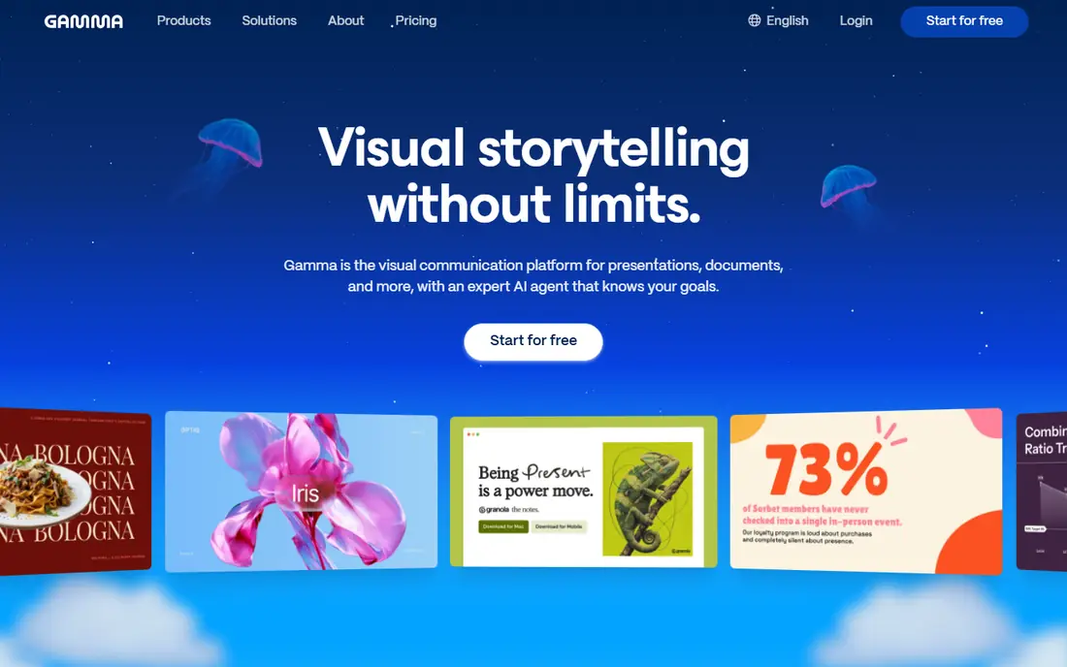
Choose Gamma for fast refined decks. Gamma turns a prompt, outline, or document into a polished, web-native deck in minutes, which helps students and teachers facing a tight deadline. Its designs look modern without manual formatting, and PowerPoint export matters when a teacher needs a.pptx file. That export step is the detail students should confirm before relying on Gamma for graded work. More specifically, free credits limit how numerous decks you can create without paying, and heavy editing is at times simpler in PowerPoint or Slides after export. No starting price is listed for Gamma here; confirm pricing on the vendor site. A free plan is available with Gamma. Watch-outs: Web-native format needs export for some classes.

Free plan: Yes

Website: gamma.app

Strengths

  • Modern designs
  • PowerPoint export for submissions

Watch out for

  • Free credits are restricted
4

Canva for Education

K-12 classrooms
Free

Canva for Education targets K-12 classrooms. The central limit is that free education access is targeted at K-12, whereas higher-education access relies on whether the institution supplies Canva for Campus. Watch-outs: Higher-education access relies on the institution. In daily use, students can collaborate on decks and teachers can share work with classes easily. Entry price for Canva for Education: Free. A free plan is available with Canva for Education.

Free plan: Yes

Website: canva.com/education

Strengths

  • Free for verified K-12 teachers and students
  • Huge template library

Watch out for

  • AI features vary by plan
5

Microsoft Copilot in PowerPoint

Microsoft schools
See website

Microsoft Copilot in PowerPoint serves Microsoft schools. Microsoft Copilot in PowerPoint helps teachers and students draft decks from an outline or document without leaving PowerPoint. In practice, Copilot fits Microsoft schools that already pay for the add-on or plan to. Downsides: Full Copilot in PowerPoint needs a premium add-on. Check your school's license before planning lessons around it. More specifically, for schools already on Microsoft 365, that fit is the primary advantage: files stay in the school's system, sharing follows existing controls, and students submit in the format teachers expect. Copilot can also summarize and restructure existing decks. No starting price is listed for Microsoft Copilot in PowerPoint here; confirm pricing on the vendor site. There is no free plan with Microsoft Copilot in PowerPoint.

Free plan: No

Website: microsoft.com/microsoft-365/copilot

Strengths

  • Works inside PowerPoint schools already use
  • Drafts from documents and outlines

Watch out for

  • Academic pricing varies
6

SlidesAI

Budget Google Slides decks
See website

For budget Google Slides decks, SlidesAI is a natural candidate. Pricing has been listed around $10 a month for Pro, with a free level for light use. Worth adding: design choices are narrower than full design products, so decks may need manual polish for a formal presentation. On top of that, teachers can paste lesson notes and get an editable deck without leaving Slides, and students can use the same workflow for class reports. No starting price is listed for SlidesAI here; confirm pricing on the vendor site. You can start on SlidesAI without paying. What to check first: premium plan needed for heavier use.

Free plan: Yes

Website: slidesai.io

Strengths

  • Fast for lesson outlines
  • Runs inside Google Slides

Watch out for

  • Design range is narrower than Canva or Gamma

FAQ

Are AI presentation tools safe for student data?

Safety relies on the account type and the vendor's education terms. Use school-managed education accounts, avoid entering sensitive student data into prompts, and have IT approve tools that students will use with accounts.

Do these tools publish their prices?

Not all of them. Plus AI, Gemini in Google Slides, Gamma and others publish no starting price, so expect a quote request for those. The rest, Canva for Education included, show a starting price, though seats and billing terms still change the final cost.

How are the tools for AI presentation software for education ordered?

The order follows typical fit for AI presentation software for education, with Plus AI first and SlidesAI last, then price clarity and free access. It is editorial judgement, not a score, so another team could rank the tools differently.

Is Plus AI the right pick for everyone comparing AI presentation software for education?

No single tool suits every team. Plus AI comes first because it fits editing inside Slides and PowerPoint, while Gemini in Google Slides suits Google schools and Gamma suits fast polished decks. Match the tool to your own size, budget and workflow before deciding.

Can I try these tools before paying?

Often, yes. Gamma, Canva for Education and SlidesAI have a free plan and Plus AI offers a free trial. Use your own data and a real task during the test, and check what the free tier or trial limits before you rely on it.

How much time do AI presentation tools really save?

Expect savings on first drafts and formatting, and still budget time to check facts and adapt the deck to your class.