
AI Tools · Researched comparison

6 AI Presentation Tools No Coding Options Ranked for 2026

TaskReports may earn a fee from some links on this page, and some placements are paid and labelled. Neither one decides the order. See our disclosure.

The short answer

This list puts Plus AI first for Slides and PowerPoint users. Presentations.AI fits fast business decks with PowerPoint export; Gamma fits quick prompt-to-deck creation. Prices, free plans and limits for all 6 tools follow.

On this page

Key takeaways

  • Top of the list is Plus AI, which targets Slides and PowerPoint users.
  • Check the limits for Plus AI before you commit: no permanent free plan.
  • The cheapest monthly starting price in the list is $10 per month, offered by Plus AI.
  • Presentations.AI, Gamma, SlidesAI: these are the 3 tools out of 6 that offer a free plan.

Quick comparison

ToolStarting priceFree tierKey limitationSuited to
---------------
Plus AI$10 per monthFree trialNo permanent free planSlides and PowerPoint users
Presentations.AIFreeYesFree credit allowance is smallFast business decks with PowerPoint export
GammaFreeYesFree credits do not refillQuick prompt-to-deck creation
Beautiful.ai$14.50 per monthFree trialNo permanent free planConsistent corporate decks
DecktopusSee websiteNoNo free plan listedSolo presenters and trainers
SlidesAIFreeYesGenerated design often needs cleanupText-to-slides inside Google Slides
★ Best overall

Plus AI

Slides and PowerPoint users

  • A decent match for existing decks
  • Works inside Google Slides and PowerPoint
Price$10 a month
See Plus AI pricing

Plus AI targets Slides and PowerPoint users. Plus AI is different from most tools here since it works inside the slide apps you already use, instead of asking you to move to a new editor. From a buyer's view, you can create a new deck, rewrite slides, or turn an outline into slides without leaving Google Slides or PowerPoint. The ramp-up time is also low, since the surrounding app stays familiar. In daily use, for people whose deliverable is a normal slide file, though, working inside Slides or PowerPoint is a practical advantage that outweighs the flashier web-only tools. In daily use, there is a trial, but no lasting free plan. Starting cost for Plus AI: $10 per month. On free options: Free trial. Trade-offs to know: Design polish relies on your starting template.

Price: $10 a month

Free plan: Free trial

Website: plusdocs.com

Watch out for

  • No permanent free plan
2

Presentations.AI

Fast business decks with PowerPoint export
Free

Presentations.AI serves fast business decks with PowerPoint export. The free Starter plan comes with a restricted credit allowance and decks of up to 20 slides, with PowerPoint and PDF export included. That export point matters, since it means a free user can still deliver a normal file to a colleague or client. Presentations.AI pricing: Free. A free plan is available with Presentations.AI. Where it is weaker: Fewer template and brand choices than bigger rivals.

Free plan: Yes

Website: presentations.ai

Strengths

  • Straightforward prompt workflow
  • PowerPoint and PDF export on the free plan

Watch out for

  • Free credit allowance is small
3

Gamma

Quick prompt-to-deck creation
Free

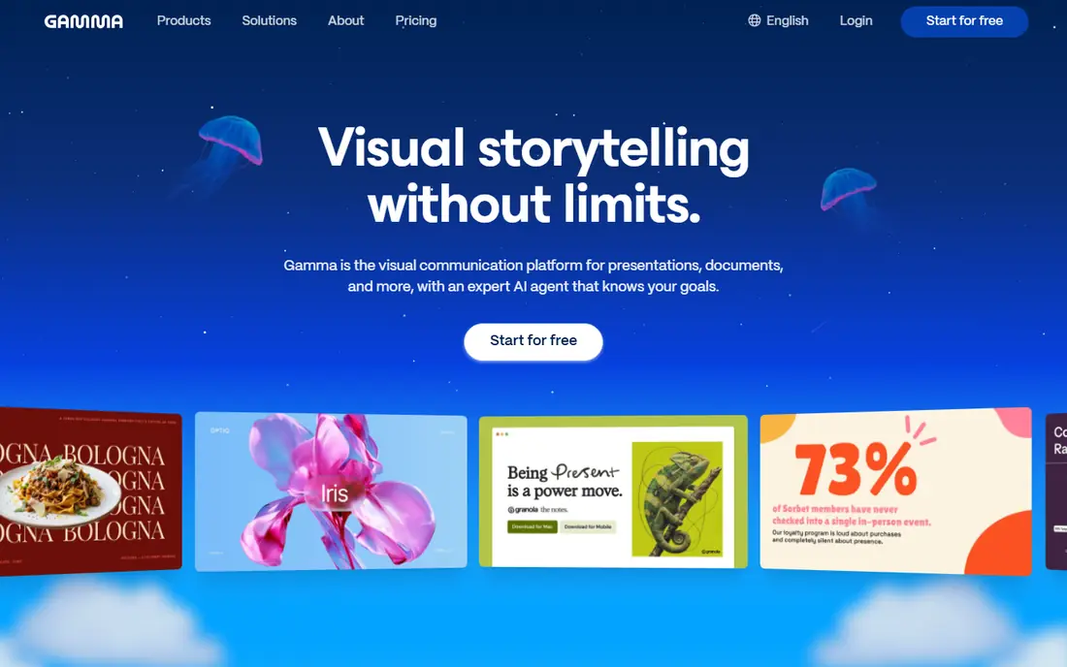
Gamma works best for quick prompt-to-deck creation. Gamma turns a short brief into a deck, a document, or a web page. It is the fastest starting point we found for a first draft. From a buyer's view, the free plan starts with a set number of credits that do not refill, so heavy use will push you to a premium plan. As for the details, the main limit is the credit system. Beyond that, sharing a link is straightforward, and that makes it handy for internal updates, lessons, and client previews. On cost, Gamma starts like this: Free. A free plan is available with Gamma. Points against: Web-first format may feel different from classic slide software.

Free plan: Yes

Website: gamma.app

Strengths

  • Quick generation from a prompt
  • Clean modern designs

Watch out for

  • Free credits do not refill
4

Beautiful.ai

Consistent corporate decks
$14.50 a month

Beautiful.ai is designed for consistent corporate decks. For consulting, sales, and internal reporting, that consistency is worth more than wild creative freedom. Beautiful.ai is built around smart templates that adjust spacing and layout as you add or remove content. That design discipline matters for teams, since one person cannot easily break the look of a shared deck by adding a long bullet list. From a buyer's view, creative users who want full control over every shape and position may find the templates too firm. There is a trial, but no lasting free plan, and the entry premium plan is higher than some rivals. Beautiful.ai cost at the entry level: $14.50 per month. Trial and free access: Free trial. Honest limits: No permanent free plan.

Free plan: Free trial

Website: beautiful.ai

Strengths

  • Smart slides that stay balanced as you edit
  • PowerPoint export

Watch out for

  • Less free-form than a blank canvas tool
5

Decktopus

Solo presenters and trainers
See website

For solo presenters and trainers, Decktopus is a natural candidate. Decktopus builds a deck from a topic and optional source material. It can pull a brand kit from your website address to keep colors and style consistent. Exports contain PDF, PowerPoint, and images on premium plans, so the finished deck can travel beyond the Decktopus site. If you value a quick, guided path from idea to presentable deck, Decktopus earns its place here. As for the details, for a single presenter who wants speed plus a consistent look, that mix is appealing. This comparison lists no price for Decktopus; ask the vendor. Decktopus does not include a free plan. Where Decktopus stands out: PDF, PowerPoint. Honest limits: No free plan listed.

Free plan: No

Website: decktopus.com

Strengths

  • Image export
  • Practice and delivery tools

Watch out for

  • Customization is more restricted than in a full design editor
6

SlidesAI

Text-to-slides inside Google Slides
Free

SlidesAI is designed for text-to-slides inside Google Slides. SlidesAI takes pasted text and turns it into slides, which fits people who already have notes, a report, or a meeting summary. Premium plans raise the presentation count, input length, and credit allowance, and add document upload. The price is modest compared to full design systems. Also, SlidesAI is better at structure than at fine design, so colors, images, and spacing may need a pass before a client-facing talk. What you pay to start with SlidesAI: Free. Free access exists with SlidesAI. Honest limits: Generated design frequently needs cleanup.

Free plan: Yes

Website: slidesai.io

Strengths

  • Low annual premium price
  • Straightforward text-to-slides workflow

Watch out for

  • Free plan caps presentations and input length

FAQ

Is Plus AI the right pick for everyone comparing AI presentation tools no coding?

No single tool suits every team. Plus AI comes first because it fits Slides and PowerPoint users, while Presentations.AI suits quick business decks with PowerPoint export and Gamma suits fast prompt-to-deck creation. Match the tool to your own size, budget and workflow before deciding.

Are AI-generated slides accurate?

Not always. AI tools can write smooth text that still contains errors, generic claims, or made-up figures, so check every fact, date, and quote against a trusted source. Treat the output as a draft to edit, not a finished deck to present as-is.

What is the cheapest option for AI presentation tools no coding in this list?

On published monthly entry prices, Plus AI is the lowest here at $10 per month. Entry price is only part of the cost, because seats, add-ons and billing terms can change the total.

Which options for AI presentation tools no coding have a free plan?

Presentations.AI, Gamma and SlidesAI offer a free plan in this list. Free plans usually cap users, projects or features, so check the limits on the vendor page. Several others offer a trial instead.

Can I try these tools before paying?

Often, yes. Presentations.AI, Gamma and SlidesAI have a free plan and Plus AI and Beautiful.ai offer a free trial. Use your own data and a real task during the test, and check what the free tier or trial limits before you rely on it.

Which AI presentation tool has the best free plan?

The first pick on this list is Plus AI, because it suits Slides and PowerPoint users. Presentations.AI is better for fast business decks with PowerPoint export, and Gamma for quick prompt-to-deck creation. Check price and limits against your own needs before choosing.