
AI Tools · Researched comparison

6 AI Text to Speech Tools, Compared by Cost and Features

TaskReports may earn a fee from some links on this page, and some placements are paid and labelled. Neither one decides the order. See our disclosure.

The short answer

Start with Amazon Polly if you need developer text to speech. Murf AI fits video voiceover teams; PlayHT fits large voice library. Prices, free plans and limits for all 6 tools follow.

On this page

Key takeaways

  • Amazon Polly is the opening pick, best for developer text to speech.
  • Free plans exist at 5 of 6 tools (Murf AI, PlayHT, NaturalReader, WellSaid Labs, ElevenLabs).
  • What to know about Murf AI first: free plan does not allow commercial downloads.
  • For most natural sounding voices, ElevenLabs is worth a look.
  • The cheapest monthly starting price in the list is $10 per month, offered by WellSaid Labs.

Quick comparison

ToolPrice fromFree planDomain
------------
Amazon PollySee websiteNoaws.amazon.com
Murf AI$19 per monthYesmurf.ai
PlayHTSee websiteYesplay.ht
NaturalReaderSee websiteYesnaturalreaders.com
WellSaid Labs$10 per monthYeswellsaidlabs.com
ElevenLabsSee websiteYeselevenlabs.io
★ Best overall

Amazon Polly

Developer text to speech

  • Solid developer tools
  • Pay as you go pricing
PriceSee website
See Amazon Polly pricing

Amazon Polly is designed for developer text to speech. Amazon Polly is a developer service inside Amazon Web Services, not a consumer app. Worth adding: there is no straightforward drag-and-drop studio, and setup needs an AWS account and some code. In practice, for a team building speech into a product, though, Polly is a dependable and adaptable choice. You send text through an API and receive audio back, which fits apps, call systems, and large scale narration pipelines. Check the vendor site for Amazon Polly pricing; none is listed in this comparison. Amazon Polly has no free tier. Trade-offs to know: Needs technical setup.

Price: See website

Free plan: No

Website: aws.amazon.com/polly

Watch out for

  • No friendly studio editor for casual creators
2

Murf AI

Video voiceover teams
$19 a month

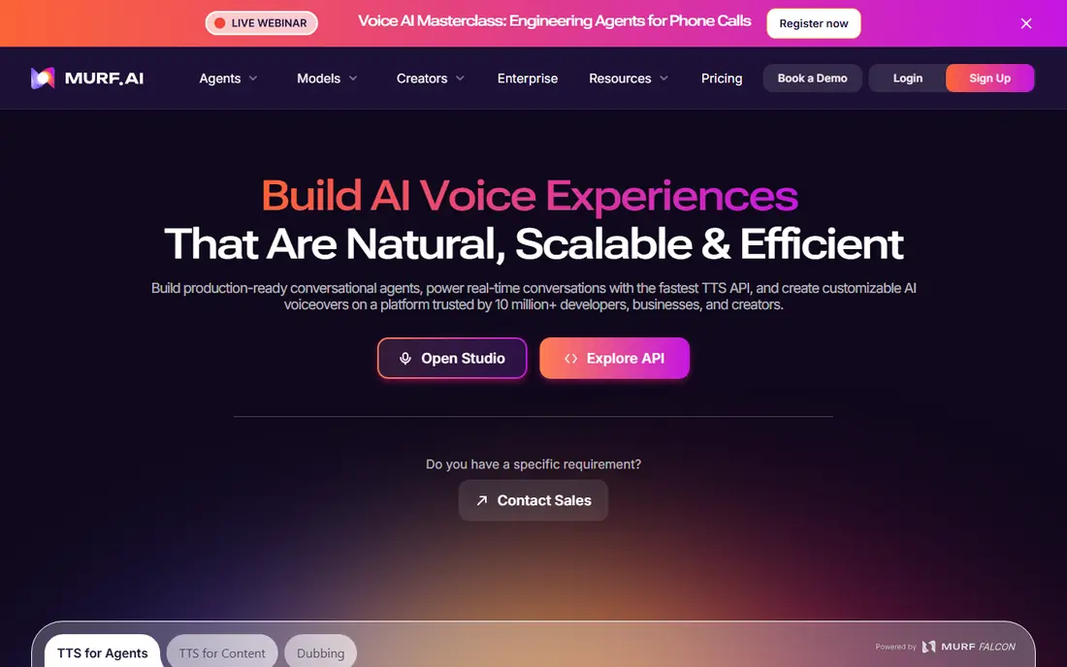
Murf AI was built for video voiceover teams. Murf is made for people who make videos, courses, and presentations rather than audio files alone. Worth adding: you can line up voiceover against visuals, adjust pauses, and change emphasis without leaving the studio. That workflow saves time for teams that revise scripts commonly. It lets you hear voices and test the editor, but premium access is needed for finished commercial work. Beyond that, annual billing lowers the monthly figure, so check both prices at checkout. On cost, Murf AI starts like this: $19 per month. A free plan is available with Murf AI. The main drawbacks: Free plan does not allow commercial downloads.

Free plan: Yes

Website: murf.ai

Strengths

  • Team friendly workflow
  • Visual studio with timeline editing

Watch out for

  • Cloning is restricted on lower plans
3

PlayHT

Large voice library
See website

Pick PlayHT if this describes you: large voice library. The library handles numerous languages and accents, and cloning lets you build a repeatable voice for a series. Pricing is the part to double check. Trade-offs to know: Some features sit on higher levels. Beyond that, confirm whether the plan you need contains the voice quality and download format you want. Also, published starting prices have varied across the year, so use the current pricing page instead of an older review. Developers can also use the API to add speech to an app. PlayHT shows no starting price here, so confirm the cost on the vendor site. PlayHT includes a free tier.

Free plan: Yes

Website: play.ht

Strengths

  • API access
  • Voice cloning choices

Watch out for

  • Pricing has changed commonly
4

NaturalReader

Reading documents aloud
See website

Choose NaturalReader for reading documents aloud. NaturalReader started as a reading tool, and it still shines there. Worth adding: the interface is plain and fast to learn, which helps readers who want audio without learning an editing studio. It is not the best choice for refined ads or character narration. Also, the voices are clear and pleasant, but the tool is designed for reading first and performance second. Check the vendor site for NaturalReader pricing; none is listed in this comparison. A free plan is available with NaturalReader. What to check first: Advanced voices need a premium plan.

Free plan: Yes

Website: naturalreaders.com

Strengths

  • Decent accessibility choice
  • Capable document reading tools

Watch out for

  • Less suited to broadcast quality voiceover
5

WellSaid Labs

Professional English narration
$10 a month

Think of WellSaid Labs for professional English narration. WellSaid Labs keeps things straightforward, and that is its strength. Watch-outs: Language range is narrower than global rivals. On top of that, the catalogue is most solid in English, and teams with global content will need a second tool. If you need numerous languages, this is not the first pick. Entry price for WellSaid Labs: $10 per month. WellSaid Labs offers a free plan.

Free plan: Yes

Website: wellsaidlabs.com

Strengths

  • Clean professional English voices
  • Well suited to training and marketing narration

Watch out for

  • Download limits apply
6

ElevenLabs

Most natural sounding voices
See website

ElevenLabs targets most natural sounding voices. ElevenLabs is the tool we would start with when voice quality matters most. Its voices manage pauses and tone better than most rivals, which helps long narration sound less flat. What to check first: Credit limits can run out quick on long projects. Read the plan limits before you commit, and test a full script on the free plan first. More specifically, the library contains a large set of stock voices, and premium plans add cloning for a consistent brand voice. Worth adding: the main limit is cost control. Pricing for ElevenLabs is not stated here, so ask the vendor for current figures. A free plan is available with ElevenLabs.

Free plan: Yes

Website: elevenlabs.io

Strengths

  • Voice cloning on premium plans
  • Very natural voices

Watch out for

  • Commercial use needs a premium plan

FAQ

Can I use free AI voices for YouTube or client work?

Numerous free plans allow personal listening and testing only, and commercial publishing needs a premium licence. Check the plan terms for the exact tool and level, and keep a record of the licence for client projects.

Is Amazon Polly the right pick for everyone comparing AI text to speech tools?

No single tool suits every team. Amazon Polly comes first because it fits developer text to speech, while Murf AI suits video voiceover teams and PlayHT suits large voice library. Match the tool to your own size, budget and workflow before deciding.

Can I try these options before paying?

Often, yes. Murf AI, PlayHT, NaturalReader and others have a free plan. Use your own data and a real task during the test, and check what the free tier or trial limits before you rely on it.

Which AI voice over software sounds most natural?

ElevenLabs is the most widely praised for natural sounding speech, with WellSaid Labs close behind for professional English narration. The best test is your own script, since voice fit relies on tone, pace, and subject.

What is the difference between text to speech and a voiceover studio?

Text to speech turns written text into spoken audio. A voiceover studio brings editing, timing, visual sync, and export tools around that speech. If you only need audio, a straightforward tool is enough.

Do these tools publish their prices?

Not all of them. Amazon Polly, PlayHT, NaturalReader and ElevenLabs publish no starting price, so expect a quote request for those. The rest, Murf AI included, show a starting price, though seats and billing terms still change the final cost.