
AI Tools · Researched comparison

6 Best AI Tools for Faceless YouTube Channels for 2026

TaskReports may earn a fee from some links on this page, and some placements are paid and labelled. Neither one decides the order. See our disclosure.

The short answer

Start with vidIQ if you need titles, tags and channel growth. Alternatives: Fliki for script to video with voices, and Pictory for script to stock-footage video. The remaining 3 options are covered below with prices and limits.

On this page

Key takeaways

  • vidIQ sits first on this list: titles, tags and channel growth.
  • ChatGPT suits script drafting and ideas.
  • The cheapest monthly starting price in the list is $16 per month, offered by Descript.
  • One limit worth knowing about vidIQ: does not make video.
  • Free plans exist at 5 of 6 tools (vidIQ, Fliki, Descript, InVideo AI, ChatGPT).

Quick comparison

ToolStarts atFree planVendor site
------------
vidIQFreeYesvidiq.com
Fliki$28 per monthYesfliki.ai
Pictory$25 per monthFree trialpictory.ai
Descript$16 per monthYesdescript.com
InVideo AI$20 per monthYesinvideo.io
ChatGPTFreeYeschatgpt.com
★ Best overall

vidIQ

Titles, tags and channel growth

  • Title ideas and competitor insights
  • Helps faceless channels find searchable topics

vidIQ was built for titles, tags and channel growth. For a channel without a personal audience, search discovery matters more than personality. For everyday use, use vidIQ to shortlist topics, then judge each one by the quality of existing videos and by whether you can add something new. In practice, growth tools help distribution, but they cannot rescue a thin video. Starting cost for vidIQ: Free. You can start on vidIQ without paying. Watch-outs: not a guarantee of views; premium plans needed for deeper research. Upsides: Keyword scores.

Price: Free

Free plan: Yes

Website: vidiq.com

Watch out for

  • Does not make video
2

Fliki

Script to video with voices
$28 a month

Fliki is a good fit for script to video with voices. Write or paste a script, pick a voice, choose visuals, and export a captioned video. In daily use, premium plans support longer videos, with Standard reported at $28 a month, or $17 a month billed yearly in some summaries, so check the current pricing page. What to check first: Monthly pricing is higher than some rivals. The free level lets you test the workflow with short, watermarked exports, which is enough to judge voice quality and editing feel, but not enough for regular publishing. That is a fair trial model, provided you do not mistake a short test export for a production plan. Fliki starts at: $28 per month. Free access exists with Fliki.

Free plan: Yes

Website: fliki.ai

Strengths

  • Free level for short exports
  • Script-to-video with a broad voice choice

Watch out for

  • Free exports are short and watermarked
3

Pictory

Script to stock-footage video
$25 a month

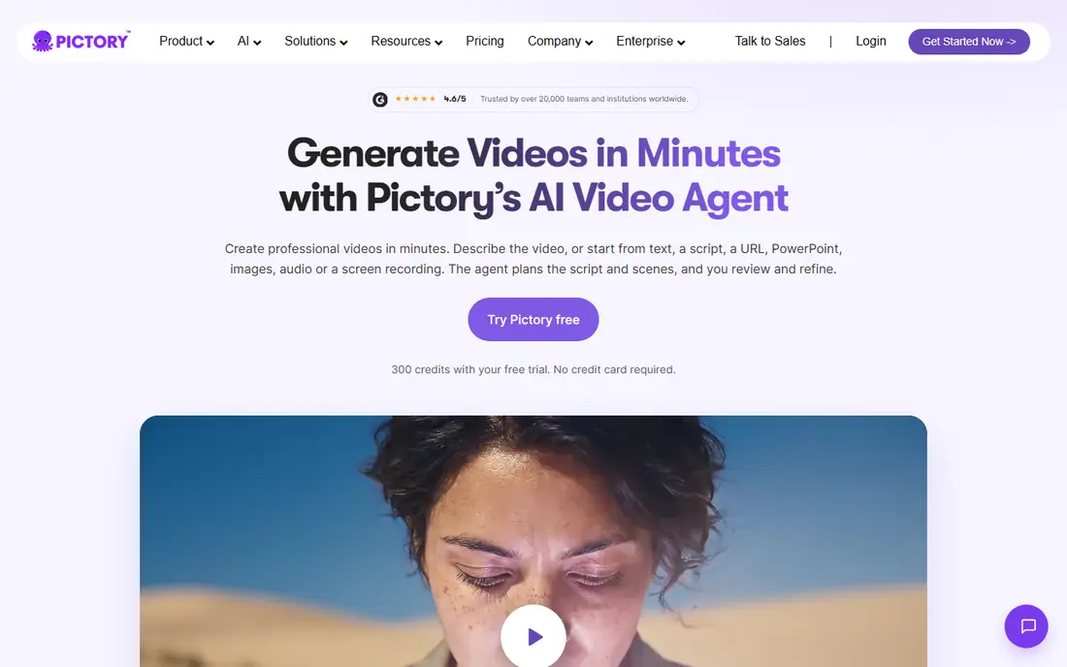
Think of Pictory for script to stock-footage video. Check the pricing page for the current monthly and annual figures, since they change, and note that trial videos carry limits. Stock footage channels can look alike, and viewers notice when every video uses the same library clips and transitions. Where it is weaker: No free plan, only a trial. Pictory saves time on assembly, but it does not replace judgment about what a scene should display. From a buyer's view, pricing summaries put Pictory Starter at $25 a month billed yearly, with higher levels for longer videos and team use. A 14-day trial instead of a free plan. Paste a script or article, and Pictory builds a video with visuals, captions and voiceover, which you then edit scene by scene. The starting price for Pictory: $25 per month. Free access: Free trial.

Free plan: Free trial

Website: pictory.ai

Strengths

  • Up to 30-minute videos on Starter in some summaries
  • AI voiceovers and captions included

Watch out for

  • Editing control is lighter than a full editor
4

Descript

Text-based video editing
$16 per month

Descript is aimed squarely at text-based video editing. For faceless channels that start with an AI draft, Descript is where that draft becomes watchable. Worth adding: pricing summaries put Descript from $16 a month billed yearly for Hobbyist, with a free level offering restricted transcription and export. Also, check the pricing page for current plan names and limits, since Descript changes levels as it brings AI features. Beyond that, Descript is not a replacement for Pictory or InVideo, since it does not generate a full video from a prompt in the same way. Descript cost at the entry level: $16 per month. You can start on Descript without paying. What to check first: Ramp-up time for text-based editing.

Free plan: Yes

Website: descript.com

Strengths

  • Edit video by editing text
  • Filler-word removal and transcript cleanup

Watch out for

  • Not a full script-to-video generator
5

InVideo AI

Prompt to video drafts
$20 a month

InVideo AI is designed for prompt to video drafts. InVideo scripts can be generic, visuals can mismatch the narration, and facts need checking, just as with any AI draft. As for the details, type a prompt describing the video you want. It drafts a script, selects visuals, layers on voiceover and music, and hands you an editable timeline. That speed helps when you are testing five niche ideas and want to see which one holds watch time before committing to a full production system. InVideo AI is the fastest way to test a faceless format. In daily use, draft quality is the limit. For everyday use, treat the output as a rough cut: rewrite weak sections, swap mismatched clips, fix captions, and add your own intro hook. Starting cost for InVideo AI: $20 per month. InVideo AI offers a free plan. What to check first: Free exports carry limits.

Free plan: Yes

Website: invideo.io

Strengths

  • Handy for testing formats quick
  • Prompt-to-video drafts with script

Watch out for

  • Drafts need editing for accuracy and style
6

ChatGPT

Script drafting and ideas
Free

ChatGPT is designed for script drafting and ideas. ChatGPT, from OpenAI, is the most handy starting tool for a faceless channel since it handles the hardest blank-page step: ideas, outlines and first-draft scripts. More specifically, ask for a structure, a hook and section beats, then rewrite in your own voice, check every factual claim, and cut anything that sounds generic. Where it is weaker: Drafts need fact-checking and editing. AI scripts can invent facts, repeat clichés and miss the specific angle that makes a niche worth watching. In practice, use ChatGPT to draft, then verify, add examples, and record or produce narration only after the script reads like something you would actually say. The starting price for ChatGPT: Free. ChatGPT offers a free plan.

Free plan: Yes

Website: chatgpt.com

Strengths

  • Quick first drafts
  • Handy for research questions and hooks

Watch out for

  • Premium level needed for heavier use

FAQ

Do I need to present my face or use my own voice?

No. AI voices, stock footage, animation and screen recordings all work for faceless formats. A consistent AI voice and visual style help viewers recognize the channel. But you should still disclose AI use where YouTube or the tool needs it.

How are the tools for AI tools for faceless YouTube channels ordered?

The order follows typical fit for AI tools for faceless YouTube channels, with vidIQ first and ChatGPT last, then price clarity and free access. It is editorial judgement, not a score, so another team could rank the tools differently.

Which options for AI tools for faceless YouTube channels have a free plan?

On this list, vidIQ, Fliki, Descript, InVideo AI and ChatGPT include a free plan. Caps on seats, usage or features are common, so test the free plan against your real workload. One other tool offers a trial instead.

What should I avoid when using AI tools for YouTube?

Avoid publishing unedited AI drafts, copying other creators' scripts, using voices or images without permission, and making factual claims you have not checked.

Do these tools publish their prices?

Yes. Every tool from vidIQ to ChatGPT shows a starting price, though seats, add-ons and billing terms still change the final cost.

What are the best AI tools for a faceless YouTube channel?

Start with vidIQ if you need titles, tags and channel growth. Fliki is the better match for script to video with voices, and Pictory for script to stock-footage video. The best choice depends on budget, team size and workflow.