
AI Tools · Researched comparison

6 Strong AI Tools to Animate Photo Into Video Choices in 2026

TaskReports may earn a fee from some links on this page, and some placements are paid and labelled. Neither one decides the order. See our disclosure.

The short answer

Start with Hailuo AI if you need budget character animation. Runway is the stronger choice for creative control, while Pika suits beginner social clips. All 6 tools are compared below on price, free plan and limits.

On this page

Key takeaways

  • Hailuo AI is the opening pick, best for budget character animation.
  • A fair warning about Hailuo AI: plan details change commonly.
  • Pika has the lowest monthly starting price in this list: $8 per month.
  • A free plan is offered by 6 of the 6 tools, including Hailuo AI, Runway, Pika and Luma Dream Machine.
  • For realistic human motion, Kling AI is worth a look.

Quick comparison

ToolBest fitKey limitationPrice fromFree plan
---------------
Hailuo AIBudget character animationPlan details change oftenSee websiteYes
RunwayCreative controlLearning curve for advanced controls$12 per monthYes
PikaBeginner social clipsFree tier resolution is limited$8 per monthYes
Luma Dream MachineCinematic camera movesSerious volume becomes expensiveSee websiteYes
Adobe FireflyCommercially safe videoBest value inside Creative Cloud$9.99 per monthYes
Kling AIRealistic human motionFree exports may carry a watermarkSee websiteYes
★ Best overall

Hailuo AI

Budget character animation

  • Capable character and action animation
  • Expressive faces
PriceSee website
See Hailuo AI pricing

Hailuo AI is a good fit for budget character animation. Hailuo, from MiniMax, is a budget friendly choice for character animation. Higher resolution and longer clips cost more credits, which adds up on a busy week. For high volume short clips on a budget, Hailuo is hard to beat. In practice, a single reference photo can produce expressive faces and clear action, which fits short stories, social clips, and product demos. This comparison lists no price for Hailuo AI; ask the vendor. Hailuo AI has a free plan. Limits to weigh: Higher resolution costs more credits.

Price: See website

Free plan: Yes

Website: hailuoai.com

Watch out for

  • Plan details change frequently
2

Runway

Creative control
$12 a month

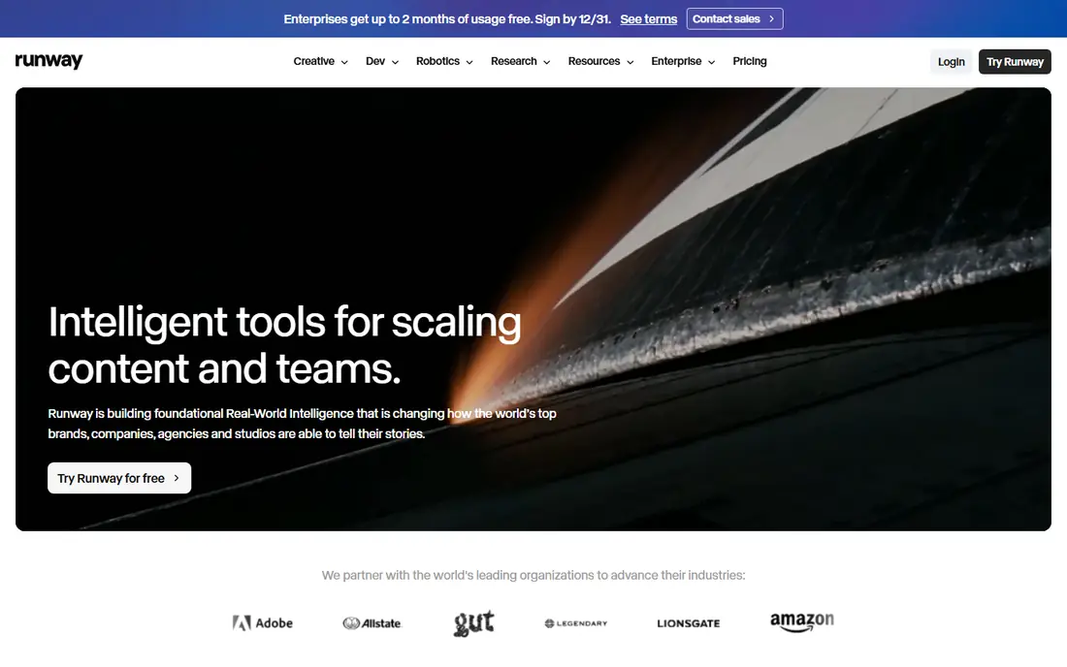
Where Runway fits: creative control. Reference image tools, camera controls, and multi shot choices provide precise control over how a still moves and how the camera behaves. That control matters for ads, music videos, and short films where each shot must match a vision. On top of that, Runway fits creators who want to direct a clip, not just animate it. On top of that, plan a small number of test generations, refine the prompt, and save full runs for the version you intend to keep. Credits disappear rapidly when you test numerous versions, and the free level gives you only starter credits. On cost, Runway starts like this: $12 per month. Runway offers a free plan. Downsides: Credits run out fast during iteration.

Free plan: Yes

Website: runwayml.com

Strengths

  • Reference image and camera tools
  • Production workflow

Watch out for

  • Ramp-up time for advanced controls
3

Pika

Beginner social clips
$8 per month

Where Pika fits: beginner social clips. Upload a photo, describe the motion, and get a short clip fast. Worth adding: Pika clips can look playful instead of cinematic, and longer or more complicated motion can drift from the original photo. From a buyer's view, effects tools and Pikaframes, which animate between a start and an end image, make transitions straightforward for social posts. From a buyer's view, use Pika for social content and fast tests. A tool like Kling or Runway for a refined hero shot. On top of that, the trade off is continuity. Entry price for Pika: $8 per month. You can start on Pika without paying. What to check first: Free level resolution is restricted.

Free plan: Yes

Website: pika.art

Strengths

  • Straightforward interface
  • Fun effects

Watch out for

  • Short clips can favour spectacle over continuity
4

Luma Dream Machine

Cinematic camera moves
See website

Luma Dream Machine is designed for cinematic camera moves. For a striking five second shot, it is a solid pick. In daily use, high volume work can become expensive, and clip length limits mean Luma fits short cinematic shots instead of long scenes. Points against: Clip length is short on plenty of models. Beyond that, Luma Dream Machine is noted for fluid motion and natural physics. As for the details, pricing has changed across the year, so use the current pricing page instead of an older review. For everyday use, camera moves feel smooth, and scenes with water, cloth, or falling objects behave in a believable way. No starting price is listed for Luma Dream Machine here; confirm pricing on the vendor site. Luma Dream Machine includes a free tier.

Free plan: Yes

Website: lumalabs.ai

Strengths

  • Natural physics and camera movement
  • Wide model access

Watch out for

  • Serious volume becomes costly
5

Adobe Firefly

Commercially safe video
$9.99 a month

Adobe Firefly is built with commercially safe video in mind. Generative credits are the limit to watch. Beyond that, premium video consumes credits quicker than still images. So a plan that feels ample for photos may run out rapidly on video. What you pay to start with Adobe Firefly: $9.99 per month. Adobe Firefly has a free plan. The main drawbacks: Best value inside Creative Cloud.

Free plan: Yes

Website: adobe.com/products/firefly.html

Strengths

  • Creative Cloud integration
  • Clear licensing approach

Watch out for

  • Premium video uses generative credits quick
6

Kling AI

Realistic human motion
See website

Kling AI targets realistic human motion. Kling is the tool we would start with for a photo of a person that needs to move naturally. Downsides: Queues and output quality vary by plan. More specifically, check the current credit allowance for the model you want, since newer models cost more credits per clip. Also, multi shot tools help extend a single photo into a short sequence. Check the vendor site for Kling AI pricing; none is listed in this comparison. Free access exists with Kling AI.

Free plan: Yes

Website: klingai.com

Strengths

  • Lip sync and native audio on newer models
  • Strong realistic human movement

Watch out for

  • Free exports may carry a watermark

FAQ

Which options for AI tools to animate photo into video have a free plan?

On this list, 6 of 6 tools include a free plan, among them Hailuo AI, Runway, Pika and Luma Dream Machine. Caps on seats, usage or features are common, so test the free plan against your real workload.

Can I try these tools before paying?

Often, yes. Hailuo AI, Runway, Pika and others have a free plan. Use your own data and a real task during the test, and check what the free tier or trial limits before you rely on it.

What are the best AI tools to animate photos into videos?

For most readers this guide would start with Hailuo AI, built for budget character animation. Runway is the alternative for creative control, and Pika for beginner social clips. The right answer depends on budget and workflow.

What is the cheapest option for AI tools to animate photo into video in this list?

On published monthly entry prices, Pika is the lowest here at $8 per month. Entry price is only part of the cost, because seats, add-ons and billing terms can change the total.

Is Hailuo AI the right pick for everyone comparing AI tools to animate photo into video?

No single tool suits every team. Hailuo AI comes first because it fits budget character animation, while Runway suits creative control and Pika suits beginner social clips. Match the tool to your own size, budget and workflow before deciding.