
AI Tools · Researched comparison

AI Tools to Animate Photo: 6 Options Side by Side (2026)

TaskReports may earn a fee from some links on this page, and some placements are paid and labelled. Neither one decides the order. See our disclosure.

The short answer

Start with Pika if you need social clips and playful effects. If your case is different, Luma Dream Machine suits quick natural photo motion and Kling AI suits realistic photo motion on a free level. Prices, free plans and limits for all 6 tools follow.

On this page

Key takeaways

  • Pika is the opening pick, best for social clips and playful effects.
  • Kling AI comes with a trade-off: free exports carry a watermark.
  • The cheapest monthly starting price in the list is $8 per month, offered by Kaiber.
  • Free plans exist at 5 of 6 tools (Pika, Luma Dream Machine, Kling AI, Runway, Hailuo AI).

Quick comparison

ToolBest forPrice fromOfficial site
------------
PikaSocial clips and playful effects$10 per monthpika.art
Luma Dream MachineQuick natural photo motionSee websitelumalabs.ai
Kling AIRealistic photo motion on a free level$10 per monthklingai.com
KaiberStylized photo-to-video clips$8 per monthkaiber.ai
RunwayControlled cinematic photo animation$15 per monthrunwayml.com
Hailuo AIQuick low-cost image-to-video$14.99 per monthhailuoai.video
★ Best overall

Pika

Social clips and playful effects

  • Playful effects for social content
  • Free monthly credits
Price$10 per month
See Pika pricing

Pika was built for social clips and playful effects. Motion can also lean playful rather than photorealistic, which fits social content better than archival work. On top of that, the Starter plan opens at $10 a month with a bigger credit pack. What to check first: Free credits run out quick on longer projects. In daily use, the free allowance fits testing and occasional clips, not daily production, since each generation spends credits. Beyond that, the workflow is straightforward: upload a photo, write what should move, and produce a short clip for social feeds. What you pay to start with Pika: $10 per month. Free access exists with Pika.

Price: $10 per month

Free plan: Yes

Website: pika.art

Watch out for

  • Commercial use needs a premium tier
2

Luma Dream Machine

Quick natural photo motion
See website

Think of Luma Dream Machine for quick natural photo motion. For quick drafts and natural motion, Luma remains a handy tool, but confirm the current plan before buying credits. Luma Dream Machine turns photos into short videos with smooth, natural motion. Its speed makes it handy for prototyping ideas before committing to a longer edit. Free outputs are also restricted and watermarked for personal use. Pricing for Luma Dream Machine is not stated here, so ask the vendor for current figures. Luma Dream Machine has a free plan. What to check first: Free outputs restricted.

Free plan: Yes

Website: lumalabs.ai

Strengths

  • Straightforward photo upload workflow
  • Quick generation with natural motion

Watch out for

  • Pricing has changed between levels and sources, so check live pricing
3

Kling AI

Realistic photo motion on a free level
$10 a month

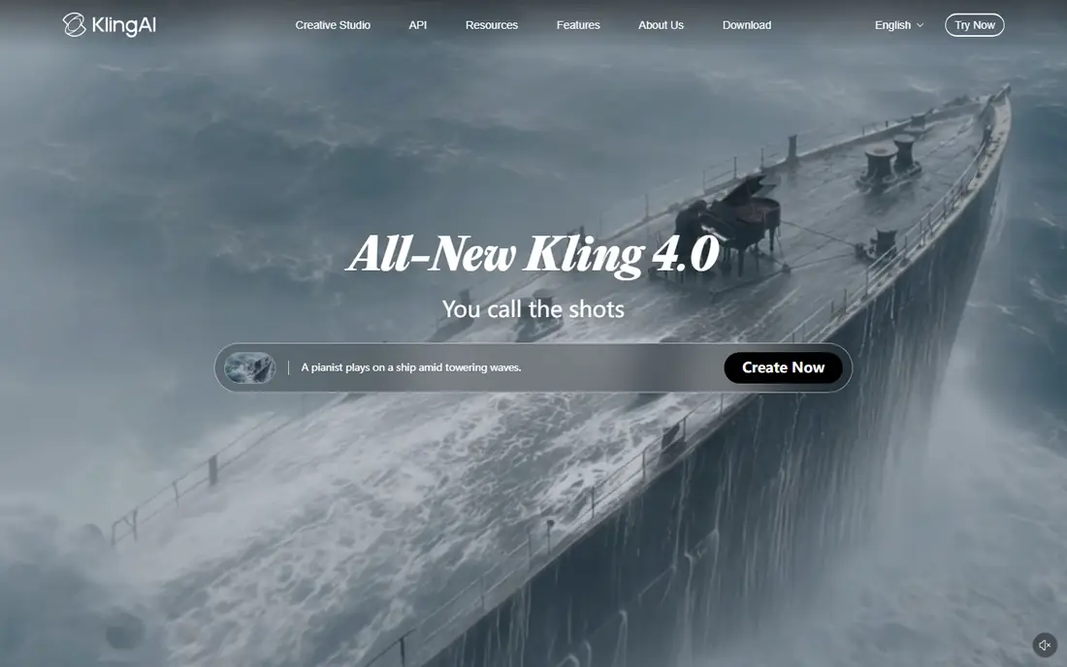
Kling AI was built for realistic photo motion on a free level. Kling AI turns a photo into a video clip with natural motion and camera movement. Its free level with daily login credits makes it usable over time without paying. Limits to weigh: Commercial use needs a premium plan. For everyday photo animation at low cost, Kling is our first pick. Upload a photo, describe the motion you want, and the model layers on movement to subjects and background while keeping the original image recognizable. Worth adding: free outputs are watermarked and restricted to personal use, so client work needs a premium plan. For everyday use, the Standard plan opens at $10 a month with a bigger credit allowance. Kling AI cost at the entry level: $10 per month. A free plan is available with Kling AI.

Free plan: Yes

Website: klingai.com

Strengths

  • Daily login credits on the free level
  • Solid image-to-video quality

Watch out for

  • Free exports carry a watermark
4

Kaiber

Stylized photo-to-video clips
$8 per month

Kaiber is built with stylized photo-to-video clips in mind. Kaiber converts photos and images into stylized video clips, with artistic styles that suit music videos, album visuals and creative social content. Worth adding: there is no free plan, so testing needs a premium month, and realistic portrait animation is not its strength. In daily use, Kaiber fits artists and musicians who want a distinctive visual style, whereas users who require a photo to move naturally should pick Kling, Runway or Hailuo instead. What you pay to start with Kaiber: $8 per month. There is no free plan with Kaiber. Where it is weaker: No free plan.

Free plan: No

Website: kaiber.ai

Strengths

  • Music video and creative project focus
  • Stylized and artistic video styles

Watch out for

  • Stylized output fits art projects more than realistic animation
5

Runway

Controlled cinematic photo animation
$15 per month

Runway is a good fit for controlled cinematic photo animation. That control helps when you want a subject to move whereas the background stays still, or when a camera move must follow a precise path. Where it falls short: premium plans cost more than more straightforward rivals. As for the details, the free plan gives you a one-time credit allowance, and premium plans start at $15 a month, or $12 a month billed yearly on some levels. Beyond that, for creators who require precise motion and refined output, it is worth the higher price. Starting cost for Runway: $15 per month. Runway includes a free tier.

Free plan: Yes

Website: runwayml.com

Strengths

  • Cinematic output quality
  • Editing tools for refining clips

Watch out for

  • Free plan is a one-time credit allowance
6

Hailuo AI

Quick low-cost image-to-video
$14.99 a month

Pick Hailuo AI if this describes you: quick budget-friendly image-to-video. For quick social clips and drafts, Hailuo provides decent value, but check each output before publishing, since not every generation will be usable. Where it is weaker: Free exports are watermarked. Hailuo AI cost at the entry level: $14.99 per month. A free plan is available with Hailuo AI.

Free plan: Yes

Website: hailuoai.video

Strengths

  • Daily bonus credits on the free level
  • Quick image-to-video generation

Watch out for

  • Output quality varies by prompt and photo

FAQ

How are the tools for AI tools to animate photo ordered?

Pika sits first and Hailuo AI last because the order follows typical fit for AI tools to animate photo, then price clarity and free access. It is a judgement call, so read each profile for fit and limits.

How long are AI photo animation clips?

Most tools produce short clips of a handful of seconds per generation, which fits social posts and slideshows. Longer videos normally need multiple clips joined in an editor, since single generations are capped by the model and credit cost.

Which options for AI tools to animate photo have a free plan?

On this list, Pika, Luma Dream Machine, Kling AI, Runway and Hailuo AI include a free plan. Caps on seats, usage or features are common, so test the free plan against your real workload.

What is the best AI tool to animate a photo?

Pika comes first here and is built for social clips and playful effects. Buyers with other needs may prefer Luma Dream Machine (for quick natural photo motion) or Kling AI (for realistic photo motion on a free level). Compare costs and limits first.

Can I try these tools before paying?

Often, yes. Pika, Luma Dream Machine, Kling AI and others have a free plan. Use your own data and a real task during the test, and check what the free tier or trial limits before you rely on it.

What is the cheapest option for AI tools to animate photo in this list?

On published monthly entry prices, Kaiber is the lowest here at $8 per month. Entry price is only part of the cost, because seats, add-ons and billing terms can change the total.