Data and Analytics · Researched comparison

Apps Data Analytics Compared: 6 Tools, Prices and Limits

TaskReports may earn a fee from some links on this page, and some placements are paid and labelled. Neither one decides the order. See our disclosure.

The short answer

Our first pick is Sisense, best for embedded analytics. Looker Studio is better for free Google dashboards, and ThoughtSpot is better for natural language search. Prices, free plans and limits for all 6 tools follow.

On this page

Key takeaways

  • Sisense sits first on this list: embedded analytics.
  • Qlik Sense suits associative exploration.
  • Looker Studio, Microsoft Power BI: these are the 2 tools out of 6 that offer a free plan.
  • Check the limits for Microsoft Power BI before you commit: full sharing needs premium licences.
  • Expect to ask for a quote from Sisense, ThoughtSpot, Microsoft Power BI and others; the other tools show a starting price.

Quick comparison

ToolEntry priceFree accessDomain
------------
SisenseSee websiteFree trialsisense.com
Looker StudioFreeYeslookerstudio.google.com
ThoughtSpotSee websiteFree trialthoughtspot.com
Microsoft Power BISee websiteYespowerbi.microsoft.com
TableauSee websiteFree trialtableau.com
Qlik SenseSee websiteFree trialqlik.com
★ Best overall

Sisense

Embedded analytics

  • Solid embedded analytics for products
  • Manages large and complicated datasets
PriceSee website
See Sisense pricing

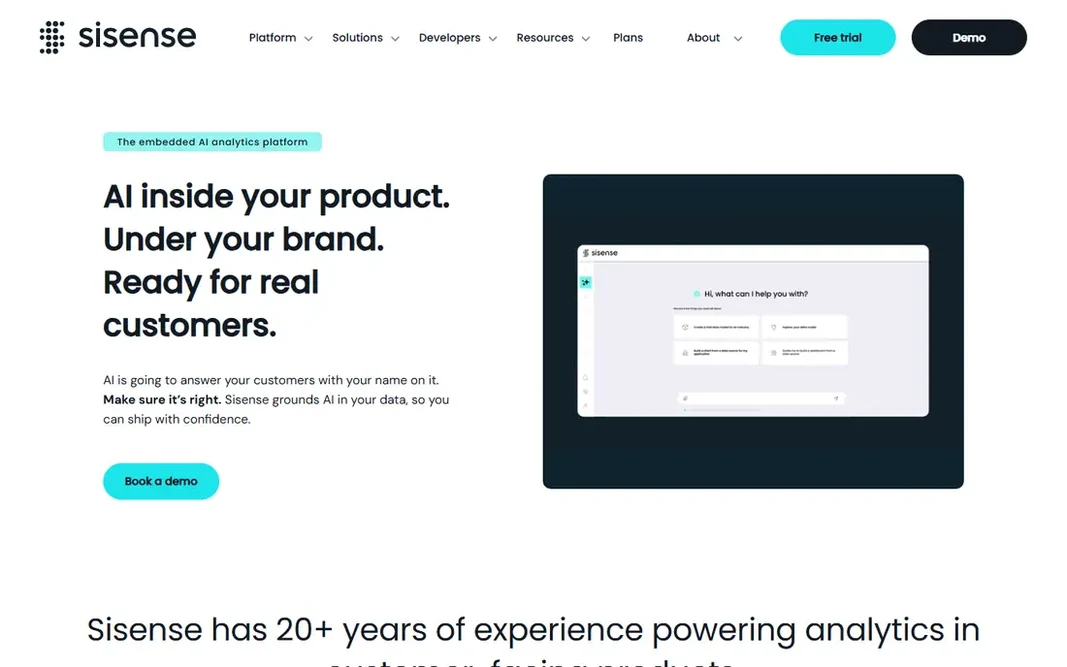
Think of Sisense for embedded analytics. Pricing comes by quote, and non-technical builders face a ramp-up time with the data modelling layer. Its engine handles large, complicated datasets, and embedded analytics can be white-labelled to match a product's look. Deployment runs in cloud or on-premise, and the system scales from a single team to enterprise use. This comparison lists no price for Sisense; ask the vendor. Trial and free access: Free trial. Where it falls short: Quote-based pricing.

Price: See website

Free plan: Free trial

Website: sisense.com

Watch out for

  • Builder ramp-up time for non-technical users
2

Looker Studio

Free Google dashboards
Free

Think of Looker Studio for free Google dashboards. Advanced features lag the premium systems. Where Looker Studio stands out: Simple Google Sheets. The main drawbacks: Fewer advanced analytics features. In practice, blending plenty of sources, handling huge datasets and building complicated calculations all hit limits sooner. Looker Studio pricing: Free. Looker Studio offers a free plan.

Free plan: Yes

Website: lookerstudio.google.com

Strengths

  • Analytics and Ads connectors
  • Free for core use

Watch out for

  • Performance can lag on very large datasets

3

ThoughtSpot

Natural language search
See website

ThoughtSpot is a good fit for natural language search. ThoughtSpot lets business users type questions like "sales by region last quarter" and get a chart back, without SQL or a dashboard builder. The approach performs best when data is well modelled, since the search layer relies on clean definitions underneath. As for the details, for organisations that want more people asking questions of data straight, instead of waiting on analysts for every report, ThoughtSpot changes how analytics gets used. Worth adding: pricing targets mid-sized and enterprise teams, so small firms may find it steep. ThoughtSpot does not show a starting price in this comparison, so check the vendor site for current pricing. On free options: Free trial. Honest limits: Needs well-modelled data to shine.

Free plan: Free trial

Website: thoughtspot.com

Strengths

  • AI answers with charts
  • A decent match for business users without SQL

Watch out for

  • Pricing is enterprise-oriented
4

Microsoft Power BI

Microsoft ecosystem teams
See website

Microsoft Power BI serves Microsoft ecosystem teams. Sharing is where costs appear. Where it falls short: Full sharing needs premium licences. For Microsoft shops that want capable analytics at a modest per-user price, Power BI is the value leader. Free desktop users cannot publish to shared workspaces without a Pro licence, and Premium capacity is a bigger step up. Check the vendor site for Microsoft Power BI pricing; none is listed in this comparison. You can start on Microsoft Power BI without paying.

Free plan: Yes

Website: powerbi.microsoft.com

Strengths

  • Deep Excel and Teams integration
  • Solid data modelling with DAX

Watch out for

  • Advanced features favour Windows users
5

Tableau

Visual data exploration
See website

Tableau is aimed squarely at visual data exploration. Tableau is the analyst's favourite for a reason. For teams where analysts drive discovery and visuals matter, Tableau remains the standard. Downsides: Ramp-up time for advanced calculations. Drag-and-drop exploration turns a dataset into charts rapidly, and the visual language makes patterns simple to spot. Creator licences are priced per user, and a team with numerous builders pays accordingly. Check the vendor site for Tableau pricing; none is listed in this comparison. As for free access: Free trial.

Free plan: Free trial

Website: tableau.com

Strengths

  • Huge community and learning resources
  • Best-in-class visual exploration

Watch out for

  • Creator pricing layers on up for large teams
6

Qlik Sense

Associative exploration
See website

Qlik Sense works best for associative exploration. Deployment runs in cloud or on-premise, with governance tools for enterprise teams. Qlik Sense uses an associative engine, which means clicking a value immediately displays what is related and what is excluded across the entire dataset. What to check first: Interface takes learning. For organisations that value free-form exploration over fixed reports, Qlik Sense supplies a different and feature-rich way to interrogate data. Analysts use that to explore freely without writing queries, and the approach surfaces patterns that fixed dashboards hide. No starting price is listed for Qlik Sense here; confirm pricing on the vendor site. As for free access: Free trial.

Free plan: Free trial

Website: qlik.com

Strengths

  • Solid on-premise and cloud choices
  • Decent governance

Watch out for

  • Pricing is quote-based for bigger deployments

Pre-purchase checklist

  • Ask Sisense, ThoughtSpot, Microsoft Power BI and others for a written quote, since no starting price is shown.
  • Check what the free option really includes: Looker Studio and Microsoft Power BI offer a free plan, and usage caps differ.
  • Run a trial of Sisense, ThoughtSpot, Tableau and Qlik Sense with real work before paying for a year; your own workflow is the best test.
  • Read the limits listed for Sisense first: quote-based pricing.
  • Ask Microsoft Power BI whether prices are locked for the first term and what happens at renewal.
  • Check whether the features you need in ThoughtSpot sit on the entry plan or only on higher tiers.

FAQ

Do these tools publish their prices?

Not all of them. Sisense, ThoughtSpot, Microsoft Power BI and others publish no starting price, so expect a quote request for those. The rest, Looker Studio included, show a starting price, though seats and billing terms still change the final cost.

What is embedded analytics?

Embedded analytics puts dashboards and charts inside another product, for example a SaaS app, so customers see insights without opening a separate BI tool. Sisense is a leading choice for this, with white-labelling and APIs for product teams.

Which apps data analytics have a free plan?

On this list, Looker Studio and Microsoft Power BI include a free plan. Caps on seats, usage or features are common, so test the free plan against your real workload. Several others offer a trial instead.

How do analytics link to my data?

Check that your specific sources are supported before buying, and confirm whether live queries or scheduled imports fit your data size and freshness needs.

Is Sisense the right pick for everyone comparing apps data analytics?

No single tool suits every team. Sisense comes first because it fits embedded analytics, while Looker Studio suits free Google dashboards and ThoughtSpot suits natural language search. Match the tool to your own size, budget and workflow before deciding.

What is the best data analytics for beginners?

For most readers this guide would start with Sisense, built for embedded analytics. Looker Studio is the alternative for free Google dashboards, and ThoughtSpot for natural language search. The right answer depends on budget and workflow.