IT Management · Researched comparison

Software for Homelab Automation: 6 Options Side by Side (2026)

TaskReports may earn a fee from some links on this page, and some placements are paid and labelled. Neither one decides the order. See our disclosure.

The short answer

Our first pick is Proxmox VE, best for virtualization host. Node-RED is the stronger choice for visual automation flows, while Unraid suits storage plus Docker apps. Prices, free plans and limits for all 6 tools follow.

On this page

Key takeaways

  • Proxmox VE is the opening pick, best for virtualization host.
  • Free plans exist at 5 of 6 tools (Proxmox VE, Node-RED, Pi-hole, TrueNAS, Home Assistant).
  • Home Assistant fits smart home automation.
  • A fair warning about Node-RED: flows get messy at scale.

Quick comparison

ToolBest forStarts atFree option
------------
Proxmox VEVirtualization hostFreeYes
Node-REDVisual automation flowsFreeYes
UnraidStorage plus Docker apps$49 one-timeFree trial (30 days)
Pi-holeNetwork-wide ad blockingFreeYes
TrueNASNetwork storageFreeYes
Home AssistantSmart home automationFreeYes

How we chose

TaskReports looked at what each vendor publishes: pricing, plan limits, feature coverage for software for homelab automation and stated drawbacks. No hands-on testing is claimed. Figures are shown as the vendors publish them. Billing terms, seat minimums and add-ons can change the real cost. We ordered the tools by general fit, then by how clearly pricing is shown, then by free access. A buyer with unusual needs may reorder them.

★ Best overall

Proxmox VE

Virtualization host

  • Free and open source
  • Runs VMs and LXC containers

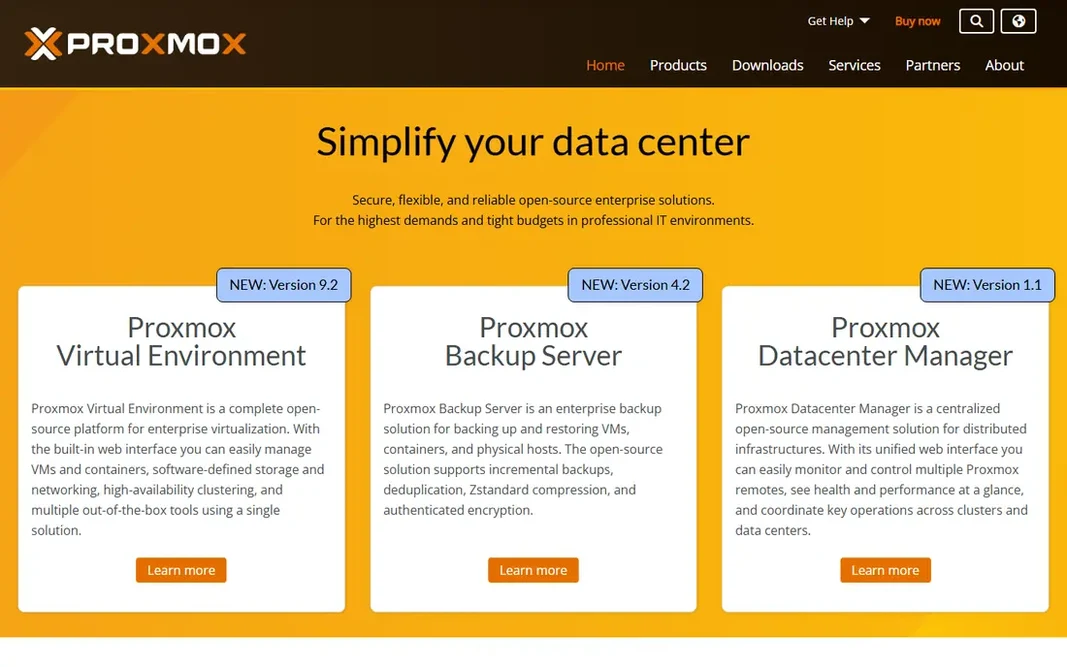
Proxmox VE is designed for virtualization host. Proxmox VE turns a spare PC or server into a virtualization host for your entire lab. What to check first: Enterprise support costs additional. In daily use, the software is open source, and premium enterprise support exists for those who want it. On top of that, the ramp-up time is real but fair. On cost, Proxmox VE starts like this: Free. Free access exists with Proxmox VE.

Price: Free

Free plan: Yes

Website: proxmox.com

Watch out for

  • Interface assumes Linux knowledge
2

Node-RED

Visual automation flows
Free

Node-RED is a good fit for visual automation flows. Version 5 is current, and it runs well on a Raspberry Pi or inside Home Assistant as an add-on. The weakness appears in large projects. Node-RED is where automations go when they outgrow straightforward rules. A flow with hundreds of nodes becomes hard to read, and debugging a timing bug across branches takes patience. The starting price for Node-RED: Free. Node-RED offers a free plan. Downsides: Debugging complicated logic takes practice.

Free plan: Yes

Website: nodered.org

Strengths

  • 5,000 plus community nodes
  • Runs beside Home Assistant

Watch out for

  • Flows get messy at scale
3

Unraid

Storage plus Docker apps
$49 one-time

In short, Unraid is for storage plus Docker apps. Unraid is the friendliest way to build a home server. Its storage lets you mix hard drives of any size and grow capacity one disk at a time, which fits a lab built from spare parts. Drawbacks to consider: premium license. Worth adding: for a media server and app host that grows gradually, Unraid's ease beats raw speed for most home users. As for the details, the primary technical trade-off is the parity system: mixed-size adaptability costs some write performance compared to striped arrays. Beyond that, licenses start at $49 with a 30-day free trial and no credit card required. Entry price for Unraid: $49 one-time. Free plan details: Free trial (30 days).

Free plan: Free trial (30 days)

Website: unraid.net

Strengths

  • Huge Community Apps catalog
  • Mix drive sizes freely

Watch out for

  • Parity drive limits write speed for some workloads
4

Pi-hole

Network-wide ad blocking
Free

Pi-hole was built for network-wide ad blocking. The main limit is allowlist tuning. Installed on a Raspberry Pi, an old PC, a VM or a Docker container, it acts as your network DNS server and blocks ads and trackers before they download, for every device at once. Where it is weaker: Can break sites that rely on blocked domains. Worth adding: Pi-hole is the smallest tool here and one of the most satisfying. Beyond that, the web interface presents query stats per client, and a full REST API lets your automations control it. Pi-hole cost at the entry level: Free. You can start on Pi-hole without paying.

Free plan: Yes

Website: pi-hole.net

Strengths

  • Web dashboard and REST API
  • Blocks ads and trackers for every device

Watch out for

  • Needs allowlist tuning
5

TrueNAS

Network storage
Free

Where TrueNAS fits: network storage. If your lab stores anything you cannot afford to lose, TrueNAS deserves the storage job. The honest cost is hardware. Watch-outs: Needs plenty of RAM for best results. In daily use, ZFS loves RAM, and a serious TrueNAS box wants ECC memory and multiple disks to shine. As for the details, built on OpenZFS, it spots silent data corruption with checksums and heals it automatically, which guards family photos, media libraries and backups from bit rot. Starting cost for TrueNAS: Free. A free plan is available with TrueNAS.

Free plan: Yes

Website: truenas.com

Strengths

  • File
  • Self-healing storage with OpenZFS

Watch out for

  • Enterprise features target businesses
6

Home Assistant

Smart home automation
Free

For smart home automation, Home Assistant is a natural candidate. Home Assistant is the center of most homelabs that touch smart home gear. The trade-off is setup depth. More specifically, entry-level automations are fast, but advanced logic, templates and custom dashboards take time to learn. What you pay to start with Home Assistant: Free. Home Assistant has a free plan. The main drawbacks: Some devices need additional setup.

Free plan: Yes

Website: home-assistant.io

Strengths

  • Connects with over 1,000 brands
  • Data stays local

Watch out for

  • Ramp-up time for advanced automations

FAQ

Can I run a homelab on a Raspberry Pi?

A Pi struggles with heavy virtualization and large ZFS arrays, so move to a PC or server when you add Proxmox or TrueNAS.

Is Proxmox VE the right pick for everyone comparing software for homelab automation?

No single tool suits every team. Proxmox VE comes first because it fits virtualization host, while Node-RED suits visual automation flows and Unraid suits storage plus Docker apps. Match the tool to your own size, budget and workflow before deciding.

Can I try these tools before paying?

Often, yes. Proxmox VE, Node-RED, Pi-hole and others have a free plan and Unraid offers a free trial. Use your own data and a real task during the test, and check what the free tier or trial limits before you rely on it.

Which options for software for homelab automation have a free plan?

Proxmox VE, Node-RED, Pi-hole, TrueNAS and Home Assistant offer a free plan in this list. Free plans usually cap users, projects or features, so check the limits on the vendor page. One other tool offers a trial instead.

How do I back up a homelab?

Back up at two levels: VM and container backups from Proxmox or Unraid, and configuration exports from Home Assistant, Node-RED and Pi-hole. Store one copy off the host, ideally on TrueNAS or an external drive, and test a restore before you need it.

What is the best homelab software to start with?

For most readers this guide would start with Proxmox VE, built for virtualization host. Node-RED is the alternative for visual automation flows, and Unraid for storage plus Docker apps. The right answer depends on budget and workflow.