
Productivity · Researched comparison

Comparing 7 AI Tool for Summarizing PDFs in 2026

TaskReports may earn a fee from some links on this page, and some placements are paid and labelled. Neither one decides the order. See our disclosure.

The short answer

Start with Claude if you need very long documents. Alternatives: Smallpdf for PDF tools plus AI summaries, and NotebookLM for comparing numerous sources. Prices, free plans and limits for all 7 tools follow.

On this page

Key takeaways

  • Claude takes the first slot, best suited to very long documents.
  • 7 of the 7 tools have a free plan, including Claude, Smallpdf, NotebookLM and ChatPDF.
  • Before buying Smallpdf, weigh this: free AI use very restricted.
  • SciSpace suits academic paper explanations.

Quick comparison

ToolIdeal forMain limitEntry priceFree option
---------------
ClaudeVery long documentsFree tier rate-limitedFreeYes
SmallpdfPDF tools plus AI summariesHeavier users need ProFreeYes
NotebookLMComparing numerous sourcesGoogle account requiredFreeYes
ChatPDFFast single-PDF summariesNo batch uploadFreeYes
HumataCross-file analysis valueOverage at $0.02 per pageFreeYes
ChatGPTAll-round PDF questionsAccuracy needs checkingFreeYes
SciSpaceAcademic paper explanationsPremium at $20 per monthFreeYes
★ Best overall

Claude

Very long documents

  • A decent match for interrogating one paper in depth
  • Large context window takes care of documents over 100 pages without chunking

Claude is a good fit for very long documents. Its careful prose and reasoning suit deep interrogation of a single paper: asking follow-ups, testing arguments, and summarizing sections in detail. Points against: Pro at $20 a month. More specifically, Claude also lacks literature context features, like paper discovery and citation management, that research tools offer. The free level is rate-limited, so regular PDF work needs Pro. Starting cost for Claude: Free. Claude offers a free plan.

Price: Free

Free plan: Yes

Website: claude.com

Watch out for

  • Free level rate-limited
2

Smallpdf

PDF tools plus AI summaries
Free

In short, Smallpdf is for PDF tools plus AI summaries. Free AI use is very restricted, and Pro at around $9 a month is only worth it if you also need the editing tools. For a user whose main job is reading papers, ChatPDF or Humata suits better. Worth adding: for a user whose central job is PDF management with occasional summaries, Smallpdf is convenient. What you pay to start with Smallpdf: Free. You can start on Smallpdf without paying. Limits to weigh: Free AI use very restricted.

Free plan: Yes

Website: smallpdf.com

Strengths

  • Pro around $9 a month
  • Full PDF toolkit alongside AI summaries

Watch out for

  • AI features are secondary to editing tools
3

NotebookLM

Comparing numerous sources
Free

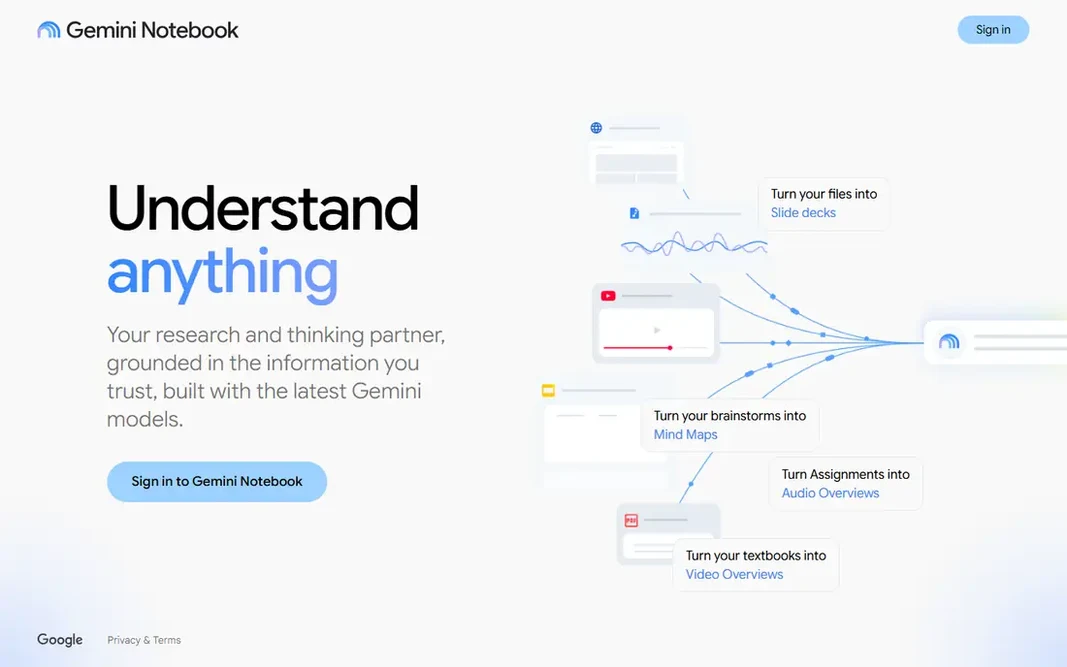
NotebookLM is aimed squarely at comparing numerous sources. You load up to 50 sources into a notebook, ask questions across all of them, and get answers grounded in those sources, plus audio summaries for commutes. Heavy users need premium Google plans for higher limits. Where it is weaker: No questions across notebooks; premium plans needed for higher limits. More specifically, limits are notebook boundaries and chat caps: no questions span notebooks, and 50 chats per day are shared. More specifically, for a literature review or a research project spanning numerous papers, cross-document questions are the point, and NotebookLM does them free. Entry price for NotebookLM: Free. A free plan is available with NotebookLM. Best features of NotebookLM: Audio summaries.

Free plan: Yes

Website: notebooklm.google.com

Strengths

  • Cross-document questions
  • Solid for research comparisons

Watch out for

  • Google account required
4

ChatPDF

Fast single-PDF summaries
Free

For fast single-PDF summaries, ChatPDF is a natural candidate. The free level permits 2 PDFs per day, which includes occasional paper reading, and the interface needs no ramp-up time. In practice, for a steady two-papers-a-day habit with straightforward verification, ChatPDF suits exactly. Upsides: No account needed to try. Plus pricing conflicts across guides, with figures from $5 to $19.99 a month reported, so confirm the current price before paying. ChatPDF is the most widely used dedicated PDF summarizer. Its appeal is focus: upload a PDF, ask questions, and get answers with citations to the source pages. On cost, ChatPDF starts like this: Free. Free access exists with ChatPDF. Trade-offs to know: Struggles with heavily technical documents.

Free plan: Yes

Website: chatpdf.com

Strengths

  • Page citations for verification
  • Simplest focused PDF chat

Watch out for

  • No batch upload
5

Humata

Cross-file analysis value
Free

Where Humata fits: cross-file analysis value. Humata describes itself as document-grounded AI for PDFs, letting you ask questions, create summaries, compare files, and inspect cited links back to source material. Downsides: Free level restricted to 60 pages. Humata states it does not use user data to train models and reports SOC 2 Type II compliance, which helps for sensitive work. You should still confirm terms for your organization. Humata starts at: Free. Humata offers a free plan.

Free plan: Yes

Website: humata.ai

Strengths

  • Does not use user data to train models
  • Cited links into source files

Watch out for

  • Overage at $0.02 per page
6

ChatGPT

All-round PDF questions
Free

ChatGPT is aimed squarely at all-round PDF questions. The free level limits file work heavily, and ChatGPT lacks the page citation discipline of ChatPDF or Humata, so verifying claims takes more effort. What to check first: Free level restricted to roughly 10 messages per 5 hours. On cost, ChatGPT starts like this: Free. Free access exists with ChatGPT.

Free plan: Yes

Website: chatgpt.com

Strengths

  • Plus at $20 a month for steady analysis
  • Versatile for summaries, questions, rewrites

Watch out for

  • Accuracy needs checking
7

SciSpace

Academic paper explanations
Free

SciSpace serves academic paper explanations. SciSpace, formerly Typeset, is designed for researchers who want to understand academic papers, not just skim them. Downsides: Premium at $20 a month. For everyday use, the free Basic plan needs no credit card but limits credits, summaries, and chat access, whereas Premium opens at $20 a month. Starting cost for SciSpace: Free. SciSpace offers a free plan.

Free plan: Yes

Website: scispace.com

Strengths

  • Evidence-backed answers grounded in source papers
  • Designed for academic papers

Watch out for

  • Less suited to short structured summaries

FAQ

Can I try these tools before paying?

Often, yes. Claude, Smallpdf, NotebookLM and others have a free plan. Use your own data and a real task during the test, and check what the free tier or trial limits before you rely on it.

Is Claude the right pick for everyone comparing AI tool for summarizing PDFs?

No single tool suits every team. Claude comes first because it fits very long documents, while Smallpdf suits PDF tools plus AI summaries and NotebookLM suits comparing many sources. Match the tool to your own size, budget and workflow before deciding.

Which AI tool for summarizing PDFs have a free plan?

On this list, 7 of 7 tools include a free plan, among them Claude, Smallpdf, NotebookLM and ChatPDF. Caps on seats, usage or features are common, so test the free plan against your real workload.

Do these tools publish their prices?

Yes. Every tool from Claude to SciSpace shows a starting price, though seats, add-ons and billing terms still change the final cost.

What is the best AI tool for summarizing PDFs?

Claude comes first here and is built for very long documents. Buyers with other needs may prefer Smallpdf (for PDF tools plus AI summaries) or NotebookLM (for comparing numerous sources). Compare costs and limits first.