
Productivity · Researched comparison

Which Apps for Productivity Tips Fits You? 7 Tools Compared

TaskReports may earn a fee from some links on this page, and some placements are paid and labelled. Neither one decides the order. See our disclosure.

The short answer

Our first pick is Asana, best for team projects with timelines. If your case is different, Evernote suits searchable notes and clipped material and Microsoft To Do suits a free list inside Microsoft accounts. The other 4 tools in the list cover narrower or pricier cases.

On this page

Key takeaways

  • Number one here is Asana, a fit for team projects with timelines.
  • The cheapest monthly starting price in the list is $5 per user/month, offered by Trello.
  • TickTick suits tasks, calendar, and habits in one app.
  • A fair warning about Trello: free workspace caps collaborators at ten.

Quick comparison

ToolBest forKey limitationEntry priceFree access
---------------
AsanaTeam projects with timelinesPer-seat cost rises fast for larger teams$10.99 per user/monthYes
EvernoteSearchable notes and clipped materialPrice is high for note-taking alone$10.83 per monthYes
Microsoft To DoA free list inside Microsoft accountsNo boards, timelines, or habit tracking$0Yes
TrelloStraightforward visual boardsNo real dependency management$5 per user/monthYes
TodoistQuick personal task captureFree plan caps projects at five$5 per monthYes
NotionNotes, docs, and tasks in one workspaceSetup takes real time$10 per user/monthYes
TickTickTasks, calendar, and habits in one appInterface feels dense next to Todoist$49.99 per yearYes
★ Best overall

Asana

Team projects with timelines

  • Timelines and dashboards on premium plans
  • Solid mobile app
Price$10.99 per user/month (billed yearly)
See Asana pricing

Asana is designed for team projects with timelines. Each task has one assignee, which removes the ambiguity that slows shared lists, and projects can switch between list, board, timeline, and calendar views. Also, advanced, at $24.99, brings portfolios, goals, workload views, approvals, and native time tracking. Where it falls short: Per-seat cost rises quick for bigger teams. Starter, at $10.99 per user a month billed yearly, layers on timeline and Gantt views, dashboards, custom fields, and unlimited automation rules. Worth adding: note the free plan carefully: Personal is free for up to two people, not for a small team, so a third teammate means moving to Starter. What you pay to start with Asana: $10.99 per user/month. You can start on Asana without paying.

Price: $10.99 per user/month (billed yearly)

Free plan: Yes

Website: asana.com

Watch out for

  • Free Personal plan is capped at two users
2

Evernote

Searchable notes and clipped material
$10.83 a month (billed yearly)

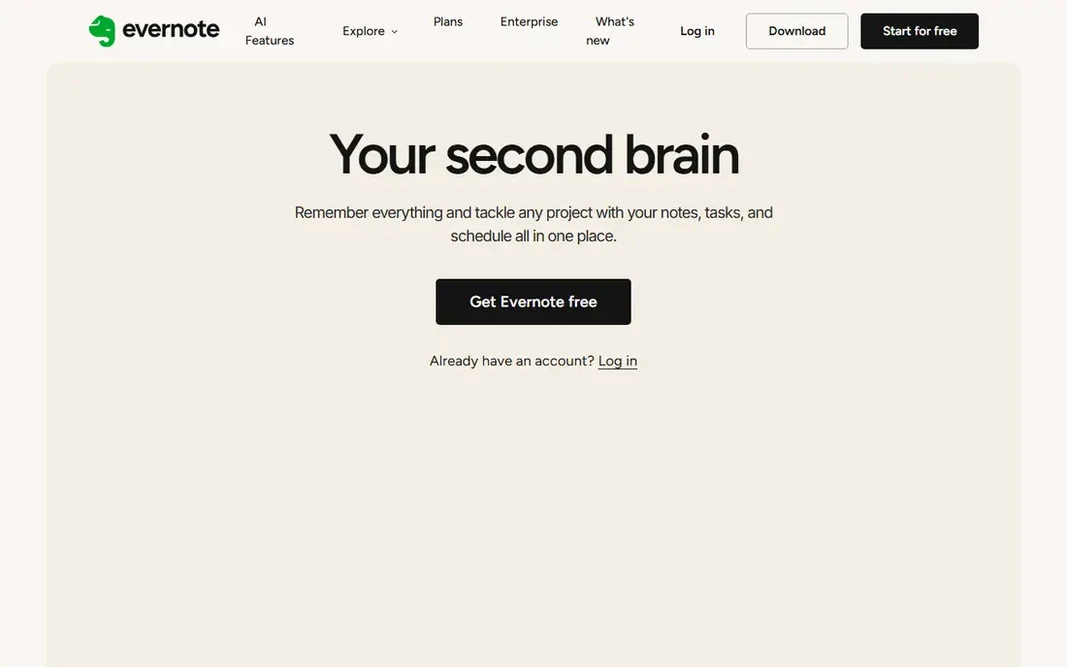
Choose Evernote for searchable notes and clipped material. Personal costs $129.99 a year, which works out to $10.83 a month billed yearly, and brings 10 GB of monthly uploads, offline access, and unlimited devices. For everyday use, professional, at $169.99 a year, layers on more upload capacity and advanced search. The main drawbacks: Free plan is restricted to 50 notes and one notebook. For everyday use, tasks and calendar links sit alongside notes, so a clipped article can become a dated action without leaving the app. In practice, the free plan, with 50 notes and one notebook, works as a short trial instead of a daily tool, so budget for Personal if Evernote becomes the primary capture inbox. Evernote pricing: $10.83 per month. Evernote offers a free plan.

Free plan: Yes

Website: evernote.com

Strengths

  • Solid web clipper
  • Dependable offline access on premium plans

Watch out for

  • Price is high for note-taking alone
3

Microsoft To Do

A free list inside Microsoft accounts
$0

Microsoft To Do targets a free list inside Microsoft accounts. Microsoft To Do is the quiet, no-cost option for people already living in Outlook, Teams, or OneDrive. Where it falls short: Feature depth is well below premium rivals. The My Day view, which asks the user to pick a small set for today, matches the most typical productivity advice in this category: choose a handful of items, finish them, and stop adding more. Lists, steps inside tasks, due dates, and reminders cover daily planning without a subscription, and flagged emails from Outlook can become tasks. Starting cost for Microsoft To Do: $0. Free access exists with Microsoft To Do. Best features of Microsoft To Do: Straightforward lists.

Free plan: Yes

Website: todo.microsoft.com

Strengths

  • Free with a Microsoft account
  • Suits Outlook and Teams workflows

Watch out for

  • No boards, timelines, or habit tracking
4

Trello

Straightforward visual boards
$5 per user/month (billed yearly)

Pick Trello if this describes you: straightforward visual boards. Cards hold checklists, due dates, attachments, and comments, and the built-in automation can move cards, add members, or set dates when a trigger fires. The limit to respect is structure: Trello has no capable way to say one task blocks another, and large boards become hard to scan. Trello starts at: $5 per user/month. A free plan is available with Trello. Trade-offs to know: No real dependency management.

Free plan: Yes

Website: trello.com

Strengths

  • Very low ramp-up time
  • Automation included from the free plan

Watch out for

  • Free workspace caps collaborators at ten
5

Todoist

Quick personal task capture
$5 a month (billed yearly)

Todoist targets quick personal task capture. Todoist earns its place first since it removes friction at the exact moment a task appears. That speed matters for productivity advice that relies on capture, since a system only works when entering a task takes less time than remembering it. Points against: Free plan caps projects at five. The premium Pro plan raises the project limit to 300, brings reminders, a calendar layout, and full activity history. On top of that, the honest catch is scope: Todoist is a list tool, not a notes app or a project dashboard. Price to start with Todoist: $5 per month. You can start on Todoist without paying.

Free plan: Yes

Website: todoist.com

Strengths

  • Clean lists on every platform
  • Handy free plan for entry-level lists

Watch out for

  • No built-in calendar or habit tracking depth
6

Notion

Notes, docs, and tasks in one workspace
$10 per user/month (billed annually)

Notion is designed for notes, docs, and tasks in one workspace. If the goal is just to remember ten tasks a day, Notion is more tool than the job needs. As for the details, Notion fits readers whose productivity problem is scattered information instead of a missing list. What to check first: Setup takes live. Business, at $20 per user per month billed yearly, brings the full AI set, private teamspaces, and SAML single sign-on. On top of that, notes, meeting records, project trackers, and reference pages can sit in one workspace, linked through databases that filter and sort by owner, date, or status. From a buyer's view, plus, at $10 per user a month billed yearly, brings unlimited file uploads, a 30-day page history, and unlimited guests. On cost, Notion starts like this: $10 per user/month. A free plan is available with Notion.

Free plan: Yes

Website: notion.so

Strengths

  • Adaptable pages and databases
  • Free plan includes unlimited pages for solo users

Watch out for

  • Full AI features need the Business plan
7

TickTick

Tasks, calendar, and habits in one app
$49.99 a year

Choose TickTick for tasks, calendar, and habits in one app. Tasks, a full calendar, a Pomodoro timer, and habit tracking sit side by side. So a morning plan, a focus session, and a daily habit check can all live in the same app. What TickTick does well: habit tracker. The calendar views, from yearly down to agenda, make it simpler to see busy weeks before they arrive. Worth adding: the free plan includes core task management, but list and habit caps arrive sooner than numerous people expect. What you pay to start with TickTick: $49.99 per year. TickTick has a free plan. Trade-offs to know: Team features are entry-level compared to Asana or ClickUp.

Free plan: Yes

Website: ticktick.com

Strengths

  • Built-in calendar
  • Pomodoro timer

Watch out for

  • Interface feels dense next to Todoist

FAQ

Do these tools publish their prices?

Yes. Every tool from Asana to TickTick shows a starting price, though seats, add-ons and billing terms still change the final cost.

What is the cheapest option for apps for productivity tips in this list?

On published monthly entry prices, Trello is the lowest here at $5 per user/month. Entry price is only part of the cost, because seats, add-ons and billing terms can change the total.

Is Asana the right pick for everyone comparing apps for productivity tips?

No single tool suits every team. Asana comes first because it fits team projects with timelines, while Evernote suits searchable notes and clipped material and Microsoft To Do suits a free list inside Microsoft accounts. Match the tool to your own size, budget and workflow before deciding.

Which options for apps for productivity tips have a free plan?

7 of the 7 tools have a free plan, including Asana, Evernote, Microsoft To Do and Trello. Free plans usually cap users, projects or features, so check the limits on the vendor page.