Ecommerce · Researched comparison

Shortlist: 7 Best Cartoon Animation Software Options for 2026

TaskReports may earn a fee from some links on this page, and some placements are paid and labelled. Neither one decides the order. See our disclosure.

The short answer

Start with Blender if you need 2D animators who want Grease Pencil inside a free complete 3D suite. Alternatives: Adobe Animate for web designers and animators producing interactive content in the Adobe ecosystem, and Cartoon Animator for beginners and content creators turning images into animated characters rapidly. The full list of 7 tools follows, with prices and free plan facts.

On this page

Key takeaways

  • Number one here is Blender, a fit for 2D animators who want Grease Pencil inside a free complete 3D suite.
  • Only 2 of the 7 tools have a free plan (Blender, OpenToonz), so check the caps.
  • For the cheapest start, look at Toon Boom Harmony: $30/month.
  • TVPaint Animation suits traditional animators who want digital drawing to feel like paper.
  • What to know about Blender first: 2D workflow sits inside a complicated 3D application.

Quick comparison

ToolEntry priceFree planVendor site
------------
BlenderFreeYesblender.org
Adobe AnimateSee websiteNoadobe.com
Cartoon AnimatorSee websiteFree trialreallusion.com
OpenToonzFreeYesopentoonz.github.io
Toon Boom Harmony$30/monthFree trial (14 days)toonboom.com
VyondSee websiteFree trial (14 days)vyond.com
TVPaint AnimationSee websiteNotvpaint.com
★ Best overall

Blender

2D animators who want Grease Pencil inside a free complete 3D suite

  • Grease Pencil is a full 2D animation system living in 3D space
  • Combine 2D characters with 3D environments
PriceFree ($0, open source)
See Blender pricing

Blender was built for 2D animators who want Grease Pencil inside a free complete 3D suite. The cost is complexity: you are learning a full 3D suite to do 2D work. What Blender does well: Massive community and tutorials; Free with no restrictions. The main drawbacks: 2D workflow sits inside a complicated 3D application. Entry price for Blender: Free. Free access exists with Blender.

Price: Free ($0, open source)

Free plan: Yes

Website: blender.org

Watch out for

  • Interface learning curve
2

Adobe Animate

Web designers and animators producing interactive content in the Adobe ecosystem
See website (Creative Cloud subscription)

Adobe Animate is a good fit for web designers and animators producing interactive content in the Adobe ecosystem. Check Adobe's current plan pricing on their site. Where it is weaker: Subscription-only through Creative Cloud. Pricing for Adobe Animate is not stated here, so ask the vendor for current figures. Adobe Animate has no permanent free option. Highlights: Purpose-built for web and interactive animation with HTML5 Canvas and WebGL export.

Free plan: No

Website: adobe.com/products/animate.html

Strengths

  • Character rigging plus frame-by-frame tools
  • Huge tutorial library

Watch out for

  • Overkill if you only need video output
3

Cartoon Animator

Beginners and content creators turning images into animated characters rapidly
See website (perpetual license)

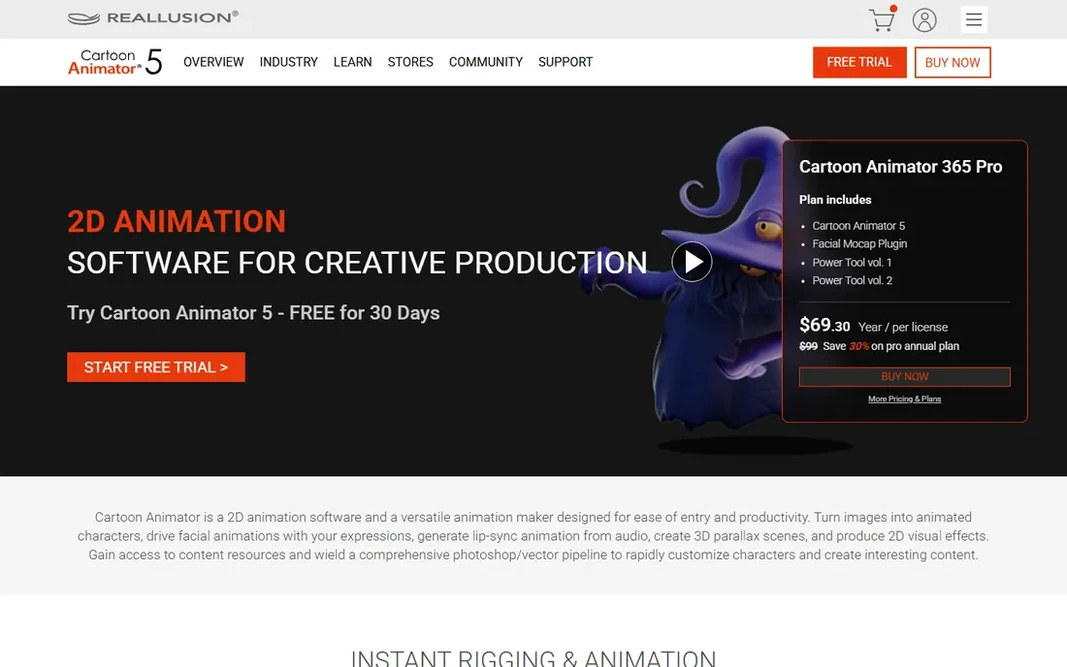
Cartoon Animator works best for beginners and content creators turning images into animated characters rapidly. Cartoon Animator 5 (current release 5.3) by Reallusion is made for speed of entry. Elastic motion effects, free-form deformation and a 3D parallax camera round out a toolkit geared toward YouTubers, educators, marketers and hobbyists. Upsides: 360-degree head creation and auto lip-sync from audio. It is the least intimidating serious 2D tool here, and the perpetual license means no continuing payments. Worth adding: check Reallusion's store for current pricing and the trial. Import a photo or illustration, and the software rigs it into an animatable character with 360-degree head turns. Facial motion capture drives expressions from your webcam, and lip-sync creates from audio automatically. In daily use, if your goal is finished cartoons this week instead of animation mastery, start here. Cartoon Animator does not show a starting price in this comparison, so check the vendor site for current pricing. As for free access: Free trial. Where it is weaker: Pricing not published on the product page.

Free plan: Free trial

Website: reallusion.com/cartoon-animator

Strengths

  • Perpetual license
  • 2D motion capture with webcam

Watch out for

  • Less control than Harmony or Moho for refined animation
4

OpenToonz

Traditional animators who want a free, production-proven 2D tool
Free ($0, open source)

Where OpenToonz fits: traditional animators who want a free, production-proven 2D tool. The trade-off is polish: the interface displays its production-tool roots and learning resources are sparser than for commercial rivals. What to check first: Windows and macOS only; Documentation is thin. In daily use, for traditional frame-by-frame animators on a zero budget, nothing else free comes close to this pedigree. Entry price for OpenToonz: Free. OpenToonz includes a free tier.

Free plan: Yes

Website: opentoonz.github.io/e

Strengths

  • Free for commercial work
  • Raster and vector workflows with xsheet and timeline

Watch out for

  • Interface feels dated and idiosyncratic
5

Toon Boom Harmony

Studios, freelancers and students doing professional 2D animation production
$30/month (Essentials); $77/month (Advanced); $139/month (Premium)

In short, Toon Boom Harmony is for studios, freelancers and students doing professional 2D animation production. Toon Boom Harmony is the software behind a large share of professional 2D animation: Disney Television Animation, Bento Box, Toei Animation and Xilam all use it. Points against: Annual billing needed for the best rates. Where Toon Boom Harmony stands out: Includes the full pipeline from rough drawing to compositing. Pricing is published and subscription-based, beginning at $30 a month for Essentials. The starting price for Toon Boom Harmony: $30/month. As for free access: Free trial (14 days).

Free plan: Free trial (14 days)

Website: toonboom.com/products/harmony

Strengths

  • The industry standard for 2D animation
  • Three editions scale from hobbyist to studio

Watch out for

  • The interface takes time to master
6

Vyond

Firms and educators making explainer, training and marketing videos
See website (subscription)

Vyond is built with companies and educators making explainer, training and marketing videos in mind. L&D departments, HR teams and marketers use it for training modules, explainers and internal comms. Points against: Output capped by template logic; Not a tool for original cartoon artistry. Also, buy it when the job is "we need a training video by Friday and nobody here animates." Vyond does not show a starting price in this comparison, so check the vendor site for current pricing. Trial and free access: Free trial (14 days).

Free plan: Free trial (14 days)

Website: vyond.com

Strengths

  • AI text-to-video and AI avatars in the current system
  • Props and scenes

Watch out for

  • Subscription pricing not published on the homepage
7

TVPaint Animation

Traditional animators who want digital drawing to feel like paper
See website (one-time purchase)

TVPaint Animation targets traditional animators who want digital drawing to feel like paper. TVPaint Animation is built on bitmap technology instead of vectors, which is exactly why traditional animators love it: the drawing experience, brushes and textures feel like real media on paper. It handles the full traditional pipeline with a light table, scan cleaner, storyboarding tools (Professional), CTG smart coloring and a 2D camera. It is sold as a one-time purchase in Standard and Professional editions, with educational pricing for students and schools. Beyond that, check the TVPaint store for current prices. No starting price is listed for TVPaint Animation here; confirm pricing on the vendor site. TVPaint Animation has no free plan. Downsides: Price not published on the homepage.

Free plan: No

Website: tvpaint.com

Strengths

  • Standard and Professional editions
  • Taught in major animation schools and used by studios worldwide

Watch out for

  • Smaller user community than Toon Boom

FAQ

Is Blender the right pick for everyone comparing Cartoon Animation software?

No single tool suits every team. Blender comes first because it fits 2D animators who want Grease Pencil inside a free complete 3D suite, while Adobe Animate suits web designers and animators producing interactive content in the Adobe ecosystem and Cartoon Animator suits beginners and content creators turning images into animated characters quickly. Match the tool to your own size, budget and workflow before deciding.

Can I make cartoons without knowing how to draw?

With rigged tools, yes: Cartoon Animator builds characters from photos, and Vyond supplies ready-made characters and templates. The results look template-driven, though.

How are the tools for Cartoon Animation software ordered?

Blender sits first and TVPaint Animation last because the order follows typical fit for Cartoon Animation software, then price clarity and free access. It is a judgement call, so read each profile for fit and limits.

Do these tools publish their prices?

Not all of them. Adobe Animate, Cartoon Animator, Vyond and TVPaint Animation publish no starting price, so expect a quote request for those. The rest, Blender included, show a starting price, though seats and billing terms still change the final cost.

What is the cheapest option for Cartoon Animation software in this list?

On published monthly entry prices, Toon Boom Harmony is the lowest here at $30/month. Entry price is only part of the cost, because seats, add-ons and billing terms can change the total.