
Productivity · Researched comparison

Comparing 6 Online Service for PDF Page Removal Tools in 2026

TaskReports may earn a fee from some links on this page, and some placements are paid and labelled. Neither one decides the order. See our disclosure.

The short answer

PDFsam Basic comes first here, mainly for offline removal with no limits. For a different need, PDF Candy covers straightforward free removal and PDF24 Tools covers fast removal with no limits. All 6 tools are compared below on price, free plan and limits.

On this page

Key takeaways

  • PDFsam Basic sits first on this list: offline removal with no limits.
  • PDF Candy comes with a trade-off: free level has hourly limits.
  • For reorder and delete together, PDF2go is worth a look.
  • 6 out of 6 tools include a free plan, among them PDFsam Basic, PDF Candy, PDF24 Tools and iLovePDF.

Quick comparison

ToolIdeal forFree tierOfficial site
------------
PDFsam BasicOffline removal with no limitsYespdfsam.org
PDF CandyStraightforward free removalYespdfcandy.com
PDF24 ToolsFast removal with no limitsYestools.pdf24.org
iLovePDFStraightforward removal plus editingYesilovepdf.com
SejdaRange removal onlineYessejda.com
PDF2goReorder and delete togetherYespdf2go.com
★ Best overall

PDFsam Basic

Offline removal with no limits

  • Free open source offline tool
  • File never leaves your computer

For offline removal with no limits, PDFsam Basic is a natural candidate. PDFsam Basic is the best free PDF splitter if you can install software. PDFsam Basic cost at the entry level: Free. Free access exists with PDFsam Basic. Points against: Removal works via split and merge, not direct delete. Best features of PDFsam Basic: Every kind of split.

Price: Free

Free plan: Yes

Website: pdfsam.org

Watch out for

  • Needs installation
2

PDF Candy

Straightforward free removal
Free

PDF Candy targets straightforward free removal. PDF Candy provides a straightforward free tool to delete pages from PDF files, alongside a broad set of other PDF tools from merging to converting. For a user who wants a straightforward free removal tool with a wide toolset behind it, PDF Candy is a solid choice. Watch-outs: Fewer advanced choices than Sejda or PDFsam. More specifically, no account is needed for entry-level use, and the interface stays straightforward on desktop and mobile browsers. From a buyer's view, free use carries hourly limits, and files upload to servers. Starting cost for PDF Candy: Free. PDF Candy includes a free tier. Best features of PDF Candy: Free removal plus plenty of PDF tools.

Free plan: Yes

Website: pdfcandy.com

Strengths

  • Straightforward interface
  • No account for entry-level use

Watch out for

  • Uploads to servers
3

PDF24 Tools

Fast removal with no limits
Free

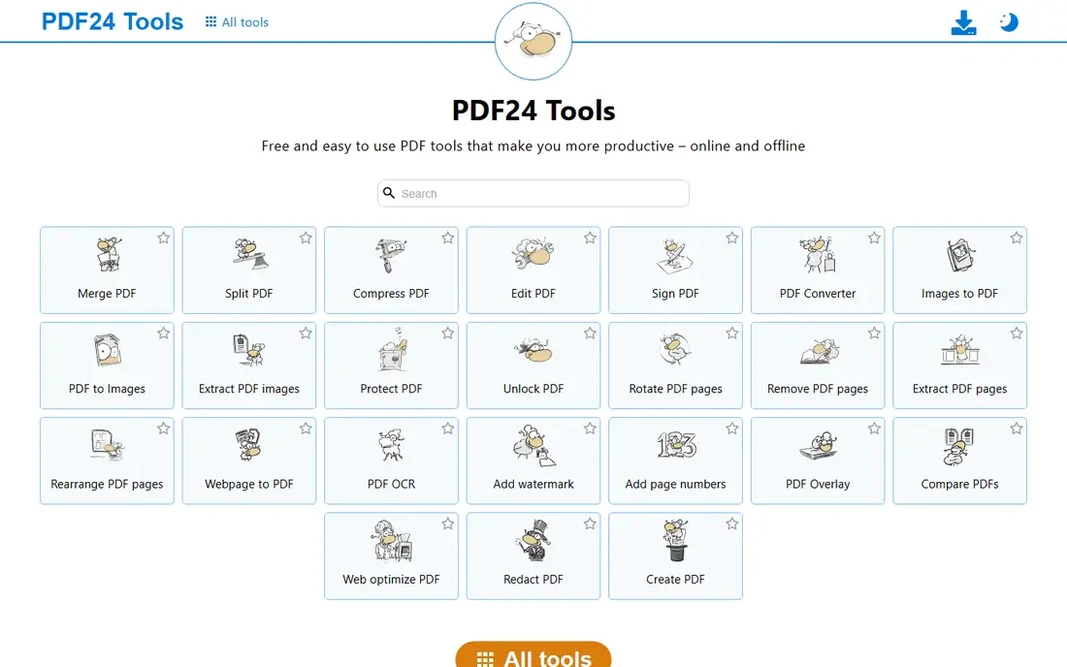
PDF24 Tools is built with fast removal with no limits in mind. The free online tool deletes pages in PDF files with no limits and no watermarks, no installation or registration required. Drag-and-drop page thumbnails to sort, add, or delete pages in the organizer view, then download the edited file. Starting cost for PDF24 Tools: Free. PDF24 Tools includes a free tier. Honest limits: Interface is less modern; Fewer editing extras than Smallpdf. Upsides: Quick page organizer with thumbnails.

Free plan: Yes

Website: tools.pdf24.org

Strengths

  • No installation or registration
  • No limits and no watermarks

Watch out for

  • Uploads your file to their servers
4

iLovePDF

Straightforward removal plus editing
Free

Where iLovePDF fits: straightforward removal plus editing. Beyond removal, the suite spans merging, splitting, compressing, and converting, so one site manages most PDF jobs. Points against: Uploads to servers. The free level carries size and count caps plus ads, and files upload to iLovePDF servers. iLovePDF cost at the entry level: Free. Free access exists with iLovePDF.

Free plan: Yes

Website: ilovepdf.com

Strengths

  • Straightforward removal tool plus full PDF editing suite
  • Bulk editing choices

Watch out for

  • Ads on the free version
5

Sejda

Range removal online
Free; from $5 per week

Sejda is built with range removal online in mind. Files auto-delete after 2 hours, and a desktop editor includes offline work. The main drawbacks: Free plan permits 200 pages and 50 MB; Batch processing needs a premium plan. Free limits run 200 pages and 50 MB with 3 tasks per hour, so heavy users need the weekly plan from $5. Entry price for Sejda: Free. A free plan is available with Sejda. What works well: Files auto-deleted after 2 hours.

Free plan: Yes

Website: sejda.com

Strengths

  • Remove pages by range or selection
  • No registration or watermarks

Watch out for

  • 3 tasks per hour
6

PDF2go

Reorder and delete together
Free

PDF2go is built with reorder and delete together in mind. PDF2go sort and delete tool lets you drop unwanted pages and rearrange what is left before downloading, both in the same view. Beyond that, for a user who needs to reorder plus delete, PDF2go is the most adaptable free tool. What to check first: Bigger files need an account or premium plan. Highlights: Free up to 50 MB without registering. Also, files up to 50 MB can be edited without registering, and a free account or premium plan raises that limit. Undo puts a deleted page back, and reset returns every page as loaded, whereas the uploaded PDF itself is never modified. Starting cost for PDF2go: Free. Free access exists with PDF2go.

Free plan: Yes

Website: pdf2go.com

Strengths

  • Reorder and delete in the same view
  • Undo and reset during editing

Watch out for

  • Fewer extras than full suites

FAQ

Can I try these tools before paying?

Often, yes. PDFsam Basic, PDF Candy, PDF24 Tools and others have a free plan. Use your own data and a real task during the test, and check what the free tier or trial limits before you rely on it.

Do these tools publish their prices?

Yes. Every tool from PDFsam Basic to PDF2go shows a starting price, though seats, add-ons and billing terms still change the final cost.

Can I remove several pages at once?

Yes. Most tools let you select multiple pages at once, and Sejda lets you specify an interval for deleting numerous pages in one pass.

How are the tools for online service for PDF page removal ordered?

PDFsam Basic sits first and PDF2go last because the order follows typical fit for online service for PDF page removal, then price clarity and free access. It is a judgement call, so read each profile for fit and limits.

Can I get a deleted page back?

Whereas editing, yes: undo or reset restores pages in most tools. After downloading the edited file, only the backed-up original restores the page.

How long do online tools keep my uploaded PDF?

It varies. Sejda auto-deletes files after 2 hours, and numerous reputable services delete within a handful of hours to a day. PDF2go keeps no backup of user files.