Xodo
Users who want PDF tools in the browser without installing anything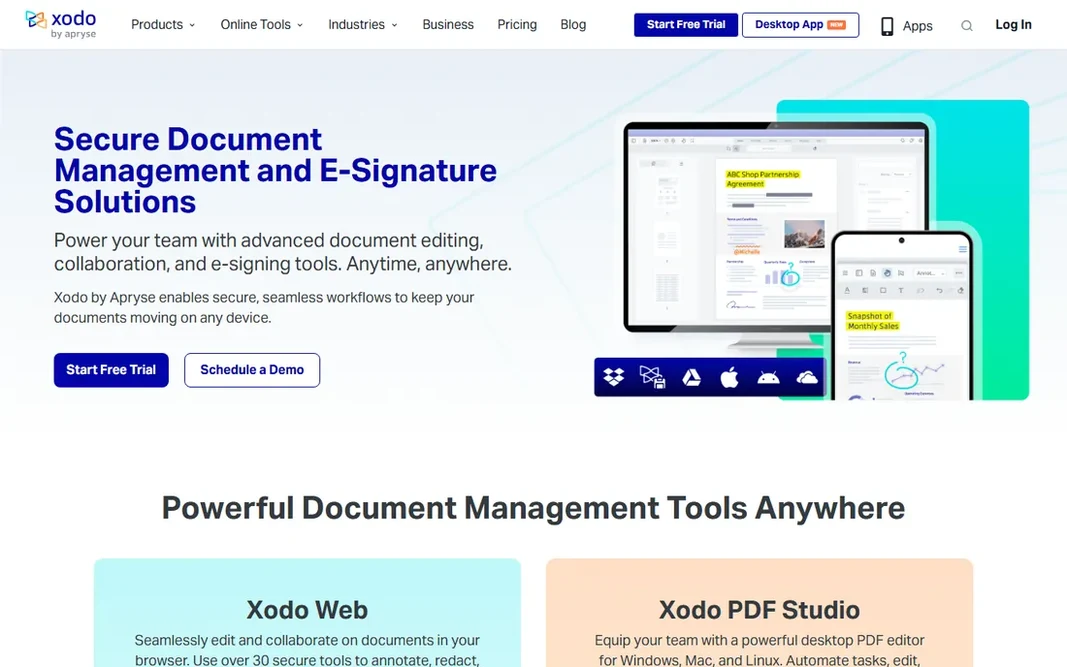
Xodo is built with users who want PDF tools in the browser without installing anything in mind. Xodo's homepage now leads with premium products for teams (PDF Studio, Xodo Sign), which recommends the free tools are no longer the company's center of gravity. The direction of travel is worth noting. Where it is weaker: The company now centres on premium team products, so the free offering's future is less certain. Where Xodo stands out: No installation for fast tasks. From a buyer's view, Xodo started as a beloved free PDF app and has grown into a document management company. But its web tools remain free and genuinely handy: annotation, redaction, compression, conversion and e-signing run in the browser with no install. More specifically, use them whereas they are free and very good, but keep a desktop reader installed for the day that changes. For the typical case of "I have to sign this PDF right now on a borrowed computer," Xodo Web is the fastest answer. On cost, Xodo starts like this: Free tools available. Xodo has a free plan.
Free plan: Yes
Website: xodo.com
Strengths
- Mobile apps for iOS and Android
- Full PDF toolkit in the browser: annotate, redact, compress
Watch out for
- Browser tools need an internet connection