How we rank
Productivity · Researched comparison

Best Time Tracking Apps for Mac in 2026

TaskReports may earn a fee from some links on this page, and some placements are paid and labelled. Neither one decides the order. See our disclosure.

The short answer

Toggl Track is the first pick for most people who want a time tracking app on a Mac. It has a desktop app for the menu bar, a free plan, and clear project timers. For automatic tracking that records apps and files without manual start and stop, Timing is the better fit. For teams that bill clients by the hour, Harvest pairs timesheets with invoicing.

On this page

Key takeaways

  • Toggl Track leads for most Mac users because it has a native desktop app, a free plan, and simple project-based timers.
  • Timing is the pick for automatic, app-level tracking on macOS without manual timers.
  • Harvest and Clockify suit teams that need timesheets tied to client billing and reporting.
  • Entry prices range from free plans to paid seats, so confirm current numbers on each vendor pricing page.

Quick comparison

ToolBest fitStarting price
Toggl TrackFreelancers and small teams who want a simple timerSee vendor pricing page
TimingMac users who want automatic activity trackingSee vendor pricing page
HarvestTeams that bill clients by the hourSee vendor pricing page
ClockifyTeams that want a free tier with shared timesheetsSee vendor pricing page
RescueTimePeople who want to see where computer time goesSee vendor pricing page
QbserveFreelancers who want automatic tracking with invoicingSee vendor pricing page
TimelyTeams that want automatic tracking with shared timelinesSee vendor pricing page

How we chose

We picked tools that run on macOS and match the use case in this guide, from manual timers to automatic activity tracking and team timesheets. We looked at fit for the use case, whether there is a free plan or trial, the entry price where it is published, and the main limits of each plan. The details come from vendor pages and public documentation, not from hands-on testing. Prices and plan limits change, so confirm current numbers on each vendor's site before you buy.

★ Best overall

Toggl Track

Freelancers and small teams who want a simple timer

  • Native Mac desktop app with menu bar timer
  • Free plan covers solo use
PriceSee vendor pricing page
See Toggl Track pricing
toggl.comHomepage, Nov 2026
Toggl Track homepage

Toggl Track is a time tracking tool with a desktop app for macOS. You start and stop timers from the menu bar, assign entries to projects and clients, and review time in reports. It suits freelancers and small teams that want a low-friction timer without a full project management suite. The free plan covers solo tracking. Paid plans add features such as billable rates, more report types, and team management. The Mac app syncs with the web account, so entries made offline appear once you reconnect. Skip Toggl Track if you need automatic tracking that records activity without pressing start. It is a manual timer at its core, and its value depends on you remembering to run it.

Price: See vendor pricing page

Free plan: Yes

Website: toggl.com/track

Watch out for

  • Advanced reporting needs a paid plan
  • Billable rates are limited on the free tier
2

Timing

Mac users who want automatic activity tracking
See vendor pricing page
timingapp.comHomepage, Nov 2026
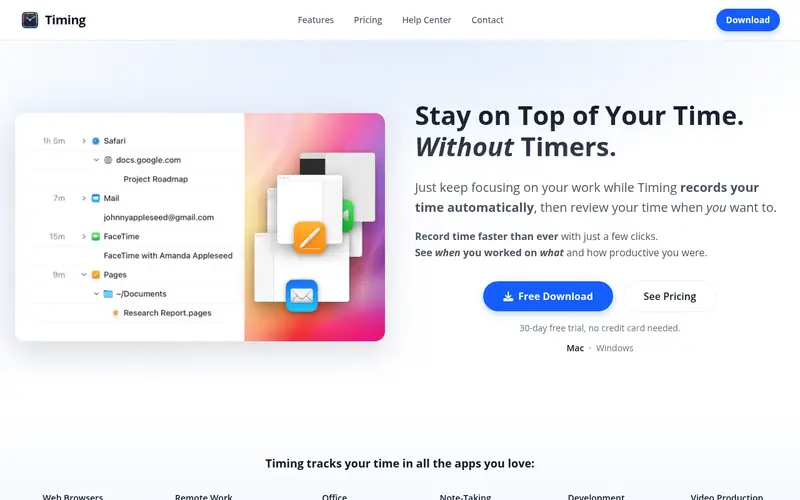
Timing homepage

Timing is a macOS-only app that tracks activity automatically. It records which apps and files you use and how long you spend in each, then lets you review the timeline and assign time to projects. It is aimed at people who forget to start timers or want a record of where the day went. Because it is built for the Mac, it integrates with the system rather than running as a web app in a browser. You review the recorded timeline and turn blocks of time into billable or non-billable entries. Timing is a poor fit for teams that need shared timesheets and approvals. It is a personal tracking tool, and its automatic recording may not match how a team wants to log hours against client work.

Free plan: Free trial (14 days)

Website: timingapp.com

Strengths

  • Records apps, windows, and files automatically
  • Built only for macOS

Watch out for

  • No free plan after the trial
  • Less suited to team timesheets
3

Harvest

Teams that bill clients by the hour
See vendor pricing page
getharvest.comHomepage, Nov 2026
Harvest homepage

Harvest is a time tracking and invoicing tool. Its Mac desktop app lets you start timers from the menu bar and attach them to projects and tasks. Tracked hours flow into timesheets, budgets, and invoices, which makes it a fit for agencies and freelancers who bill by the hour. The product is built around the link between time and money. You set billable rates, watch budget usage, and turn approved time into invoices. The Mac app keeps timers close at hand while the web account handles reporting and billing. Harvest does not offer a free plan beyond its trial, so solo users who only need a timer may find Toggl Track or Clockify cheaper. It makes more sense when invoicing and budgets are part of the workflow.

Free plan: Free trial (30 days)

Website: getharvest.com

Strengths

  • Timesheets connect to invoicing and budgets
  • Mac desktop app for timers

Watch out for

  • No free plan after the trial
  • Per-seat pricing adds up for larger teams
4

Clockify

Teams that want a free tier with shared timesheets
See vendor pricing page
clockify.meHomepage, Nov 2026
Clockify homepage

Clockify is a time tracking tool with a free plan that supports unlimited users. It has a desktop app for macOS, so you can run timers from the menu bar and assign entries to projects, clients, and tasks. It suits teams that want shared timesheets without a per-seat cost at the start. The free plan covers core tracking and basic reports. Paid plans add features such as more detailed reporting, admin controls, and integrations. The Mac app syncs with the web account and works alongside the browser and mobile versions. Clockify is a reasonable default for small teams on a budget. Skip it if you need deep invoicing, which is stronger in Harvest, or if you want automatic activity tracking, which is Timing's focus.

Free plan: Yes

Website: clockify.me

Strengths

  • Free plan supports unlimited users
  • Mac desktop app for timers

Watch out for

  • Some reporting and admin features are paid
  • Interface can feel busy
5

RescueTime

People who want to see where computer time goes
See vendor pricing page
rescuetime.comHomepage, Nov 2026
RescueTime homepage

RescueTime runs in the background on a Mac and records how much time you spend in apps and websites. It groups activity into categories and produces reports on focus time and distractions. It is aimed at people who want to understand their computer habits rather than bill clients. The free plan covers basic tracking and reports. Paid plans add features such as more history, alerts, and detailed reporting. Because it records activity automatically, it does not depend on you starting a timer. RescueTime is not a timesheet tool. It does not produce client-ready invoices or project budgets, so teams that bill by the hour should look at Harvest or Clockify instead.

Free plan: Yes

Website: rescuetime.com

Strengths

  • Runs in the background on macOS
  • Reports on app and site usage

Watch out for

  • Not built for client billing
  • Detailed features need a paid plan
6

Qbserve

Freelancers who want automatic tracking with invoicing
See vendor pricing page
QbserveHomepage image unavailable

Qbserve is a macOS time tracking app that records activity automatically and sorts it into projects. It is aimed at freelancers who want a record of billable time without running a manual timer, and it can turn tracked time into invoices. The app is built only for the Mac, so it fits people who work on one machine and want tracking that stays out of the way. You review the recorded timeline, correct entries, and mark time as billable. Qbserve is not a team tool. It lacks shared timesheets and approvals, so agencies with several people logging hours should use Harvest or Clockify. Solo freelancers who bill by the hour are the better fit.

Free plan: Free trial (See vendor pricing page)

Website: qbserve.co

Strengths

  • Automatic tracking built for macOS
  • Can produce invoices from tracked time

Watch out for

  • Mac-only, no team timesheets
  • Trial length should be confirmed on the vendor site
7

Timely

Teams that want automatic tracking with shared timelines
See vendor pricing page
TimelyHomepage image unavailable

Timely is a time tracking tool built around automatic capture. It records activity on your Mac and turns it into a private timeline, which you review and assign to projects. Teams can share timelines and see where hours go across the group. The product is aimed at teams and agencies rather than solo users who want a basic timer. It combines automatic tracking with project reporting and a shared view of time. Timely is not the cheapest option for one person, and its automatic capture may be more than a solo freelancer needs. Teams that want to reduce manual entry and still see project time are the better fit.

Free plan: Free trial (See vendor pricing page)

Website: timelyapp.com

Strengths

  • Automatic capture of activity into a timeline
  • Shared view for team time

Watch out for

  • Paid plans are aimed at teams
  • Not a simple single-user timer

Pre-purchase checklist

  • Confirm the app has a native macOS build, not only a web or browser version.
  • Check whether the free plan covers your team size or only solo use.
  • Confirm that tracked time can be exported or turned into invoices if you bill clients.
  • Review whether tracking is manual, automatic, or both, and how much control you have over recorded entries.
  • Check the current price and trial length on the vendor pricing page before you commit.

FAQ

Do these time tracking apps work natively on a Mac?

Yes. Each tool listed here has a macOS app or a Mac-specific build. Some, like Timing and Qbserve, are built only for macOS. Others, like Toggl Track and Harvest, offer a Mac desktop app alongside web and mobile versions.

Which app is best for automatic time tracking on a Mac?

Timing and Qbserve are built around automatic tracking and record apps and files without manual timers. RescueTime also runs in the background but focuses on usage reports rather than client billing. Toggl Track and Harvest are manual timers at their core.

Can I bill clients from tracked time?

Harvest is built around timesheets, budgets, and invoicing, so it fits client billing well. Qbserve can produce invoices from tracked time for solo freelancers. Toggl Track and Clockify track billable time, but invoicing is not their main focus.

Is there a free option?

Toggl Track, Clockify, and RescueTime offer free plans. Harvest, Timing, Qbserve, and Timely use trials or paid plans. Free plan limits differ, so check each vendor's pricing page for what is included.

Do these apps track time across a whole team?

Harvest, Clockify, and Timely support shared timesheets and team reporting. Toggl Track also has team plans. Timing and Qbserve are personal tools and do not provide team timesheets.