How we rank
Productivity · Researched comparison

Best Time Tracking for Airtable in 2026

TaskReports may earn a fee from some links on this page, and some placements are paid and labelled. Neither one decides the order. See our disclosure.

The short answer

Toggl Track is the first pick for most teams that need time tracking for Airtable, because it offers a free plan for small teams and a documented Airtable integration for pushing time entries into records. Clockify suits teams that want a free tier with unlimited users and a simple Airtable sync. Harvest fits agencies that bill clients by the hour and want invoices alongside Airtable time data. Teams that want tracking inside the base itself can use the native Airtable time tracking extension.

On this page

Key takeaways

  • Time tracking tools connect to Airtable in two ways: native Airtable Marketplace extensions that log time inside a base, and separate apps that sync time entries into Airtable through an integration.
  • Toggl Track, Clockify and Harvest are the common picks for teams that bill clients and want time entries pushed into Airtable records.
  • Entry prices for paid plans vary widely, and several tools offer a free tier with user or record limits, so check the vendor pricing page before you commit.
  • Airtable has no built-in timer, so most teams pair a base with a separate tracker and sync entries through an integration or Zapier.

Quick comparison

ToolBest fitStarting price
Toggl TrackFreelancers and small teams billing hoursSee vendor pricing page
ClockifyTeams that want a free tier with many usersSee vendor pricing page
HarvestAgencies billing clients by the hourSee vendor pricing page
EverhourTeams that plan projects in other toolsSee vendor pricing page
TimelyTeams that want automatic time captureSee vendor pricing page
HubstaffRemote teams tracking hours with activity dataSee vendor pricing page
JibbleField and shift teams logging hoursSee vendor pricing page

How we chose

We selected tools that either run inside Airtable as a Marketplace extension or publish a documented Airtable integration, then compared them on fit for the use case, published entry price, free access and main limits. Sources are vendor homepages, vendor pricing pages and public documentation. We did not run hands-on tests or benchmarks. Prices and plan limits change, so confirm current details on each vendor site before you buy.

★ Best overall

Toggl Track

Freelancers and small teams billing hours

  • Documented Airtable integration
  • free plan for small teams
PriceSee vendor pricing page
See Toggl Track pricing
toggl.comHomepage, Nov 2026
Toggl Track homepage

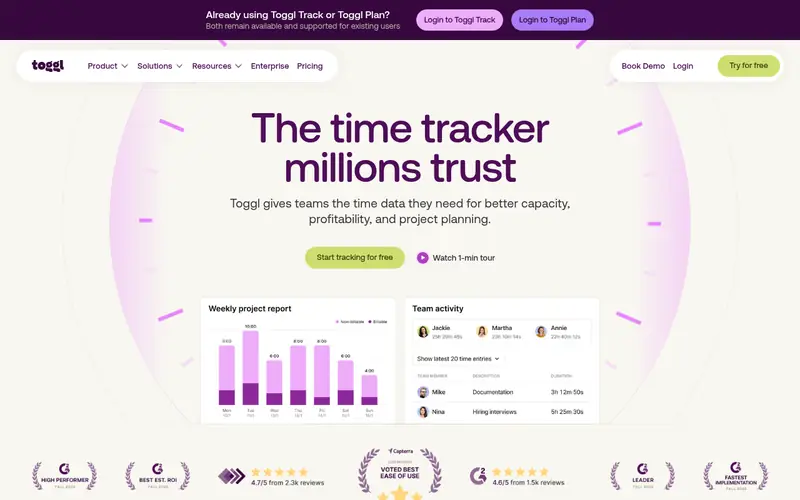
Toggl Track is a time tracking app with a documented Airtable integration. You start a timer from the Toggl Track web app, desktop app or browser extension, and the integration sends time entries into an Airtable base so records stay current. This suits teams that already plan work in Airtable and want hours attached to project or client records without manual entry. The free plan covers a small number of users and basic tracking. Paid plans add billable rates, rounding, saved reports and project estimates. Check the vendor pricing page for current per-user rates, because Toggl Track changes plan names and prices from time to time. Skip Toggl Track if you need time tracking to live entirely inside an Airtable base with no second app, or if you need invoicing built in. It tracks and reports time well, but billing is handled elsewhere.

Price: See vendor pricing page

Free plan: Yes

Website: toggl.com

Watch out for

  • Paid tiers needed for advanced reporting
  • per-user pricing adds up
2

Clockify

Teams that want a free tier with many users

See vendor pricing page
clockify.meHomepage, Nov 2026
Clockify homepage

Clockify is a time tracker with a free plan that supports unlimited users, which makes it a common choice for teams that want to log hours against Airtable projects without a per-seat cost. The Airtable integration connects tracked time to records in a base, so project hours and client hours stay in one place. The free plan covers core tracking, timesheets and basic reports. Paid tiers add billable rates, approvals, scheduling and custom fields. Confirm the current limits on the vendor pricing page, since Clockify adjusts its free plan features over time. Clockify fits teams that want a low-cost start and can accept a busier interface. Skip it if you need deep project accounting or if your team already standardizes on another tracker with a stronger Airtable sync.

Free plan: Yes

Website: clockify.me

Strengths

  • Free plan with unlimited users
  • Airtable integration available

Watch out for

  • Advanced features sit on paid tiers
  • interface can feel busy
3

Harvest

Agencies billing clients by the hour
See vendor pricing page
getharvest.comHomepage, Nov 2026
Harvest homepage

Harvest is a time tracking and invoicing tool aimed at agencies and consultancies. It tracks hours against projects and clients, turns them into invoices, and connects to Airtable so project and client records can reference tracked time. That combination suits teams that bill by the hour and want Airtable as the planning layer. Harvest offers a free trial rather than a permanent free plan. Paid plans are priced per seat, and the entry tier covers core tracking and invoicing. Check the vendor pricing page for current rates and seat minimums. Choose Harvest when invoicing is part of the workflow. Skip it if you only need raw hour logging and want to avoid a paid seat for every person who tracks time.

Free plan: Free trial (30 days)

Website: getharvest.com

Strengths

  • Built-in invoicing from tracked time
  • Airtable integration for project data

Watch out for

  • No permanent free plan
  • per-seat pricing
4

Everhour

Teams that plan projects in other tools
See vendor pricing page
everhour.comHomepage, Nov 2026
Everhour homepage

Everhour is a time tracking tool that embeds timers inside project management apps and syncs tracked hours to reporting tools, including Airtable. Teams that plan work in Airtable and run tasks elsewhere can use Everhour to keep hours in one reporting layer. Everhour does not offer a permanent free plan. It offers a trial, then per-seat pricing. The entry tier covers tracking, budgets and basic reports. Confirm current seat pricing and trial length on the vendor pricing page. Everhour suits teams that want timers where the work happens and Airtable as the reporting destination. Skip it if you need a free plan for a large team, or if you want tracking to live only inside Airtable.

Free plan: Free trial (14 days)

Website: everhour.com

Strengths

  • Time tracking embedded in project tools
  • Airtable integration for reporting

Watch out for

  • No permanent free plan
  • priced per seat
5

Timely

Teams that want automatic time capture
See vendor pricing page
TimelyHomepage image unavailable

Timely is a time tracking tool built around automatic capture. It records activity from the apps you use and lets you assign hours to projects, and it connects to Airtable so project and client records can reflect tracked time. That suits teams that forget to start timers and prefer to review captured time. Timely offers a trial rather than a free plan. Paid plans are priced per seat. The entry tier covers capture, projects and basic reports. Confirm current pricing and trial terms on the vendor pricing page. Timely fits teams that want less manual timer work. Skip it if you need precise start and stop control for every task, or if you want a free plan for occasional tracking.

Free plan: Free trial (14 days)

Website: timelyapp.com

Strengths

  • Automatic time capture from work apps
  • Airtable integration for records

Watch out for

  • No permanent free plan
  • memory-based capture needs review
6

Hubstaff

Remote teams tracking hours with activity data
See vendor pricing page
hubstaff.comHomepage, Nov 2026
Hubstaff homepage

Hubstaff is a time tracking tool for remote and distributed teams. It records hours, activity levels and optional screenshots, and it connects to Airtable so project and client records can reference tracked time. Teams that manage contractors or remote staff often use it for timesheets and payroll data. Hubstaff offers a trial rather than a free plan. Paid plans are priced per seat and vary by feature tier. The entry tier covers tracking and basic reports. Check the vendor pricing page for current rates. Hubstaff fits teams that need activity data alongside hours. Skip it if monitoring features would not be accepted by your team, or if you only need simple hour logging tied to Airtable.

Free plan: Free trial (14 days)

Website: hubstaff.com

Strengths

  • Time tracking with activity and screenshots
  • Airtable integration for projects

Watch out for

  • No permanent free plan
  • monitoring features need clear policy
7

Jibble

Field and shift teams logging hours
See vendor pricing page
jibble.ioHomepage, Nov 2026
Jibble homepage

Jibble is a time and attendance tracker built for shift and field teams. It records clock-in and clock-out times, supports geolocation and facial recognition on paid tiers, and connects to Airtable so timesheet data can flow into project or client records. Jibble offers a free plan for small teams, with paid tiers adding features such as geolocation, schedules and payroll. Check the vendor pricing page for current free plan limits and per-user rates. Jibble fits teams that track attendance and shifts rather than billable project hours. Skip it if your work is project-based and you need billable rates and invoices tied to Airtable records.

Free plan: Yes

Website: jibble.io

Strengths

  • Free plan for small teams
  • Airtable integration for timesheets

Watch out for

  • Shift focus may not suit project work
  • advanced features on paid tiers

Pre-purchase checklist

  • Confirm the tool has a documented Airtable integration or a Marketplace extension, and check which Airtable plan it requires.
  • Check whether the sync is one-way or two-way, and how often it runs.
  • Verify the free plan limits on users, records and history before you rely on it.
  • Confirm the entry price per seat and whether there is a seat minimum.
  • Check how time entries map to Airtable fields, such as project, client and billable status.

FAQ

Does Airtable have built-in time tracking?

Airtable offers a Time Tracker extension in its Marketplace that adds start and stop controls to a base and writes entries to a table. It is basic and depends on your Airtable plan. Teams that need billable rates, approvals or invoices usually connect a dedicated tracker instead.

Which time tracker integrates with Airtable?

Toggl Track, Clockify, Harvest, Everhour, Timely, Hubstaff and Jibble all publish Airtable integrations. The native Time Tracker extension runs inside Airtable itself. Check each vendor's documentation for setup steps and any plan requirements before you commit.

Is there a free time tracking option for Airtable?

Toggl Track, Clockify and Jibble offer free plans with limits on users or features, and the native Time Tracker extension is free to add. Harvest, Everhour, Timely and Hubstaff offer trials rather than permanent free plans. Confirm current limits on each vendor pricing page.

Can I bill clients from time tracked in Airtable?

Only if the tracker supports billable rates and invoicing. Harvest combines tracking with invoicing, and Toggl Track and Clockify support billable rates on paid tiers. The native Airtable extension does not handle billing, so you would export hours to another tool.

How do time entries get into Airtable?

Most integrations send time entries into a chosen base and table, mapping fields such as project, client, duration and date. Some run on a schedule and some sync in near real time. Check the vendor documentation for field mapping and sync frequency before you set it up.



