How we rank
Productivity · Researched comparison

Best Time Tracking for Bitbucket in 2026: 7 Tools Compared

TaskReports may earn a fee from some links on this page, and some placements are paid and labelled. Neither one decides the order. See our disclosure.

The short answer

Clockify is the first pick for teams that want a free start and simple timers tied to Bitbucket issues. Jira suits teams already inside the Atlassian stack, because Bitbucket and Jira share native links. Harvest fits teams that bill clients and need clean timesheet reports. All three connect work to Bitbucket repositories or issues, but the setup and pricing differ, so check each vendor page before you commit.

On this page

Key takeaways

  • Clockify has a free plan with unlimited users and tracks time against Bitbucket issues through its integrations.
  • Jira, from Atlassian, connects to Bitbucket natively and includes time tracking on paid plans.
  • Wrike and ClickUp both offer a free entry tier and can log hours against development tasks.
  • Harvest and Toggl Track are time-first tools with published entry prices and no permanent free plan.

Quick comparison

ToolBest fitStarting price
ClockifyFree time tracking for small dev teamsSee vendor pricing page
JiraTeams already using Atlassian tools with BitbucketSee vendor pricing page
WrikeProject teams that mix dev and client workSee vendor pricing page
ClickUpTeams that want tasks, docs and timers in one toolSee vendor pricing page
HarvestClient billing with clean timesheet reportsSee vendor pricing page
Toggl TrackFast timers with simple reportingSee vendor pricing page
HubstaffDistributed teams that need activity and time recordsSee vendor pricing page

How we chose

We picked tools that can log time against development work and can connect to Bitbucket or the issues beside it. Criteria were fit for the use case, the published entry price, free access, and the main limits of each plan. Sources are vendor websites and public documentation. Prices and plan limits change, so confirm the current details on each vendor's pricing page before you buy.

★ Best overall

Clockify

Free time tracking for small dev teams

  • Free plan with unlimited users
  • timers and manual entries for issue work
PriceSee vendor pricing page
See Clockify pricing
clockify.meHomepage, Nov 2026
Clockify homepage

Clockify is a time tracking tool with a free plan that covers unlimited users and unlimited tracking. For Bitbucket teams, the usual setup is to log hours against issue IDs and use the integrations directory to connect the tools around it. The free plan covers basic timesheets and reports. Paid tiers add features such as billable rates and more detailed reporting. The main limit is that Bitbucket is not a first-party integration. Teams that want time entries to appear inside Bitbucket itself will need to check the current integration list. Small teams that want a low-cost start and can accept a manual or integrated link to Bitbucket issues should look at Clockify first.

Price: See vendor pricing page

Free plan: Yes

Website: clockify.me

Watch out for

  • Bitbucket link runs through integrations, not a native build
  • advanced reports need a paid tier
2

Jira

Teams already using Atlassian tools with Bitbucket
See vendor pricing page
atlassian.comHomepage, Nov 2026
Jira homepage

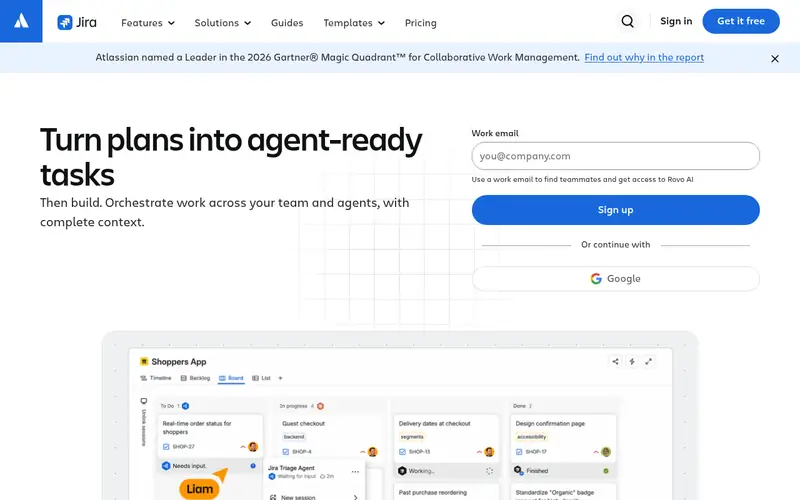
Jira is Atlassian's issue and project tracker. Bitbucket is also an Atlassian product, and the two connect so commits and pull requests show on Jira issues. Jira issues include a time tracking field where team members log work. That makes Jira the most direct route for teams that want hours tied to the same issues that reference Bitbucket code. Jira's free access is a time-limited trial, so teams should confirm the current plan structure on the pricing page. The tool is broad, and setup takes more effort than a simple timer. Teams that only need a stopwatch and a report may find Jira heavier than needed. Teams already paying for Atlassian tools get the tightest Bitbucket link here.

Free plan: Free trial (7 days)

Website: atlassian.com/software/jira

Strengths

  • Native links between Bitbucket and Jira issues
  • built-in time tracking on issues

Watch out for

  • Free access is a short trial, not a lasting free plan
  • cost rises with user count
3

Wrike

Project teams that mix dev and client work
See vendor pricing page
wrike.comHomepage, Nov 2026
Wrike homepage

Wrike is a work management platform with tasks, timesheets and reporting. Teams can log time on tasks and roll hours into reports. For Bitbucket teams, Wrike works best when development tasks are mirrored as Wrike tasks and hours are logged there. The free plan covers a small team and basic task management. The Bitbucket side is not native. Teams should check the integrations list before relying on automatic links. Wrike suits groups that already run client or project work in Wrike and want dev hours in the same place. Teams that want time entries to flow straight from Bitbucket commits should compare Jira first.

Free plan: Yes

Website: wrike.com

Strengths

  • Free entry tier
  • timesheets and task-level time entries

Watch out for

  • Bitbucket connection depends on integrations
  • paid tiers needed for fuller reporting
4

ClickUp

Teams that want tasks, docs and timers in one tool
See vendor pricing page
clickup.comHomepage, Nov 2026
ClickUp homepage

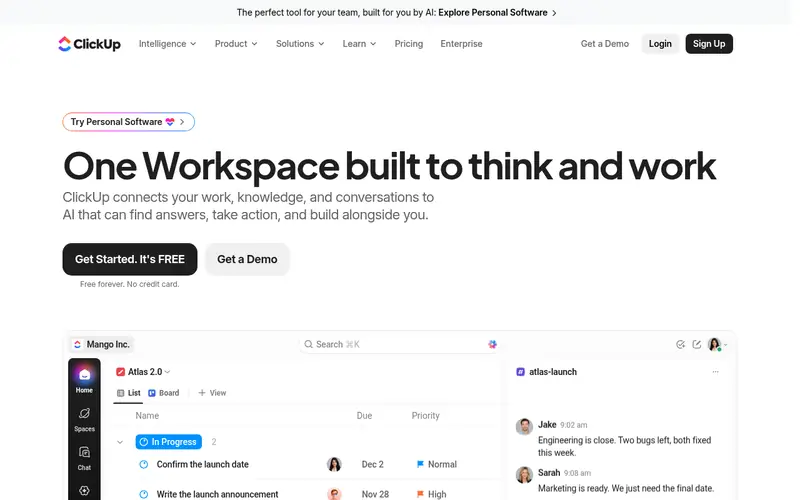
ClickUp is a work platform with tasks, docs, goals and a built-in time tracker. A timer sits on each task, and hours roll into reports. For Bitbucket teams, the common pattern is to create a task per issue and track time there, with integrations connecting the surrounding tools. The Free Forever plan covers a limited set of features and storage. ClickUp's strength is breadth. The trade-off is that a Bitbucket link is not native, so teams should confirm the current integration options. Groups that want one place for tasks, notes and timers may like it. Teams that want a narrow time tracker with a direct code link should look at Jira or a time-first tool.

Free plan: Yes

Website: clickup.com

Strengths

  • Free Forever plan
  • built-in timer on tasks

Watch out for

  • Bitbucket link is through integrations
  • feature depth can slow setup
5

Harvest

Client billing with clean timesheet reports
See vendor pricing page
getharvest.comHomepage, Nov 2026
Harvest homepage

Harvest is a time tracking and invoicing tool built around billable hours. Team members start timers or enter hours, then turn them into reports and invoices. For Bitbucket teams that bill clients, the usual setup is to log hours against project or issue names and keep the code link light. Harvest offers a free trial rather than a permanent free plan. Harvest does not connect to Bitbucket natively. Teams that need automatic links between commits and time entries should check the integrations list or pair Harvest with an issue tracker. Harvest fits agencies and consultancies that bill by the hour and want tidy reports. It is a weaker fit for teams that want tracking inside the code tool.

Free plan: Free trial (30 days)

Website: getharvest.com

Strengths

  • Strong timesheet and invoice reports
  • simple timer and manual entry

Watch out for

  • No lasting free plan
  • Bitbucket link is indirect
6

Toggl Track

Fast timers with simple reporting
See vendor pricing page
toggl.comHomepage, Nov 2026
Toggl Track homepage

Toggl Track is a time tracking tool centered on a fast timer. Users start and stop timers, tag entries and pull reports. For Bitbucket teams, the common approach is to name entries after issues or branches and use tags to group work. Toggl Track has a free plan for a limited number of users, and paid tiers add features such as billable rates and more reports. The Bitbucket side is not native. Teams that want hours to attach to commits automatically should check the integrations list or pair Toggl Track with an issue tracker. Toggl Track suits people who want a timer that stays out of the way. It is less suited to teams that need deep project controls.

Free plan: Yes

Website: toggl.com/track

Strengths

  • Quick one-click timer
  • free plan for small teams

Watch out for

  • Bitbucket link is indirect
  • project structure is lighter than a full tracker
7

Hubstaff

Distributed teams that need activity and time records
See vendor pricing page
hubstaff.comHomepage, Nov 2026
Hubstaff homepage

Hubstaff is a time tracking tool aimed at remote and distributed teams. It records time against projects and tasks and can add optional activity data. For Bitbucket teams, the usual setup is to log hours against tasks that mirror issues. Hubstaff offers a free trial, and paid plans add features such as screenshots and payroll options. Hubstaff does not connect to Bitbucket natively. Teams that want a light tracker with a direct code link should compare Jira. Hubstaff fits teams that need records of hours across many people and want budget controls. Teams that dislike activity monitoring should skip it.

Free plan: Free trial (14 days)

Website: hubstaff.com

Strengths

  • Time tracking with optional activity data
  • project and task budgets

Watch out for

  • No lasting free plan
  • Bitbucket link is indirect

Pre-purchase checklist

  • Confirm how the tool connects to Bitbucket: native link, integration, or manual entry.
  • Check whether time entries can attach to issues, commits or branches.
  • Compare the free plan limits against your team size.
  • Confirm the entry price and what the next tier adds.
  • Test the report format you need for clients or payroll before you commit.

FAQ

Does Bitbucket have built-in time tracking?

Bitbucket is a code hosting tool, and its own features focus on repositories, pull requests and pipelines. Time tracking is usually handled by a linked issue tracker such as Jira or by a separate time tracking tool. Teams should check the current Bitbucket feature list, because Atlassian updates its products over time.

Which tool connects most directly to Bitbucket?

Jira has the closest link, because Atlassian makes both products and connects commits and pull requests to Jira issues. Jira issues also include a time tracking field. Other tools on this list connect through integrations or manual entry, so teams that want a native link should compare Jira first.

Is there a free option for Bitbucket time tracking?

Clockify, Wrike, ClickUp and Toggl Track offer free plans, but the limits differ by user count and features. Jira, Harvest and Hubstaff offer time-limited trials rather than lasting free plans. Check each vendor's current plan page, because free plan limits change.

Can I bill clients from Bitbucket-linked time entries?

Yes, if the time tracking tool supports billable rates and invoices. Harvest is built around billable hours and invoices. Clockify and Toggl Track add billable rates on paid tiers. The Bitbucket link itself does not create invoices, so the billing step happens in the time tracking tool.

What should small dev teams pick?

Small teams that want a free start should try Clockify or Toggl Track for simple timers. Teams that already use Atlassian tools should use Jira so hours sit on the same issues as the code. Teams that bill clients should compare Harvest. Test the Bitbucket connection before you commit to a paid plan.