How we rank
Productivity · Researched comparison

Best Time Tracking for Confluence in 2026: 6 Tools Compared

TaskReports may earn a fee from some links on this page, and some placements are paid and labelled. Neither one decides the order. See our disclosure.

The short answer

Tempo Timesheets is the first pick for teams that use Jira and want time tracking tied to Confluence pages through native integrations. Everhour suits teams that want a simple timer plus Confluence reporting without deep Jira setup. Clockify is the low-cost option when a free plan and broad integrations matter more than a native Confluence app.

On this page

Key takeaways

  • Tempo Timesheets is the most established choice for teams that already run Jira and want time data inside Confluence pages.
  • Everhour, Clockify, and Harvest work as standalone trackers with browser timers, so Confluence is a reporting surface rather than a native app.
  • Entry prices range from free plans at Clockify and Harvest's free tier to paid per-user plans at Tempo and Everhour; confirm current numbers on each vendor page.
  • Check whether a tool offers a real Confluence app or only a browser extension before you commit.

Quick comparison

ToolBest fitStarting price
Tempo TimesheetsJira teams that report time inside ConfluenceSee vendor pricing page
EverhourTeams wanting a simple timer plus Confluence reportsSee vendor pricing page

ClockifyBudget-conscious teams that need a free planSee vendor pricing page
HarvestSmall teams tracking client and project hoursSee vendor pricing page
Toggl TrackIndividuals and small teams needing a quick timerSee vendor pricing page
WrikeProject teams that want timesheets in a work platformSee vendor pricing page

How we chose

We selected tools that either publish a Confluence integration or support time tracking that teams can report on Confluence pages. Criteria were fit for the use case, published entry price, free access, and main limits. Sources are vendor homepages, pricing pages, and public documentation. Prices change, so confirm current numbers on the vendor site before buying.

★ Best overall

Tempo Timesheets

Jira teams that report time inside Confluence

  • Deep Jira integration
  • Native Confluence reporting macros
PriceSee vendor pricing page
See Tempo Timesheets pricing
tempo.ioHomepage, Nov 2026
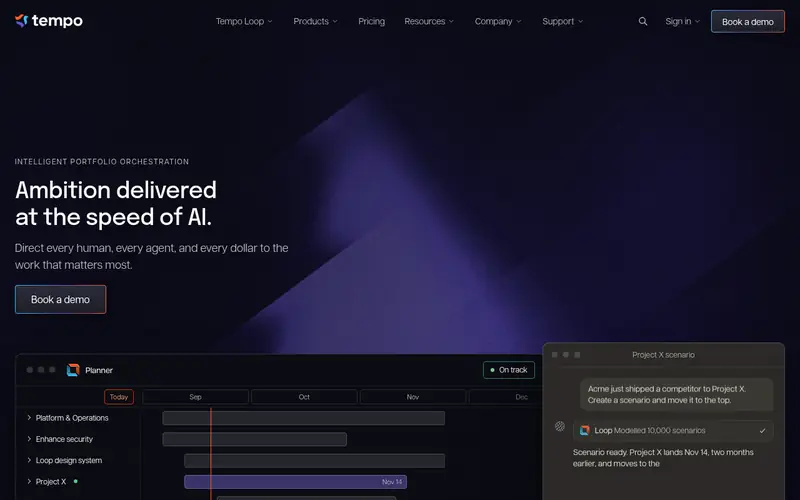
Tempo Timesheets homepage

Tempo Timesheets is built for Atlassian environments. It records worklogs against Jira issues, and Tempo's Confluence app lets teams place time reports, timesheet summaries, and team workload views directly on Confluence pages. That makes it the closest fit when the goal is time tracking that lives inside Confluence rather than in a separate tab. Plan structure is per-user and depends on the Jira edition and the add-ons you select, so Tempo does not publish a single flat entry price. Teams without Jira should skip it, because the core tracking happens on Jira issues. Confirm current pricing and the Confluence app listing on the vendor site before buying.

Price: See vendor pricing page

Free plan: Free trial (30 days)

Website: tempo.io

Watch out for

  • Requires Jira
  • Pricing quoted per user and add-on
2

Everhour

Teams wanting a simple timer plus Confluence reports
See vendor pricing page
everhour.comHomepage, Nov 2026
Everhour homepage

Everhour is a standalone time tracker with a browser extension and integrations for project tools including Jira, Asana, and Trello. For Confluence, teams typically embed Everhour reports or link to them from pages, and the Jira integration lets worklogs flow between the two systems. Pricing is per user with tiers based on team size, and the vendor publishes the current rates on its pricing page. It suits small and mid-size teams that want one timer across many tools. It is a weaker fit if you need a native Confluence macro that shows live timesheets without leaving the page.

Free plan: Free trial (14 days)

Website: everhour.com

Strengths

  • Browser timer works across tools
  • Integrations with Jira and Asana

Watch out for

  • Confluence support is integration-based
  • Per-user pricing
3

Clockify

Budget-conscious teams that need a free plan
See vendor pricing page
clockify.meHomepage, Nov 2026
Clockify homepage

Clockify offers a free plan for unlimited users with core time tracking, and paid tiers add features such as invoicing and scheduling. It integrates with Jira and other tools, and teams can surface tracked hours in Confluence through reports or embeds. Because Confluence is not a first-party app, the workflow depends on how your team links or embeds Clockify data. It is a good fit for teams that want a low-cost tracker and are comfortable with a separate reporting step. Check the free plan limits and paid tiers on the vendor site, since the feature split changes over time.

Free plan: Yes

Website: clockify.me

Strengths

  • Free plan for unlimited users
  • Broad integration list

Watch out for

  • Confluence support via integrations
  • Advanced features are paid
4

Harvest

Small teams tracking client and project hours
See vendor pricing page
getharvest.comHomepage, Nov 2026
Harvest homepage

Harvest combines time tracking with invoicing and reporting, which suits agencies and client-services teams. It integrates with Jira and other project tools, and teams can reference Harvest reports from Confluence pages. Harvest prices per seat, and the vendor publishes current plans on its pricing page. It does not offer a native Confluence macro, so Confluence is a documentation and linking surface rather than a live time view. Teams that need timesheets embedded directly in Confluence should look at Tempo instead.

Free plan: Free trial (30 days)

Website: getharvest.com

Strengths

  • Clean timer and invoicing
  • Integrations with Jira and Asana

Watch out for

  • No native Confluence app
  • Per-seat pricing
5

Toggl Track

Individuals and small teams needing a quick timer
See vendor pricing page
toggl.comHomepage, Nov 2026
Toggl Track homepage

Toggl Track is a lightweight timer with a free plan for individuals and small teams, and paid plans for larger teams and advanced reporting. It integrates with project tools and can be used alongside Confluence for documenting hours. The Confluence workflow is manual: teams link to Toggl reports or paste summaries into pages. That is fine for small teams that mainly need a fast timer. It is less suitable when stakeholders expect live timesheets inside Confluence pages, because that requires a native app.

Free plan: Yes

Website: toggl.com/track

Strengths

  • Simple one-click timer
  • Works across browsers and devices

Watch out for

  • Limited native Confluence reporting
  • Paid tiers for team features
6

Wrike

Project teams that want timesheets in a work platform
See vendor pricing page
wrike.comHomepage, Nov 2026
Wrike homepage

Wrike is a work management platform with timesheets, task tracking, and reporting. It integrates with Atlassian tools, so teams can connect Wrike tasks with Jira and reference Wrike reports from Confluence. Wrike publishes a free plan and paid tiers on its pricing page. The Confluence connection is integration-based, not a native macro, so the fit depends on how much of your work already lives in Wrike. It suits project teams that want timesheets inside a broader planning tool.

Free plan: Yes

Website: wrike.com

Strengths

  • Timesheets tied to tasks
  • Reporting and dashboards

Watch out for

  • Confluence support via integrations
  • Higher tiers add cost

Pre-purchase checklist

  • Confirm whether the tool has a native Confluence app or only a browser extension.
  • Check whether time tracking depends on Jira issues or works standalone.
  • Review the free plan limits and what the first paid tier adds.
  • Verify per-user pricing against your team size and expected growth.
  • Test the reporting view you need on a Confluence page before rolling out.

FAQ

Does Confluence have built-in time tracking?

No. Confluence is a documentation and collaboration tool and does not include native time tracking. Teams add time tracking through Atlassian Marketplace apps such as Tempo, or through integrations with standalone trackers.

What is the best time tracking for Confluence?

Tempo Timesheets is the closest fit for Jira-based teams because it offers Confluence reporting apps. Everhour and Clockify are alternatives when you want a standalone timer and can link or embed reports in Confluence pages.

Do I need Jira to use Tempo Timesheets?

Yes. Tempo Timesheets records worklogs against Jira issues, so a Jira subscription is required. Teams without Jira should choose a standalone tracker such as Everhour, Clockify, or Harvest.

Can I track time in Confluence for free?

Some standalone trackers offer free plans, including Clockify and Toggl Track, and Jira includes basic time tracking on its free plan. Native Confluence time-tracking apps generally require a paid subscription or trial. Check each vendor's current limits.

How do I show time reports on a Confluence page?

With a native app such as Tempo, you add a macro to the page and configure the report. With standalone trackers, you link to the report or embed a summary. Confirm the exact method in the vendor's documentation before you standardize on it.



