How we rank
Productivity · Researched comparison

Best Time Tracking for Dynamics 365 in 2026

TaskReports may earn a fee from some links on this page, and some placements are paid and labelled. Neither one decides the order. See our disclosure.

The short answer

For most organizations already on Microsoft, Dynamics 365 Project Operations is the first pick because time entry is built into the platform and rolls up to projects and billing. Teams that want a lighter, dedicated timesheet experience often add TimeCamp or Harvest and connect them through exports or automation. If you need a full PSA suite with native Dynamics 365 data, consider an add-on built for the platform. The right choice depends on how deep the integration must go.

On this page

Key takeaways

  • Dynamics 365 Project Operations includes time entry natively, so Microsoft shops can track hours without a third-party tool.
  • Tempo Timesheets and TimeCamp connect to Dynamics 365 through integrations or APIs, while Harvest and Toggl Track stay standalone.
  • Entry prices range from free plans to about $10 per user per month, and most paid tools bill per user.
  • Confirm integration depth before buying: some tools sync only through Power Automate, CSV export or a middleware layer.

Quick comparison

ToolBest fitStarting price
Microsoft Dynamics 365 Project OperationsMicrosoft shops that want time entry inside Dynamics 365See vendor pricing page
TimeCampTeams that want automatic tracking plus project reportingSee vendor pricing page

HarvestClient-focused teams that bill hours by projectSee vendor pricing page
Toggl TrackIndividuals and small teams that need quick timersSee vendor pricing page
Tempo TimesheetsTeams that want structured timesheets with approval workflowsSee vendor pricing page
ClockifyBudget-conscious teams that need a free timesheet toolSee vendor pricing page
Zoho ProjectsTeams that want project management and timesheets togetherSee vendor pricing page
HubstaffDistributed teams that need activity-based time trackingSee vendor pricing page

How we chose

We selected tools that either run inside Dynamics 365, integrate with it, or work alongside it as standalone time trackers for project and client hours. Criteria were fit for the use case, published entry pricing, free access, and the main limits buyers should know. Sources are vendor homepages and public documentation. Prices change, so confirm current rates on the vendor site before buying.

★ Best overall

Microsoft Dynamics 365 Project Operations

Microsoft shops that want time entry inside Dynamics 365

  • Native time entry tied to projects and billing
  • no separate integration to maintain
microsoft.comHomepage, Nov 2026
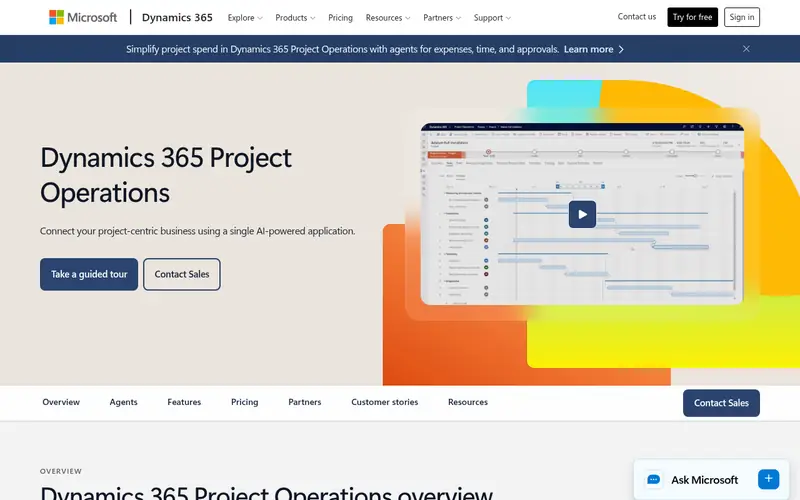
Microsoft Dynamics 365 Project Operations homepage

Project Operations is Microsoft's own project and time module for Dynamics 365. Consultants and project staff enter hours against assigned projects and tasks, and those hours flow into approvals, cost tracking and invoicing. Because it lives in the same platform, there is no sync layer to build or maintain. Pricing is not published as a simple per-user number; Microsoft sells it through Dynamics 365 licensing tiers and volume agreements, so check the vendor pricing page. Setup involves configuring roles, projects and approval workflows, which usually needs a partner or an administrator. Skip it if you only need a simple timer and do not otherwise use Dynamics 365. For organizations already standardized on Microsoft, it is the most direct option.

Price: See vendor pricing page

Free plan: No

Website: microsoft.com/en-us/dynamics-365/products/project-operations

Watch out for

  • Requires a Dynamics 365 license
  • heavier setup than a standalone timer
2

TimeCamp

Teams that want automatic tracking plus project reporting
See vendor pricing page
timecamp.comHomepage, Nov 2026
TimeCamp homepage

TimeCamp records time automatically through a desktop app and lets users assign entries to projects and tasks. It offers project budgets, billable hours and reporting that map to client work, which suits teams that need Dynamics 365 project data reflected in timesheets. It is a standalone product, so connecting it to Dynamics 365 requires configuration, typically through its integrations or an export and import routine. Confirm the current integration options with the vendor before you commit. The free plan covers a single user, which makes it useful for evaluation but not for a team rollout. Paid tiers add users, integrations and reporting. Check the vendor pricing page for current tiers.

Free plan: Yes

Website: timecamp.com

Strengths

  • Automatic time capture and project-level reporting
  • free plan for small teams

Watch out for

  • Dynamics 365 connection relies on integration setup
  • interface has a learning curve
3

Harvest

Client-focused teams that bill hours by project
See vendor pricing page
getharvest.comHomepage, Nov 2026
Harvest homepage

Harvest is a standalone time tracking and invoicing tool built around billable client work. Users log hours against projects and tasks, and the data feeds reports and invoices. Teams that track client hours in Dynamics 365 often use Harvest for the timesheet layer and reconcile through exports. There is no native Dynamics 365 integration, so plan on CSV exports or an automation tool such as Power Automate if you need data to flow between systems. That adds administrative work compared with a native module. Harvest offers a 30-day free trial and then bills per paid seat. Confirm current rates on the vendor pricing page. It suits small consultancies more than large enterprises with complex approval chains.

Free plan: Free trial (30 days)

Website: getharvest.com

Strengths

  • Clear timesheets and invoicing
  • simple project and client structure

Watch out for

  • No native Dynamics 365 connector
  • per-seat pricing adds up
4

Toggl Track

Individuals and small teams that need quick timers
See vendor pricing page
toggl.comHomepage, Nov 2026
Toggl Track homepage

Toggl Track focuses on low-friction time capture. Users start a timer from the web, desktop or mobile app and tag entries by project, client and task. Reports summarize hours by project, which helps teams that need a quick view of where time goes. It is not built for Dynamics 365, so any connection to project or billing data requires exports or an automation layer. For teams that only need to record hours and hand them to finance, that is often enough. The free plan covers a small number of users with core tracking features. Paid plans add billable rates, rounding and more reporting. Check the vendor pricing page for current limits and prices.

Free plan: Yes

Website: toggl.com/track

Strengths

  • Fast one-click timers across web and mobile
  • simple reports

Watch out for

  • Limited project and billing depth
  • Dynamics 365 sync needs custom work
5

Tempo Timesheets

Teams that want structured timesheets with approval workflows
See vendor pricing page
tempo.ioHomepage, Nov 2026
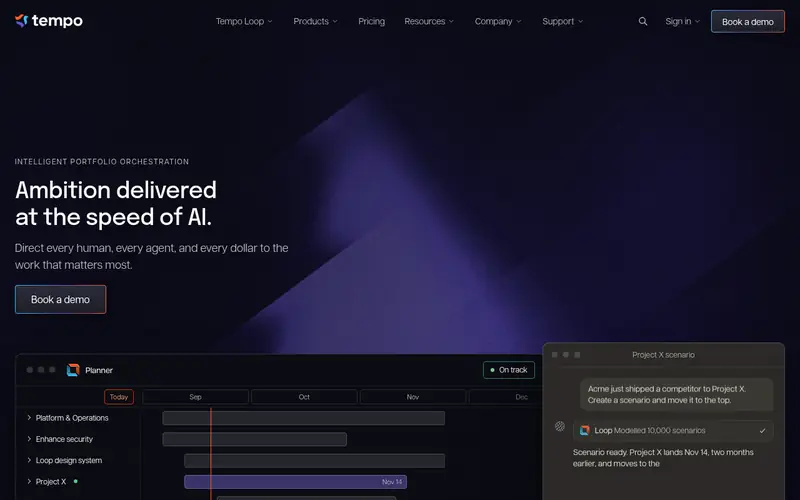
Tempo Timesheets homepage

Tempo Timesheets is a time tracking product from Tempo, best known for its Atlassian ecosystem apps. It provides structured timesheets, approval workflows and reporting on logged hours by project and team. Its native home is Jira and the Atlassian stack, so using it with Dynamics 365 means building a bridge through APIs or an integration platform. That is workable for organizations that already run both systems, but it is not a plug-and-play Dynamics 365 add-on. Tempo offers a free trial and then bills per user. Confirm current pricing and integration options on the vendor site before committing to a rollout.

Free plan: Free trial (30 days)

Website: tempo.io

Strengths

  • Detailed timesheet and approval setup
  • strong reporting for project hours

Watch out for

  • Built primarily around Atlassian tools
  • Dynamics 365 needs integration work
6

Clockify

Budget-conscious teams that need a free timesheet tool
See vendor pricing page
clockify.meHomepage, Nov 2026
Clockify homepage

Clockify offers time tracking with timesheets, projects and reports, and its free plan supports unlimited users with core features. That makes it a low-cost way to capture hours before deciding on a deeper Dynamics 365 integration. It is a standalone tool. Connecting it to Dynamics 365 means exporting data or using an automation service, so teams with strict billing requirements should plan that work in advance. Paid plans add features such as billable rates, approvals and custom reports. Check the vendor pricing page for current tiers. It suits small teams and nonprofits more than large enterprises that need native project accounting.

Free plan: Yes

Website: clockify.me

Strengths

  • Generous free tier for unlimited users
  • simple timesheet and project setup

Watch out for

  • Dynamics 365 connection is manual or via automation
  • advanced features are paid
7

Zoho Projects

Teams that want project management and timesheets together
See vendor pricing page
zoho.comHomepage, Nov 2026
Zoho Projects homepage

Zoho Projects combines task planning, issue tracking and timesheets in one product. Users log hours against tasks, and managers review timesheets and reports by project. For teams that want tracking and project management in a single tool, it covers both. It does not ship with a native Dynamics 365 connector, so data exchange relies on exports or integration tools. Organizations already using Zoho get more value from the bundled suite. A free plan covers a limited number of users and projects, and paid tiers add capacity and features. Confirm current limits and prices on the vendor pricing page.

Free plan: Yes

Website: zoho.com/projects

Strengths

  • Timesheets bundled with project planning
  • affordable entry tiers

Watch out for

  • Dynamics 365 integration is not native
  • best value inside the Zoho suite
8

Hubstaff

Distributed teams that need activity-based time tracking
See vendor pricing page
hubstaff.comHomepage, Nov 2026
Hubstaff homepage

Hubstaff tracks time with optional activity monitoring, screenshots and app usage data. It also handles payroll and invoicing, which suits agencies and remote teams that bill by the hour. For Dynamics 365 users, Hubstaff is a standalone layer. Connecting tracked hours to project or billing records requires exports or an automation service, so factor that into setup. The trial runs for a limited period, after which plans bill per user. Check the vendor pricing page for current rates. Teams that dislike monitoring features should look at simpler trackers instead.

Free plan: Free trial (14 days)

Website: hubstaff.com

Strengths

  • Optional activity and screenshot tracking
  • payroll and invoicing features

Watch out for

  • Activity monitoring can be intrusive
  • no native Dynamics 365 connector

Pre-purchase checklist

  • Confirm whether the tool has a native Dynamics 365 connector or needs Power Automate, API work or CSV exports.
  • Check how logged hours reach billing and invoicing in your Dynamics 365 setup.
  • Verify the per-user price at your team size, since tiers often change with volume.
  • Test approval workflows and rounding rules against your payroll and client contracts.
  • Review data residency and permissions if project data is sensitive.

FAQ

Does Dynamics 365 have built-in time tracking?

Yes. Dynamics 365 Project Operations includes time entry against projects and tasks, with approvals and billing rollup. It requires a Dynamics 365 license and setup work, which usually means an administrator or partner configures roles, projects and approval flows before staff can log hours.

Can I connect a standalone time tracker to Dynamics 365?

Yes, but usually through exports, APIs or an automation service such as Power Automate. Few standalone trackers ship a native Dynamics 365 connector. Plan for setup and maintenance work, and confirm the current integration options with each vendor before you buy.

Is there a free option for tracking time with Dynamics 365?

Clockify and TimeCamp offer free plans with limits, and most paid tools offer trials. Free plans generally cover small teams or single users. If you need hours to flow into Dynamics 365 billing automatically, a paid integration or the native module is usually required.

How much does time tracking for Dynamics 365 cost?

Costs vary. Native Project Operations is sold through Dynamics 365 licensing, so the price depends on your agreement. Standalone trackers publish per-user tiers, often starting at low monthly rates, with free plans for small teams. Check each vendor pricing page for current numbers.

Which tool is best for billing client hours?

Harvest and Dynamics 365 Project Operations are the strongest fits for billable client work, since both connect logged hours to invoicing. Harvest suits small consultancies, while Project Operations suits organizations already on Dynamics 365 that want hours to flow into project accounting.