How we rank
Productivity · Researched comparison

Best Time Tracking for GitLab in 2026: 6 Tools Compared

TaskReports may earn a fee from some links on this page, and some placements are paid and labelled. Neither one decides the order. See our disclosure.

The short answer

Clockify is the first pick for most teams that want to log hours against GitLab issues without paying per seat, because its free plan covers unlimited users and GitLab connects through its integrations. Toggl Track suits freelancers who want a simple timer and low entry price. Harvest fits agencies that need billable rates and invoices tied to GitLab projects.

On this page

Key takeaways

  • Clockify and Toggl Track are the cheapest entry points for logging hours against GitLab issues, with free plans and low per-user paid tiers.
  • Harvest and Everhour cost more per user but add budgets and billable reporting that GitLab's built-in time tracking does not cover.
  • GitLab itself records time estimates and time spent on issues, but it does not produce client invoices or cross-project reports.
  • Most tools here connect to GitLab through its API or a native integration, so check the integration page before you buy.

Quick comparison

ToolBest fitStarting price
ClockifyTeams that want unlimited users on a free plan$3.99 per user per month
Toggl TrackFreelancers and small teams who want a simple timer$9 per user per month

HarvestAgencies that bill clients by the hour$12 per user per month
EverhourTeams that want time tracking inside their project tools$8.50 per user per month
HubstaffRemote teams that need activity and time records$7 per user per month
ClickTimeFirms that need timesheet approvals and client billing$10 per user per month

How we chose

We picked tools that either have a native GitLab integration or a documented way to log time against GitLab issues and projects. We weighed fit for the use case, the published entry price, whether a free plan or trial exists, and the main limits of each plan. Sources are vendor homepages, integration pages, and public pricing pages. Prices change, so confirm the current rate on the vendor site before you buy.

★ Best overall

Clockify

Teams that want unlimited users on a free plan

  • Unlimited users on the free plan
  • GitLab integration for issue-based time entries
Price$3.99 per user per month
See Clockify pricing
clockify.meHomepage, Nov 2026
Clockify homepage

Clockify is a time tracker built around a timer and manual entries. It connects to GitLab so you can start a timer from an issue and send the logged time back. The free plan covers unlimited users and unlimited tracking, which makes it the lowest-cost way to get GitLab-linked hours for a whole team. Paid tiers add billable rates, invoicing, and more detailed reporting. The entry paid tier is priced per user per month, so cost grows with headcount. Teams that only need to record time against GitLab issues can stay on the free plan for a long time. Teams that need client invoicing or approval workflows should compare the paid tiers before committing.

Price: $3.99 per user per month

Free plan: Yes

Website: clockify.me

Watch out for

  • Advanced features sit behind higher tiers
  • Reports can feel basic on the free plan
2

Toggl Track

Freelancers and small teams who want a simple timer
$9 per user per month
toggl.comHomepage, Nov 2026
Toggl Track homepage

Toggl Track is a lightweight timer with a browser extension, desktop app, and mobile apps. It does not ship a native GitLab app, but you can map Toggl projects to GitLab projects and log time against issue numbers in the entry description. Reports group hours by project and client, which is enough for most small teams. The free plan covers basic tracking for a small number of users and has limits on saved reports and history. Paid tiers add billable rates, estimates, and more report types. It suits freelancers and small teams that want a fast timer more than deep project accounting. Teams that need issue-level sync back to GitLab should look at a tool with a native integration.

Free plan: Yes

Website: toggl.com/track

Strengths

  • Fast one-click timer
  • Clean reports by project and client

Watch out for

  • Free plan limits history and billable features
  • GitLab link is through the API, not a native app

3

Harvest

Agencies that bill clients by the hour
$12 per user per month
getharvest.comHomepage, Nov 2026
Harvest homepage

Harvest combines time tracking with invoicing and project budgets. It has a GitLab integration that lets you track time against issues and pull project data into Harvest. You set billable rates per person or project, and Harvest turns tracked hours into invoices. The entry price is per user per month, billed annually, and there is no free plan beyond the trial. Budget alerts warn you when a project is close to its cap, which matters for fixed-fee GitLab work. It suits agencies and consultancies that invoice clients. Teams that only need internal time records will find it heavier and more expensive than a simple timer.

Free plan: Free trial (30 days)

Website: getharvest.com

Strengths

  • Strong invoicing and billable rates
  • Project budgets with alerts

Watch out for

  • No free plan
  • Per-user pricing adds up for larger teams
4

Everhour

Teams that want time tracking inside their project tools
$8.50 per user per month
everhour.comHomepage, Nov 2026
Everhour homepage

Everhour embeds time tracking into project management tools and connects to GitLab through its integrations. You can track time against GitLab issues, set estimates, and watch budgets in real time. Reports show hours by project, team, and client. The entry price is per user per month with a minimum seat count, and there is no free plan beyond the trial. It suits teams that already run projects in a supported tool and want time tracking in the same place. Teams that want a standalone timer with a free plan should compare Clockify or Toggl Track first.

Free plan: Free trial (14 days)

Website: everhour.com

Strengths

  • Native integrations with many project tools
  • Budget and estimate tracking

Watch out for

  • No free plan
  • Some features require the higher tier
5

Hubstaff

Remote teams that need activity and time records
$7 per user per month
hubstaff.comHomepage, Nov 2026
Hubstaff homepage

Hubstaff tracks time with optional screenshots and activity levels, and it connects to GitLab so logged time can be tied to issues. It also handles timesheets, payroll exports, and invoicing for hourly teams. The entry price is per user per month, and there is no free plan beyond the trial. The monitoring features are optional but change how a team works, so discuss them before rollout. It suits remote teams that need proof of hours. Teams that only want project hours without monitoring should pick a simpler tracker.

Free plan: Free trial (14 days)

Website: hubstaff.com

Strengths

  • Optional activity monitoring
  • Payroll and timesheet exports

Watch out for

  • Monitoring features can feel intrusive
  • No free plan
6

ClickTime

Firms that need timesheet approvals and client billing
$10 per user per month
clicktime.comHomepage, Nov 2026
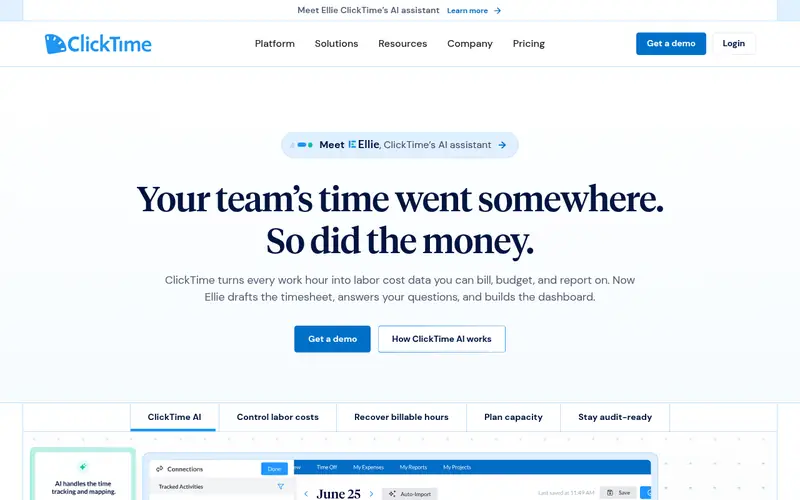
ClickTime homepage

ClickTime is a timesheet and expense tool for professional services firms. It connects to GitLab so time can be recorded against issues and projects, and it adds approval chains, expense tracking, and billing reports. The entry price is per user per month, and there is no free plan beyond the trial. It suits firms that need sign-off on timesheets before billing. Small teams that track hours casually will find the approval setup unnecessary and should look at a lighter tool.

Free plan: Free trial (30 days)

Website: clicktime.com

Strengths

  • Timesheet approvals and expense tracking
  • Client and project billing reports

Watch out for

  • No free plan
  • Interface is built for admin-heavy workflows

Pre-purchase checklist

  • Confirm the tool has a current GitLab integration or API path, and check when it was last updated.
  • Check whether time entries sync back to GitLab issues or stay only in the tracking tool.
  • Compare the entry price against the number of seats you actually need, including minimum seat counts.
  • Read the free plan limits: user caps, history limits, and which reports are locked.
  • Test the trial with one real GitLab project before rolling out to the whole team.

FAQ

Does GitLab have built-in time tracking?

Yes. GitLab lets you add time estimates and time spent to issues and merge requests, and it shows a summary per issue. It does not produce client invoices, cross-project billing reports, or capacity plans. Teams that need those features add a third-party tracker that connects to GitLab.

Which tool is cheapest for GitLab time tracking?

Clockify has a free plan with unlimited users, which makes it the lowest-cost starting point. Toggl Track also has a free plan but with limits on history and reports. Paid entry tiers for the tools here range from about $3.99 to $12 per user per month, so confirm current prices on each vendor site.

Can I track time against GitLab issues automatically?

Some tools connect through the GitLab API and let you start a timer from an issue, then send the logged time back. Others require you to map projects manually and record time in the tracker. Check the vendor's integration page to see which behavior applies before you commit.

Do these tools replace GitLab's own time tracking?

No. They add reporting, billing, approvals, and planning on top of GitLab. Most teams keep using GitLab's estimate and time-spent fields and use the tracker for invoices and cross-project reports. Decide which system is the source of truth before rollout.

Is there a free option for a whole team?

Clockify's free plan covers unlimited users and unlimited tracking, so a whole team can use it at no cost. Other tools here offer trials rather than free plans. Free plans usually limit reports and billable features, so check the limits against what your team needs.