How we rank
Productivity · Researched comparison

Best Time Tracking for Google Sheets in 2026: 7 Tools Compared

TaskReports may earn a fee from some links on this page, and some placements are paid and labelled. Neither one decides the order. See our disclosure.

The short answer

Toggl Track suits most people who want a simple timer and a clean export into Google Sheets. If you need many people on a free plan, Clockify is the better fit. For client billing with budgets and invoices, Harvest is the stronger choice. All three export time data as CSV, which you can import into a Sheet or connect through a spreadsheet add-on.

On this page

Key takeaways

  • Toggl Track is the easiest starting point if you want a timer that can send finished time entries to a Google Sheet.
  • Clockify has a free plan with unlimited users and a timesheet view, and it exports to CSV for import into Sheets.
  • Harvest and TimeCamp both focus on billable project hours, which suits client work tracked alongside a spreadsheet.
  • Most tools here export to CSV rather than writing directly into a live Google Sheet, so check the export path before you commit.

Quick comparison

ToolBest fitStarting price
Toggl TrackIndividuals and small teams who want a simple timerSee vendor pricing page
ClockifyTeams that need many users on a free planSee vendor pricing page

HarvestFreelancers and agencies billing client hoursSee vendor pricing page
TimeCampTeams that want automatic tracking plus manual entriesSee vendor pricing page
HubstaffRemote teams that need timesheets and activity dataSee vendor pricing page
EverhourTeams that already plan work in a project toolSee vendor pricing page
PaymoSmall teams that want tracking, tasks, and invoicing in one appSee vendor pricing page

How we chose

We picked tools that either export time entries in a format Google Sheets can import or offer a documented integration path. We looked at fit for the use case, the published entry price, whether free access exists, and the main limits of each plan. Sources are vendor homepages, pricing pages, and public documentation. Prices and plan limits change, so confirm details on the vendor site before you buy.

★ Best overall

Toggl Track

Individuals and small teams who want a simple timer

  • One-click timer with a clean web and mobile app
  • CSV export of detailed time entries
PriceSee vendor pricing page
See Toggl Track pricing
toggl.comHomepage, Nov 2026
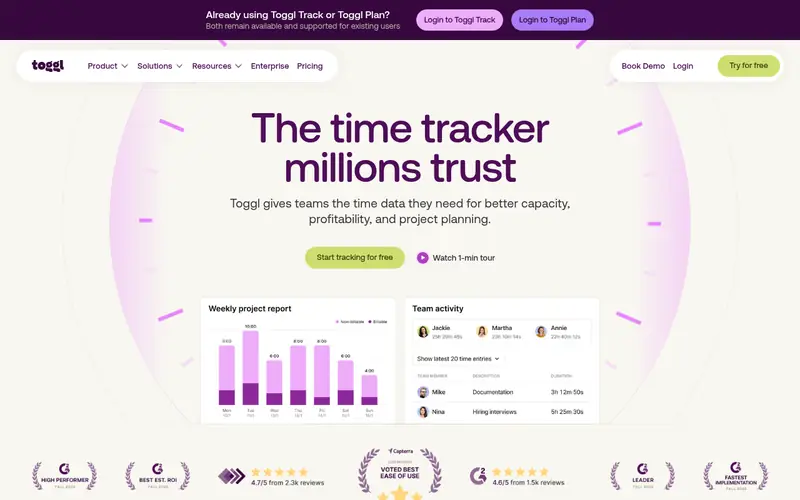
Toggl Track homepage

Toggl Track is a timer-first tool. You start a timer, assign it to a project, and the entry is stored in your workspace. When you need the data in Google Sheets, you export a detailed report as CSV and import it, or use a third-party spreadsheet connector. The free plan covers solo use, and paid tiers add billable rates and more reporting. For Google Sheets users, the practical limit is that Toggl does not write rows into a Sheet on its own. You run an export on a schedule you choose. Teams that need live data should plan for a connector or a manual weekly export. Small teams that mostly need accurate hours will find the timer and project structure enough.

Price: See vendor pricing page

Free plan: Yes

Website: toggl.com

Watch out for

  • No native live sync into a Google Sheet
  • free plan limits some reporting features
2

Clockify

Teams that need many users on a free plan
See vendor pricing page
clockify.meHomepage, Nov 2026
Clockify homepage

Clockify offers a timer and a manual timesheet grid. The free plan supports unlimited users, which makes it a common pick for small teams that want everyone logging hours without a per-seat cost. Reports can be exported as CSV and then imported into Google Sheets for formulas, charts, or client summaries. The catch is that the free plan does not include every admin feature, and the number of settings can slow down new users. If your main goal is a shared Sheet that a whole team updates, Clockify gives you the raw hours and you keep the Sheet as the reporting layer.

Free plan: Yes

Website: clockify.me

Strengths

  • Free plan with unlimited users
  • timesheet view and CSV export

Watch out for

  • Some admin controls sit behind paid tiers
  • interface can feel dense
3

Harvest

Freelancers and agencies billing client hours
See vendor pricing page
getharvest.comHomepage, Nov 2026
Harvest homepage

Harvest is built around billable time. You track hours against projects and tasks, set budgets, and turn approved time into invoices. Time entries export to CSV, so you can pull them into Google Sheets for a client summary or a custom report. Harvest does not have a free plan beyond the trial, so it suits people who bill clients and can justify the cost. If you only need a personal timer, a free tool is enough. If you send invoices and track retainers, the budget and invoice features are the reason to pick it.

Free plan: Free trial (30 days)

Website: getharvest.com

Strengths

  • Strong billable hours and invoicing workflow
  • detailed project budgets

Watch out for

  • No free plan after the trial
  • per-seat pricing adds up for larger teams
4

TimeCamp

Teams that want automatic tracking plus manual entries
See vendor pricing page
timecamp.comHomepage, Nov 2026
TimeCamp homepage

TimeCamp combines a manual timer with automatic computer activity tracking. You can review tracked time, assign it to projects, and export reports as CSV for Google Sheets. It also supports billable rates on paid plans. Automatic tracking is useful for people who forget to start a timer, but it needs a clear policy so staff know what is recorded. The free plan is limited, so check the feature list before you rely on it for a team. For a single freelancer who wants a backup record of work, it can replace manual note-taking.

Free plan: Yes

Website: timecamp.com

Strengths

  • Automatic activity tracking alongside manual timers
  • project and task reporting

Watch out for

  • Automatic tracking raises privacy questions for some teams
  • free plan is limited
5

Hubstaff

Remote teams that need timesheets and activity data
See vendor pricing page
hubstaff.comHomepage, Nov 2026
Hubstaff homepage

Hubstaff focuses on remote and field teams. It records time against projects, can capture screenshots and activity levels, and produces reports you can export for a Google Sheet. Payroll and invoicing features are also part of the product. The monitoring features are the main decision point. Some teams want them for accountability; others find them intrusive. Hubstaff has no free plan beyond the trial, so it fits teams that already pay for workforce management and want hours in one place. A solo user tracking personal time will likely find it heavier than needed.

Free plan: Free trial (14 days)

Website: hubstaff.com

Strengths

  • Timesheets with screenshots and activity levels
  • project and client reporting

Watch out for

  • No free plan after the trial
  • monitoring features may not suit every team
6

Everhour

Teams that already plan work in a project tool
See vendor pricing page
everhour.comHomepage, Nov 2026
Everhour homepage

Everhour adds timers and timesheets inside popular project management tools. If your team already works in Asana, Trello, or a similar tool, you can track time without switching apps. Reports export to CSV for Google Sheets. Everhour is less useful if you do not use one of its supported project tools, because the main benefit is the in-app timer. There is no free plan after the trial. Check the integration list before you buy, and confirm the export includes the fields your Sheet needs.

Free plan: Free trial (14 days)

Website: everhour.com

Strengths

  • Time tracking embedded in tools like Asana and Trello
  • budget tracking per project

Watch out for

  • No free plan after the trial
  • best value only if you use a supported project tool
7

Paymo

Small teams that want tracking, tasks, and invoicing in one app
See vendor pricing page
paymoapp.comHomepage, Nov 2026
Paymo homepage

Paymo combines time tracking with task management and invoicing. You can track hours against tasks, review them in a timesheet, and export reports for Google Sheets. The free plan is aimed at small teams and has limits on users and features. Paymo makes sense if you want one tool for tasks, hours, and client invoices. If you already have a task tool and only need a timer, a lighter option is simpler. The all-in-one design means more setup, so check the free plan limits against your team size.

Free plan: Yes

Website: paymoapp.com

Strengths

  • Time tracking bundled with tasks and invoices
  • reports export to CSV

Watch out for

  • Free plan limits active users and features
  • the all-in-one scope can be more than you need

Pre-purchase checklist

  • Confirm the tool exports CSV with the fields your Sheet needs, such as date, project, task, and duration.
  • Check whether the free plan covers your team size or limits active users.
  • Decide whether you need a live connection to a Sheet or a scheduled export is enough.
  • Review billable rate and invoice features if you track client hours.
  • Read the privacy policy for any automatic tracking or screenshot features.

FAQ

Can time tracking tools write directly into Google Sheets?

Most tools on this list export time entries as CSV, which you import into a Sheet. Some offer third-party spreadsheet connectors. Check the vendor's integration list before you assume a live sync exists.

Is there a free time tracker that works with Google Sheets?

Toggl Track, Clockify, TimeCamp, and Paymo offer free plans, though limits differ. Clockify allows unlimited users on its free plan. Confirm current limits on each vendor's pricing page.

What is the best free option for a small team?

Clockify is the usual pick for a small team that needs many users at no cost. It includes a timesheet view and CSV export, so you can keep Google Sheets as your reporting layer.

Do I need a paid plan to track billable hours?

Not always, but billable rates and invoicing usually sit on paid tiers. Harvest and Paymo focus on client billing. Check which plan includes rates and invoices before you commit.

How accurate are automatic tracking tools?

Automatic tracking records activity at set intervals, so it is an estimate, not a precise measure. Use it as a backup and review entries. Teams should set a clear policy on what is recorded.




