How we rank
Productivity · Researched comparison

Best Time Tracking for Help Scout in 2026: 7 Tools Compared

TaskReports may earn a fee from some links on this page, and some placements are paid and labelled. Neither one decides the order. See our disclosure.

The short answer

Harvest is the first pick for most Help Scout teams because it has a native Help Scout integration and simple per-seat pricing at $12 per seat per month. Teams that want a free start should look at Toggl Track, which covers up to 5 users at no cost. Teams that need automatic time capture rather than manual timers should consider Timely.

On this page

Key takeaways

  • Harvest connects to Help Scout through its own integration and starts at $12 per seat per month.
  • Toggl Track offers a free plan for up to 5 users and is the lowest-cost way to start logging support time.
  • Clockify has a free plan with unlimited users and a built-in timer, which suits small support teams on a budget.
  • Timely and Hubstaff cost more per seat, so they fit teams that need automatic capture or payroll features.

Quick comparison

ToolBest fitStarting price
HarvestSupport teams that bill client hours from Help Scout$12 per seat per month
Toggl TrackSmall support teams that want a free start$10 per user per month

ClockifyBudget-conscious teams that need unlimited users$3.99 per user per month
TimelyTeams that want automatic time captureSee vendor pricing page
HubstaffTeams that need time tracking plus payrollSee vendor pricing page
EverhourTeams that already plan work in a project toolSee vendor pricing page
RescueTimeIndividuals who want passive activity trackingSee vendor pricing page

How we chose

We picked tools that can track billable support hours and can be used alongside Help Scout, either through a native integration or by logging time against conversations manually. We weighed fit for the use case, published entry price, free access, and main limits such as seat caps and missing integrations. Sources are vendor homepages and public pricing pages. Prices change, so confirm current rates on the vendor site before buying.

★ Best overall

Harvest

Support teams that bill client hours from Help Scout

  • Native Help Scout integration
  • Clear project and task budgets
Price$12 per seat per month
See Harvest pricing
getharvest.comHomepage, Nov 2026
Harvest homepage

Harvest is a time tracking and invoicing tool built for teams that bill by the hour. It has a native Help Scout integration, so agents can start a timer from a conversation and attach the entry to the right client and project. That keeps support hours tied to the same records used for invoicing. Plans are priced per seat. The entry plan covers unlimited projects and clients, and higher tiers add features such as recurring invoices. Teams that do not bill clients, or that only want a simple internal timer, may find the per-seat price hard to justify.

Price: $12 per seat per month

Free plan: Free trial (30 days)

Website: getharvest.com

Watch out for

  • Per-seat cost adds up for large support teams
  • No permanent free plan
2

Toggl Track

Small support teams that want a free start
$10 per user per month
toggl.comHomepage, Nov 2026
Toggl Track homepage

Toggl Track is a lightweight timer with a free plan for up to 5 users. Agents can run a timer in the browser while working in Help Scout and tag entries by client or ticket type. Reports show where support hours go across the week. The free plan covers basic tracking and limited reporting. Paid plans add billable rates, rounding and more detailed reports. There is no official native Help Scout integration, so most teams log time manually or through a connector. Teams that need entries created automatically inside Help Scout should look elsewhere.

Free plan: Yes

Website: toggl.com/track

Strengths

  • Free plan for up to 5 users
  • Simple one-click timer

Watch out for

  • Help Scout connection needs a third-party link or manual entry
  • Limited reporting on the free plan
3

Clockify

Budget-conscious teams that need unlimited users
$3.99 per user per month
clockify.meHomepage, Nov 2026
Clockify homepage

Clockify offers a free plan with unlimited users, which makes it a common choice for support teams that want to track hours without a per-seat bill. Agents can start a timer, log time against a client, and review hours in a timesheet view. Paid tiers add features such as billable rates, approvals and scheduled reports. The entry paid price is low compared with most competitors. There is no official Help Scout integration, so time is usually logged in a separate tab or through a third-party connector. Teams that need tight in-app tracking may prefer Harvest.

Free plan: Yes

Website: clockify.me

Strengths

  • Free plan with unlimited users
  • Built-in timer and timesheet views

Watch out for

  • Advanced features sit behind paid tiers
  • No official Help Scout integration
4

Timely

Teams that want automatic time capture
See vendor pricing page
TimelyHomepage image unavailable

Timely records work automatically and builds a timeline of the day, which agents can then assign to clients and projects. For support teams, that means less manual starting and stopping of timers while handling Help Scout conversations. Timely does not publish a simple entry price on all pages, so check the vendor pricing page for current rates. It has no permanent free plan and costs more than basic timers. Teams that only need a start/stop button will get more value from a cheaper tool.

Free plan: Free trial (14 days)

Website: timelyapp.com

Strengths

  • Automatic time capture from work activity
  • Memory feature rebuilds a day's timeline

Watch out for

  • No permanent free plan
  • Higher cost than manual timers
5

Hubstaff

Teams that need time tracking plus payroll
See vendor pricing page
hubstaff.comHomepage, Nov 2026
Hubstaff homepage

Hubstaff combines time tracking with scheduling, activity monitoring and payroll. Support teams that pay agents by the hour can track time against clients and run payroll from the same tool. The product is heavier than a simple timer. Activity monitoring features may not fit every support culture, and pricing varies by plan and seat count, so confirm current rates on the vendor site. Teams that only need to log billable hours should compare lighter options first.

Free plan: Free trial (14 days)

Website: hubstaff.com

Strengths

  • Time tracking with activity data
  • Payroll and scheduling in one place

Watch out for

  • Activity monitoring may not suit every team
  • Pricing depends on plan and seats
6

Everhour

Teams that already plan work in a project tool
See vendor pricing page
everhour.comHomepage, Nov 2026
Everhour homepage

Everhour embeds time tracking inside popular project management tools, so teams can log hours where tasks already live. Support teams that track client work in a project tool can keep time entries next to the tasks they belong to. There is no native Help Scout integration, so Help Scout conversations are usually tracked manually or mirrored as tasks. Pricing depends on team size and billing cycle, so check the vendor page. It is a weaker fit for teams that work only inside Help Scout.

Free plan: Free trial (14 days)

Website: everhour.com

Strengths

  • Timers embedded in project management tools
  • Budget tracking per project

Watch out for

  • No native Help Scout integration
  • Best value only if you use a supported project tool
7

RescueTime

Individuals who want passive activity tracking
See vendor pricing page
rescuetime.comHomepage, Nov 2026
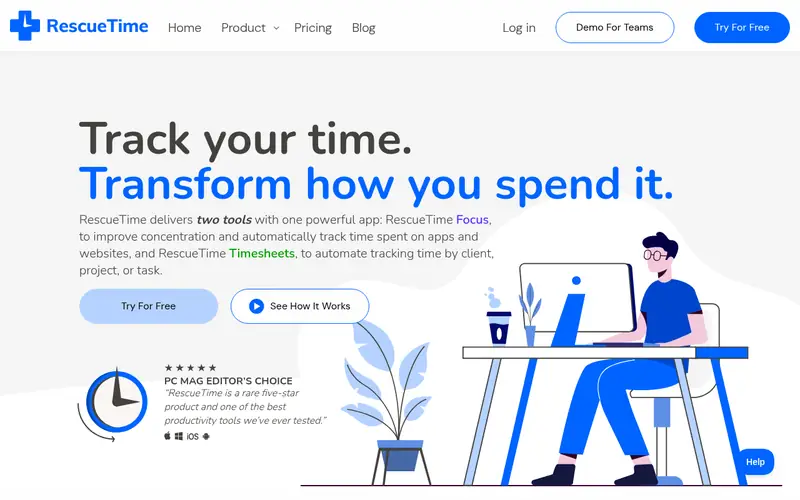
RescueTime homepage

RescueTime runs in the background and records which apps and sites are used, then reports on where time goes. For a support agent, it can show how much of the day went to Help Scout versus other tools. It is not a billing tool. There are no client invoices or project budgets, and the free plan covers only basic reports. Teams that need to bill support hours should use Harvest or Clockify instead. RescueTime suits individuals who want a personal picture of their day.

Free plan: Yes

Website: rescuetime.com

Strengths

  • Runs in the background with no timers
  • Weekly reports on where time goes

Watch out for

  • Not built for client billing
  • Limited project-level detail

Pre-purchase checklist

  • Confirm whether the tool has a native Help Scout integration or requires manual entry.
  • Check the per-seat price against the number of agents who will log time.
  • Review free plan limits, such as user caps and report restrictions.
  • Decide whether you need client invoicing or only internal hour reports.
  • Test the timer workflow during a trial before committing to an annual plan.

FAQ

Does Help Scout have built-in time tracking?

Help Scout does not include a native time tracking feature for billing hours. Teams typically pair it with a separate time tracking tool, either through an integration such as Harvest or by logging time manually against conversations.

Which time tracking tool integrates with Help Scout?

Harvest has a native Help Scout integration that lets agents start a timer from a conversation. Other tools on this list usually require manual entry or a third-party connector, so check the integration before you buy.

Is there a free time tracking option for Help Scout teams?

Yes. Toggl Track offers a free plan for up to 5 users, and Clockify offers a free plan with unlimited users. Both require manual logging or a connector rather than a native Help Scout integration.

How much should a small support team expect to pay?

Harvest starts at $12 per seat per month, and Toggl Track paid plans start at $10 per user per month. Clockify's entry paid plan is $3.99 per user per month. Costs scale with the number of agents who log time.

Can I track time per Help Scout conversation?

With Harvest's integration, time entries can be attached to the client and project linked to a conversation. With other tools, agents usually note the conversation or ticket number in the entry description so reports can be matched later.