How we rank
Productivity · Researched comparison

Best Time Tracking for Pipedrive in 2026

TaskReports may earn a fee from some links on this page, and some placements are paid and labelled. Neither one decides the order. See our disclosure.

The short answer

Timely is the first pick for teams that want automatic time capture linked to Pipedrive deals, and it suits sales staff who dislike manual timers. Harvest is a good alternative for small teams that need simple billable-hour tracking with a free plan for two users. Toggl Track fits teams that want a low-cost paid entry plan and a free tier for up to five users.

On this page

Key takeaways

  • Timely and Clockify connect to Pipedrive through native integrations or Zapier-style links, so sales staff can log hours against deals.
  • Harvest has a free plan for two users and a paid entry price of $12 per user per month, which suits small sales teams.
  • Toggl Track offers a free plan for up to five users and a paid Starter plan at $9 per user per month.
  • Pipedrive itself does not include built-in time tracking, so a separate tool is required to record hours against deals.

Quick comparison

ToolBest fitStarting price
TimelyTeams that want automatic time capture linked to dealsSee vendor pricing page
HarvestSmall sales teams tracking billable hours against clients$12 per user per month
Toggl TrackLow-cost teams that want a free tier and simple timers$9 per user per month
ClockifyBudget-conscious teams that want a broad free planSee vendor pricing page
HubstaffTeams that need activity tracking alongside client hoursSee vendor pricing page
EverhourTeams that want time tracking embedded in project toolsSee vendor pricing page
RescueTimeIndividuals who want automatic activity trackingSee vendor pricing page

How we chose

We picked tools that record time and can connect to Pipedrive through native integrations or connectors, then compared entry prices, free access, and main limits. Sources are vendor homepages and public pricing pages. We did not run hands-on tests or collect user reviews. Prices and plan limits change, so confirm current details on each vendor site before you buy.

★ Best overall

Timely

Teams that want automatic time capture linked to deals

  • Automatic time capture reduces manual timers
  • Integrates with Pipedrive and other CRM tools
PriceSee vendor pricing page
See Timely pricing
TimelyHomepage image unavailable

Timely records work automatically by tracking the apps and documents a user opens, then lets the user assign that time to projects or clients. For Pipedrive users, the integration lets teams link recorded time to deals and contacts so sales hours are visible next to the pipeline. This suits account managers who bill for client work and want hours tied to the deal record. Plan structure is per user, and the vendor lists a free trial rather than a permanent free plan. The homepage does not publish a fixed entry price, so check the pricing page for current tiers. Teams that need a simple manual timer with a published low price may prefer a different tool. Skip Timely if you want a fully free plan or need a fixed entry price before signing up.

Price: See vendor pricing page

Free plan: Free trial (14 days)

Website: timelyapp.com

Watch out for

  • Entry price is not published on the homepage
  • Automatic capture can require review to stay accurate
2

Harvest

Small sales teams tracking billable hours against clients

$12 per user per month
getharvest.comHomepage, Nov 2026
Harvest homepage

Harvest is a time tracking and invoicing tool built around billable hours. It records time against clients and projects, then turns those hours into invoices. Pipedrive users connect Harvest through Zapier or similar connectors to link tracked time to deals and contacts. This suits small consultancies and agencies that bill clients and want hours tied to the sales record. The free plan covers two users and basic tracking. Paid plans start at $12 per user per month and add invoicing, reporting, and team features. The Pipedrive link is not a native integration on the vendor homepage, so confirm the connector you plan to use. Skip Harvest if you need native Pipedrive sync out of the box or have a team larger than two on a free budget.

Free plan: Yes

Website: getharvest.com

Strengths

  • Free plan for two users
  • Clear billable-hour reports and invoicing

Watch out for

  • Free plan caps users at two
  • Integration with Pipedrive runs through connectors

3

Toggl Track

Low-cost teams that want a free tier and simple timers
$9 per user per month
toggl.comHomepage, Nov 2026
Toggl Track homepage

Toggl Track is a straightforward time tracker with one-click timers, manual entries, and reporting. Teams connect it to Pipedrive through Zapier or similar tools to attach hours to deals and clients. It suits sales and account teams that want a low-cost tracker and do not need deep CRM automation. The free plan supports up to five users with basic tracking. The paid Starter plan is $9 per user per month and adds billable rates, rounding, and more reports. The Pipedrive connection is not a native integration on the vendor homepage, so plan the connector setup. Skip Toggl Track if you need native two-way Pipedrive sync or advanced project budgeting on the free tier.

Free plan: Yes

Website: toggl.com/track

Strengths

  • Free plan for up to five users
  • Simple one-click timers and reports

Watch out for

  • Free plan limits advanced features
  • Pipedrive link uses connectors, not native sync
4

Clockify

Budget-conscious teams that want a broad free plan
See vendor pricing page
clockify.meHomepage, Nov 2026
Clockify homepage

Clockify offers a free plan with unlimited users for basic time tracking, which suits large sales teams on a tight budget. It records time against clients and projects and produces reports. Pipedrive users connect Clockify through Zapier or similar tools to link hours to deals. Paid tiers add features such as billable rates, approvals, and advanced reporting. The vendor homepage does not publish a fixed entry price for paid plans, so check the pricing page. The Pipedrive connection is not native on the homepage, so confirm the connector before rollout. Skip Clockify if you need native Pipedrive sync or want advanced reporting on the free plan.

Free plan: Yes

Website: clockify.me

Strengths

  • Free plan covers unlimited users and basic tracking
  • Wide range of integrations and connectors

Watch out for

  • Advanced features sit on paid tiers
  • Pipedrive link depends on connector setup
5

Hubstaff

Teams that need activity tracking alongside client hours
See vendor pricing page
hubstaff.comHomepage, Nov 2026
Hubstaff homepage

Hubstaff combines time tracking with activity monitoring, screenshots, and project budgeting. Sales teams that bill clients can record hours against projects and connect the data to Pipedrive through connectors. It suits teams that want proof of work alongside billable hours. Plans are per user and the vendor lists a free trial rather than a permanent free plan. The homepage does not publish a fixed entry price, so check the pricing page for current tiers. Activity monitoring can be a poor fit for sales staff who work off-site. Skip Hubstaff if you want a lightweight timer without monitoring features.

Free plan: Free trial (14 days)

Website: hubstaff.com

Strengths

  • Time tracking with activity and screenshot options
  • Supports client and project billing

Watch out for

  • Activity tracking may not suit all sales teams
  • Entry price is not published on the homepage
6

Everhour

Teams that want time tracking embedded in project tools
See vendor pricing page
everhour.comHomepage, Nov 2026
Everhour homepage

Everhour adds time tracking inside tools such as project and task managers, with budgets and estimates. Teams connect it to Pipedrive through Zapier or similar tools to attach hours to deals and clients. It suits teams that already track work in a project tool and want hours tied to the sales record. The vendor lists a free trial rather than a permanent free plan, and the homepage does not publish a fixed entry price. Check the pricing page for current tiers and user minimums. The Pipedrive connection is not native on the homepage, so confirm the connector. Skip Everhour if you want a standalone timer without a project tool.

Free plan: Free trial (14 days)

Website: everhour.com

Strengths

  • Embeds timers inside project and task tools
  • Budget and estimate tracking

Watch out for

  • Entry price is not published on the homepage
  • Pipedrive link relies on connectors
7

RescueTime

Individuals who want automatic activity tracking
See vendor pricing page
rescuetime.comHomepage, Nov 2026
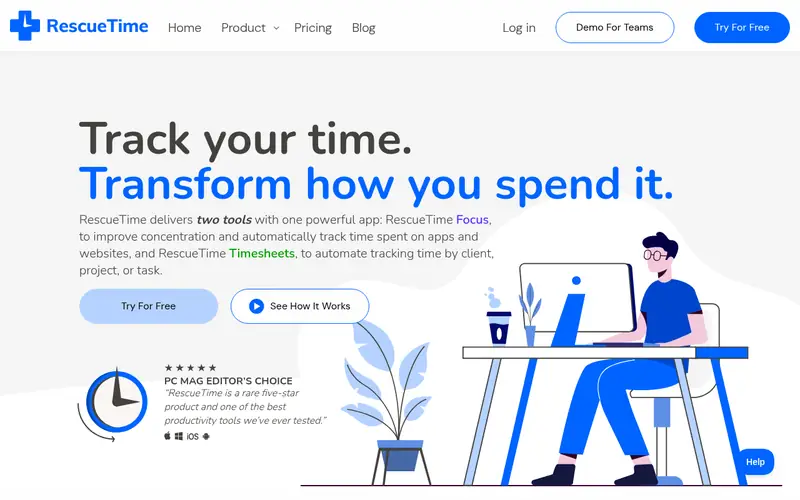
RescueTime homepage

RescueTime runs in the background and records time by app and website, then reports on focus and distraction. Sales staff can use it to see where hours go and connect summaries to Pipedrive through connectors. It suits individuals who want automatic tracking without starting timers. The free plan covers basic tracking, and paid tiers add features such as alerts and detailed reports. The homepage does not publish a fixed entry price, so check the pricing page. RescueTime is not built for client billing or invoicing, so teams that bill hours should look elsewhere. Skip it if you need deal-level billing data.

Free plan: Yes

Website: rescuetime.com

Strengths

  • Automatic background tracking with little manual input
  • Reports on time by app and category

Watch out for

  • Limited team billing features
  • Pipedrive link depends on connectors

Pre-purchase checklist

  • Confirm how the tool connects to Pipedrive: native integration, Zapier, or another connector.
  • Check the free plan user limit and which features it excludes.
  • Verify the paid entry price per user and any minimum seat count.
  • Confirm the tool supports billable rates and client invoicing if you bill hours.
  • Test the deal-to-time link on a small team before a full rollout.

FAQ

Does Pipedrive have built-in time tracking?

Pipedrive does not include built-in time tracking for billable hours. Teams record hours in a separate tool and connect it to Pipedrive through an integration or connector so time appears next to deals and contacts.

Which tool is best for automatic time capture with Pipedrive?

Timely and RescueTime both capture time automatically in the background. Timely is built around assigning captured time to clients and projects, while RescueTime focuses on app and category reports. Confirm the Pipedrive connector for each before you commit.

Is there a free time tracker that works with Pipedrive?

Harvest offers a free plan for two users, Toggl Track offers a free plan for up to five users, and Clockify offers a free plan with unlimited users for basic tracking. Each connects to Pipedrive through connectors rather than native sync.

How much do paid plans cost?

Harvest paid plans start at $12 per user per month, and Toggl Track's Starter plan is $9 per user per month. Other vendors in this guide do not publish a fixed entry price on their homepages, so check their pricing pages.

Can I bill clients from tracked Pipedrive hours?

Yes, if the time tool supports billable rates and invoicing. Harvest includes invoicing on paid plans, and Hubstaff supports client and project billing. Confirm that the connector passes the client and deal data you need for invoices.