
How we rank
Productivity · Researched comparison

Best Time Tracking for Shortcut in 2026

TaskReports may earn a fee from some links on this page, and some placements are paid and labelled. Neither one decides the order. See our disclosure.

The short answer

Toggl Track is the best starting point for most teams that need time tracking alongside Shortcut. It has a free plan, simple timers and reporting that works well for story-level or project-level hours. Clockify suits teams that want a free tier with unlimited users. Harvest fits teams that bill clients and want time tied to budgets and invoices. None of these tools tracks time inside Shortcut itself, so plan on a light workflow to connect the two.

On this page

Key takeaways

  • Shortcut has no native time tracking, so teams pair it with a separate tool that logs hours against stories or projects.
  • Toggl Track, Clockify and Harvest are the strongest fits for most Shortcut teams, with free or low-cost entry points.
  • Direct Shortcut integrations are limited, so check whether a tool offers an API, Zapier or manual story references before you commit.
  • Entry prices range from free plans to paid seats, and every figure here should be confirmed on the vendor pricing page.

Quick comparison

ToolBest fitStarting price
Toggl TrackTeams that want simple timers and clear reportsSee vendor pricing page
ClockifyLarger teams that want a free tier with many usersSee vendor pricing page

HarvestTeams that bill clients for tracked hoursSee vendor pricing page
EverhourTeams that want time tracking embedded in project toolsSee vendor pricing page
HubstaffTeams that need activity and timesheet trackingSee vendor pricing page
RescueTimeIndividuals who want automatic background trackingSee vendor pricing page
Time DoctorDistributed teams that need detailed work reportsSee vendor pricing page

How we chose

We selected tools that record time and can work alongside Shortcut, since Shortcut has no built-in time tracking. Criteria were fit for story or project-level tracking, entry price and free access, and the main limits of each plan. Sources are vendor websites and public documentation. Prices and plan limits change, so confirm details on each vendor pricing page before you buy.

★ Best overall

Toggl Track

Teams that want simple timers and clear reports

  • Simple start and stop timers
  • Reports by project, client and tag
PriceSee vendor pricing page
See Toggl Track pricing
toggl.comHomepage, Nov 2026
Toggl Track homepage

Toggl Track is a general-purpose time tracker built around a one-click timer. For Shortcut users, the practical pattern is to name time entries after story IDs or project names so reports map back to the work in Shortcut. It runs in the browser, on desktop and on mobile, and it offers an API for teams that want to push entries into another system. The free plan covers unlimited tracking for a small number of users, and paid plans add features such as billable rates and more detailed reporting. Check the current limits on the pricing page, since plan details change. Teams that need time recorded directly inside Shortcut should skip it and look for a tool with a deeper integration.

Price: See vendor pricing page

Free plan: Yes

Website: toggl.com/track

Watch out for

  • No native Shortcut integration
  • Free plan limits some reporting features
2

Clockify

Larger teams that want a free tier with many users
See vendor pricing page
clockify.meHomepage, Nov 2026
Clockify homepage

Clockify is a time tracker with a free plan that supports unlimited users, which makes it a common choice for teams that want to track hours without a per-seat cost at the start. It offers timers, manual entry, timesheets and reporting by project and client. For Shortcut teams, you can create projects that mirror Shortcut workflows and reference story IDs in entry descriptions. Paid tiers add features such as invoicing, scheduling and more detailed controls. The free plan has limits on some advanced features, so review the pricing page before you standardize on it. It is a reasonable fit for teams that value a broad free tier over a tight Shortcut connection.

Free plan: Yes

Website: clockify.me

Strengths

  • Free plan supports unlimited users
  • Timesheet and calendar views

Watch out for

  • Interface can feel busy
  • Advanced features sit on paid plans
3

Harvest

Teams that bill clients for tracked hours
See vendor pricing page
getharvest.comHomepage, Nov 2026
Harvest homepage

Harvest is a time tracking tool with a focus on client billing. It records hours against projects and tasks, then turns them into invoices and budget reports. For Shortcut users who work on client projects, the usual setup is to align Harvest projects with Shortcut projects or epics and reference story IDs in notes. Harvest offers a free trial rather than a permanent free plan, and paid plans are priced per seat. It is a good fit for agencies and consultancies that need billing detail. Teams that only need internal time logs may find it more than they need.

Free plan: Free trial (30 days)

Website: getharvest.com

Strengths

  • Strong invoicing and budget tracking
  • Clean timer and timesheet views

Watch out for

  • No free plan after the trial
  • Per-seat pricing adds up
4

Everhour

Teams that want time tracking embedded in project tools
See vendor pricing page
everhour.comHomepage, Nov 2026
Everhour homepage

Everhour is a time tracking tool that embeds timers inside connected project management tools. Shortcut is not among its listed native integrations, so Shortcut teams would use it as a standalone tracker or connect through its API. It tracks estimates against actual hours, which suits teams that plan work in Shortcut and want to compare planned and real effort. It offers a free trial and then moves to paid plans priced per user. The main draw is time tracking inside other tools, so confirm whether your stack is supported before you commit. Teams that want a free plan should look elsewhere.

Free plan: Free trial (14 days)

Website: everhour.com

Strengths

  • Time tracking inside connected project tools
  • Budget and estimate tracking

Watch out for

  • No native Shortcut integration
  • Paid-only after the trial
5

Hubstaff

Teams that need activity and timesheet tracking
See vendor pricing page
hubstaff.comHomepage, Nov 2026
Hubstaff homepage

Hubstaff combines time tracking with activity monitoring, screenshots and timesheets. It suits teams that need proof of work or payroll-style reporting rather than simple timers. For Shortcut users, you would track time against projects or tasks and reference story IDs in notes, since there is no native Shortcut integration. It offers a free trial and then paid plans per user. The activity features are optional but central to the product, so teams that want lightweight tracking may prefer a simpler tool. Review the pricing page for current plan limits.

Free plan: Free trial (14 days)

Website: hubstaff.com

Strengths

  • Timesheets with activity data
  • Payroll and reporting features

Watch out for

  • Activity tracking can feel intrusive
  • Paid-only after the trial
6

RescueTime

Individuals who want automatic background tracking
See vendor pricing page
rescuetime.comHomepage, Nov 2026
RescueTime homepage

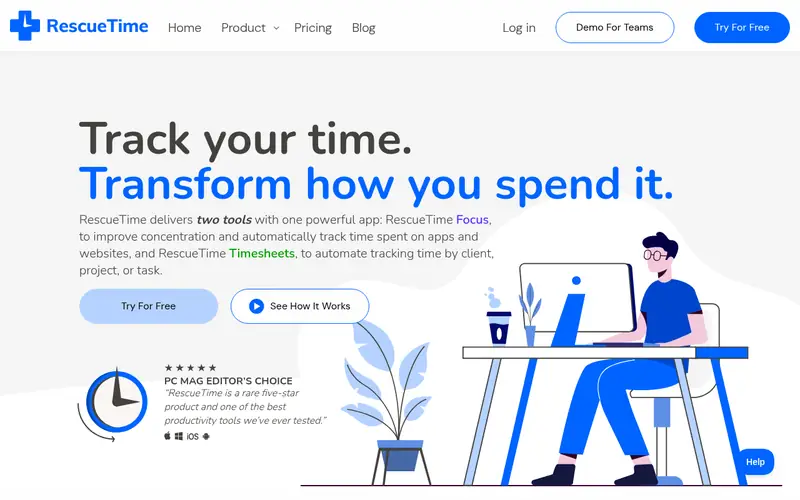
RescueTime runs in the background and records how time is spent across apps and websites. It is less about logging hours against Shortcut stories and more about understanding where work time goes. Individuals and managers use it to spot distraction and plan focus blocks. It has a free tier with limited features and paid plans for more detail. It is not a substitute for project time tracking with billable rates. Teams that need hours tied to Shortcut work should pair it with a project tracker or choose a different tool.

Free plan: Yes

Website: rescuetime.com

Strengths

  • Automatic tracking in the background
  • Focus and distraction reports

Watch out for

  • Not built for team billing
  • Limited project-level structure
7

Time Doctor

Distributed teams that need detailed work reports
See vendor pricing page
timedoctor.comHomepage, Nov 2026
Time Doctor homepage

Time Doctor is a workforce time tracking tool with activity monitoring, timesheets and reporting. It fits teams that manage remote or distributed staff and need detailed records. For Shortcut users, time is tracked against projects and tasks, with story IDs noted manually. It offers a free trial and then paid plans per user. The feature set is broad, which can be more than a small development team needs. Confirm current pricing and limits on the vendor site before adopting it.

Free plan: Free trial (14 days)

Website: timedoctor.com

Strengths

  • Detailed activity and timesheet reports
  • Payroll and attendance features

Watch out for

  • Heavy feature set for small teams
  • Paid-only after the trial

Pre-purchase checklist

  • Confirm whether the tool has a native Shortcut integration, an API or only manual entry.
  • Check the free plan limits, including user count and reporting features.
  • Decide whether you need billable rates, budgets or invoicing.
  • Test how you will label entries so they map to Shortcut story IDs.
  • Review per-seat pricing as your team grows.

FAQ

Does Shortcut have built-in time tracking?

No. Shortcut is a project management tool and does not include native time tracking. Teams use a separate time tracking product and connect it through an API, automation or manual references to story IDs.

Which tool is best for a small team on a budget?

Toggl Track and Clockify both offer free plans, which makes them a practical starting point. Check current free plan limits on each vendor site, since features and user caps can change.

Can I track time directly inside Shortcut?

Not with the tools listed here. Some time trackers embed timers in other project tools, but Shortcut is not a listed native integration for most of them. Plan on a standalone tracker or an API connection.

Do these tools support client billing?

Harvest is built around client billing, with invoices and budgets. Other tools offer billable rates on paid plans. Confirm the specific billing features on each vendor pricing page.

Are prices fixed?

No. Vendors change prices and plan limits. Every starting price here should be confirmed on the official pricing page before you commit.



